
1. Bubuka
The D-Link Wireless N300 Dual Band PCI Express Desktop Adapter (DWA-566) provides high-speed wireless connectivity for your desktop computer. Utilizing Wireless N technology, it maximizes the speed and range of your wireless signal, offering superior performance compared to Wireless G devices. The dual-band capability supports both 2.4GHz and 5GHz wireless signals, allowing for flexible network usage, such as browsing on 2.4GHz and HD streaming or gaming on the clearer 5GHz band.
This adapter is designed to fit into any standard PCI Express slot, offering a higher performance interface than legacy PCI. It supports secure wireless networks with WPA or WPA2 encryption.

Figure 1.1: D-Link DWA-566 Wireless N300 Dual Band PCI Express Desktop Adapter with antennas.
2. Fitur
The DWA-566 adapter includes the following key features:
- IEEE 802.11n, 802.11g, and 802.11a Compliant
- Dual Band Technology for Superior Wireless Performance (2.4GHz or 5GHz)
- Access secure wireless networks using advanced WPA or WPA2 encryption
- Fits into any standard PCI Express slot
- PCI Express Interface provides higher performance than a legacy PCI interface
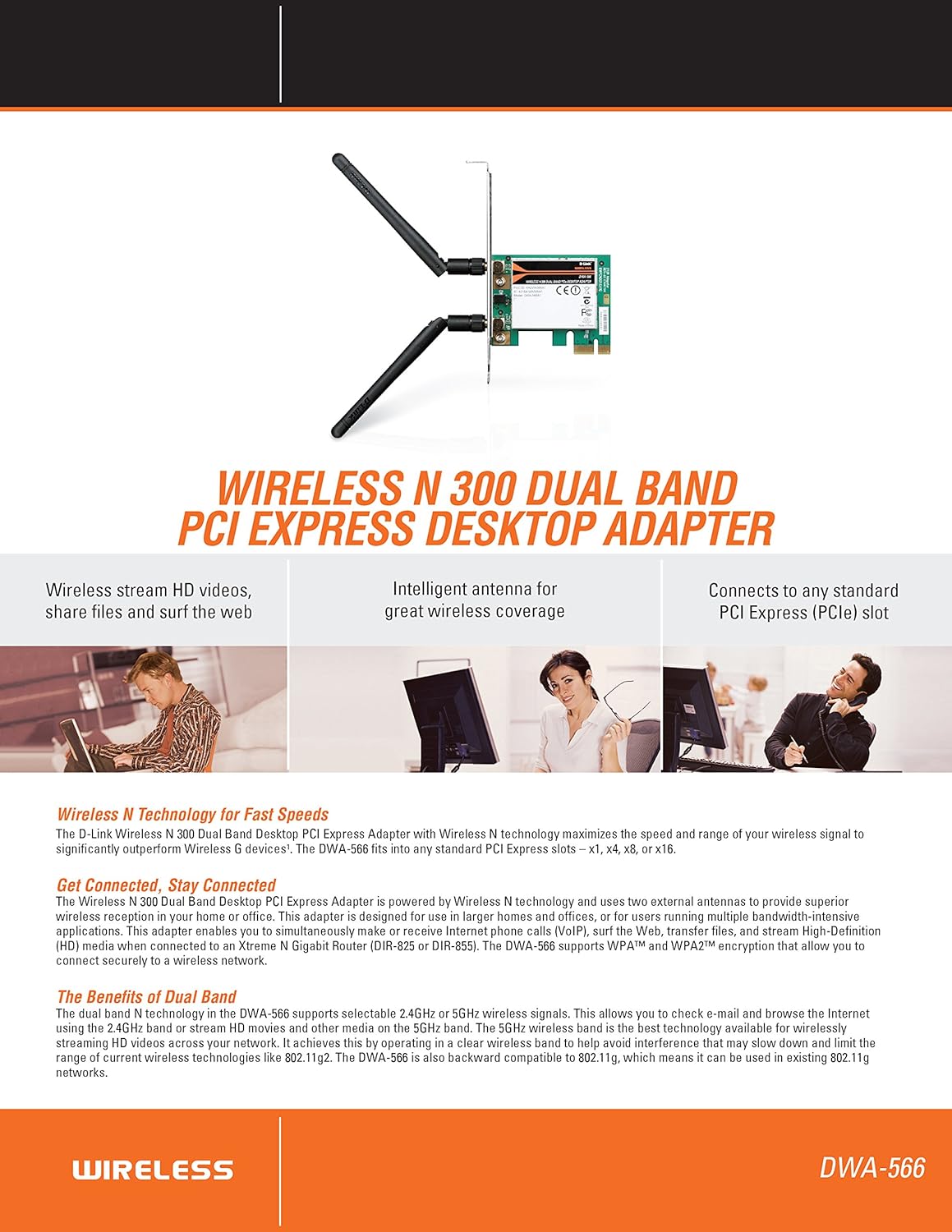
Gambar 2.1: Leuwihview of DWA-566 features and benefits.
3. Eusi Paket
Pariksa yén pakét anjeun ngandung barang-barang ieu:
- Wireless N 300 Dual Band PCI Express Adapter (DWA-566)
- Dua anteneu anu tiasa dicabut
- Low-profile ningkatna bracket
- Gancang Install Guide
- CD-ROM with:
- Manajer Sambungan Nirkabel D-Link
- Supir
- Dokuméntasi Produk
4. Sarat Sistim
Before installing the DWA-566, ensure your system meets the following minimum requirements:
- Computer with an available PCI Express slot
- Windows operating system (Windows XP, Vista, 7, 8, 10)
- CD-ROM drive (for driver installation from included CD)
- Internet Explorer 7 or Firefox 3.0 and above (for viewing documentation)
- Langganan sareng Panyadia Ladénan Internét (ISP)
For optimal performance, a D-Link Wireless N router (DIR-655 or DIR-825) is recommended.

Figure 4.1: Detailed technical specifications, minimum requirements, and network diagram.
5. Setup jeung Instalasi
5.1 Pamasangan parangkat keras
- Pareuman Komputer: Pareuman komputer sareng cabut kabel listrik.
- Buka Kasus Komputer: Remove the computer case cover.
- Manggihan slot PCI Express: Find an available PCI Express slot on your motherboard.
- Selapkeun adaptor: Carefully insert the DWA-566 adapter into the PCI Express slot, ensuring it is seated firmly.
- Adaptor Aman: Secure the adapter with a screw to the computer chassis.
- Pasang Antenna: Screw the two included antennas onto the connectors on the adapter.
- Tutup Case sareng Hurungkeun: Replace the computer case cover, plug in the power cord, and power on your computer.

Figure 5.1: DWA-566 adapter with antennas attached, ready for installation.
5.2 Pamasangan parangkat lunak
After hardware installation, proceed with driver and utility installation:
- Lebetkeun CD Pamasangan: Insert the DWA-566 installation CD into your computer's CD-ROM drive. The setup wizard should launch automatically. If not, navigate to the CD drive and run the 'Setup.exe' file.
- Turutan parentah dina layar: Follow the prompts of the D-Link setup wizard to install the drivers and the D-Link Wireless Connection Manager utility.
- Balikan deui Komputer: After the installation is complete, restart your computer when prompted.
Catetan: For Windows 7/8 64-bit systems, ensure you are using the latest drivers available from the official D-Link support website to avoid potential compatibility issues.
6. Parentah Operasi
Once the drivers are installed, you can connect to a wireless network:
- Launch Connection Manager: Open the D-Link Wireless Connection Manager utility or use the built-in Windows wireless network utility.
- Scan pikeun Jaringan: The utility will scan for available wireless networks in your area.
- Pilih Jaringan: Choose your desired wireless network (SSID) from the list.
- Enter Security Key: If the network is secured, enter the correct WPA/WPA2 security key or passphrase.
- Nyambung: Klik 'Sambungkeun' pikeun nyieun sambungan nirkabel.
A successful connection will be indicated by a strong signal strength and internet access.
7. Pangropéa
To ensure optimal performance and longevity of your DWA-566 adapter:
- Tetep Pembalap diropéa: Periodically check the D-Link support website for the latest drivers and firmware updates.
- Pastikeun ventilasi anu leres: Make sure your computer case has adequate airflow to prevent overheating of internal components, including the wireless adapter.
- Posisi anteneu: Adjust the antennas for the best possible signal reception.
- Faktor Lingkungan: Avoid placing your computer near large metal objects or other devices that may cause wireless interference.
8. Cara ngungkulan
If you encounter issues with your DWA-566 adapter, consider the following:
8.1 Teu Aya Sambungan Nirkabel
- Verify Hardware Installation: Ensure the adapter is correctly seated in the PCI Express slot and antennas are securely attached.
- Pariksa Supir: Confirm that the drivers are installed correctly. Check Device Manager for any error symbols next to the network adapter. Reinstall drivers if necessary.
- Status router: Ensure your wireless router is powered on and broadcasting a signal.
- Konci Kaamanan: Double-check that the correct wireless security key (WPA/WPA2 passphrase) is entered.
- Setélan firewall: Temporarily disable your computer's firewall to see if it is blocking the connection. If it resolves the issue, configure your firewall to allow the D-Link utility.
8.2 Slow Connection Speed or Frequent Disconnections
- Adjustment anteneu: Try repositioning the antennas for better signal reception.
- gangguan: Move the computer away from potential sources of interference (e.g., cordless phones, microwaves, Bluetooth devices).
- Router Deukeutna: Ensure the computer is within the effective range of your wireless router.
- Pamakéan Dual Band: If your router supports it, try connecting to the 5GHz band for less interference and potentially higher speeds, especially for streaming or gaming.
- Pembaruan supir: Update the adapter drivers to the latest version from the D-Link websitus.
9. Spésifikasi
| Fitur | Spésifikasi |
|---|---|
| merek | D-Tumbu |
| Nomer modél | DWA-566 |
| Panganteur Hardware | PCI Express |
| Protokol Patalina Data | IEEE 802.11n, 802.11g, 802.11a |
| Laju Mindahkeun Data | Nepi ka 300 Megabit Per Detik |
| Pita frékuénsi | 2.4 GHz / 5 GHz (Dual Band) |
| Kaamanan | WPA, WPA2 |
| Alat nu cocog | Komputer Desktop |
| Item Beurat | 0.4 Pon (kira-kira 181 gram) |
| Sertifikasi Tés éksternal | FCC B, IC B, CE, C-Tick |
10. Garansi jeung Rojongan
The D-Link Wireless N300 Dual Band PCI Express Desktop Adapter (DWA-566) comes with a 1-taun jaminan kawates. For specific terms and conditions, please refer to the warranty documentation included with your product or visit the official D-Link websitus.
D-Link provides 24/7 Basic Installation Support to assist with initial setup and configuration. For technical assistance, driver downloads, and further product information, please visit the D-Link support websitus atanapi ngahubungan layanan palanggan maranéhna.
D-Link Rojongan Websitus: https://support.dlink.com/