
1. Bubuka
The D-Link DIR-610 Wireless N150 Router is designed to provide a high-speed wireless network connection for your home or small office. This manual will guide you through the installation, configuration, and operation of your new router, ensuring a secure and efficient internet experience.
The DIR-610 supports the latest wireless security features to prevent unauthorized access to both the wireless network and the internet. It also includes Quality of Service (QoS) functionality, which, when enabled, allows for a better online experience by prioritizing network traffic.
2. Eusi Paket
Mangga pariksa heula yén pakét anjeun ngandung barang-barang ieu:
- 1 x D-Link DIR-610 Wireless N150 Router
- 1 x adaptor kakuatan
- 1 x Ethernet Kabel
- 1 x Pituduh Instalasi
- 1 x Manual Pamaké (dokumén ieu)
If any items are missing or damaged, please contact your local D-Link reseller.
3. Setélan
Follow these steps to set up your D-Link DIR-610 Router:
- Bongkarkeun Routerna: Cabut router sareng sadaya asesoris tina bungkusna kalayan ati-ati.
- Posisi router: Place the router in a central location in your home or office, away from obstructions and devices that may cause interference (e.g., cordless phones, microwave ovens).
- Nyambung ka Daya: Connect the power adapter to the router's power port and then plug the adapter into a wall outlet. Ensure the power LED on the router illuminates.
- Nyambung ka Internét (WAN): Connect one end of the provided Ethernet cable to your modem's Ethernet port and the other end to the Internet (WAN) port on the DIR-610 router.
- Connect to Computer (LAN - Optional): For initial setup or wired connections, connect one end of another Ethernet cable (not included, or use the provided one if not connecting to modem yet) to one of the LAN ports on the router and the other end to your computer's Ethernet port. Alternatively, you can connect wirelessly using the default Wi-Fi name and password found on the router's label.
- Run D-Link Assistant: The D-Link Assistant allows users without technical knowledge to install the router and establish an internet connection in minutes by simply running the product CD. Insert the product CD into your computer and follow the on-screen instructions.
- Aksés Web-based Setup: If not using the CD, open a web browser (e.g., Chrome, Firefox) on a connected computer and type
http://dlinkrouter.localorhttp://192.168.0.1into the address bar. Log in using the default username (usually admin) and password (often blank or admin). Refer to the router's label for default login credentials. - Turutan Wizard Setup: Once logged in, the setup wizard will guide you through configuring your internet connection, wireless network name (SSID), and password.
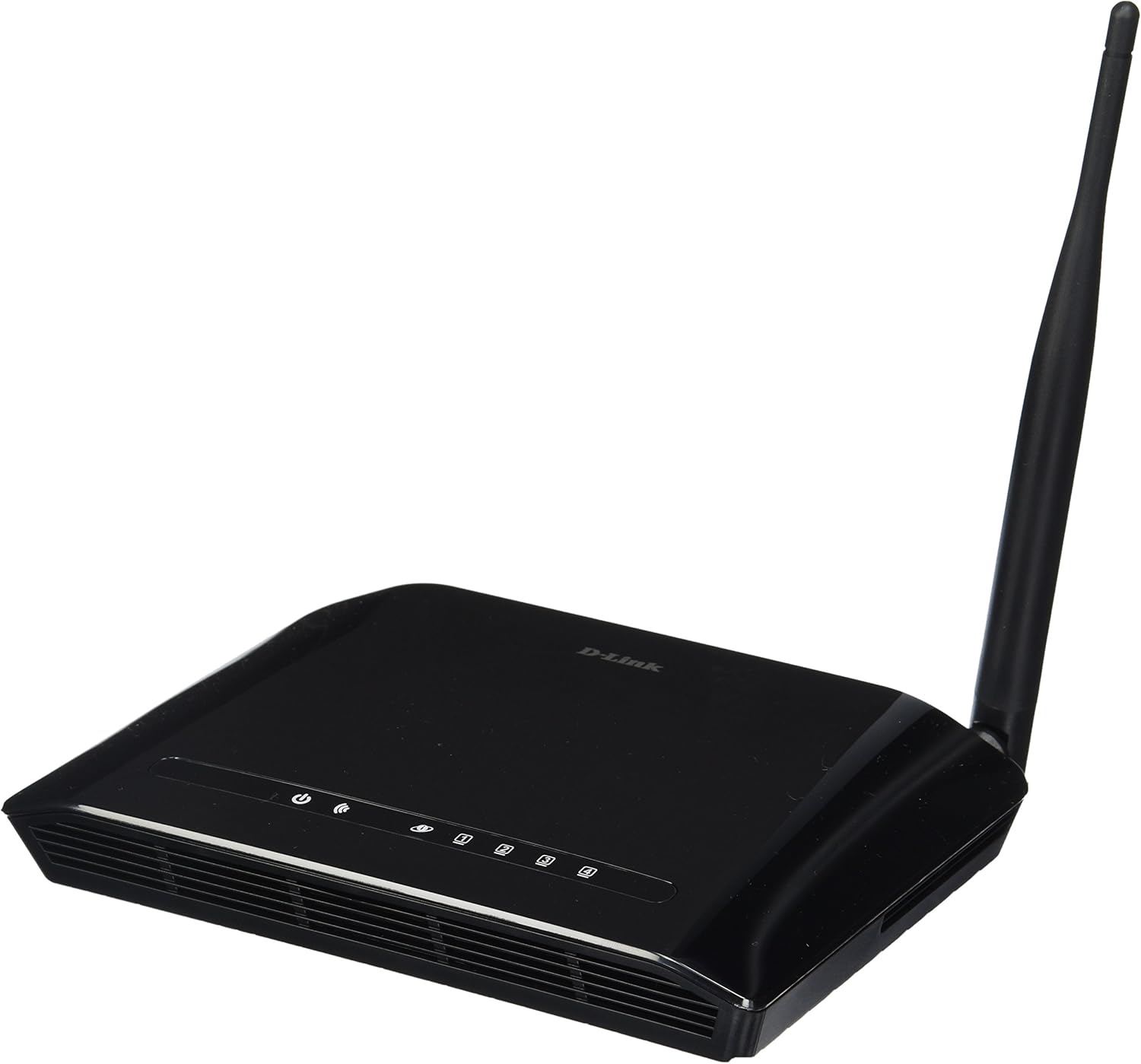
Gambar 3.1: Hareupeun view of the D-Link DIR-610 Wireless N150 Router. This image shows the compact black router with its single external antenna and LED indicators on the front panel for power, internet, and wireless status.
4. Ngoperasikeun Router
Once your D-Link DIR-610 router is set up, you can manage its various functions through the web-panganteur dumasar.
4.1 Konéktipitas Wireless
The DIR-610 provides Wireless N150 connectivity, offering reliable wireless access for devices such as laptops, smartphones, and tablets. To connect a device:
- Aktipkeun Wi-Fi dina alat Anjeun.
- Nyeken jaringan nirkabel nu sadia.
- Select your configured network name (SSID).
- Enter your wireless password (WPA/WPA2 key).
4.2 Fitur Kaamanan
The DIR-610 incorporates advanced wireless security protocols to protect your network from unauthorized access. It supports WPA/WPA2 encryption. It is highly recommended to use WPA2-PSK (AES) encryption with a strong, unique password for your wireless network.
4.3 Kualitas Palayanan (QoS)
The DIR-610 Router includes Quality of Service (QoS) functionality. QoS allows you to prioritize certain types of network traffic, such as online gaming or video streaming, over less time-sensitive activities like file downloads. This helps ensure a smoother and more responsive experience for critical applications. You can configure QoS settings through the router's web panganteur.
5. Pangropéa
Regular maintenance helps ensure optimal performance and longevity of your D-Link DIR-610 router.
- Pembaruan firmware: Periodically check the D-Link support websitus pikeun apdet firmware. Ngamutahirkeun firmware tiasa ningkatkeun kinerja, nambihan fitur anyar, sareng ngalereskeun kerentanan kaamanan.
- Sandi Aman: Regularly change your router's administrator password and your Wi-Fi password to strong, unique combinations.
- Lingkungan Fisik: Keep the router in a well-ventilated area, free from dust and direct sunlight. Avoid placing heavy objects on top of the router.
- Rebooting: If you experience network issues, a simple reboot of the router (unplugging the power for 10 seconds and plugging it back in) can often resolve minor problems.
6. Cara ngungkulan
This section addresses common issues you might encounter with your D-Link DIR-610 router.
6.1 Taya Aksés Internét
- Pariksa sadaya sambungan kabel: Pastikeun kabel Ethernet tina modem anjeun nyambung kalayan aman kana port Internét (WAN) router.
- Verify modem status: Ensure your modem is working correctly and has an active internet connection.
- Reboot devices: Power cycle your modem, then your router, and finally your computer/device.
- Check router settings: Access the router's web interface and verify your internet connection settings (e.g., PPPoE, DHCP, Static IP) are correct as provided by your Internet Service Provider (ISP).
6.2 Laju Nirkabel Leutik
- gangguan: Pindahkeun router ti alat éléktronik lianna nu bisa ngabalukarkeun gangguan.
- Pilihan Saluran: In the router's wireless settings, try changing the wireless channel to a less congested one (e.g., 1, 6, or 11).
- Jarak jeung Halangan: Ensure your device is within a reasonable range of the router and that there are no major physical obstructions (thick walls, metal objects) blocking the signal.
- Setélan QoS: If QoS is enabled, ensure it is configured correctly and not inadvertently prioritizing less important traffic.
6.3 Forgotten Administrator Password
If you forget your router's administrator password, you will need to perform a factory reset. Locate the reset button (usually a small pinhole button) on the router. With the router powered on, use a paperclip to press and hold the reset button for about 10 seconds. The router will reboot with factory default settings, and you can then log in using the default credentials (e.g., username admin, password blank or admin).
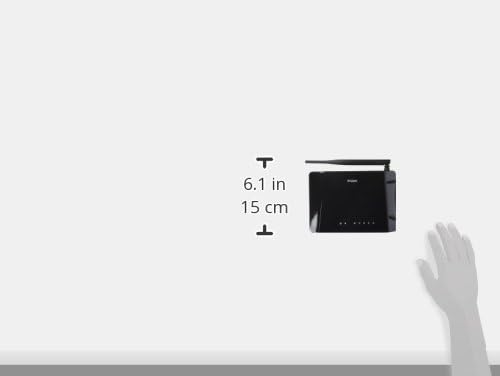
Gambar 6.1: Diagram illustrating the approximate dimensions of the D-Link DIR-610 Router. The image shows the router's height of approximately 6.1 inches (15 cm).
7. Spésifikasi
| Fitur | Spésifikasi |
|---|---|
| merek | D-Tumbu |
| Produsén | D-Tumbu |
| Runtuyan | 97200GL |
| Warna | Hideung |
| Jangkungna produk | 14.75 séntiméter |
| Lebar produk | 3.15 séntiméter |
| Resolusi | pixels Pixels |
| Batré Kaasup | No |
| Dimensi produk | 11.32 x 3.15 x 14.75 cm; 200 g |
| Jumlah modél produk | DIR-610 |
| ASIN | B00CLMOR4U |
| Tanggal Sadia munggaran | 15 Nopémber 2012 |
| Komponén Kaasup | 1 DIR-610 Router, Power Adapter, Ethernet Cable, Installation Guide, User Manual |
| Téhnologi konektipitas | Nirkabel |
| Beurat produk | 200 gram |
| Métode kontrol | Application (referring to web panganteur) |
| Bandwidth Port LAN | 10/100 megabits per second |
| UPC | 790069377822, 790069377808, 790069377891 |
| Nomer Barang Perdagangan Global (GTIN) | 00790069377891 |
8. Émbaran Kasalametan
Please read and follow all safety instructions to prevent injury or damage to the device:
- Ulah muka alat casing.
- Ulah ngalaan alat ka cai, beueus, atawa suhu ekstrim.
- Paké ngan adaptor kakuatan disadiakeun kalawan alat.
- Jauhkeun alat tina sumber panas sareng sinar panonpoé langsung.
- Pastikeun ventilasi ditangtoskeun sabudeureun alat.
9. Garansi jeung Rojongan
For warranty information, please refer to the warranty card included with your product or visit the official D-Link website for your region. D-Link provides technical support for its products. For assistance, please visit your local D-Link support websitus atanapi ngahubungan layanan palanggan maranéhna.
D-Tumbu Websitus: www.dlink.com