
1. Bubuka
This manual provides comprehensive instructions for the installation, operation, maintenance, and troubleshooting of the Securitron DPS-W-WH Door Position Switch. Please read this manual thoroughly before installation and use to ensure proper functionality and safety.
2. Produk Langkungview
The Securitron DPS-W-WH is a concealed door position switch designed for use with wood doors. It consists of a magnetic switch and a cylindrical permanent magnet, which work together to detect the open or closed status of a door. This model features a Normally Closed (SPST) contact type.
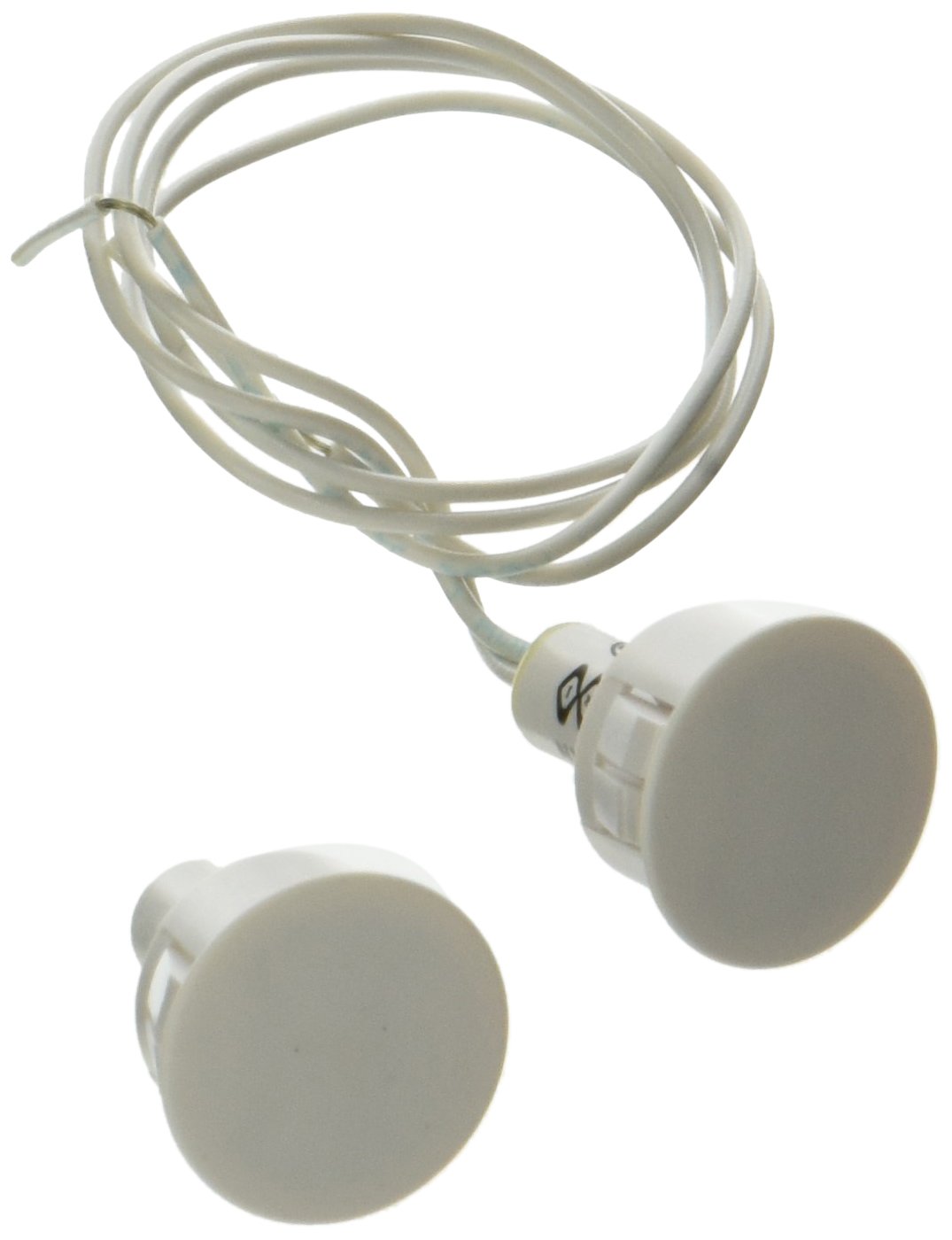
Gambar 1: The Securitron DPS-W-WH Door Position Switch components. This image displays the two main components of the Securitron DPS-W-WH Door Position Switch: a magnetic switch and a cylindrical permanent magnet. Both are white and connected by white wiring, designed for concealed installation.
Fitur konci:
- Concealed installation for aesthetic integration.
- Designed for wood doors.
- Normally Closed (SPST) contact type.
- Includes a magnetic switch and a cylindrical permanent magnet.
- Requires drilling a 3/4 inch (19mm) diameter hole for both components.
- Operating distance typically 1/2 inch to 3/4 inch (12-18mm), depending on door type and gap.
3. Setup jeung Instalasi
Proper installation is crucial for the reliable operation of the DPS-W-WH switch. Follow these steps carefully:
- Persiapan: Ensure the door and frame surfaces are clean and free from obstructions. Identify the exact location on the door and frame where the switch components will be installed.
- liang pangeboran: Both the magnetic switch and the cylindrical permanent magnet require a 3/4 inch (19mm) diameter hole. These holes must be drilled directly opposite one another in the door and its corresponding frame. Precision is key to ensure proper alignment.
- Selapkeun komponén: Insert the magnetic switch into the drilled hole in the door frame and the cylindrical permanent magnet into the drilled hole in the door. Ensure they are flush with the surface for a concealed finish.
- Wiring: Connect the wires from the magnetic switch to your control panel or monitoring system. The DPS-W-WH is a Normally Closed (NC) switch, meaning the circuit is closed when the door is closed (magnet and switch are aligned) and opens when the door is opened (magnet and switch are separated).
- Uji coba: After installation, test the switch by opening and closing the door. Verify that your control system accurately detects the door's position. The optimal operating distance between the magnet and switch is typically within the 1/2 inch to 3/4 inch (12-18mm) range.
Catetan: While primarily designed for wood doors, the large magnet included with this switch is capable of overcoming the shielding effect of a steel door, should such an application be necessary, provided the installation guidelines are strictly followed.
4. Parentah Operasi
The Securitron DPS-W-WH operates automatically based on the door's position. When the door is closed, the magnetic switch and the permanent magnet are in close proximity, maintaining a closed circuit (Normally Closed operation). When the door is opened, the magnet moves away from the switch, causing the circuit to open. This change in circuit status signals the door's position to the connected security or access control system.
5. Pangropéa
The Securitron DPS-W-WH Door Position Switch is designed for minimal maintenance. Regular checks can help ensure its longevity and reliable performance:
- Inspeksi Visual: Periodically inspect the visible parts of the switch (if any) and the surrounding area for any signs of damage or wear.
- Kabersihan: Keep the area around the switch components clean to prevent debris from interfering with its operation. Use a soft, dry cloth for cleaning.
- Uji fungsionalitas: Regularly test the switch's functionality by opening and closing the door and verifying the signal with your connected system.
- Pariksa Wiring: Pastikeun sadaya sambungan kabel tetep aman sareng bébas tina korosi.
6. Cara ngungkulan
If the door position switch is not functioning as expected, consider the following troubleshooting steps:
- No Signal/Incorrect Signal:
- Alignment: Verify that the magnetic switch and the permanent magnet are perfectly aligned when the door is closed. Misalignment is a common cause of issues.
- Gap Distance: Check the gap between the magnet and the switch. If the gap exceeds the recommended 1/2 inch to 3/4 inch (12-18mm) range, the switch may not activate reliably.
- Wiring: Inspect all wiring connections for looseness, damage, or incorrect polarity. Ensure the wires are securely terminated.
- Switch Damage: Although rare, the switch or magnet could be physically damaged. If other troubleshooting steps fail, consider replacing the unit.
- Operasi intermittent:
- Door Movement: Ensure the door closes consistently to the same position. Excessive door play or movement can cause intermittent signals.
- Faktor Lingkungan: Strong magnetic fields from other devices nearby could potentially interfere with the switch's operation.
7. Spésifikasi
The following table details the technical specifications for the Securitron DPS-W-WH Door Position Switch:
| Spésifikasi | Nilai |
|---|---|
| Nomer modél | DPS-W-WH |
| Dimensi produk | 3.3 x 6.1 x 0.5 inci |
| Item Beurat | 0.32 ons |
| Modeu Operasi | Otomatis |
| Tipe Kontak | Normally Closed (SPST) |
| Tipe Panyambung | Terminal screw |
| Terminal | sekrup |
| Jinis Sirkuit | 1-jalan |
| Tipe Pamasangan | Flush-Mounted |
| Bahan Kontak | logam |
| Jumlah Jabatan | 2 |
| Recommended Hole Diameter | 3/4 inci (19mm) |
| Jarak Operasi | 1/2 inch - 3/4 inch (12-18mm) |
8. Émbaran jaminan
Securitron products are backed by a comprehensive warranty. For specific details regarding the warranty period and terms for the DPS-W-WH Door Position Switch, please refer to the official Securitron websitus atanapi ngahubungan rojongan customer maranéhanana langsung. Simpen bukti pameseran anjeun pikeun klaim garansi.
9. Rojongan
For technical assistance, product inquiries, or further support, please contact Securitron customer service. You can typically find contact information, including phone numbers and email addresses, on the official Securitron website. When contacting support, please have your product model number (DPS-W-WH) and any relevant details about your issue ready.