
1. Bubuka
This manual provides essential instructions for the safe and efficient operation of your ICOM BC-152 charger. Please read this manual thoroughly before using the charger to ensure proper setup, operation, and maintenance. Keep this manual for future reference.
2. Émbaran Kasalametan
Always observe the following safety precautions to prevent injury, damage to the charger, or damage to the device being charged.
- Use only with compatible ICOM battery packs. Using incompatible batteries may cause fire, explosion, or injury.
- Ulah ngantepkeun carjer ka hujan, kalembaban, atanapi suhu anu ekstrim.
- Ulah ngabongkar atanapi ngarobih carjer. Serahkan sadaya servis ka tanaga anu mumpuni.
- Pastikeun voltage matches the charger's specifications.
- Jauhkeun carjer tina sumber panas sareng sinar panonpoé langsung.
- Cabut colokan carjer tina stop kontak listrik nalika teu dianggo atanapi sateuacan beberesih.
3. Setélan
3.1 Ngabongkar bungkusan
Carefully remove the ICOM BC-152 charger from its packaging. Verify that all components are present:
- ICOM BC-152 Charger Unit
- AC Adapter (if included)
- Manual Pitunjuk (dokumén ieu)
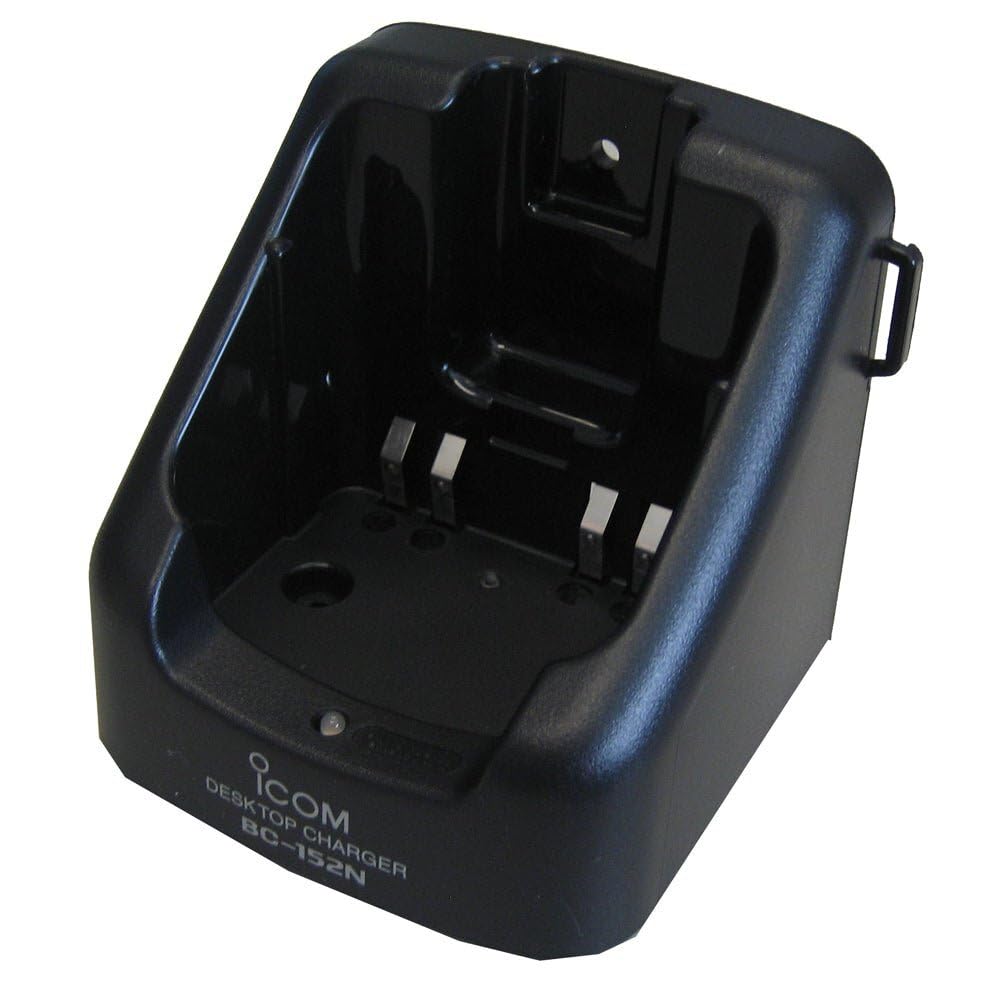
Figure 1: The ICOM BC-152 charger unit. This image shows the compact black charger with a single slot for a battery pack.
3.2 Nyambungkeun Daya
- Connect the AC adapter cable to the DC input jack on the rear of the BC-152 charger unit.
- Colokkeun adaptor AC kana stop kontak standar.
- Carjer ayeuna tos siap dianggo.
4. Parentah Operasi
4.1 Charging a Battery Pack
Follow these steps to charge a compatible ICOM battery pack:
- Ensure the charger is connected to a power source as described in Section 3.2.
- Carefully insert the battery pack into the charging slot of the BC-152 charger. Ensure it is seated firmly.
- Observe the charging indicator light.
4.2 Lampu Indikator
The BC-152 charger features an LED indicator to show the charging status:
- Beureum (Padet): Batré ayeuna nuju ngecas.
- Héjo (Padet): Charging is complete. The battery pack is fully charged.
- Kedip-kedip Beureum: Charging error or battery fault. Remove the battery and re-insert. If the error persists, consult the troubleshooting section.
- Teu aya Cahaya: Charger is not connected to power, or no battery is inserted.
Charging time may vary depending on the battery's capacity and its current charge level. Typically, a fully depleted battery will take approximately 2-4 hours to charge.
5. Pangropéa
5.1 beberesih
Pikeun ngajaga kinerja optimal sareng penampilan:
- Salawasna cabut carjer tina stop kontak sateuacan beberesih.
- Use a soft, dry cloth to wipe the exterior of the charger.
- Ulah make cleaners abrasive, pangleyur, atawa bahan kimia kasar.
- Ensure no moisture enters the charging slot or power input.
5.2 Panyimpenan
When not in use for extended periods, store the charger in a cool, dry place, away from direct sunlight and extreme temperatures. Disconnect it from the power supply.
6. Cara ngungkulan
If you encounter issues with your BC-152 charger, refer to the table below for common problems and solutions.
| Masalah | Mungkin Cukang lantaranana | Solusi |
|---|---|---|
| Charger indicator light is off. | No power supply or battery not inserted. | Check AC adapter connection. Ensure battery is correctly inserted. |
| Indicator light flashes red. | Battery fault or charging error. | Remove and re-insert the battery. Try a different compatible battery if available. |
| Batréna henteu dieusi. | Faulty battery, charger, or power supply. | Verify power connection. Test with a known good battery. If problem persists, contact support. |
7. Spésifikasi
| merek | ICOM |
| Modél | SM-152 |
| Masukan Voltage | 12-16V DC (via AC adapter) |
| Kaluaran Voltage | 8.4V DC |
| Ngecas Ayeuna | Kira-kira. 450mA |
| Ukuran (W × H × D) | Approx. 80 × 50 × 90 mm (3.1 × 2.0 × 3.5 inches) |
| Beurat | 0.18 Pon (kira-kira 82g) |
| Warna | Hideung |
Catetan: Spésifikasi tiasa robih tanpa aya bewara sateuacanna pikeun perbaikan.
8. Émbaran jaminan
ICOM products are manufactured with high-quality components and are subject to rigorous quality control. This product is covered by a limited warranty against defects in materials and workmanship. The specific terms and duration of the warranty may vary by region. Please refer to the warranty card included with your purchase or visit the official ICOM websitus kanggo inpormasi garansi lengkep.
Garansi ieu henteu nutupan karusakan anu disababkeun ku salah panggunaan, kacilakaan, modifikasi anu henteu sah, atanapi pamasangan anu henteu leres.
9. Rojongan Palanggan
If you have any questions, require technical assistance, or need to report a problem that cannot be resolved using the troubleshooting guide, please contact ICOM customer support.
ICOM America Inc.
Visit ICOM America's Contact Page
Please have your product model (BC-152) and serial number ready when contacting support.