
1. Bubuka
Thank you for choosing the Pro-Ject Debut Carbon DC Turntable. This manual provides essential information for the proper setup, operation, and maintenance of your turntable. Please read these instructions carefully before using the device to ensure optimal performance and longevity.
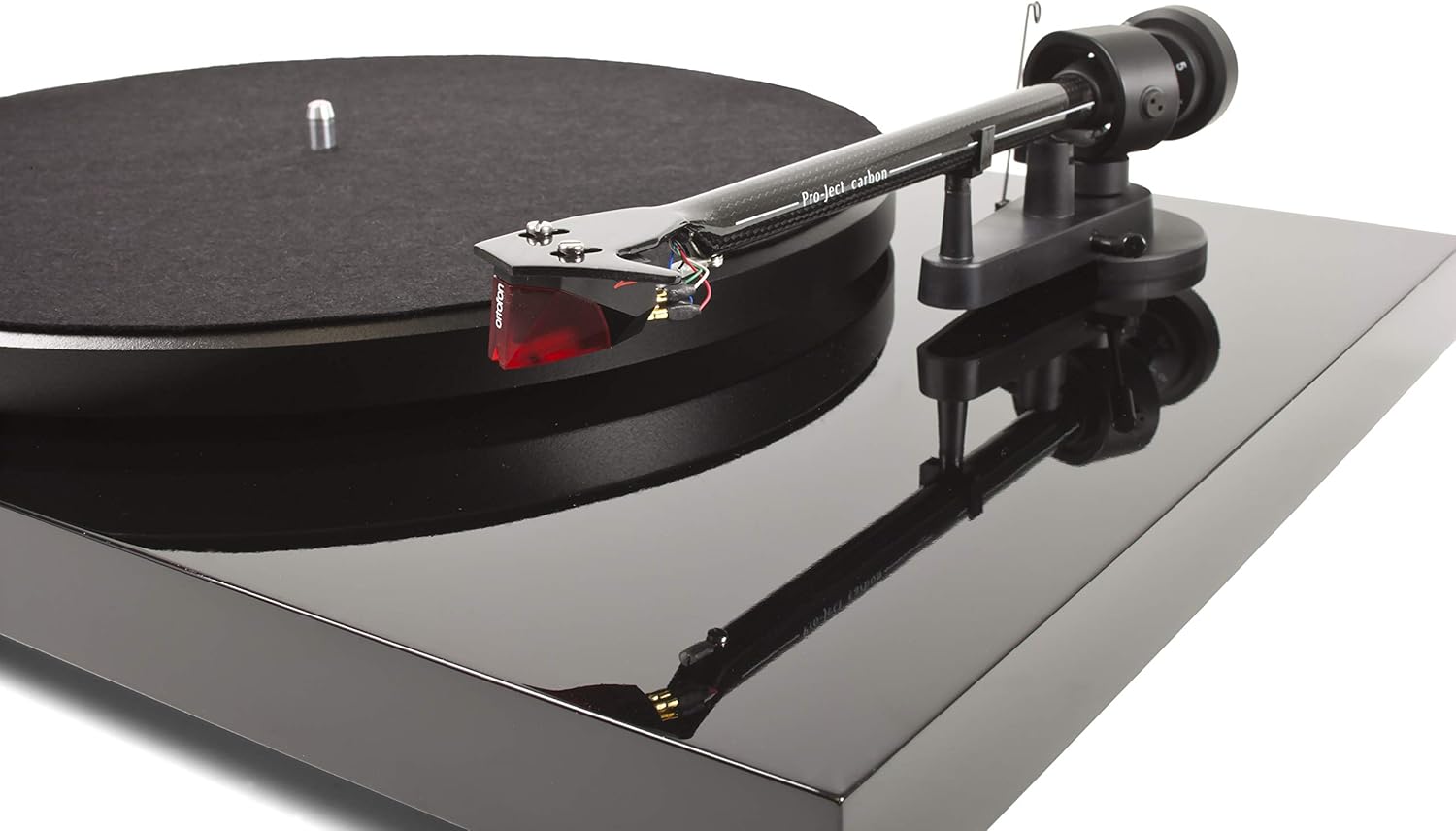
The Pro-Ject Debut Carbon DC is a high-fidelity turntable designed for exceptional audio reproduction, featuring an 8.6-inch carbon fiber tonearm and a pre-mounted Ortofon 2M Red cartridge.
2. Parentah Kasalametan
- Always disconnect the turntable from the power supply before cleaning or performing any maintenance.
- Jauhkeun turntable tina cai, kalembaban, sareng sinar panonpoé langsung.
- Teundeun turntable dina stabil, permukaan datar pikeun nyegah geter sarta mastikeun operasi ditangtoskeun.
- Ulah nyobian ngalereskeun unit ieu nyalira. Serahkan sadaya perawatan ka tanaga anu mumpuni.
- Avoid touching the stylus with your fingers to prevent damage.
3. Eusi Paket
Pastikeun yén sadaya item anu didaptarkeun di handap aya dina pakét anjeun:
- Pro-Ject Debut Carbon DC Turntable with pre-mounted Ortofon 2M Red Cartridge
- Connect-It E RCA Cable
- Removable Power Supply
- Tikar Piring Karasa
- Panutup lebu
- counterweight
- Anti skate beurat
4. Setélan
4.1 Ngabongkar sareng Nempatkeun
Cabut sadaya komponén tina bungkusna kalayan ati-ati. Tempatkeun turntable dina permukaan anu teuas sareng rata, jauh tina sumber panas langsung atanapi geteran anu kuat. Pastikeun ventilasi anu cekap di sakitar unit.
4.2 Platter jeung Beubeur Instalasi
- Place the main platter onto the turntable spindle.
- Locate the drive belt. Carefully stretch the belt around the inner rim of the platter and around the motor pulley. Ensure the belt is not twisted.
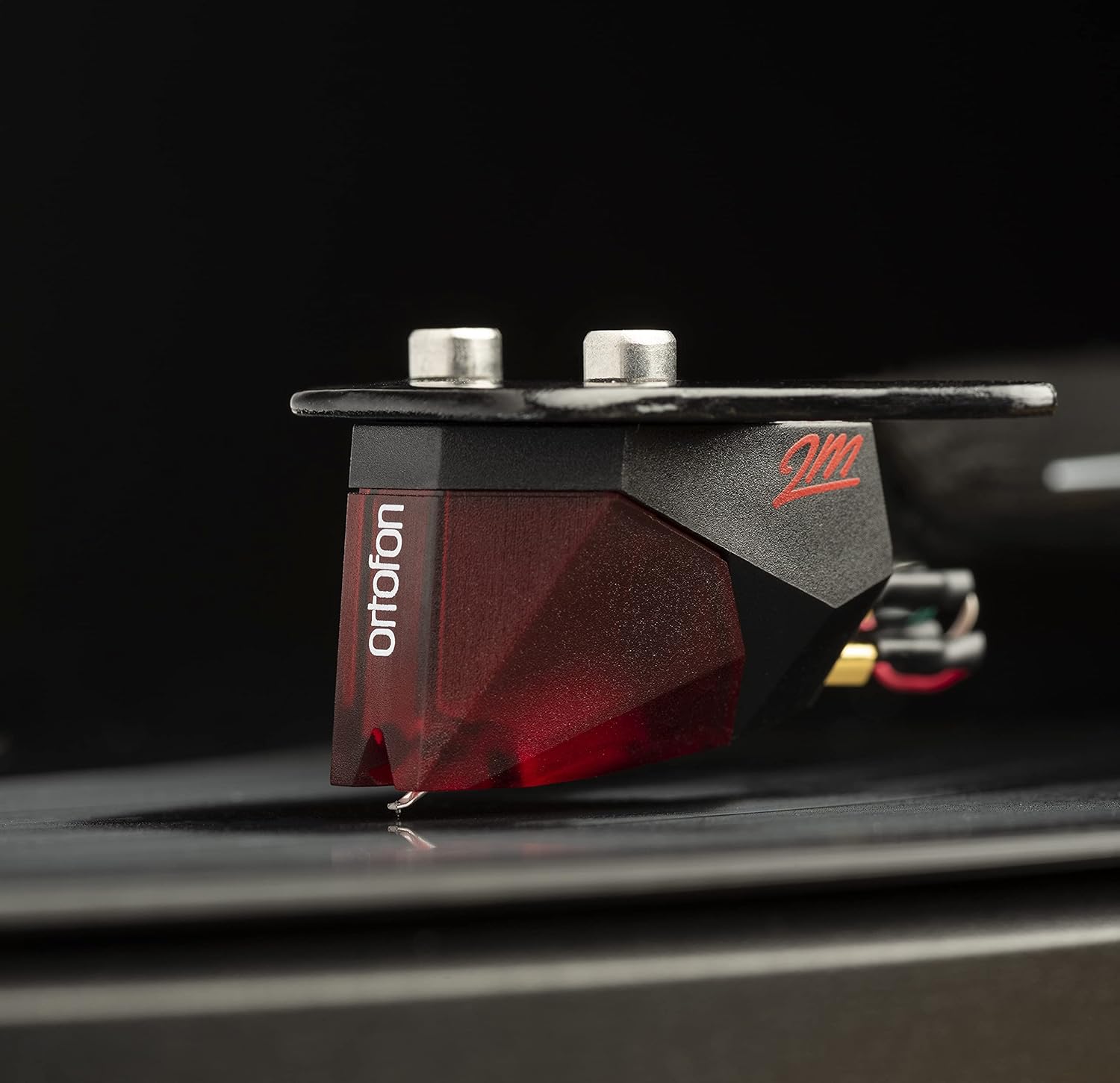
Image: The Pro-Ject Debut Carbon DC Turntable fully assembled, showing the platter, tonearm, and Ortofon 2M Red cartridge. This image illustrates the overall appearance of the turntable after initial setup.
4.3 Kasaimbangan Tonearm sareng Gaya Pelacak
The Ortofon 2M Red cartridge is pre-mounted. However, proper tonearm balance and tracking force adjustment are crucial for optimal sound and record preservation.
- With the anti-skate weight removed, carefully unclip the tonearm and move it away from the tonearm rest.
- Rotate the counterweight on the rear of the tonearm until the tonearm floats freely and is perfectly balanced horizontally.
- Once balanced, return the tonearm to its rest. Hold the counterweight steady and rotate the numbered ring until '0' aligns with the line on the tonearm.
- Rotate the entire counterweight counter-clockwise until the desired tracking force is set. For the Ortofon 2M Red, the recommended tracking force is typically 1.8 grams.
Gambar: A close-up view of the Ortofon 2M Red cartridge mounted on the carbon fiber tonearm of the Pro-Ject Debut Carbon DC turntable. This highlights the stylus and cartridge assembly.
4.4 Pangaluyuan Anti-Seluncur Es
The anti-skate mechanism prevents the tonearm from being pulled inwards towards the center of the record. Attach the small loop of the anti-skate weight's thread to the second groove of the anti-skate stub on the tonearm support.
4.5 Nyambungkeun ka hiji Amppangagung
Connect the supplied RCA cable from the turntable's output jacks to the 'Phono' input on your amplifier or a dedicated phono pre-amppangagung. Upami anjeun amplifier does not have a 'Phono' input, you will need an external phono pre-amplifier. Connect the ground wire from the turntable to the ground terminal on your amplifier or phono pre-ampliifier pikeun ngirangan dengung.

Gambar: Hiji sisi view of the Pro-Ject Debut Carbon DC Turntable, illustrating the rear panel with RCA output jacks and the power input. This shows where to connect audio cables and the power supply.
4.6 Sambungan Daya
Connect the power supply to the turntable's power input and then plug it into a suitable wall outlet.
4.7 Panutup lebu
Carefully attach the dust cover to the hinges on the rear of the turntable. The dust cover protects the turntable from dust when not in use.
5. Parentah Operasi
5.1 Powering on / Pareum
The power switch is located on the underside of the turntable, near the front left corner. Flip the switch to the 'ON' position to start the platter rotation. Flip it to 'OFF' to stop.
5.2 Maén Rékor
- Teundeun catetan dina platter, mastikeun eta dipuseurkeun.
- Hurungkeun turntable ngagunakeun switch kakuatan.
- Angkat tonearm kalayan ati-ati nganggo tuas isyarat.
- Posisikeun tonearm di luhur alur awal rekaman anu dipikahoyong.
- Gently lower the tonearm using the cueing lever. The stylus will make contact with the record and playback will begin.
- At the end of the record, lift the tonearm using the cueing lever and return it to the tonearm rest.
5.3 Changing Playback Speed (33/45 RPM)
The Pro-Ject Debut Carbon DC requires manual adjustment to change playback speed between 33 and 45 RPM.
- Pareuman turntable-na.
- Carefully remove the felt mat and lift the platter off the spindle.
- Locate the motor pulley. It has two different diameter steps.
- For 33 RPM, place the drive belt around the smaller diameter step of the motor pulley.
- For 45 RPM, place the drive belt around the larger diameter step of the motor pulley.
- Replace the platter and felt mat.
6. Pangropéa
6.1 Ngabersihan Turntable
Use a soft, lint-free cloth to gently wipe the turntable chassis and dust cover. Avoid using abrasive cleaners or solvents. For the platter, use a slightly damp cloth if necessary, ensuring it is dry before use.
6.2 Kamanusaan sarta Studi Stylus
The stylus is delicate. Use a soft stylus brush, brushing gently from back to front, to remove dust and debris. Never use your fingers to clean the stylus. A dirty stylus can damage your records and degrade sound quality.
6.3 Drive Belt Inspection
Periodically inspect the drive belt for signs of wear or stretching. A worn belt can lead to inconsistent playback speed. Replace the belt if it appears damaged or loose.
7. Cara ngungkulan
| Masalah | Mungkin Cukang lantaranana | Solusi |
|---|---|---|
| Taya kakuatan | Kabel listrik teu nyambung; stop kontak rusak; saklar listrik pareum. | Check power connections; try a different outlet; ensure power switch is ON. |
| Taya sora ti hiji atawa duanana saluran | RCA cables not connected correctly; phono input not selected; damaged stylus; ampmasalah liifier. | Pariksa sambungan RCA; pilih input anu leres dina amplifier; inspect stylus; test amplifier with another source. |
| Sora humming | Ground wire not connected; proximity to other electronic devices; faulty cables. | Connect ground wire; move turntable away from other electronics; try different RCA cables. |
| Kacepetan puter anu salah | Drive belt incorrectly positioned; worn drive belt. | Adjust drive belt to correct motor pulley step; replace drive belt if worn. |
| Sora distort | Dirty or damaged stylus; incorrect tracking force; worn record. | Clean or replace stylus; re-adjust tracking force; try a different record. |
If you encounter problems not listed here or if the suggested solutions do not resolve the issue, please contact your dealer or Pro-Ject customer support for assistance.
8. Spésifikasi
| Fitur | Rincian |
|---|---|
| Ngaran modél | Debut Carbon DC |
| Nomer Modél Item | 9120050435933 |
| Dimensi produk | 12.6 x 16.34 x 4.65 inci |
| Item Beurat | 12.35 pon (5600 gram) |
| merek | Pro-Ject |
| Laju rotasi maksimum | 45 RPM (also supports 33 RPM) |
| Komponén Kaasup | Turntable with pre-mounted Ortofon 2M Red Cartridge, Connect-It E RCA Cable, removable Power Supply, felt platter mat, and dust cover |
| Fitur husus | Carbon Tube Tone-Arm, Balanced Steel Platter, Decoupled Motor, Pre-Mounted Ortofon 2M Red Cartridge |
| Bahan | Kai direkayasa, Plastik |
| Warna | Piano Hideung |
| Alat nu cocog | Speaker, Personal Computer, Desktop, Smartphone, Tablet, Laptop (via appropriate audio interfaces/pre-amps) |
9. Garansi jeung Rojongan
Specific warranty information for the Pro-Ject Debut Carbon DC Turntable is typically provided with the product packaging or available from your authorized dealer. Please retain your proof of purchase for warranty claims.
For technical support, service, or further inquiries, please contact your local Pro-Ject dealer or visit the official Pro-Ject Audio Systems websitus.