
1. Bubuka
This manual provides essential instructions for the proper setup, operation, and maintenance of your YI YAS.1616.INT 4K Action Camera Kit. Please read this manual thoroughly before using the product to ensure optimal performance and safety. Keep this manual for future reference.
2. Produk Langkungview
2.1 Eusi Kit
The YI YAS.1616.INT 4K Action Camera Kit includes the following components:
- YI 4K Action Camera
- YI Monopod
- Bluetooth Jauh
- Batré Rechargeable
- Kabel USB
- Instruksi Manual

Image 2.1: Contents of the YI 4K Action Camera Kit.
2.2 Fitur kaméra
The YI 4K Action Camera is designed for high-quality video and photo capture, featuring:
- 4K/30fps Video Recording: Captures video at 60mbps, offering 4 times the quality of standard 1080p.
- Advanced Imaging Hardware: Equipped with an Amarelle A9SE75 chip, Sony IMX377 image sensor, and 7-layer optical glass lenses with an F2.8 large aperture for enhanced light intake.
- 2.19 "LCD layar rampa: A 640 x 360 high-resolution display with Gorilla Glass Retina for easy previewing, shooting, and scratch resistance.
- Hirup batré anu panjang: A 1400mAh 4.4V lithium-ion battery provides up to 120 minutes of 4K/30fps video recording on a single charge.
- Sistim cooling efisien: Prevents overheating during extended recording sessions.
- Konektipitas: Built-in Wi-Fi for smartphone app control and Bluetooth for remote control.
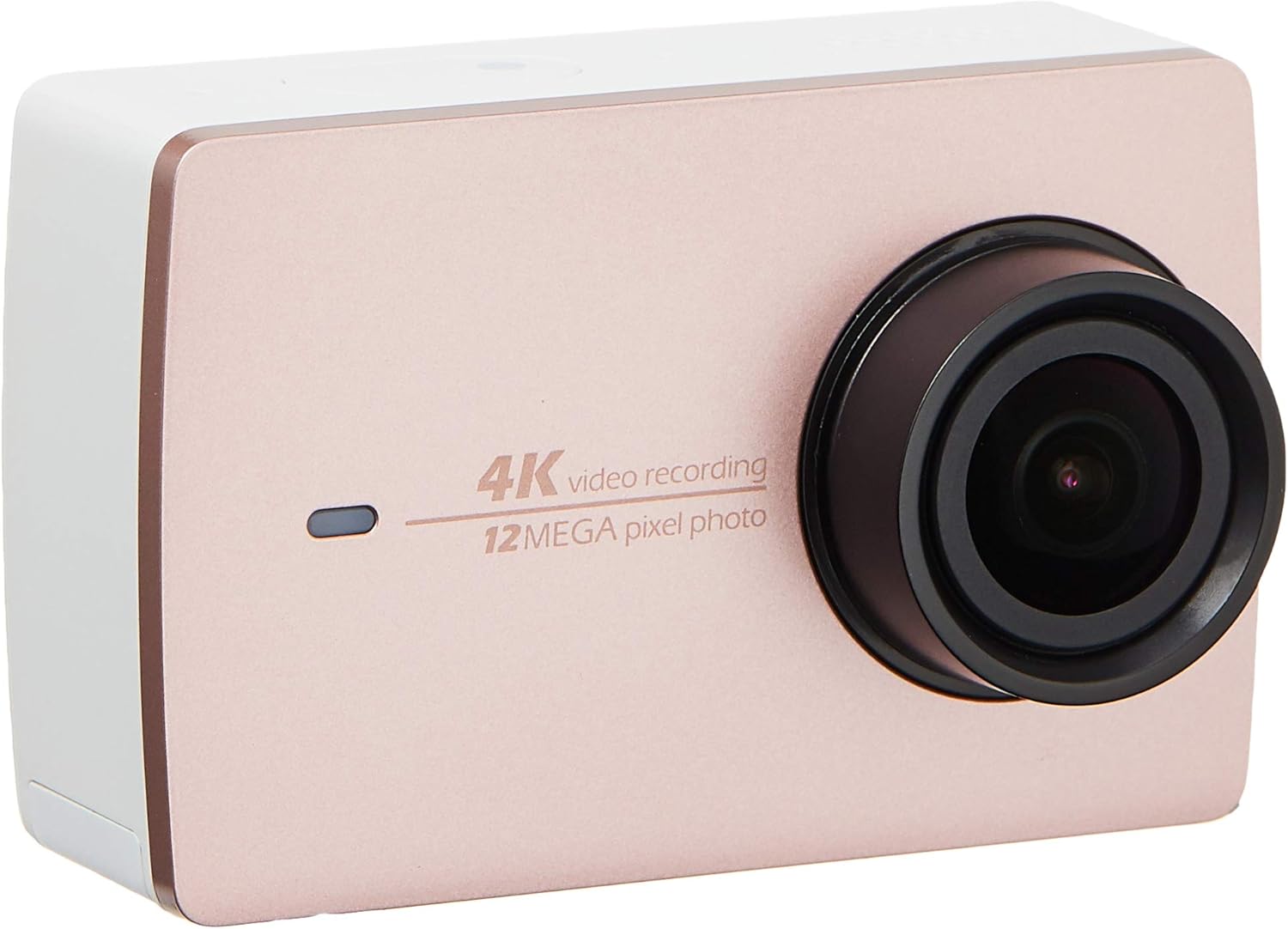
Gambar 2.2: Hareupeun view of the YI 4K Action Camera.
3. Setélan
3.1 Pamasangan Batré sareng Ngecas
- Panggihan kompartemen batré dina kaméra.
- Insert the 1400mAh lithium-ion battery, ensuring correct polarity.
- Tutup kompartemen batré anu aman.
- Connect the camera to a power source using the provided USB cable for charging. The charging indicator will illuminate.
3.2 Pamasangan Kartu Mémori
The YI 4K Action Camera supports SDHC and SmartMedia flash memory types.
- Buka panutup slot kartu memori.
- Insert a compatible memory card (not included) into the slot with the contacts facing the correct direction. Push until it clicks into place.
- Tutup panutup slot kartu memori.
3.3 Powering on / Pareum
- Pikeun Ngahurungkeun: Pencét terus tahan tombol Daya nepi ka layar hurung.
- Pikeun mareuman: Pencét terus tahan tombol Daya nepi ka kaméra pareum.
3.4 Connecting the Bluetooth Remote
The included Bluetooth remote allows for convenient control of the camera.
- Pastikeun kaméra diaktipkeun.
- Activate Bluetooth pairing mode on the camera via the settings menu.
- Follow the remote's instructions to enter pairing mode.
- Once paired, the remote can be used to switch between video and photo modes and trigger recording/capture.

Image 3.1: The YI Monopod, included in the kit.
4. Ngoperasikeun kaméra
4.1 Napigasi layar rampa
The 2.19" LCD touchscreen provides intuitive control:
- Gesek: Navigate through different modes (Video, Photo, Time-lapse, etc.) and settings.
- Ketok: Select options, adjust settings, or start/stop recording.
- Praview: View foo Anjeun direbuttage and photos directly on the screen.
4.2 Rékam pidéo
- Select the Video mode on the touchscreen.
- Adjust video resolution (e.g., 4K/30fps) and other settings as desired.
- Press the Shutter button or tap the record icon on the screen to start recording.
- Press the Shutter button or tap the record icon again to stop recording.
4.3 Poto Capture
- Select the Photo mode on the touchscreen.
- Adjust photo settings such as resolution, exposure, and white balance.
- Press the Shutter button or tap the capture icon on the screen to take a photo.
4.4 Konéktivitas Wi-Fi sareng Panggunaan Aplikasi
The camera's built-in Wi-Fi allows connection to a smartphone app for remote control, live preview, and content management.
- Download the official YI Action Camera app from your device's app store.
- Enable Wi-Fi on the camera via the settings menu.
- Connect your smartphone to the camera's Wi-Fi network (SSID and password displayed on camera screen).
- Open the YI Action Camera app to control the camera, view footage, jeung mindahkeun files.
5. Pangropéa
5.1 beberesih
- Use a soft, lint-free cloth to clean the camera body and touchscreen.
- Pikeun lensa, anggo lawon sareng larutan pembersih lensa khusus. Hindarkeun bahan anu kasar.
- Pastikeun sadaya port bébas tina lebu sareng runtah.
5.2 Panyimpenan
- Simpen kaméra di tempat anu tiis sareng garing jauh tina sinar panonpoé langsung sareng suhu anu ekstrim.
- Remove the battery if storing for extended periods to prevent leakage.
5.3 Apdet firmware
Periodically check the official YI website or the YI Action Camera app for available firmware updates. Keeping your camera's firmware updated ensures optimal performance and access to new features.
6. Cara ngungkulan
6.1 Isu umum jeung Solusi
- Kaméra teu hurung: Pastikeun batre tos dicas pinuh sareng diselapkeun leres.
- Rékaman eureun teu disangka-sangka: Check if the memory card has sufficient space or if it's a high-speed card suitable for 4K recording. Ensure the battery is not depleted.
- Layar rampa teu ngaréspon: Try restarting the camera. If the issue persists, ensure the screen is clean and dry.
- Remot Bluetooth teu nyambung: Ensure both the camera and remote are in pairing mode and within range. Check the remote's battery.
- Masalah sambungan Wi-Fi: Verify the camera's Wi-Fi is enabled and your smartphone is connected to the correct network. Try restarting both devices.
For further assistance, refer to the official YI support resources.
7. Spésifikasi
| Produsén | YI |
| Nomer modél | 90010 |
| Dimensi produk | 6.6 x 3 x 4.3 cm |
| Beurat | 96.39 g |
| Téhnologi Sénsor Poto | CMOS |
| Resolusi Capture Video | 4K |
| Panjang Fokus Maksimum | 1 |
| Aperture maksimum | 2.8 milimeter |
| Tipe Mémori Flash | SDHC, SmartMedia |
| Format Capture Video | MP4 |
| Format Audio Dirojong | AAC, MP3 |
| Ukuran layar | 2.19 inci |
| Téhnologi konektipitas | Wifi |

Image 7.1: YI 4K Action Camera with monopod, illustrating approximate dimensions.
8. Garansi jeung Rojongan
8.1 Émbaran jaminan
Produk ieu hadir kalawan a Garansi Lokal 1 Taun (Singapura)Mangga simpen bukti pameseran anjeun kanggo klaim garansi. Garansi ieu ngawengku cacad manufaktur dina kaayaan panggunaan normal.
8.2 Rojongan Palanggan
For technical support, service, or warranty inquiries, please visit the official YI Technology website or contact their authorized service centers in Singapore. Contact information can typically be found on the product packaging or the official websitus.