
1. Bubuka
This manual provides essential instructions for the installation, operation, maintenance, and troubleshooting of your APC Smart-UPS SRT 3000VA RM 230V (SRT3000RMXLI). This Uninterruptible Power Supply (UPS) is designed to provide high-density, true double-conversion online power protection for critical electronic equipment, including servers, voice/data networks, medical labs, and light industrial applications. Please read this manual thoroughly before installing or operating the UPS to ensure proper and safe usage.
2. Émbaran Kasalametan
Observe all warnings and operating instructions in this manual. Failure to do so may result in injury or equipment damage. This UPS contains hazardous voltages. Do not attempt to disassemble the unit. There are no user-serviceable parts inside.
Kasalametan Umum
- UPS ieu dimaksudkeun pikeun pamakéan indoor wungkul.
- Entong ngajalankeun UPS ieu dina sinar panonpoé langsung, dina kontak sareng cairan, atanapi dimana aya lebu atanapi kalembaban anu kaleuleuwihan.
- Ensure the ventilation openings on the UPS are not blocked. Maintain adequate clearance around the unit for proper airflow.
- Connect the UPS power cable directly to a grounded wall outlet. Do not use extension cords or surge suppressors.
Kasalametan batré
- Batteries are heavy. Remove the battery module before installing the UPS in a rack or tower configuration.
- Battery service should be performed or supervised by personnel knowledgeable of batteries and the required precautions.
- Ulah buang batré dina seuneu. Batré bisa bitu.
- Ulah muka atawa mutilate accu. Éléktrolit anu dileupaskeun ngabahayakeun pikeun kulit sareng panon. Bisa jadi racun.
- Ganti batréna ku jinis sareng jumlah batré anu sami sareng anu dipasang mimitina.
3. Eusi Paket
Carefully unpack the unit and inspect for shipping damage. If any damage is found, notify the carrier and dealer. The package should contain the following items:
- APC Smart-UPS SRT 3000VA RM 230V (SRT3000RMXLI) unit
- Battery module (may be pre-installed or separate)
- Rack-mounting hardware (rails, brackets)
- Tower stand (for tower configuration)
- Kabel komunikasi USB
- kabel komunikasi serial
- CD Dokuméntasi
- Safety information and warranty guide
4. Produk Langkungview
The APC Smart-UPS SRT 3000VA RM 230V is a high-performance Uninterruptible Power Supply designed to protect your critical equipment from power disturbances. It features a rack/tower convertible form factor for flexible deployment.
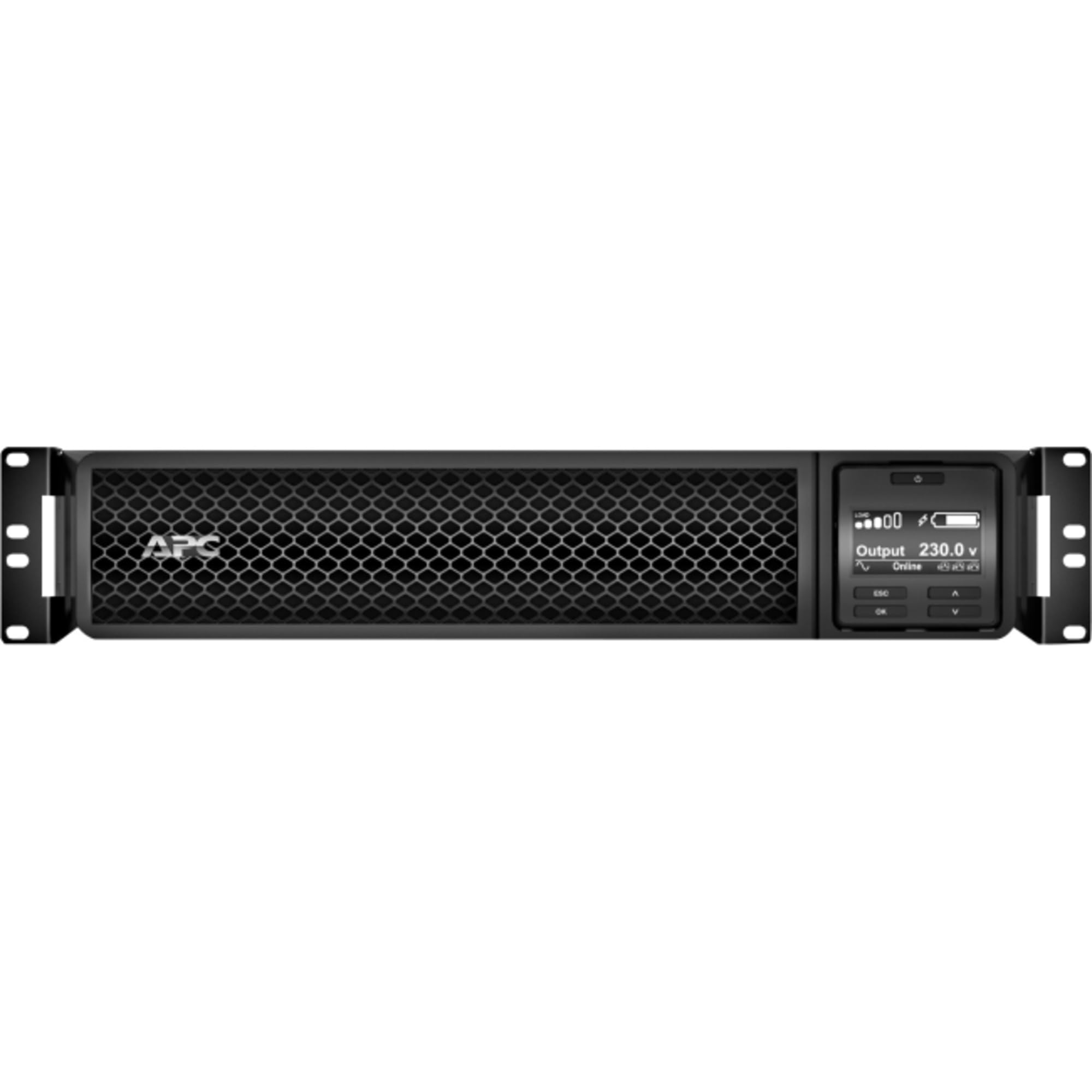
Gambar 1: Hareupeun view of the APC Smart-UPS SRT 3000VA RM 230V. This image displays the front panel with the LCD display, control buttons, and ventilation grilles.
Komponén konci
- Front Panel LCD Display: Provides real-time status information, configuration options, and alarm notifications.
- Tombol kontrol: Used to navigate the LCD menu, power on/off the UPS, and perform self-tests.
- Modul batré: Provides backup power during outages. Hot-swappable for easy replacement.
- Konektor Daya Input: Nyambungkeun UPS ka sumber kakuatan utiliti.
- Output Receptacles (IEC 320): Provide protected power to connected equipment.
- Communication Ports (USB, Serial): For connecting to a computer or network management card for monitoring and control.
- Pelabuhan EPO (Daratan Daya Darurat): Allows for remote emergency shutdown of the UPS.
5. Setélan
Follow these steps for initial setup of your UPS.
Hambalan 1: Milih lokasi
- Place the UPS on a sturdy, level surface or install it in a standard 19-inch rack.
- Ensure the ambient temperature is between 0°C and 40°C (32°F and 104°F).
- Maintain at least 10 cm (4 inches) of clearance at the front and rear of the unit for proper ventilation.
Step 2: Install the Battery Module
If the battery module is not pre-installed, slide it into the battery bay until it clicks into place. Connect the battery cables as indicated by the labels.
Step 3: Connect to Utility Power
- Connect the UPS input power cord to a grounded 230V AC outlet.
- The UPS will perform a self-test and the LCD display will illuminate.
Lengkah 4: Sambungkeun Equipment
- Connect your critical equipment (servers, network devices, etc.) to the output receptacles on the rear of the UPS.
- Ensure the total load does not exceed the UPS capacity (3000VA / 2700W).
Step 5: Connect Communication Cables (Optional)
- Sambungkeun USB atanapi kabel serial ti UPS ka komputer atanapi server anjeun pikeun ngawaskeun sareng kamampuan mareuman anu lancar.
- Install the PowerChute software (available from APC website) on your computer for advanced management.
6. Ngoperasikeun UPS
Powering Dina UPS
Press and hold the power button on the front panel until you hear a beep. The UPS will start up and provide power to connected equipment.
Mareuman UPS
Press and hold the power button until the UPS shuts down. Ensure all connected equipment is safely shut down before powering off the UPS.
LCD Display jeung Napigasi
The LCD display provides detailed information about the UPS status, battery charge, load level, and various settings. Use the navigation buttons (up, down, enter, escape) to browse through the menus and adjust settings.
Uji Diri
Regularly perform a self-test to ensure the UPS battery and internal components are functioning correctly. This can typically be initiated via the LCD menu or PowerChute software.
7. Pangropéa
Ngagantian batré
The UPS batteries have a typical lifespan of 3-5 years. The UPS will indicate when the batteries need replacement. Refer to the safety information before attempting battery replacement. Use only APC-approved replacement battery modules (APCRBC152).
beberesih
Bersihkeun bagian luar UPS ku sabun anu lemes,amp cloth. Do not use solvents or abrasive cleaners. Ensure ventilation openings are free from dust and debris.
Pertimbangan Lingkungan
Store the UPS in a cool, dry place when not in use. Avoid extreme temperatures and humidity, which can shorten battery life.
8. Cara ngungkulan
This section provides solutions to common issues you may encounter with your UPS.
| Masalah | Mungkin Cukang lantaranana | Solusi |
|---|---|---|
| UPS teu hurung | No utility power; Battery not connected; UPS fault | Check power outlet; Ensure battery cables are connected; Contact APC support if fault persists. |
| UPS berbunyi bip terus | On battery power; Overload; Low battery | Check utility power; Reduce connected load; Allow battery to recharge. |
| Batré teu ngecas | Battery disconnected; Battery fault; Internal fault | Verify battery connection; Replace battery if faulty; Contact APC support. |
| Parabot anu nyambung kaleungitan kakuatan | UPS overload; Battery depleted; UPS fault | Reduce load; Allow battery to recharge; Contact APC support. |
9. Spésifikasi
Detailed technical specifications for the APC Smart-UPS SRT 3000VA RM 230V (SRT3000RMXLI).
| Fitur | Rincian |
|---|---|
| Nomer modél | SRT3000RMXLI |
| merek | APC |
| Kapasitas | 3000 VA / 2700 Watt |
| Masukan Voltage | 230 volt |
| Kaluaran Voltage | 230 volt |
| Faktor Bentuk | Rack/Tower Convertible (2U) |
| Jenis Batré | Asam kalungguhan |
| Typical Runtime (Full Load) | Kurang leuwih 4 menit |
| Jumlah Outlet | 8 x IEC 320 C13, 2 x IEC 320 C19 |
| Palabuhan Komunikasi | USB, Serial (RJ45), SmartSlot |
| Ukuran (H x W x D) | 8.5 cm x 43.2 cm x 63.5 cm (3.35 inci x 17.0 inci x 25.0 inci) |
| Beurat | 31.3 kg (69 lbs) |
| Warna | Hideung |
10. Garansi jeung Rojongan
Émbaran jaminan
APC provides a standard warranty for this product. Please refer to the warranty card included in your package or visit the official APC websitus pikeun istilah jaminan lengkep jeung kaayaan husus pikeun wewengkon Anjeun. Simpen bukti pameseran anjeun pikeun klaim garansi.
Bantosan Téknis
For technical assistance, troubleshooting beyond this manual, or to inquire about replacement parts, please contact APC customer support. Support contact information can typically be found on the APC website or in the documentation provided with your unit. When contacting support, please have your model number (SRT3000RMXLI) and serial number ready.