
1. Bubuka
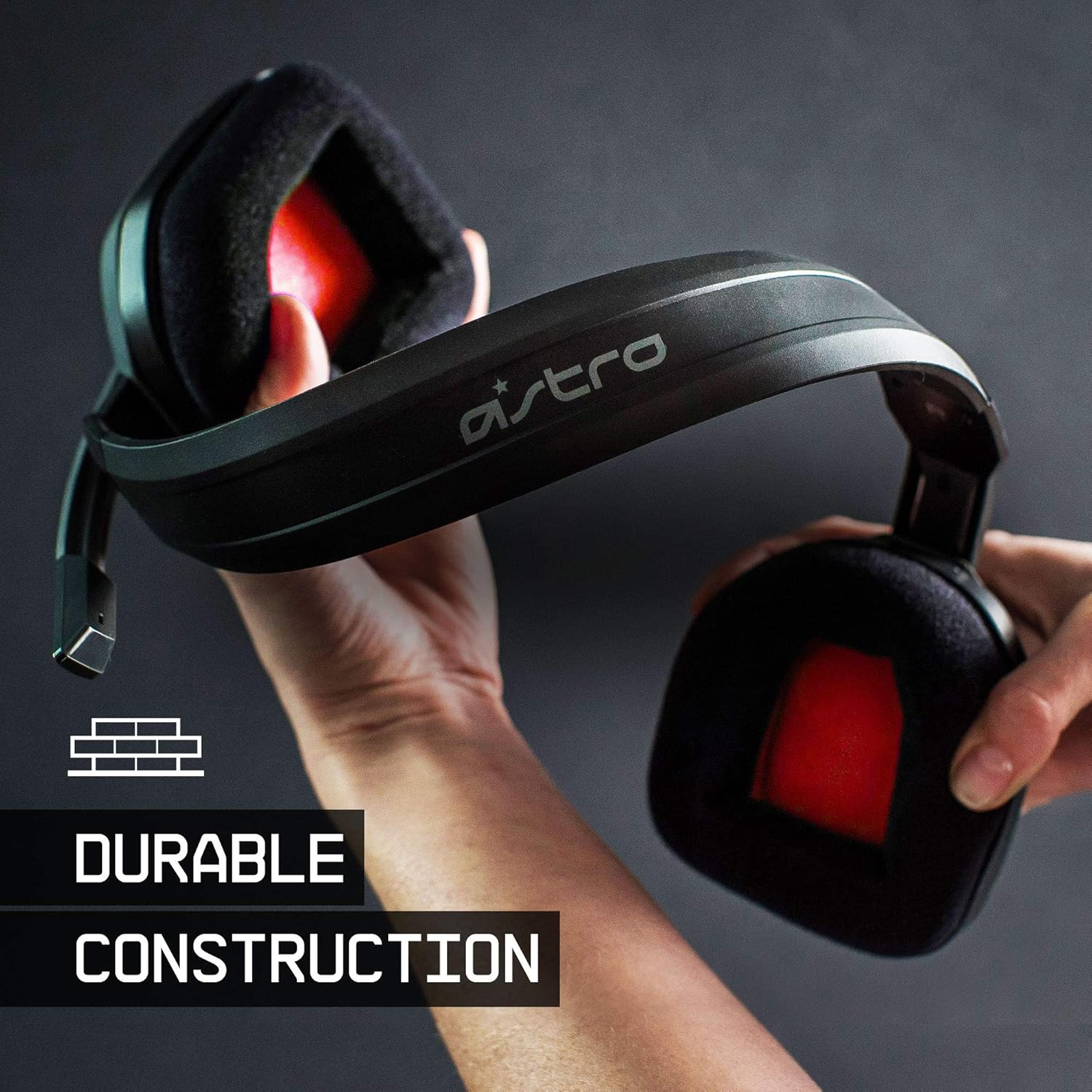
The ASTRO Gaming A10 Headset is engineered for gaming, offering durable construction and extended comfort for prolonged use. It features ASTRO Audio for clear and precise sound, an omnidirectional microphone with flip-up mute functionality, and in-line volume control for a comprehensive audio experience.
2. Naon dina Box
Upon unboxing your ASTRO Gaming A10 Headset, you should find the following components:
- ASTRO Gaming A10 Headset
- A10 Volume Cable (3.5mm jack)

3. Fitur Produk
- Daya tahan: The A10 Headset is constructed with a durable headband made of anodized aluminum and a damage-resistant polycarbonate blend, designed to withstand rigorous use.
- kanyamanan: Featuring extended comfort memory foam ear-cushions, the headset is designed to minimize fatigue during long gaming sessions.
- Komunikasi: An omnidirectional microphone with flip-up mute functionality and in-line volume control ensures clear communication with teammates.
- Kualitas sora: Tuned with ASTRO Audio, the A10 delivers immersive and accurate audio, providing low latency and precise voice communication.
- Kasaluyuan: The headset is compatible with multiple platforms including PS5, PC/MAC, XBOX SERIES X|S, NINTENDO SWITCH, VR, and streaming devices.



4. Parentah Setup
- Connect the A10 Volume Cable: Insert the smaller end of the A10 Volume Cable into the 3.5mm port located on the left earcup of the ASTRO A10 Headset. Ensure it is securely connected.
- Nyambung ka Alat: Plug the larger end of the A10 Volume Cable into the 3.5mm headphone jack on your gaming controller (e.g., Xbox, PlayStation), PC, Mac, Nintendo Switch, or other compatible device.
- Saluyukeun Volume: Use the in-line volume control wheel on the A10 Volume Cable to adjust the audio level to your preference.
- Posisi Mikropon: Lower the microphone boom arm to activate the microphone. Position it appropriately for clear voice capture.

5. Parentah Operasi
Pamakéan Mikropon (Flip-to-Mute)
The ASTRO A10 Headset features a convenient flip-to-mute microphone. To activate the microphone, simply lower the boom arm into the speaking position. To mute the microphone, flip the boom arm upwards until it clicks into the vertical position. This action instantly mutes your voice input.
Volume Control
Adjust the audio volume using the in-line control wheel located on the A10 Volume Cable. Rotate the wheel upwards to increase volume and downwards to decrease volume.
6. Kasaluyuan
The ASTRO Gaming A10 Headset is designed for broad compatibility across various gaming and media platforms:
- PlayStation 5 (PS5)
- PlayStation 4 (PS4)
- Xbox Series X|S
- Xbox One
- Nintendo Pindah
- PC
- Mac
- VR devices
- Alat streaming
- Most mobile phones and tablets with a 3.5mm jack

7. Pangropéa
- beberesih: Anggo kaén anu lembut sareng garing pikeun ngabersihan headset. Ulah make bahan kimia kasar atawa bahan abrasive.
- Panyimpenan: Simpen headset di tempat anu tiis sareng garing jauh tina sinar panonpoé langsung sareng suhu anu ekstrim.
- Perawatan kabel: Hindarkeun tikungan seukeut atanapi tarik kaleuleuwihan dina kabel pikeun nyegah karusakan.
- bantal ceuli: Pariksa périodik bantal ceuli pikeun ngagem sareng cimata. Cushions ngagantian bisa jadi sadia ti produsén.
8. Cara ngungkulan
- No Audio / Low Audio:
- Ensure the 3.5mm cable is fully inserted into both the headset and the device.
- Check the in-line volume control and ensure it is turned up.
- Verify that the audio output settings on your device are correctly configured for the headset.
- Uji headset nganggo alat anu sanés pikeun ngaluarkeun masalah khusus alat.
- Mikropon Teu Gawé:
- Ensure the microphone boom arm is fully lowered into the speaking position (not flipped up for mute).
- Check the microphone input settings on your device to ensure the headset microphone is selected and not muted.
- Nguji mikropon ku aplikasi atawa alat sejen.
- Static or Distorted Audio:
- Ensure the 3.5mm cable connections are secure and free from debris.
- Try using a different 3.5mm cable if available, to rule out a faulty cable.
- Reduce the volume on your device or headset if the audio is clipping.
9. Spésifikasi
| Fitur | Rincian |
|---|---|
| merek | ASTRO kaulinan |
| Ngaran modél | ASTRO kaulinan A10 |
| Nomer modél | 939-001508 |
| Téhnologi konektipitas | Dikabel |
| Jack headphone | 3.5 mm Jack |
| Item Beurat | 12.35 ons |
| Rentang Frékuénsi | 20 Hz - 20 kHz |
| Tipe Supir Audio | Supir dinamis |
| Bahan Kandang | alumunium |
| Fitur tambahan | Microphone Included, Volume Control |
| Alat nu cocog | PS5, PC/MAC, XBOX SERIES X|S, NINTENDO SWITCH, VR, STREAMING, most mobile phones, tablets |
10. Garansi jeung Rojongan
The ASTRO Gaming A10 Headset comes with a 2-taun jaminan produsén urang. For warranty claims, technical support, or additional product information, please visit the official ASTRO Gaming websitus atanapi ngahubungan layanan palanggan maranéhanana langsung.
11. Video produk
ASTRO A10 Experience
Pidéo: Acara pidéo resmiasing the overall experience and key aspects of the ASTRO A10 Headset. This video provides a visual overview tina desain sareng fungsi produk.