
1. Bubuka
The Donner Viper is a versatile 2-in-1 pedal designed to function as both a passive volume pedal and an expression pedal. Its compact and robust design makes it suitable for various instruments including guitar, bass, keyboard, and synthesizers. This manual provides essential information for setting up, operating, and maintaining your pedal.
2. Fitur
- Fungsi 2-in-1: Combines passive volume and expression pedal capabilities.
- Ngalihkeun otomatis: Automatically switches between volume and expression modes by detecting the input jack.
- Kasaluyuan serbaguna: Suitable for guitar, bass, keyboard, synthesizer, workstation, and other controllers.
- Konstruksi awét: Made with a hard plastic casing for robustness while remaining lightweight.
- Henteu Peryogikeun Power Supply: Operates without external power in passive volume mode.
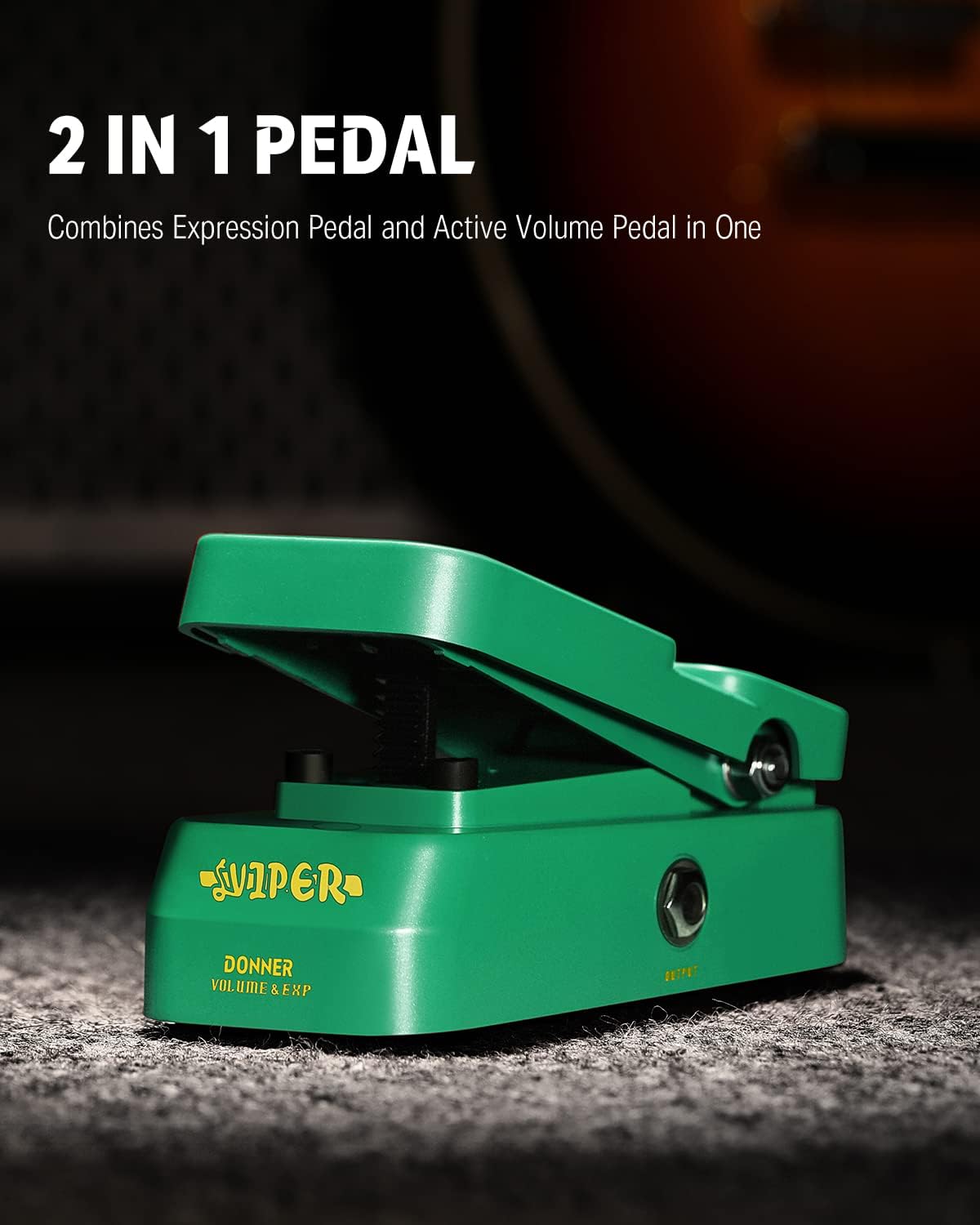
Figure 2.1: The Donner Viper pedal, showcasing pungsi ganda na.
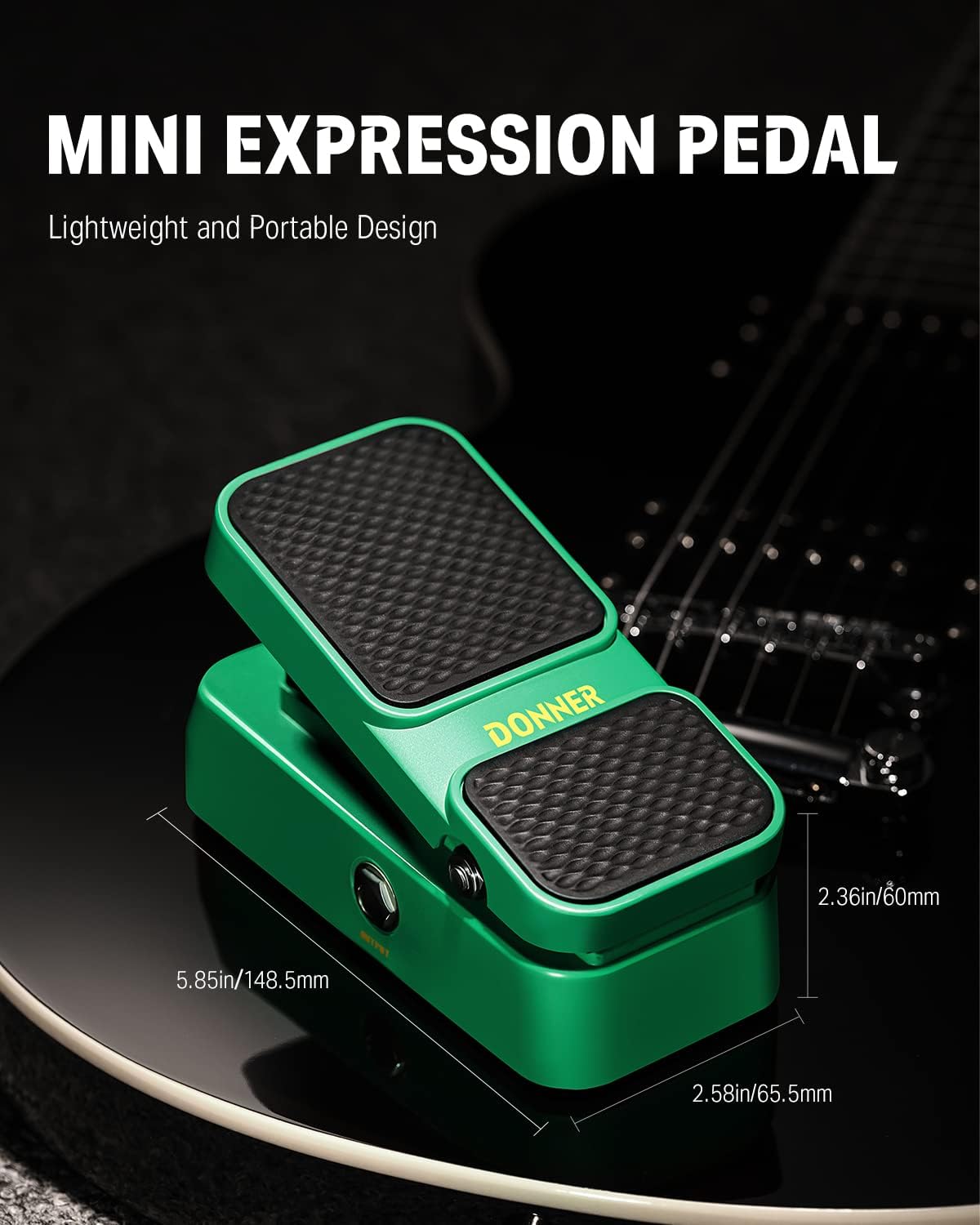
Figure 2.2: Compact dimensions of the Donner Viper pedal, ideal for pedalboards.
3. Setélan
3.1 Sambungan
The Donner Viper pedal features standard 1/4-inch audio input and output jacks. Connect your instrument or the output of a preceding effect pedal to the INPUT jack. Connect the OUTPUT jack to your amplifier or the input of a subsequent effect pedal.
3.2 Sarat kakuatan
The Donner Viper pedal operates passively as a volume pedal and does not require a power supply for this function. However, if used as an expression pedal with devices that require an active expression signal, ensure the connected device provides the necessary power or use an appropriate external power supply if the device requires it.
PERHATOSAN PENTING:
Catu daya nyaéta TEU included with this product. Please power your pedal with a power adapter providing 9V DC puseur négatip jeung 500mA current if your setup requires it. Improper power supply may cause pedals to malfunction or result in damage. This product does not come with a battery compartment.

4. Parentah Operasi
4.1 Modeu Jilid
In volume mode, the pedal controls the output level of your signal. Pressing the pedal forward increases the volume, while rocking it back decreases the volume. This mode is ideal for creating volume swells or adjusting overall signal level.

Figure 4.1: Using the Donner Viper in volume control mode.
4.2 Expression Mode
When connected to a device that accepts an expression pedal input, the Donner Viper can control various parameters such as delay time, modulation depth, or filter cutoff. The pedal automatically switches to expression mode when connected to a compatible expression input jack. The LED indicator light will change color to signify the active mode (e.g., Green for Volume, Red for Expression, if applicable to your model).

Figure 4.2: LED indicator showing the current mode of operation.
5. Pangropéa
- Keep the pedal clean and free from dust and debris. Use a soft, dry cloth for cleaning.
- Ulah nepi ka pedal kakeunaan suhu anu ekstrim, kalembaban, atanapi sinar panonpoé langsung.
- Ulah nyobian ngabongkar atanapi ngarobih pedal, sabab ieu tiasa ngabatalkeun garansi sareng nyababkeun karusakan.
- Ensure all cables are securely connected to prevent signal loss or intermittent operation.
6. Cara ngungkulan
| Masalah | Mungkin Cukang lantaranana | Solusi |
|---|---|---|
| Teu aya sora atanapi sinyal anu pegat-pegat | Loose cable connections, incorrect input/output, faulty cable. | Check all cable connections. Ensure cables are plugged into the correct input/output jacks. Try different cables. |
| Pedal not responding in expression mode | Incorrect connection to the host device, host device not configured for expression pedal, host device requires active expression signal. | Verify the expression cable is connected correctly. Consult the manual of your host device for proper expression pedal setup. Ensure the host device provides power if needed, or use an appropriate external power supply. |
| Noise atawa hum nu teu dihoyongkeun | Ground loop, interference from other electronics, faulty power supply (if used). | Ensure all equipment is properly grounded. Try isolating the pedal from other power sources. Use a high-quality, regulated power supply if required. |
7. Spésifikasi
| Spésifikasi | Nilai |
|---|---|
| merek | Donner |
| Ngaran modél | EC1007 |
| Ukuran produk (L x W x H) | 5.85" x 2.58" x 2.36" (148.5mm x 65.5mm x 60mm) |
| Item Beurat | 280 gram |
| Éfék Kaluaran Audio | Volume, Ekspresi |
| Kontrol Tipe | Pedal Rocker |
| Sumber Daya | Non-battery Powered (Passive), External 9V DC (for active expression if required by host device) |
| Panganteur Hardware | Audio 1/4 inci |
| Format Sinyal | Analog |
| Komponén Kaasup | Donner Viper Mini Volume/Expression Pedal, User’s Manual |
8. Garansi jeung Rojongan
Produk ieu hadir kalawan a 2-taun jaminan produsén urang. For warranty claims or technical support, please contact Donner customer service through their official websitus atanapi pangecér tempat produk éta dipésér. Simpen bukti pameseran anjeun pikeun validasi garansi.