
1. Bubuka
Thank you for choosing the Lichamp DLA06GD Dimmable LED Desk Lamp. manual ieu nyadiakeun informasi penting pikeun pamakéan aman tur efisien tina l anyar Anjeunamp. Ieu lamp features adjustable brightness and color temperature, a flexible gooseneck design, and a convenient USB charging port.

Gambar 1: Leuwihview of the Lichamp DLA06GD LED Desk Lamp, highlighting its dimensions (14.2 inches arm, 16.5 inches height, 7.9 inches base width) and features such as touch control, eye protection, seven lighting modes, USB energy, and foldable design.
2. Parentah Kasalametan
- Pastikeun lamp ieu disimpen dina stabil, permukaan datar pikeun nyegah tipping.
- Ulah ngalaan lamp to excessive moisture or extreme temperatures.
- Use only the provided UL certified AC adapter.
- Ulah nyobian ngabongkar atawa ngaropéa lamp. Rujukkeun jasa ka tanaga anu mumpuni.
- Jauhkeun tina jangkauan barudak.
- Cabut colokan lamp from the power outlet before cleaning or when not in use for extended periods.
3. Eusi Paket
Pastikeun yén sadaya item aya dina bungkusan:
- Lichamp DLA06GD LED Desk Lamp (1 unit)
- UL Certified AC Adapter (1 unit)
- Manual pamaké (1 unit)
4. Setélan
- Ngabongkar: Sacara saksama miceun sadaya komponén tina bungkusan.
- posisi: Teundeun lamp base dina stabil, permukaan datar.
- Sambungkeun Kakuatan: Insert the AC adapter cable into the power input port located on the back of the lamp base. Plug the AC adapter into a standard wall outlet.

Image 2: The Lichamp DLA06GD LED Desk Lamp connected to its UL certified AC adapter, ready for use.
5. Parentah Operasi
5.1. Hurung/Pareum sareng Pangaluyuan Kacaangan
Anu lamp features touch-sensitive controls on its base.
- kakuatan: Toél ikon daya (⏻) pikeun ngahurungkeun lamp hurung atawa pareum.
- Caang: Slide your finger along the brightness control bar to adjust the light intensity. The lamp offers multiple brightness levels.

Gambar 3: Rincian lamp's base showing the touch-sensitive power and brightness controls.
5.2. adjustment Suhu Warna
Anu lamp offers 7 different lighting modes (color temperatures) to suit various activities and preferences.
- Pilihan Mode: Touch the mode icon (☼) to cycle through the available color temperature settings, from cool white to warm yellow light.
- Anu lamp includes a memory recall function, remembering your last selected light mode.
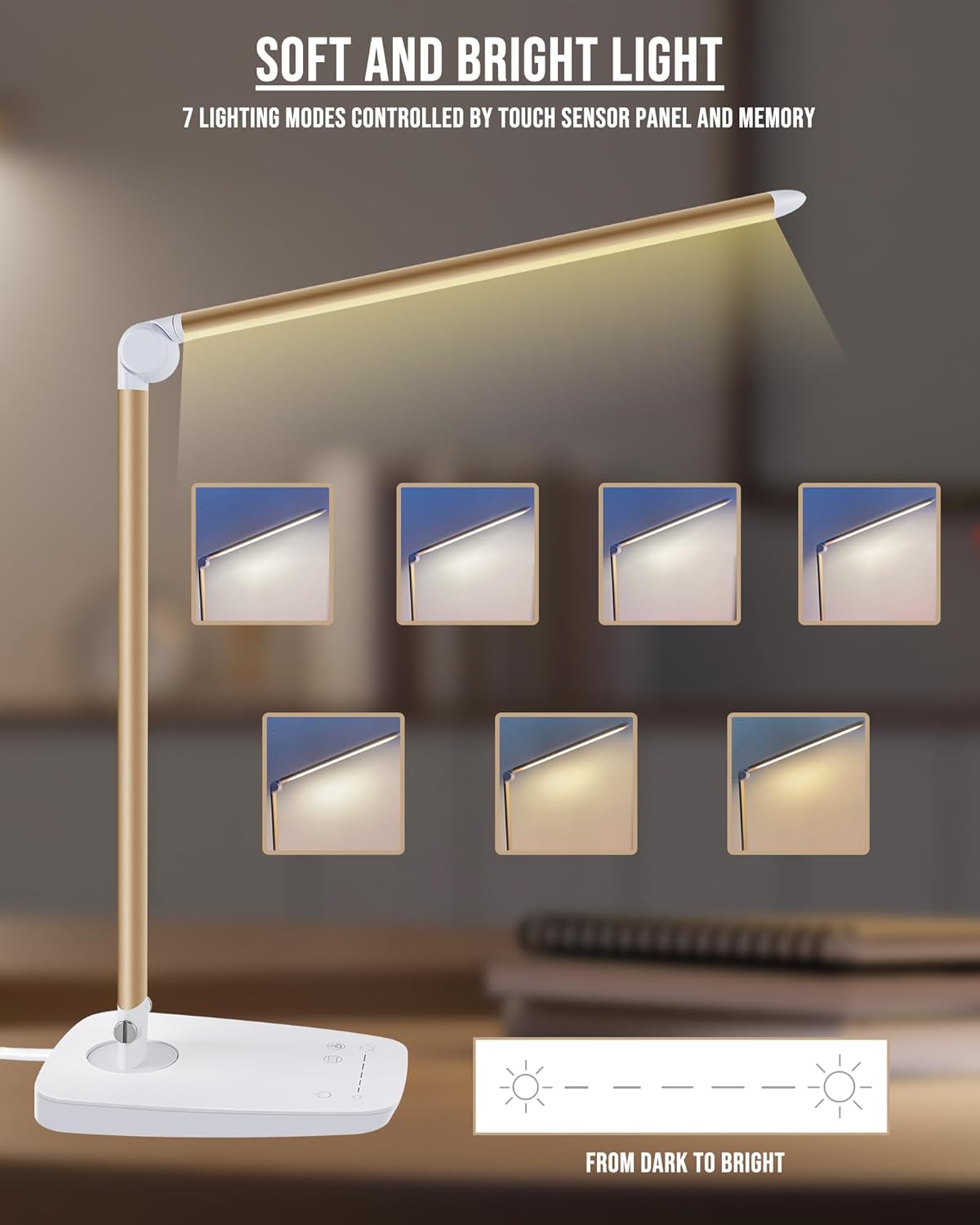
Image 4: Visual representation of the seven distinct lighting modes available on the Lichamp DLA06GD LED Desk Lamp, ranging from cool to warm light.
5.3. Lamp Head and Arm Adjustment
Anu lamp is designed for flexible positioning to direct light precisely where needed.
- The main arm can swivel 90 degrees left and right at the base.
- Anu lamp head can move up and down by 135 degrees.
- Saluyukeun lamp gently to avoid damage to the joints.

Image 5: Illustrations of the lamp's flexible joints, demonstrating 90-degree left/right rotation at the base and 135-degree up/down movement of the lamp sirah.
5.4. Palabuhan Ngecas USB
Anu lamp base includes a 5V/1A USB output port for charging compatible electronic devices.
- Locate the USB port on the back of the lamp dasar.
- Connect your device's USB charging cable to this port.
- Pastikeun lamp is powered on for the USB port to function.

Image 6: A smartphone connected to the integrated USB charging port on the base of the Lichamp DLA06GD LED Desk Lamp.
6. Pangropéa
- beberesih: Pegatkeun sambungan listrik saméméh beberesih. Paké lemes, lawon garing pikeun ngusap lamp. Ulah make cleaners abrasive atawa pangleyur.
- Panyimpenan: When not in use, fold the lamp down to its compact position for easy storage.
7. Cara ngungkulan
| Masalah | Mungkin Cukang lantaranana | Solusi |
|---|---|---|
| Lamp henteu hurung. | Power cable not connected properly or no power from outlet. | Check if the AC adapter is securely plugged into the lamp jeung stop kontak dina témbok. Uji stop kontakna ku alat séjén. |
| Port ngecas USB teu tiasa dianggo. | Lamp is off or device cable is faulty. | Pastikeun lamp is powered on. Try a different USB cable or device to confirm. |
| Cahayana kedip-kedip atawa teu konsisten. | Catu daya teu stabil atanapi masalah internal. | Ensure the power connection is stable. If the issue persists, contact customer support. |
8. Spésifikasi
| Fitur | Rincian |
|---|---|
| Nomer modél | DLA06GD |
| merek | Lichamp |
| Tipe Sumber Cahaya | LED (108 pieces) |
| Wattage | Max. 12W |
| Fluks Luminous | 1500 Lumén |
| Suhu Warna | 6000 Kelvin (Adjustable, 7 modes) |
| Métode kontrol | Toél Control |
| Kaluaran USB | 5V / 1A |
| Bahan | Aviation Aluminum Alloy, Metal, Plastic |
| Dimensi produk | 17.52 "D x 5.98" W x 2.28" H |
| Item Beurat | 2 pon |
| Sumber Daya | AC (UL Certified Adapter) |
| Fitur husus | Dimmable, Eye Care, Foldable, Gooseneck, USB Charging Port |
9. Garansi jeung Rojongan
Lichamp products are designed for durability and safety. This product comes with an AC adapter that is UL certified. For any questions, concerns, or warranty claims, please contact Lichamp customer support. Refer to your purchase documentation for specific warranty details and contact information.
Lichamp is committed to providing effective products and thorough services.