
Bubuka
This manual provides comprehensive instructions for the setup, operation, and maintenance of your Pro-Ject Primary E turntable. Please read this manual carefully before using the product to ensure proper function and longevity. Keep this manual for future reference.
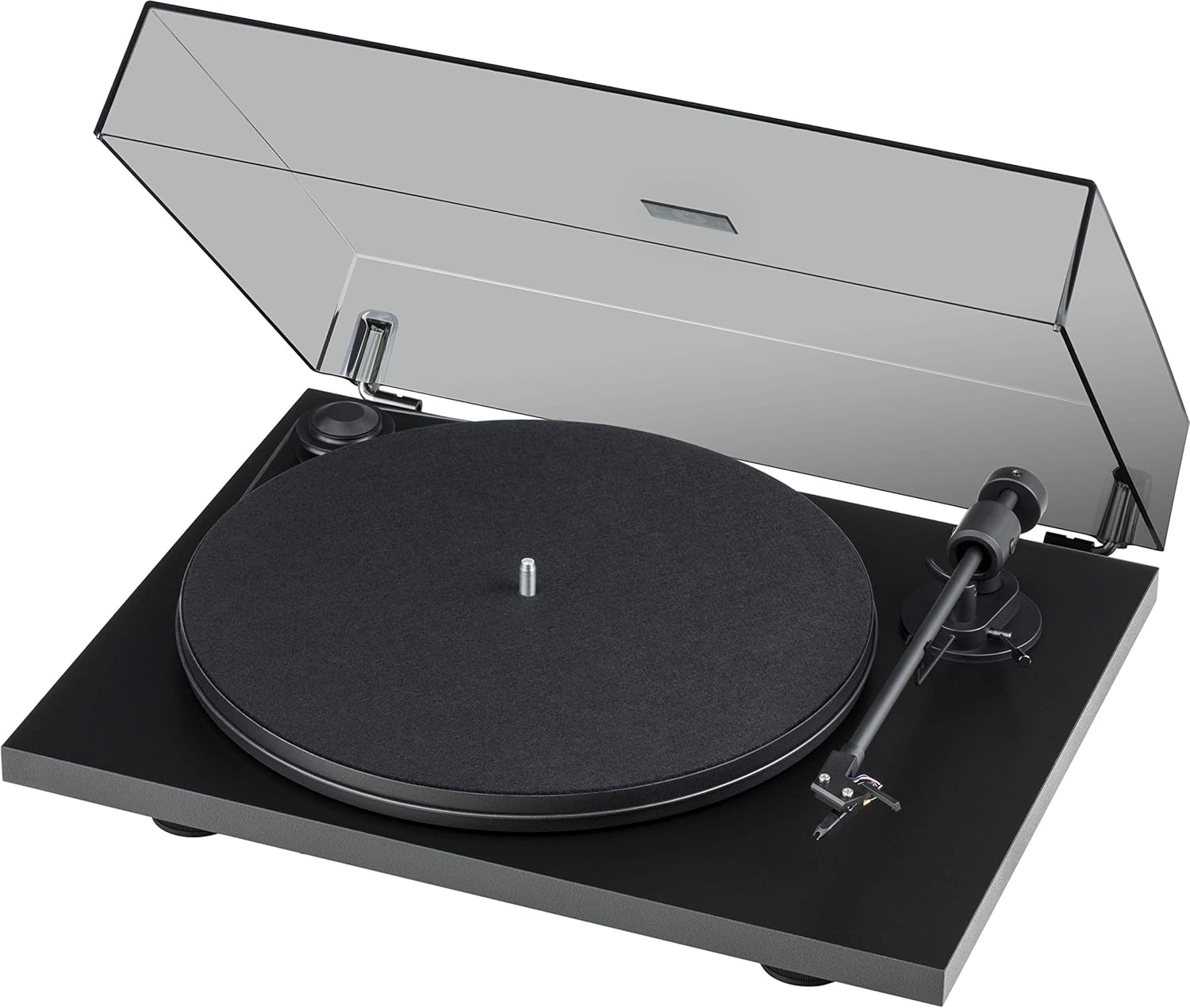
Figure 1: Pro-Ject Primary E Turntable with dust cover open, showcasing its matte black finish and minimalist design.
Parentah Kasalametan penting
- Baca parentah ieu.
- Tetep parentah ieu.
- Heed sagala warnings.
- Turutan sagala parentah.
- Entong nganggo alat ieu caket cai.
- Beresih ngan ku lawon garing.
- Ulah meungpeuk sagala bukaan ventilasi. Install luyu jeung parentah produsén urang.
- Entong dipasang di deukeut sumber panas sapertos radiator, register panas, kompor, atanapi aparat sanésna (kalebet ampLiifiers) anu ngahasilkeun panas.
- Nangtayungan kabel listrik tina leumpang atawa diciwit, utamana dina colokan, wadah merenah, jeung titik dimana aranjeunna kaluar tina aparat.
- Ngan anggo kantétan/aksésori anu ditunjuk ku produsén.
- Cabut colokan alat ieu nalika badai kilat atanapi nalika henteu dianggo kanggo waktos anu lami.
- Rujuk sadayana jasa ka tanaga jasa anu mumpuni. Diperlukeun ngalayanan nalika aparatur ruksak ku cara naon waé, sapertos kabel catu daya atanapi colokan rusak, cairan tumpah atanapi barang murag kana aparatur, aparatur parantos kakeunaan hujan atanapi lembab, henteu beroperasi normal. , atawa geus turun.
Disetél
1. Unpacking jeung Verifikasi Eusi
Carefully unpack all components from the packaging. Retain the packaging for future transport or storage. Verify that all items listed below are present:
- Primary E Phono turntable with Ortofon OM cartridge
- Gold-plated RCA Phono Cable
- Mat dirasa
- Panutup lebu
- Adaptor pikeun single 7 inci
- Sasayogian tanaga
- konci Allen
- Ngukur tekanan Stylus
2. Panempatan
Place the turntable on a stable, level surface, away from direct sunlight, heat sources, and excessive vibration. Ensure adequate ventilation around the unit.
3. Majelis
- Pamasangan Platter sareng Sabuk:
Carefully place the platter onto the spindle. Locate the drive belt and stretch it around the motor pulley and the outer rim of the platter. Ensure the belt is seated correctly and not twisted.

Gambar 2: Detil view of the belt drive system, showing the belt correctly positioned around the motor pulley and platter.
- Cartridge and Tonearm Setup:
The Ortofon OM NN cartridge is pre-mounted and aligned. Ensure the stylus guard is removed before operation. The tonearm features an 8.6-inch aluminum design with sapphire bearings.

Figure 3: Close-up of the pre-mounted Ortofon OM NN cartridge and the tonearm, ready for playback.

Gambar 4: View of the tonearm base, showing the cueing lever and anti-skate mechanism.
- Pamasangan panutup debu:
Attach the dust cover to the hinges at the rear of the turntable. The hinges are adjustable.

Figure 5: The turntable base without the dust cover, illustrating the points where the dust cover hinges attach.
4. Panyambungan
- Sambungan Audio: Connect the supplied gold-plated RCA phono cable from the turntable's output to the phono input of your amplifier atanapi phono preamplifier. Ensure correct left and right channel connections.
- Sambungan Daya: Connect the power supply to the DC input on the turntable and then plug it into a suitable wall outlet.
Parentah Operasi
1. Daya Hurung / Pareum
The turntable is powered on by connecting the power supply. There is no separate power switch. To turn off, disconnect the power supply.
2. Pamilihan Speed
The Primary E supports 33 1/3 and 45 RPM playback. To change speed, manually move the drive belt to the appropriate step on the motor pulley. The larger diameter step is for 33 1/3 RPM, and the smaller diameter step is for 45 RPM.
3. Maén Rékor
- Teundeun catetan dina platter, mastikeun eta dipuseurkeun.
- If using a 7-inch single, place the adapter on the spindle first.
- Angkat tonearm ngagunakeun uas cueing.
- Sacara saksama posisikeun tonearm di luhur alur awal piringan anu dipikahoyong.
- Turunkeun tonearm lalaunan nganggo tuas isyarat. Stylus bakal turun kana rékaman sareng puteran bakal dimimitian.
4. Ngeureunkeun Playback
- Angkat tonearm ngagunakeun uas cueing.
- Balikkeun tonearm kana kaayaan sésana.
- Gently lower the cueing lever to secure the tonearm.
- Kaluarkeun rékaman tina piringan.
Pangropéa
1. beberesih
- Panutup lebu: Clean the dust cover with a soft, damp lawon. Ngahindarkeun cleaners abrasive.
- Turntable Chassis: Wipe the matte black chassis with a soft, dry cloth. Do not use chemical cleaners.
- Stylus: Use a dedicated stylus brush to gently clean the stylus from back to front. Clean regularly to prevent debris buildup.
- Catetan: Keep your records clean using a record brush or cleaning solution to minimize dust and static.
2. Panggantian Sabuk
Over time, the drive belt may stretch or degrade, affecting speed stability. If you notice inconsistent speed or the belt slipping, it may be time for a replacement. Contact Pro-Ject support or an authorized dealer for genuine replacement belts.
3. Cartridge and Stylus Care
The stylus is a delicate component. Avoid touching it with your fingers. If the stylus becomes bent or damaged, it will need to be replaced. The Ortofon OM NN cartridge allows for stylus replacement without replacing the entire cartridge body.
Pamérésan masalah
Upami anjeun ngalaman masalah sareng turntable anjeun, tingali tabel di handap ieu sateuacan ngahubungi dukungan.
| Masalah | Mungkin Cukang lantaranana | Solusi |
|---|---|---|
| No sound from one or both channels. |
|
|
| Sora anu menyimpang atanapi teu jelas. |
|
|
| Turntable speed is incorrect (too fast/slow). |
|
|
| Record skipping. |
|
|
spésifikasi
- model: Primary E (OM NN) - Matte Black
- merek: Pro-Ject
- Ukuran produk: 16.54 x 12.99 x 4.41 inci (42 x 33 x 11.2 cm)
- Beurat barang: 11.5 pon (5.2 kg)
- Bahan: Composite Fiber, Stainless Steel, Brass, Aluminum
- Tonearm: 8.6-inch aluminum tonearm with sapphire bearings
- Sistim drive: Belt-drive with synchronous motor
- Cartridge: Ortofon OM NN phono cartridge (pre-mounted)
- Laju: 33 1/3, 45 RPM (manual speed change)
- Fitur: Vibration absorbing feet, machined special composite fiber chassis, elegant dust cover with adjustable hinges.
- Konsumsi Daya (on-mode): 4.50 watt
- Komponén Kaasup: Primary E Phono with Ortofon OM cartridge, Gold-plated RCA Phono Cable, Felt mat, Dust cover, Adapter for 7-inch singles, Power supply, Allen key, Stylus pressure gauge.
Garansi sareng Rojongan
Émbaran jaminan
Pro-Ject Audio Systems products are manufactured to the highest quality standards. For specific warranty terms and conditions, please refer to the warranty card included with your product or visit the official Pro-Ject Audio Systems websitus. Simpen bukti pameseran anjeun pikeun klaim garansi.
Rojongan Palanggan
For technical assistance, troubleshooting beyond this manual, or inquiries about replacement parts, please contact Pro-Ject Audio Systems customer support or your authorized dealer. You can find more information and contact details on the official Pro-Ject websitus: Nganjang ka Toko Pro-Ject di Amazon or search for the official Pro-Ject Audio Systems websitus.