
1. Bubuka
Thank you for choosing the Macally USB Type C Wired Mouse. This manual provides detailed instructions for setting up, operating, and maintaining your new mouse. Designed for simplicity and reliability, this plug-and-play mouse offers comfortable use with adjustable DPI settings for various computing needs.
2. Eusi Paket
- Macally USB Type C Wired Mouse
- Instruksi Manual
3. Setélan
The Macally USB Type C Wired Mouse is designed for easy plug-and-play functionality, requiring no additional drivers for most operating systems.
- Sambungkeun Mouse: Locate an available USB-C port on your computer (MacBook Pro, iMac, PC, Laptop, Tablet, etc.). Insert the USB-C connector of the mouse cable firmly into the USB-C port.
- Pangenal otomatis: Your operating system should automatically detect and configure the mouse. No software installation is typically required.
- Mimitian Paké: Saatos dikenal, beurit siap dianggo langsung.

Image: The Macally USB-C mouse connected to a laptop via its USB-C cable, demonstrating the plug-and-play setup.
Video: A demonstration of connecting the wired USB-C mouse to a laptop, highlighting its plug-and-play functionality for Type-C computers.
4. Parentah Operasi
4.1 Pamakéan Dasar
The mouse features a standard 3-button layout for intuitive control:
- Tombol Klik Kénca: Dianggo pikeun milih barang, muka files, sareng ngalaksanakeun paréntah.
- Tombol Klik katuhu: Used for accessing contextual menus and additional options.
- Gulung kabayang: Dianggo pikeun ngagulung dokumén sareng web pages. The scroll wheel can also be pressed as a middle click button for specific functions in some applications.

Gambar: A luhur-handap view of the Macally USB-C mouse, clearly showing the left-click, right-click, and scroll wheel buttons.
4.2 DPI adjustment
The mouse features a dedicated DPI (Dots Per Inch) switch to adjust cursor sensitivity. This allows you to change the speed and responsiveness of the cursor to suit your preference or task.
- Pencét éta Tombol DPI (located below the scroll wheel) to cycle through the available sensitivity settings: 800, 1200, 1600, and 2400 DPI.
- Select the DPI setting that provides the most comfortable and efficient cursor movement for your current activity.
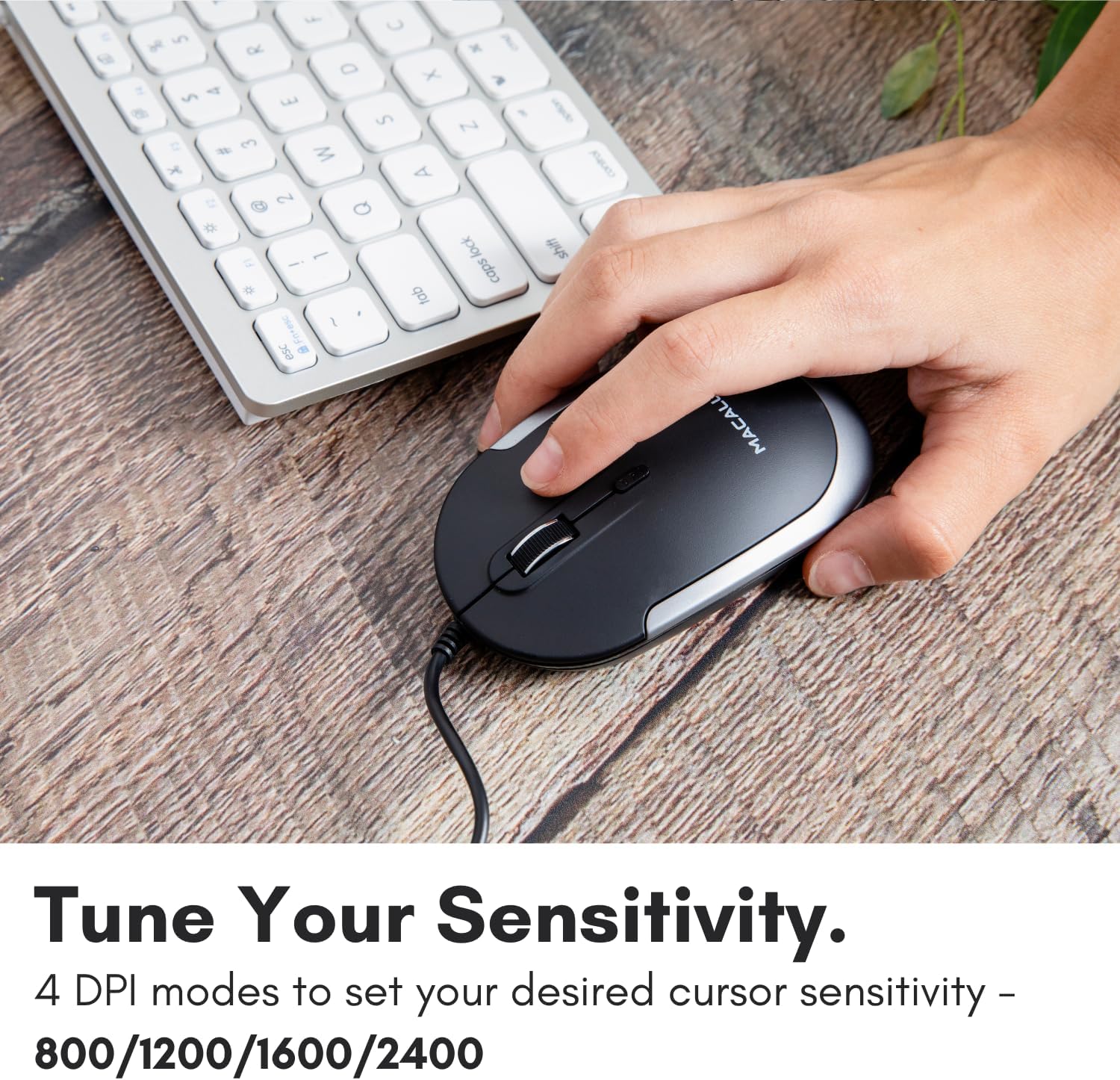
Image: A hand demonstrating how to press the DPI button on the Macally USB-C mouse to adjust sensitivity.
4.3 Kasaluyuan
The Macally USB Type C Wired Mouse is universally compatible with a wide range of devices and operating systems:
- Mac (macOS)
- PC (Windows)
- iPadOS
- Android devices with USB-C ports

Image: The Macally USB-C mouse displayed with compatibility logos for Mac, PC, iPadOS, and Android operating systems.
5. Fitur konci
- Konektipitas USB-C: Specifically designed for modern laptops and computers with USB-C ports, ensuring a reliable wired connection.
- Desain Ipis & Kompak: With a height of only 1 inch, the mouse is slim, comfortable, and portable, fitting snugly in your hand.
- Quiet Click Buttons: Reduces clicking noise by 90% compared to traditional mice, providing a quieter work environment.
- DPI adjustable: Easily switch between 800, 1200, 1600, and 2400 DPI settings for precise cursor control.
- 5-Foot Cable: Nyadiakeun ample length for flexible setup and comfortable use, even with desktop computers.
- Desain Ambidextrous: Cocog pikeun duanana leungeun katuhu jeung kénca-leungeun pamaké.

Image: The Macally USB-C mouse highlighting its elegant and slim design with dimensions.
Video: A detailed look at the Macally USB-C Optical Mouse, emphasizing its quiet click buttons and compatibility with Mac and PC.
6. Pangropéa
To ensure the longevity and optimal performance of your Macally USB Type C Wired Mouse, follow these simple maintenance guidelines:
- beberesih: Paké lawon lemes, garing, lint-haratis pikeun ngusap beungeut beurit. Keur kokotor bandel, rada dampen lawon ku cai atawa solusi beberesih hampang. Ulah make bahan kimia kasar atawa bahan abrasive.
- Sénsor optik: Tetep sensor optik dina underside beurit beresih jeung bebas tina lebu atawa lebu. Paké swab katun atawa hawa dikomprés lamun perlu.
- Perawatan kabel: Avoid sharp bends or excessive pulling on the USB-C cable to prevent damage. Store the cable neatly when not in use.
- Panyimpenan: Nalika henteu dianggo, simpen beurit di tempat anu bersih sareng garing, jauh tina suhu anu ekstrim.
7. Cara ngungkulan
If you encounter any issues with your Macally USB Type C Wired Mouse, please refer to the following common solutions:
| Masalah | Solusi |
|---|---|
| Mouse teu ngabales. |
|
| Gerakan kursor henteu teratur atanapi luncat. |
|
| Tombol atanapi roda gulung teu tiasa dianggo. |
|
8. Spésifikasi
| merek | Macally |
| Nomer modél | UCDYNAMOUSESG |
| Téhnologi konektipitas | Kabel USB-C |
| Téhnologi Deteksi Gerakan | Optik |
| Setélan DPI | 800, 1200, 1600, 2400 |
| Panjang kabel | 5 suku (kira-kira 1.5 méter) |
| Kancing | 3 (Left, Right, Scroll Wheel/Middle Click) + DPI Switch |
| Item Beurat | 2.56 ons (kira-kira 72.5 gram) |
| Ukuran produk (L x W x H) | 2.8 x 4.21 x 1 inci (kira-kira 7.1 x 10.7 x 2.5 cm) |
| Kasaluyuan | Mac (macOS), PC (Windows), iPadOS, Android (with USB-C) |
9. Garansi jeung Rojongan
Macally provides a garansi 1 taun for this product. For technical support, troubleshooting assistance, or warranty claims, please contact Macally customer service. You can find contact information and additional resources on the official Macally websitus:
Websitus: www.macally.com
Macally also offers easy returns and lifetime support with your purchase.