
Vive 3 Wheel Mobility Scooter
Vive 3 Wheel Mobility Scooter Instruction Manual
Model: 3 Wheel Mobility Scooter
1. Bubuka
This manual provides essential information for the safe and effective operation, assembly, and maintenance of your Vive 3 Wheel Mobility Scooter. Designed for adults, this electric-powered device offers stable assistance for navigating smooth indoor and light outdoor surfaces, ensuring comfort and independence.
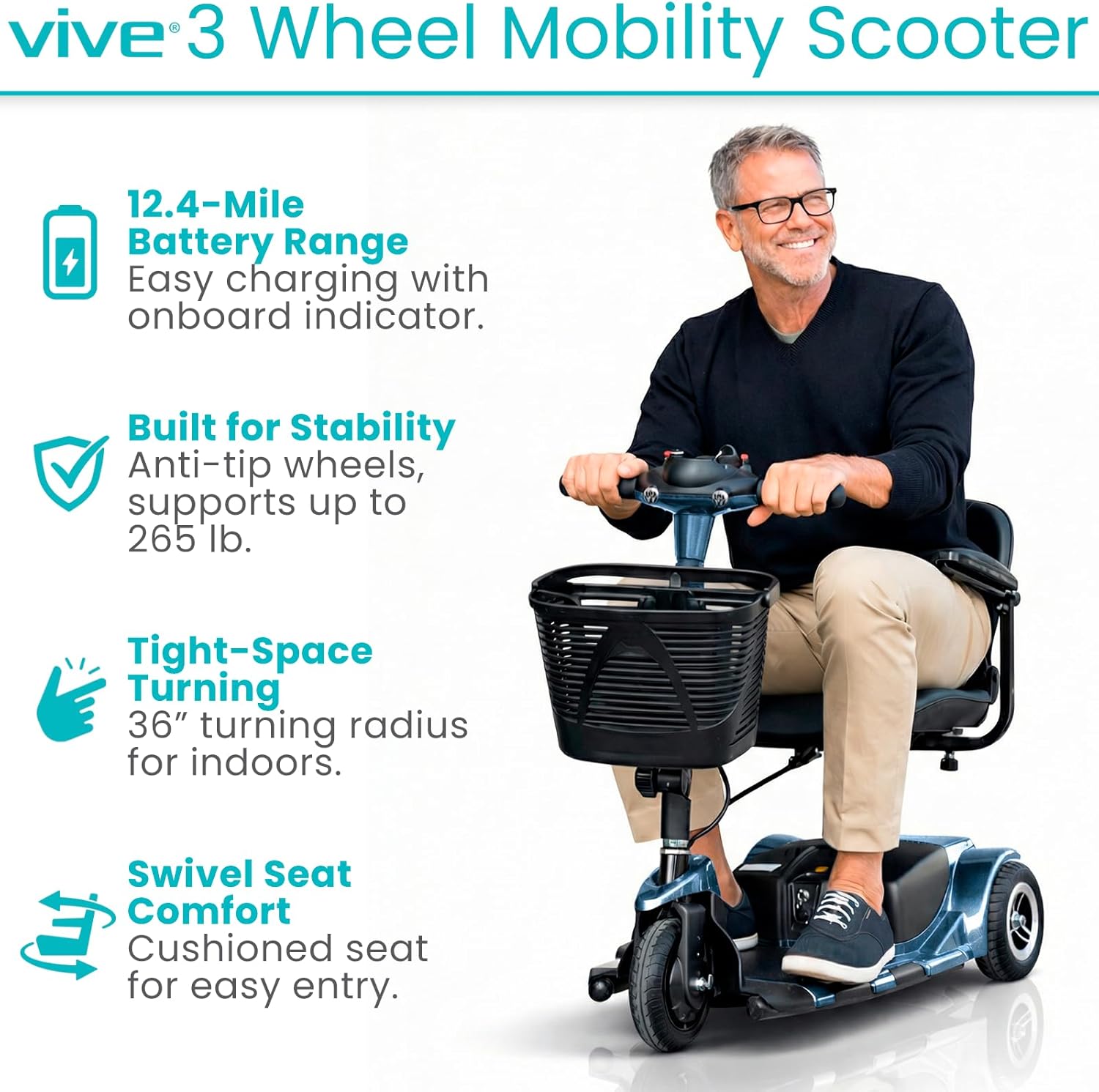
Image: A man riding the Vive 3 Wheel Mobility Scooter, showcasing its compact design and ease of use.
2. Émbaran Kasalametan
Always prioritize safety when operating the mobility scooter. Adhere to the following guidelines:
- Kapasitas beurat: The scooter is designed to safely support up to 265 pounds. Do not exceed this limit.
- rupa bumi: Suitable for smooth indoor surfaces and light outdoor terrains such as concrete, pavement, and short grass. Avoid rugged terrain, very steep inclines, or uneven surfaces to prevent instability.
- Ban: Equipped with flat-free, non-marking 8-inch tires for worry-free rides.
- Stabilitas: Features anti-tip wheels for enhanced stability.
- ngerem: The scooter is equipped with an automatic braking system. Ensure the drive lever is released to engage the brakes.
- Manuver: Exercise caution when navigating tight spaces or around obstacles.

Gambar: Detil view of the scooter's flat-free tires, suitable for different smooth terrains.
3. Eusi Paket
Pariksa yén sadaya komponén aya nalika unboxing:
- Vive 3 Wheel Mobility Scooter (main unit)
- Comfortably padded seat with flip-up armrests
- Front-mounted storage basket
- batré nambahan
- Quick-connect battery charger
- konci ignition
4. Majelis jeung Setup
The Vive 3 Wheel Mobility Scooter is designed for quick and easy assembly and disassembly. It can be separated into four lightweight pieces for convenient transport and storage.
- Ngabongkar komponén: Sacara saksama miceun sadaya bagian tina bungkusan.
- Attach Rear Section: Connect the rear drive section to the main chassis.
- Pasang Batré: Securely place the extended battery into its compartment.
- Pasang Korsi: Mount the padded seat onto the seat post, ensuring it locks into place.
- Install Tiller: Raise and secure the folding tiller into the upright position.
- Attach Basket: Hook the front storage basket onto the tiller.

Image: The scooter disassembled into its main components, demonstrating its portability for vehicle transport.
For a visual guide on assembly, please refer to the "About the Vive 3 Wheel Mobility Scooter" video below.
Video: Hiji leuwihview of the Vive 3 Wheel Mobility Scooter, including assembly and key features.
5. Parentah Operasi
5.1 Tiller Console Controls
The tiller console provides all necessary controls for operating your scooter:

Gambar: Detil view of the scooter's control panel, showing the power switch, battery indicator, speed dial, horn, and headlight controls.
- Saklar konci: Insert the key and turn to the 'ON' position to power on the scooter.
- Indikator Tingkat Batré: Located at the top of the console, this color-coded display shows the current battery charge.
- Dial Speed Speed: Adjust the maximum speed of the scooter. Turn left for slower speeds, right for faster speeds (up to 3.7 mph).
- Drive Lever: Press the right side of the lever to move forward. Press the left side to engage reverse. Releasing the lever will activate the automatic brake.
- Saklar lampu utama: Activates the scooter's headlight.
- Tombol tanduk: Pencét pikeun disada klakson.
For a detailed demonstration of the control panel, watch the video below:
Video: A demonstration of the Vive 3 Wheel Mobility Scooter's control panel functions.
5.2 Tempat Diuk jeung Kanyamanan
The scooter features a comfortably padded 16.9-inch wide seat and backrest. The seat can be adjusted for height and swivels to facilitate easier entry and exit. Padded armrests can be adjusted and flipped upward for added convenience.

Image: A user demonstrating the adjustable and flip-up armrests, highlighting the comfortable padded seat.
5.3 Maneuverability
The 3-wheel design provides a tight 36-inch turning radius, allowing for easy navigation through doorways, hallways, and other narrow indoor and outdoor spaces.

Image: A woman demonstrating the scooter's maneuverability by navigating around cones, showcasing its tight turning radius.
6. Ngecas Batré
The scooter is equipped with an extended battery providing a driving range of up to 12.4 miles per charge. The battery is removable, allowing for convenient off-board charging.
- Pastikeun skuter dipareuman.
- Panggihan kompartemen batré jeung cabut batréna.
- Connect the quick-connect charger to the battery and a standard power outlet.
- Allow the battery to charge fully. The battery indicator lights on the charger will indicate charging status.
- Once fully charged, disconnect the charger and re-install the battery into the scooter.

Image: The quick-connect charger and the scooter's battery, illustrating the charging process.
7. Disassembly for Transport
For easy transport and storage, the scooter quickly disassembles into four manageable pieces. The heaviest piece weighs approximately 29 pounds, making it suitable for lifting into standard vehicle trunks.
- Remove the front storage basket.
- Fold down the tiller.
- Leupaskeun korsi.
- Separate the main chassis from the rear drive section.
Reverse these steps for reassembly.
8. Pangropéa
Regular maintenance ensures optimal performance and longevity of your scooter:
- beberesih: Rutin usap skuter nganggo iklanamp lawon. Hindarkeun ngagunakeun bahan kimia anu kasar atanapi pembersih abrasive.
- Perawatan batré: Keep the battery charged, especially during periods of non-use, to prolong its lifespan.
- Inspeksi ban: Periodically check tires for wear and tear. Although flat-free, excessive wear can affect performance.
- Sambungan: Pastikeun sadaya sambungan listrik aman sareng bebas tina korosi.
- Panyimpenan: Simpen skuter di tempat anu garing sareng tiis nalika henteu dianggo.
9. Cara ngungkulan
If your scooter experiences an issue, the battery indicator lights on the tiller console may blink in a specific sequence to indicate an error code. Refer to your user manual (physical copy) for a comprehensive list of error codes and their corresponding troubleshooting steps.
Masalah umum:
- Scooter teu powering on: Check if the key is fully inserted and turned to the 'ON' position. Ensure the battery is charged and properly connected. Verify the manual/drive mode lever is in the correct position (drive mode).
- Reduced speed or range: This may indicate a low battery charge. Charge the battery fully.
- Kontrol anu teu responsif: Ensure all connections are secure and the scooter is powered on.
10. Spésifikasi
| Fitur | Spésifikasi |
|---|---|
| Dimensi produk | 38 "D x 19.5" W x 33" H |
| Item Beurat | 84 pon |
| Kapasitas beurat | Nepi ka 265 Pon |
| Top Speed | 3.7 mph |
| Rentang nyetir | Nepi ka 12.4 mil per muatan |
| Radius péngkolan | 36 inci |
| Ukuran Ban | 8 inches (flat-free, non-marking) |
| Heaviest Piece (Disassembled) | 29 pon |
| Jenis Batré | Batré Non-Standar (kalebet) |
| Produsén | Kaséhatan Vive |

Image: The scooter's durable aluminum frame, designed for everyday reliability.
11. Garansi jeung Rojongan
The Vive 3 Wheel Mobility Scooter comes with a JAMINAN 5-TAUN, reflecting our commitment to quality and customer satisfaction. For any questions, technical assistance, or warranty claims, please contact Vive Health Direct customer support.

Image: Highlighting the Vive Health 5-Year Guarantee, ensuring product reliability and customer confidence.
Ask a question about this manual
Ask about setup, troubleshooting, compatibility, parts, safety, or missing instructions. Manuals+ will review the question and use this page’s manual context to help answer it.