
1. Bubuka
This manual provides essential information for the safe and efficient operation, maintenance, and troubleshooting of your Philips Series 3200 Super-Automatic Coffee Machine, model EP3221/40. Please read all instructions carefully before using the appliance and retain this manual for future reference.
2. Émbaran Kasalametan penting
Salawasna turutan tindakan pencegahan kaamanan dasar nalika nganggo alat listrik pikeun ngirangan résiko kahuruan, sengatan listrik, sareng tatu. Alat ieu dimaksudkeun kanggo dianggo di rumah tangga waé.
- Entong neuleumkeun alat, kabel listrik, atanapi nyolok kana cai atanapi cairan sanés.
- Pastikeun voltage dituduhkeun dina alat anu saluyu sareng vol lokal anjeuntage saméméh nyambungkeun.
- Jauhkeun alat sareng kabelna tina jangkauan barudak.
- Entong jalankeun alat upami colokan, kabel listrik, atanapi alatna sorangan ruksak.
- Salawasna cabut colokan alat sateuacan beberesih, pangropéa, atanapi upami henteu dianggo salami waktos anu lami.
- Use only original Philips accessories and parts.
3. Produk Langkungview
The Philips Series 3200 Super-Automatic Coffee Machine EP3221/40 is designed to deliver a variety of fresh coffee beverages with ease. Key features include an intuitive touch display, a classic milk frother, and a durable ceramic grinder.
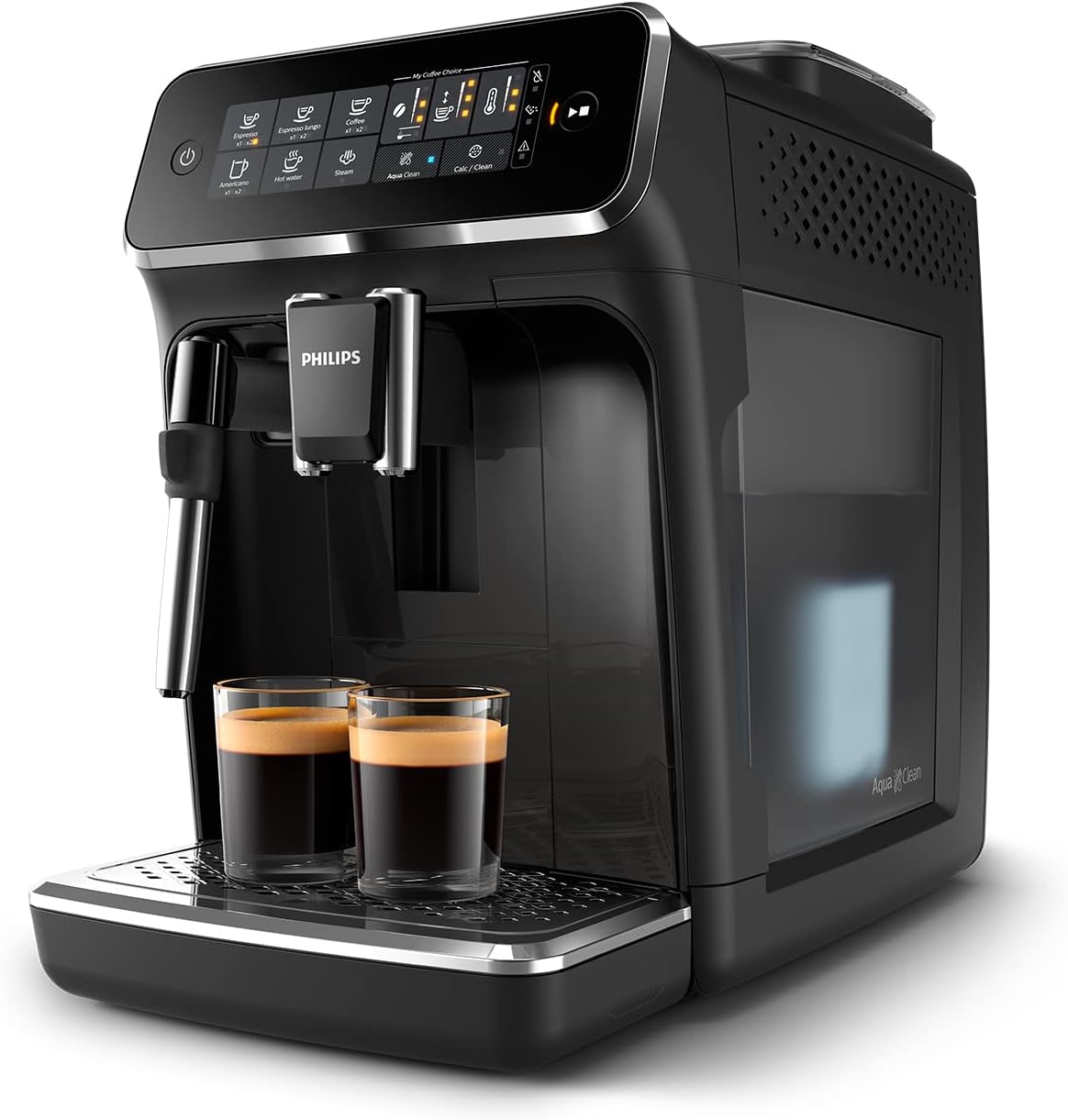
Image: Philips Series 3200 Super-Automatic Coffee Machine with two espresso cups on the drip tray.
4. Setup jeung pamakéan munggaran
4.1 Ngabongkar bungkusan sareng beberesih Awal
- Cabut sadaya bahan bungkusan tina mesin.
- Kumbah tangki cai, baki tetesan, sareng wadah bubuk kopi ku cai haneut sareng deterjen hampang. Bilas dugi ka bersih.
- Ngusap bagian luar mesin kalayan lemes, damp lawon.
4.2 Ngeusian Tangki Cai
- Leupaskeun tank cai tina mesin.
- Fill the tank with fresh tap water up to the MAX indication.
- Teundeun tank cai deui kana mesin.
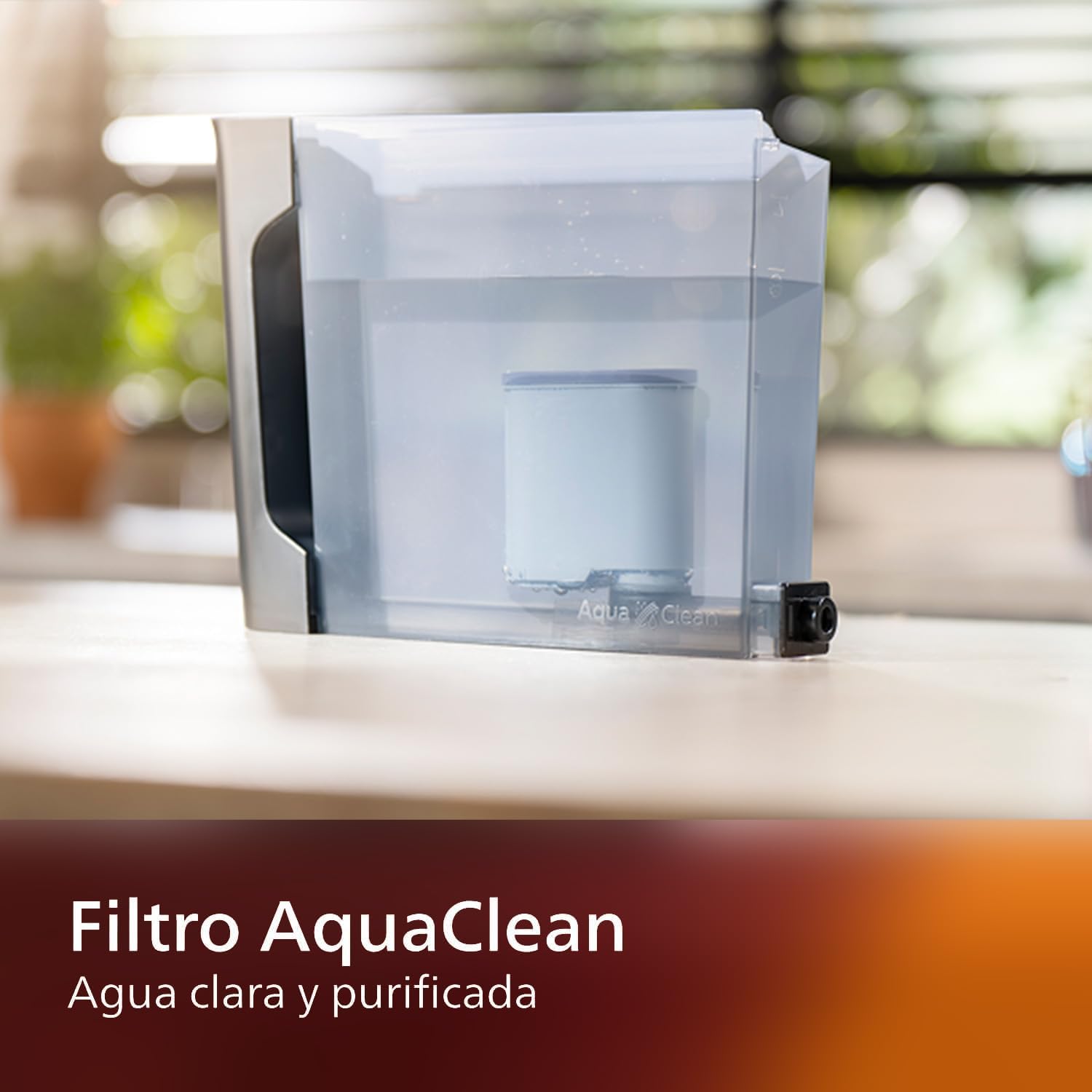
Image: AquaClean water filter installed in the water tank. The AquaClean filter helps ensure clear and purified water for your coffee.
4.3 Ngeusian Bean Hopper
- Open the coffee bean hopper lid.
- Tuang biji kopi seger kana hopper. Ulah ngeusian luhureun tingkat MAX.
- Close the lid securely to preserve aroma.
4.4 Sambungan Daya
- Colokkeun kabel listrik kana stop kontak témbok grounded.
- Press the power button to turn on the machine. The machine will perform an automatic rinse cycle.
5. Parentah Operasi
5.1 Nyiptakeun Kopi
The intuitive touch display allows for easy selection of your desired coffee beverage.
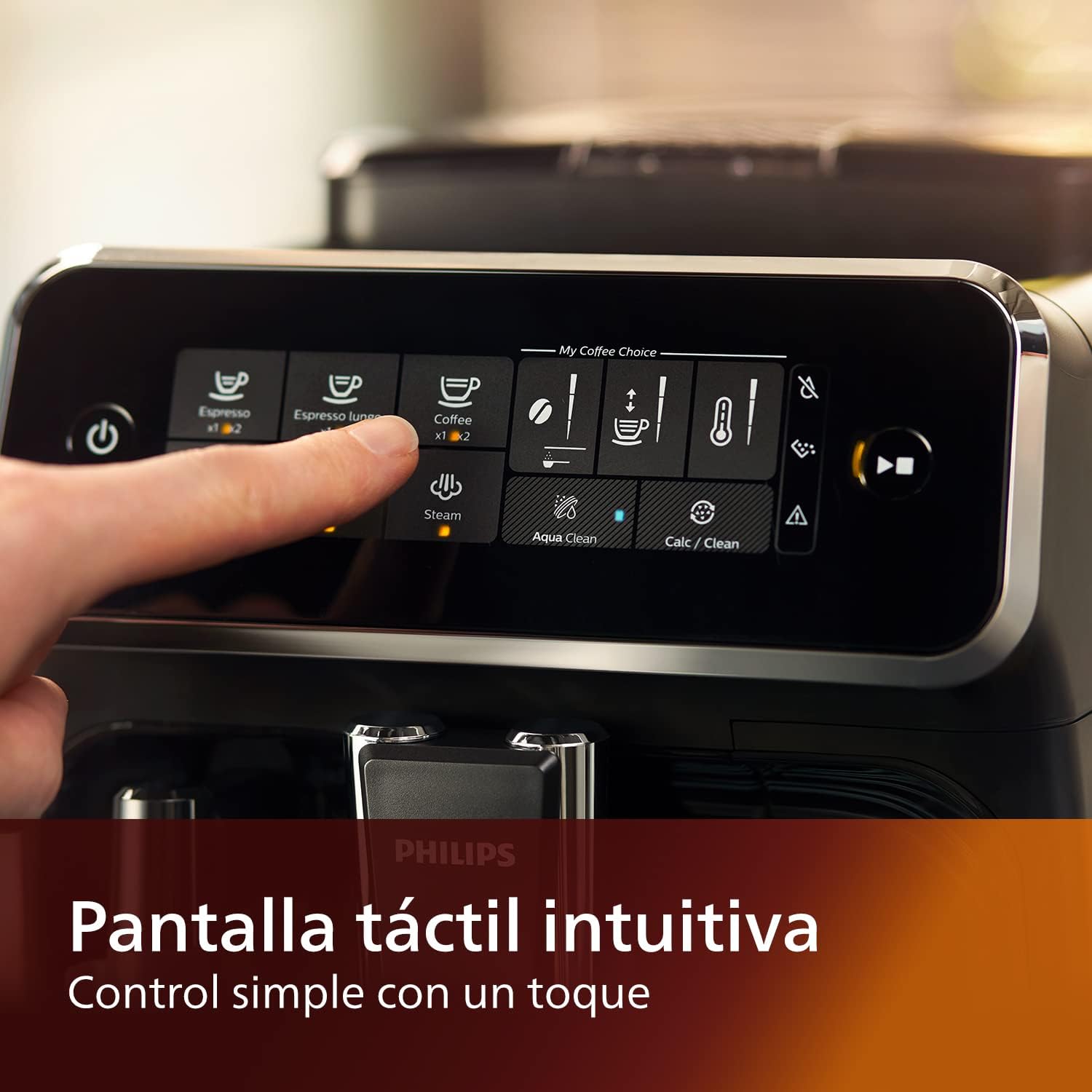
Image: Close-up of the intuitive touch display on the Philips Series 3200 coffee machine, showing various beverage options.
- Teundeun cangkir handapeun spout kopi.
- Select your desired coffee type (e.g., Espresso, Coffee, Americano) from the touch display.
- Mesin bakal otomatis grind kacang jeung brew kopi Anjeun.
5.2 Customizing Your Coffee (My Coffee Choice)
Use the My Coffee Choice menu to adjust intensity and quantity.

Image: The 'My Coffee Choice' screen on the touch display, illustrating options to adjust coffee intensity and volume.
- After selecting a beverage, tap the 'My Coffee Choice' icon.
- Adjust the coffee strength (intensity) and volume (quantity) using the on-screen controls. There are three settings for each.
- Confirm your selection to start brewing.
5.3 Ngagunakeun Bubuk Susu Klasik
The Panarello milk frother allows you to prepare smooth and silky milk foam for cappuccinos and lattes.

Image: The classic milk frother steaming milk directly into a glass cup, creating foam.
- Fill a milk jug with cold milk.
- Place the milk jug under the frother.
- Select the 'Steam' option on the touch display.
- Immerse the frother nozzle into the milk and turn the steam knob (if applicable) or press the steam button to start frothing.
- Once desired foam is achieved, turn off the steam.
- Clean the frother immediately after use by wiping it with a damp lawon sarta purging jumlah leutik uap.
6. Pangropéa jeung beberesih
Pembersih sareng pangropéa teratur mastikeun kinerja optimal sareng umur panjang mesin kopi anjeun.
6.1 beberesih poean
- Kosongkeun sareng bilas baki netes sareng wadahna kopi unggal dinten.
- Wipe the coffee spout and milk frother with a damp lawon.
- Bilas tank cai.
6.2 Filter AquaClean
The AquaClean filter ensures clear and purified water, reducing the need for frequent descaling. Replace the filter when indicated by the machine, typically after approximately 5000 cups, depending on water hardness.

Image: A demonstration of the AquaClean water filter, showing its effectiveness in purifying water.
6.3 Turun
Even with the AquaClean filter, descaling will eventually be required. The machine will prompt you when descaling is necessary. Follow the on-screen instructions and use a Philips-approved descaling solution.
6.4 Dishwasher Safe Parts
Note that the main appliance is not dishwasher safe. However, some removable parts, such as the drip tray and coffee grounds container, may be dishwasher safe. Refer to the specific instructions for each component.
7. Cara ngungkulan
If you encounter issues with your coffee machine, consult the table below for common problems and solutions.
| Masalah | Mungkin Cukang lantaranana | Solusi |
|---|---|---|
| Henteu aya kopi anu dikaluarkeun. | Tangki cai kosong. | Eusian bak cai. |
| Kopi lemah teuing. | Grind setting is too coarse. | Saluyukeun coét ka setting finer. |
| Susu frother teu ngahasilkeun busa. | Frother is clogged or not clean. | Clean the milk frother thoroughly. Ensure the nozzle is clear. |
| Machine displays a descaling alert. | Tumpukan limescale. | Ngalaksanakeun siklus descaling sakumaha maréntahkeun ku mesin. |
8. Spésifikasi
| Fitur | Rincian |
|---|---|
| merek | Philips |
| Nomer modél | EP3221/40 |
| Kapasitas Biji Kopi | 275 gram |
| Warna | Herang Hideung |
| Ukuran produk (D x W x H) | 25 x 36.6 x 32 séntiméter |
| Fitur husus | Integrated coffee grinder, Milk Frother, Water Filter, Programmable |
| Jenis Kopi Maker | Mesin Espresso |
| Bahan | palastik |
| Operasi | Pinuh Otomatis |
| Kakuatan | 1500 Watt |
| Voltage | 230 volt |
| Input Antarmuka Manusa | Layar cabak |
| Kopi Input Tipe | Kacang sakabeh |
| Jenis Filter | Reusable (AquaClean) |
| Dishwasher Aman | Teu aya (kanggo unit utama) |
| Taun Pabrik | 2022 |
9. Garansi jeung Rojongan
9.1 Émbaran jaminan
Your Philips Series 3200 Super-Automatic Coffee Machine is covered by a manufacturer's warranty. For detailed information regarding warranty terms, duration, and conditions, please refer to the warranty card included with your product or visit the official Philips websitus pikeun wewengkon Anjeun.
9.2 Rojongan Palanggan
For technical assistance, spare parts, or service, please contact Philips Customer Support. You can find contact details (phone numbers, email, and online support) on the official Philips websitus atawa dina dokuméntasi disadiakeun kalawan alat Anjeun.
When contacting support, please have your model number (EP3221/40) and purchase date ready.