
Comboss wl0286
Solar Sound & Light Alarm Motion Sensor User Manual
Model: wl0286 | Brand: Comboss
Bubuka
The Comboss Solar Sound & Light Alarm Motion Sensor is an advanced security device designed to protect your property. Featuring a highly sensitive motion sensor, it triggers a loud siren and bright strobe light upon detecting movement, effectively deterring intruders. Its solar-powered design ensures eco-friendly operation, with a backup USB charging option for continuous performance. This manual provides detailed instructions for setup, operation, and maintenance to ensure optimal performance of your device.

Image: The Comboss Solar Sound & Light Alarm Motion Sensor, showcasing éta beureum casing and solar panel.
Fitur
- Motion-Activated Security: Ultra-sensitive sensor detects movement within 5-8 meters, triggering a loud alarm and strobe light to deter intruders (people or animals).
- 4 Flexible Modes: Choose from 24-hour flashing/alarm, flashing only, night flashing/alarm, or night flashing only for customizable protection.
- Pilihan Dual Charging: Solar-powered for eco-friendly use; includes USB cable for backup charging during bad weather.
- Easy Setup & Versatile: Simply hang in sunlight—ideal for homes, farms, hotels, markets, and more. No wiring needed!
- Desain tahan cuaca: IP55 rated for outdoor use, ensuring durability against rain and other elements.
Eusi pakét
- 1 x Solar Sound & Light Alarm Motion Sensor
- 1 x Kabel Ngecas USB
- 1 x Installation Kit (screws and wall anchors)
spésifikasi
| Nomer modél | wl0286 |
| Sumber Daya | Solar Powered |
| Jenis Batré | Litium Polimér (1 kaasup) |
| Voltage | 3.7 volt |
| Tingkat Noise | 110 dB |
| Rentang Sénsor gerak | 5-8 meters (Max 8 meters) |
| Sudut Sensing | 125° |
| Tipe Pamasangan | Tembok Gunung |
| Bahan | ABS |
| Ukuran (L x W x H) | 2.72 x 2.72 x 4.72 inci |
| Beurat | 6 ons |
| Peunteun IP | IP55 (Tahan Cuaca) |

Image: Diagram illustrating the 125° sensing angle and 5-8 meter detection range of the motion sensor.
Disetél
- Ngabongkar: Sacara saksama miceun sadaya komponén tina bungkusan.
- Biaya Awal (Opsional tapi Disarankeun): Before first use, it is recommended to fully charge the device using the provided USB cable, especially if solar charging conditions are not optimal. Connect the USB cable to the charging port on the back of the device and to a standard USB power adapter (not included).
- Pilih Lokasi: Choose a location that receives direct sunlight for most of the day to ensure efficient solar charging. The device should be positioned where its motion sensor can cover the desired area (e.g., entrance, pathway, farm perimeter). Ensure the location is within 5-8 meters of the area you wish to monitor.
- Pamasangan: Use the included screws and wall anchors to securely mount the alarm to a wall, fence post, or other stable surface. Ensure the solar panel faces upwards towards the sun.
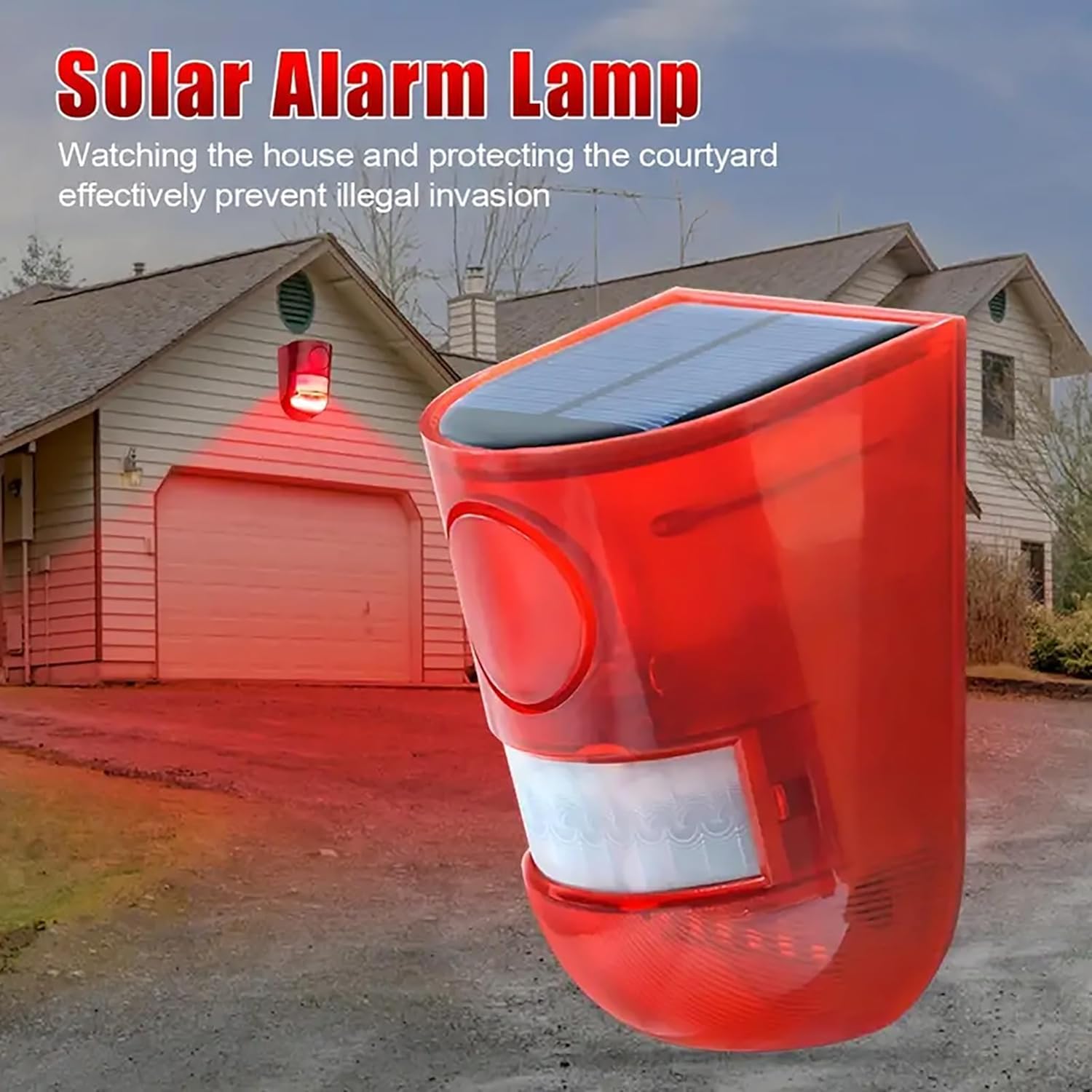
Image: The solar alarm lamp mounted on the side of a house, demonstrating a typical installation location.
Parentah Operasi
The device features a mode button on the back. Press the button to cycle through the four available operating modes. The device will flash for 30 seconds upon mode selection to indicate activation.
- Modeu 1: Kilat/Alarm Sadinten
In this mode, the device will flash and sound an alarm whenever motion is detected, 24 hours a day. Ideal for continuous security monitoring.
- Mode 2: Full Day Flash Only
In this mode, the device will only flash (without sound) when motion is detected, 24 hours a day. Suitable for visual deterrence without audible alerts.
- Modeu 3: Kilat Peuting/Alarm
The device will flash and sound an alarm when motion is detected, but only during nighttime hours (when ambient light is low). This mode is energy-efficient and suitable for nocturnal security.
- Modeu 4: Kilat Peuting Hungkul
The device will only flash (without sound) when motion is detected, exclusively during nighttime hours. Provides silent visual deterrence at night.
- Pareum listrik: Press the button a fifth time to power off the device.

Image: Visual guide on the back button operation to select between the four working modes and power off.

Image: Illustrations of the four working modes: 24-hour siren sound/flashing, 24-hour flashing only, night siren sound/flashing, and night flashing only.
Ngecas
Your Comboss Solar Sound & Light Alarm is designed with dual charging capabilities to ensure continuous operation.
- Ngecas Surya: The integrated solar panel charges the internal battery during daylight hours. For optimal charging, ensure the device is installed in a location that receives ample direct sunlight. The device will automatically charge during the day and activate its selected mode at night (if applicable).
- DC Charging (USB): In periods of prolonged cloudy or rainy weather, or if the device is not receiving sufficient sunlight, you can charge it using the provided USB cable. Connect the USB cable to the DC charging port on the back of the device and plug the other end into a standard USB power source (e.g., phone charger, computer USB port).

Image: Side-by-side comparison showing the solar panel charging in sunlight and the device being charged via USB cable.

Image: Another visual representation of solar charging during the day and DC charging for rainy days.
Pangropéa
- Panel surya bersih: Ngusap périodik panel surya ku lemes, damp lawon pikeun miceun lebu, kokotor, atawa lebu anu bisa ngahalangan efisiensi ngecas.
- Pariksa Pamasangan: Ensure the device remains securely mounted to prevent accidental falls or damage.
- Umur Batré: While the device is designed for outdoor use, extreme temperatures can affect battery life. Store indoors if temperatures are consistently below freezing for extended periods.
- Perlindungan Cuaca: The device is IP55 weatherproof, but avoid submerging it in water or exposing it to high-pressure water jets.

Image: Visual showing the device's IP55 weatherproof rating, with one side dry and the other side under simulated rain.
Pamérésan masalah
| Masalah | Mungkin Cukang lantaranana / Solusi |
|---|---|
| Device not activating/flashing. |
|
| Sénsor gerak henteu ngadeteksi. |
|
| Alarm jempé teuing atanapi teu disada. |
|
Garansi sareng Rojongan
Comboss products are manufactured with high-quality standards. For any questions, technical support, or warranty inquiries, please contact Comboss customer service through the retailer's platform or visit the official Comboss store page on Amazon.
Comboss Store: Visit the Comboss Store on Amazon