
1. Bubuka
Thank you for choosing the POWRUI AHR-081 Smart Power Strip. This device combines the functionality of a traditional power strip with smart home capabilities, allowing you to control connected appliances remotely and via voice commands. It features surge protection for your electronics and convenient USB charging ports.
This manual provides essential information for the safe and efficient operation of your smart power strip. Please read it thoroughly before use and retain it for future reference.
2. Émbaran Kasalametan
Pikeun mastikeun operasi anu aman sareng nyegah karusakan, punten perhatikeun pancegahan kaamanan ieu:
- Do not exceed the maximum load capacity of 10A/1250W.
- This device is designed for indoor use only. Do not expose to moisture or extreme temperatures.
- Ulah ngabongkar atawa ngaropéa alat. Rujuk sadayana jasa ka tanaga anu mumpuni.
- Jauhkeun tina jangkauan barudak.
- Ensure the power strip is fully plugged into a wall outlet before connecting devices.
- The power strip features 540 Joules of surge protection. While this protects against minor surges, it is not a substitute for proper grounding and professional electrical installation.
- The product is constructed with 750°C flame-retardant materials for enhanced safety.

Figure 2.1: Illustration of the power strip's heavy-duty cord and flame-retardant construction.
3. Eusi Paket
- 1 x POWRUI AHR-081 Smart Power Strip
- 1 x Manual Pamaké
4. Diagram Produk
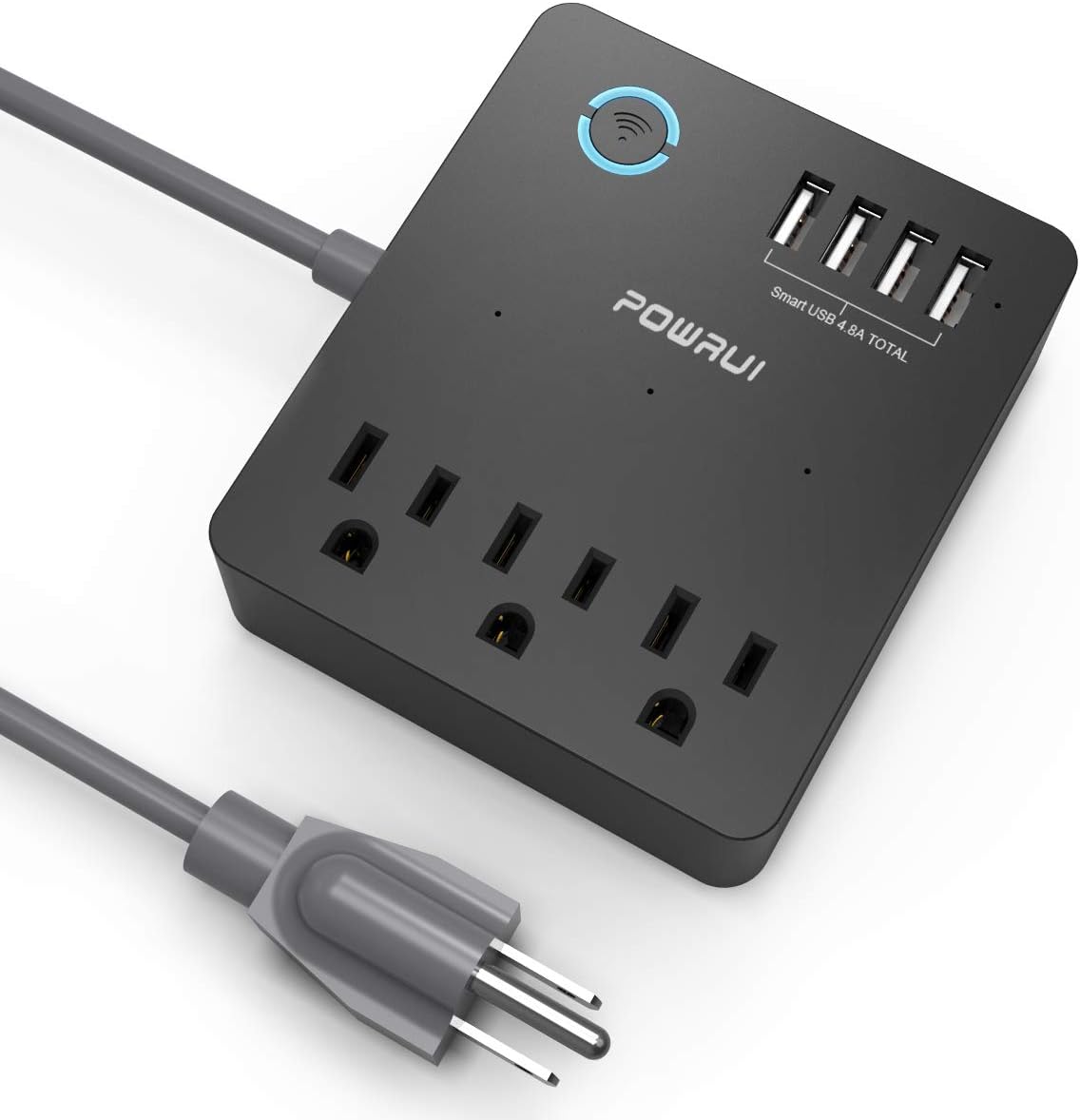
Figure 4.1: POWRUI AHR-081 Smart Power Strip Overview.
- Smart Wi-Fi Button/Indicator: Press to manually turn all smart outlets on/off. Blinks during pairing.
- Smart AC Outlets (x3): Individually controllable via app and voice.
- USB Charging Ports (x4): Total 5V/4.8A 24W output. These ports are always on when the power strip is plugged in and are not controlled by the app.
- Kabel listrik: Connects the power strip to a wall outlet.

Figure 4.2: Detail of the 4 USB charging ports.
5. Setélan
5.1 App Download and Registration
- Unduh aplikasi "Smart Life" ti App Store (iOS) atanapi Google Play Store (Android).
- Ngadaptarkeun akun atanapi log in upami anjeun parantos gaduh.
5.2 Nambahkeun Alat
- Plug the POWRUI AHR-081 Smart Power Strip into a wall outlet.
- Open the Smart Life app. Tap "+" in the top right corner to add a device.
- Select "Power Strip" or "Electrical Outlet" from the device list.
- Ensure the Wi-Fi indicator on the power strip is blinking rapidly. If not, press and hold the Wi-Fi button for 5-10 seconds until it blinks rapidly.
- Enter your 2.4GHz Wi-Fi network password (5GHz Wi-Fi is not supported).
- Follow the on-screen instructions to complete the pairing process. Once connected, the Wi-Fi indicator will turn solid blue.
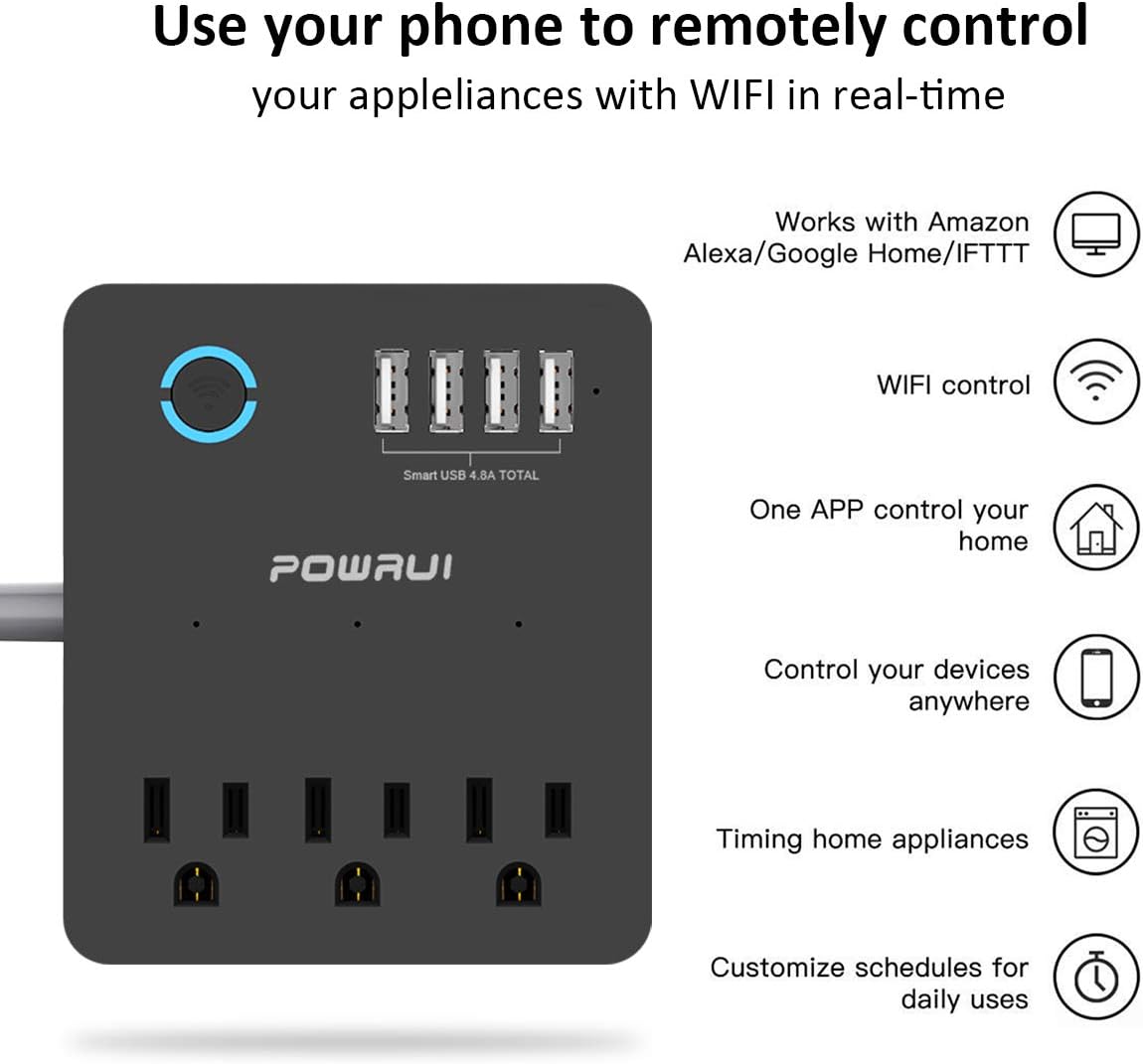
Figure 5.1: Remote control via the Smart Life app.
5.3 Integrasi Asisten Sora (Alexa/Google Home)
- In the Smart Life app, navigate to the device settings for your power strip.
- Look for options to link with Amazon Alexa or Google Assistant.
- Follow the in-app instructions to enable the "Smart Life" skill/service in your Alexa or Google Home app and link your accounts.
- Once linked, you can discover devices and assign names to individual outlets for voice control.
6. Nyuping
6.1 Controlling AC Outlets via App
After successful setup, you can control each of the 3 smart AC outlets individually from the Smart Life app. Tap on the respective outlet icon to turn it on or off.

Figure 6.1: Control your power strip from anywhere using the app.
6.2 Ngagunakeun Port Ngecas USB
The 4 USB charging ports are designed to charge various USB-powered devices such as smartphones, tablets, e-readers, and Bluetooth headphones. These ports are always active when the power strip is plugged in and are not controlled by the Smart Life app or voice commands.
6.3 Setting Schedules and Timers
The Smart Life app allows you to create custom schedules and countdown timers for the smart AC outlets:
- Jadwal: Set specific times for outlets to turn on or off daily or on selected days of the week.
- Timer: Set a countdown timer for an outlet to automatically turn off after a specified duration.
6.4 Kontrol sora
Once integrated with Alexa or Google Home, you can use voice commands to control the smart AC outlets. Examples:
- "Alexa, hurungkeun ruang tamu...amp."
- "Hei Google, pareuman kipasna."
- "Alexa, turn on all outlets on the power strip."

Gambar 6.2: Kontrol sora sareng Alexa sareng Google Home.
6.5 Kontrol Manual
The large circular button on the power strip can be pressed to manually toggle the power for all smart AC outlets simultaneously. This button also serves as the Wi-Fi pairing button during setup.
6.6 No Wi-Fi Mode
If there is no Wi-Fi connection, the power strip functions as a standard multi-outlet extender. The individual smart AC outlets can still be controlled manually via the physical button on the device.

Figure 6.3: Functionality in No Wi-Fi Mode.
7. Pangropéa
To maintain the performance and longevity of your power strip:
- Cabut colokan alat sateuacan beberesih.
- Wipe the exterior with a soft, dry cloth. Do not use harsh chemicals or abrasive cleaners.
- Keep the outlets free from dust and debris.
8. Cara ngungkulan
| Masalah | Mungkin Cukang lantaranana | Solusi |
|---|---|---|
| Alat teu bisa nyambung ka Wi-Fi. | Incorrect Wi-Fi password; 5GHz Wi-Fi network; device too far from router; Wi-Fi indicator not blinking rapidly. | Ensure correct 2.4GHz Wi-Fi password. Move device closer to router. Reset device by holding the Wi-Fi button until it blinks rapidly. |
| App cannot control outlets. | No internet connection; device offline; app glitch. | Check internet connection. Verify power strip is online in the app. Restart the app or power strip. |
| Kontrol sora teu jalan. | Incorrect device name; voice assistant not linked; internet issue. | Verify device name in voice assistant app. Ensure Smart Life skill/service is enabled and linked. Check internet connection. |
| Port USB teu ngecas. | Device not plugged in; faulty USB cable/device. | Ensure power strip is plugged in. Try a different USB cable or device to confirm functionality. |
9. Spésifikasi
| Fitur | Rincian |
|---|---|
| Nomer modél | AHR-081 |
| Outlet AC | 3 Smart outlet |
| palabuhan USB | 4 (Total 5V/4.8A 24W) |
| Surge Protection | 540 Joule |
| Voltage | 125V AC, 60Hz |
| Beban Max | 10A / 1250W |
| Wi-Fi Standar | 2.4GHz wungkul |
| Diménsi | 6.3 x 5.1 x 1.5 inci |
| Item Beurat | 13.6 ons |
| Warna | Hideung |
10. Garansi jeung Rojongan
POWRUI provides a 30 poé jaminan duit-balik jeung a Garansi ngagantian 12 bulan pikeun produk ieu.
For customer support, please contact POWRUI directly. Our friendly and reliable customer service team aims to respond within 24 hours.