
Bubuka
This manual provides detailed instructions for the Ctronics 1080P HDR WiFi Indoor Security Camera, model CTIPC-4C. It covers essential information for setting up, operating, maintaining, and troubleshooting your camera to ensure optimal performance for home surveillance. This camera features 1080P HDR video, 25 frames per second recording, advanced night vision, two-way audio, and intelligent motion and sound detection with a 355° pan and 50° tilt viewsudut ing.
Naon dina Box
Mangga parios eusi pakét pikeun mastikeun yén sadaya barang aya:
- 1 x Ctronics Indoor Security Camera
- 1 x carjer
- 1 x Manual Instruksi
- 1 x témbok Gunung
Disetél
Follow these steps for a quick and easy setup of your Ctronics security camera:
- Download the CloudEdge App: Milarian pikeun "CloudEdge" dina toko aplikasi smartphone anjeun (iOS atanapi Android) teras pasang.
- Daya dina kaméra: Connect the camera to the provided charger and plug it into a power outlet. The camera will power on and indicate its status.
- Connect to 2.4GHz WiFi & Scan QR Code: Open the CloudEdge app, create an account, and follow the in-app instructions to add your device. You will be prompted to connect the camera to your 2.4GHz WiFi network and scan a QR code displayed on your phone with the camera lens. A successful connection will be confirmed by an audible tone from the camera.

Image: Quick 3-step setup process for the Ctronics camera.
Parentah Operasi
Video Quality and Frame Rate
The camera records in 1080P HDR (High-Dynamic Range) at 25 frames per second (fps). This ensures smoother video streaming and clearer details in both brightly lit and poorly illuminated areas.
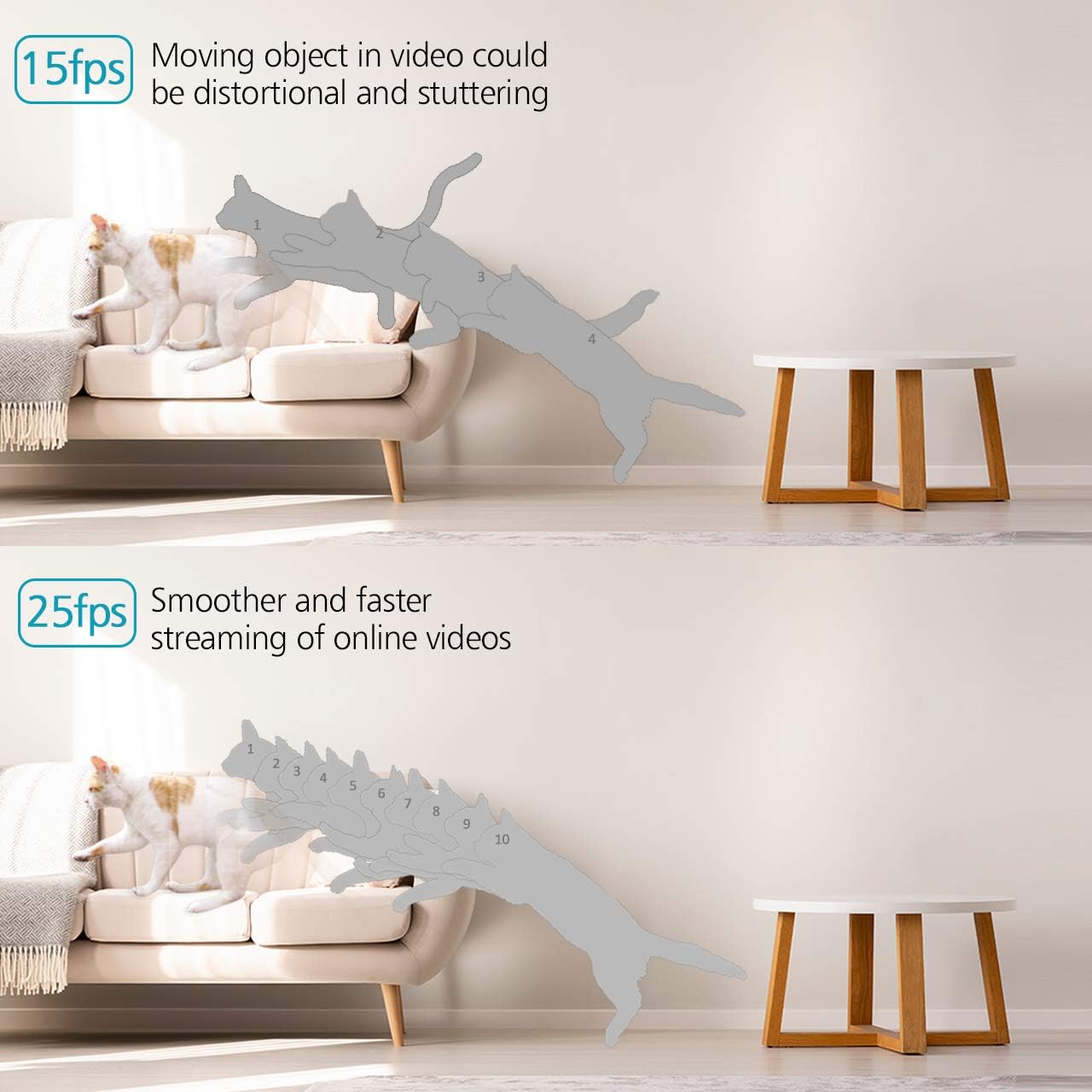
Image: Visual comparison of 15fps versus 25fps video quality, demonstrating smoother motion at 25fps.

Image: Demonstration of High-Dynamic Range (HDR) capability, capturing clear details in varied lighting conditions.
Pan, Tilt, sareng Digital Zoom
Ngontrol kaméra viewing angle remotely via the CloudEdge app. The camera offers a 355° horizontal pan and a 50° vertical tilt, allowing you to monitor a wide area. The unique sound-free motor ensures quiet operation during movement. Digital zoom is also available for closer inspection.

Image: Illustrates the camera's pan (355°) and tilt (50°) capabilities for wider view sinyalna.
Audio Dua Arah
The camera is equipped with dual, noise-cancelling microphones for clear two-way communication. Use the app to speak through the camera and listen to audio from its surroundings.
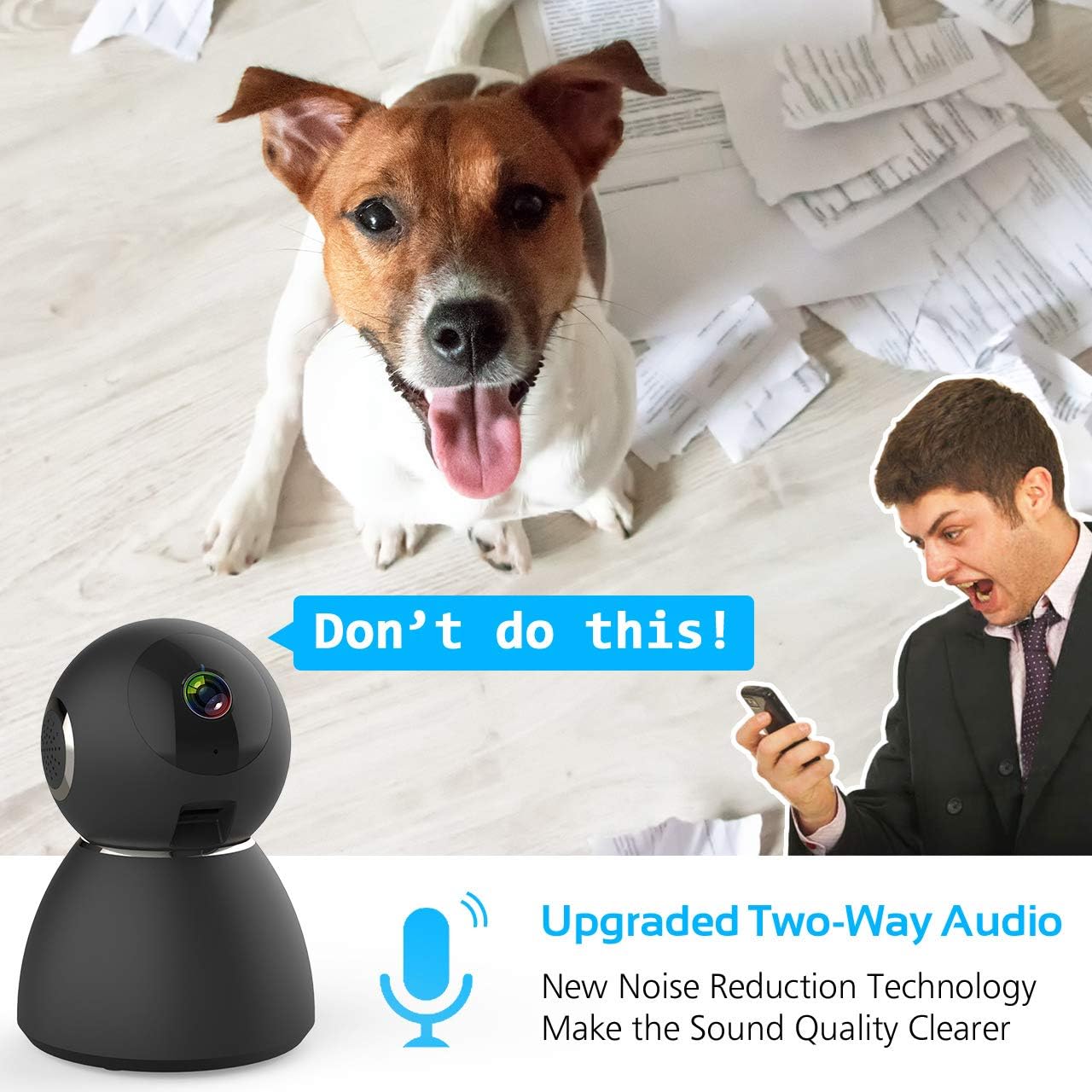
Image: Highlights the upgraded two-way audio feature with noise reduction technology.
Visi Peuting
The camera features upgraded auto-IR night vision, providing clear visibility in pitch dark conditions up to 33 feet (10 meters). This ensures continuous surveillance even at night.

Image: Demonstrates the upgraded auto-IR night vision for clear viewdina cahaya remen.

Image: Further illustration of the camera's advanced night vision capabilities.
Gerak sareng Deteksi Sora
The camera intelligently analyzes sound and motion, sending instant push alerts to your smartphone. Adjustable sensitivity settings help reduce false notifications, making it ideal for home security, baby monitoring, or pet surveillance.

Image: Shows accurate motion and sound detection with instant push alerts to a smartphone.
Pilihan Panyimpenan
The camera supports local storage via a Micro SD card (up to 128GB, not included) for continuous recording or event-triggered recordings. Cloud storage is also available with a 7-day free trial.
App Remote Control
The user-friendly CloudEdge app allows you to control all camera functions remotely, view eupan langsung, aksés kana foo anu dirékamtage, and receive alerts. You can also share camera access with up to 5 other users.
Pangropéa
To ensure the longevity and optimal performance of your Ctronics security camera, consider the following maintenance tips:
- beberesih: Lap lénsa sareng awak kaméra ku lawon anu lemes sareng garing pikeun miceun lebu sareng kokotor. Hindarkeun nganggo bahan kimia anu kasar atanapi bahan anu abrasif.
- Pembaruan firmware: Regularly check the CloudEdge app for available firmware updates. Keeping your camera's firmware up-to-date ensures you have the latest features and security enhancements.
- Sasayogian tanaga: Use only the provided charger and power adapter to prevent damage to the camera.
- panempatan: Pastikeun kaméra disimpen di lokasi anu stabil, jauh tina sinar panonpoé langsung, suhu anu ekstrim, sareng kalembaban anu luhur.
Pamérésan masalah
If you encounter issues with your Ctronics security camera, refer to the following common solutions:
- Kaméra Teu Nyambung ka WiFi:
- Ensure your WiFi network is 2.4GHz. The camera does not support 5GHz WiFi.
- Pariksa heula kecap akses WiFi anu diasupkeun kana aplikasi éta leres.
- Place the camera closer to your WiFi router during setup.
- Reset the camera using the reset pin and try the setup process again.
- Kualitas pidéo goréng:
- Check your internet connection speed. A stable and fast connection is required for 1080P streaming.
- Pastikeun lensa kaméra beresih jeung bebas tina halangan.
- Adjust the video quality settings within the CloudEdge app if your network bandwidth is limited.
- No Motion/Sound Alerts:
- Verify that motion and sound detection are enabled in the CloudEdge app settings.
- Adjust the sensitivity levels for motion and sound detection.
- Check your phone's notification settings to ensure the CloudEdge app is permitted to send alerts.
- Masalah Audio Dua Arah:
- Ensure your phone's microphone is enabled for the CloudEdge app.
- Pariksa setélan volume dina telepon anjeun sareng dina aplikasi.
- Avoid placing the camera and your phone too close to each other during two-way audio to prevent feedback.
For further assistance, please refer to the support section or contact Ctronics customer service.
spésifikasi
| Fitur | Spésifikasi |
|---|---|
| Ngaran modél | CTSC-4C |
| Resolusi Capture Video | 1080p, 25fps |
| Resolusi Video Éféktif | 8 MP |
| Laju pigura | 25 fps |
| Téhnologi konektipitas | Nirkabel (Wi-Fi) |
| Protokol konektipitas | Wifi |
| Téknologi Komunikasi Nirkabel | Wifi |
| Sumber Daya | Battery Powered (Note: Product description indicates charger included, implying mains power with potential battery backup) |
| Wattage | 5 watt |
| Ukuran barang (L x W x H) | 4.6 x 3.4 x 3.4 inci |
| Faktor Bentuk | Kubah |
| Tipe Fokus | Pokus Otomatis |
| Tipe Zum | Zum Digital |
| Téhnologi Lampu Lemah | Warna Peuting |
| Tipe Sumber Cahaya | Infrabeureum |
| Tipe Siaga | Audio jeung Gerak |
| Métode kontrol | App |
| Mangpaat husus Pikeun Produk | Panjagaan |
| Komponén Kaasup | 1 x Charger, 1 x Ctronics Indoor Security Camera, 1 x Instruction, 1 x Wall Mount |
Garansi sareng Rojongan
All Ctronics security cameras are covered by a 60-Day Money-Back Guarantee, a 2-Year Worry-Free Warranty, and Life-Time Technical Support.
For warranty claims, technical assistance, or any product-related inquiries, please contact Ctronics customer support through their official websitus atanapi inpormasi kontak anu disayogikeun dina dokuméntasi pameseran anjeun.