
1. Bubuka
Thank you for choosing the TEZO TT06B Wireless Earbuds. These earbuds are designed to provide a high-quality audio experience with convenience and durability. Featuring Bluetooth 5.0 for stable connectivity, IPX8 waterproofing for active lifestyles, intuitive touch controls, and a portable charging case with Type-C quick charge, the TT06B earbuds are suitable for various activities, from sports to daily commutes.
2. Eusi Paket
Punten pastikeun sadaya barang aya dina pakét anjeun:
- TEZO TT06B Wireless Earbuds (Left and Right)
- Portabel Ngecas Case
- Kabel Ngecas USB Tipe-C
- Ujung Ceuli Silikon (Leutik, Sedeng, Ageung)
- Manual pamaké
3. Produk Langkungview
Familiarize yourself with the components of your TEZO TT06B Wireless Earbuds.
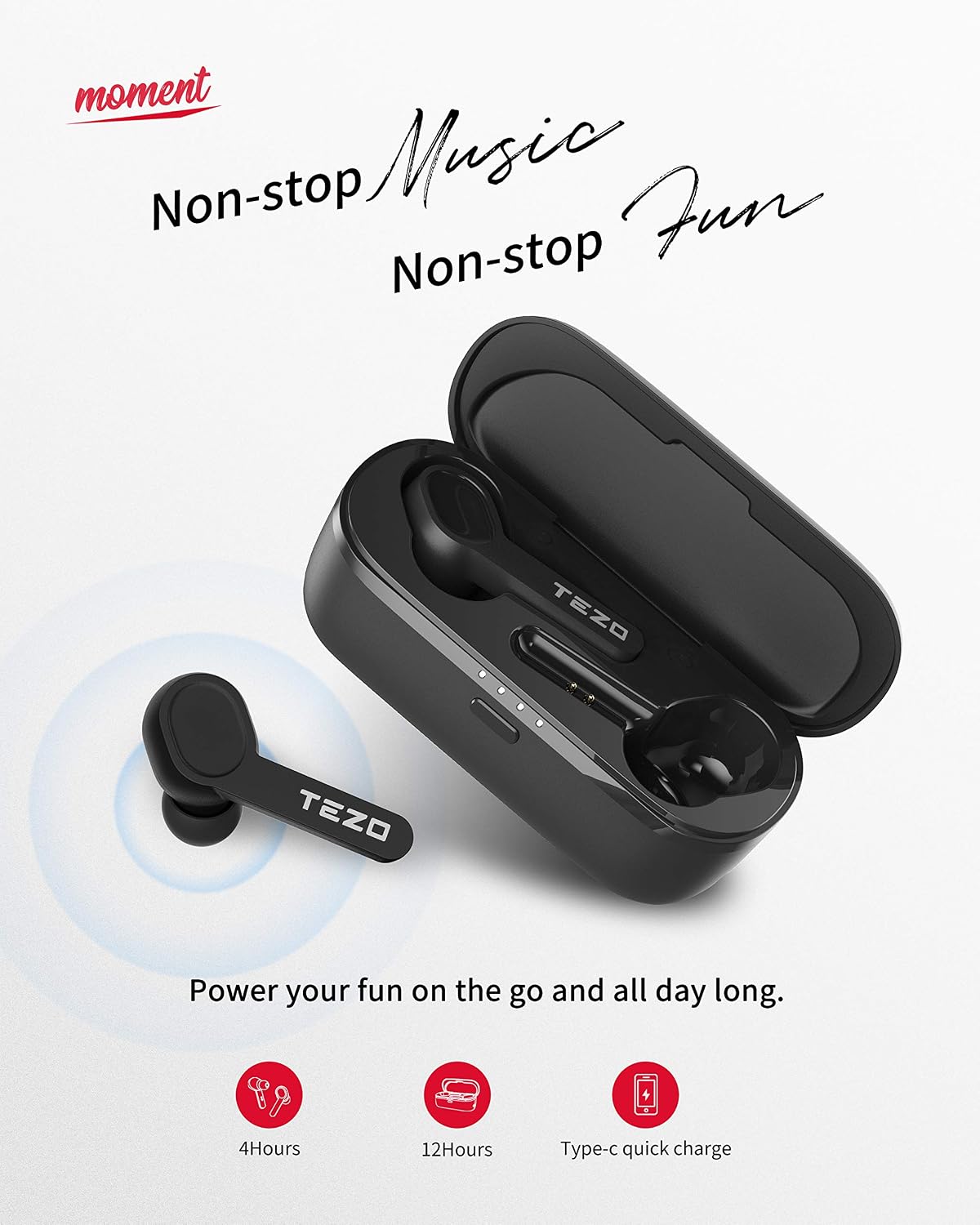
Gambar: TEZO TT06B Wireless Earbuds and Charging Case
The image above displays the TEZO TT06B wireless earbuds nestled within their charging case. The earbuds feature a sleek, in-ear design, and the charging case is compact, indicating portability. The case also shows LED indicators, likely for battery status.
4. Setélan
4.1 Ngecas Earbuds sareng Case
Saméméh dipaké munggaran, eusian pinuh ku earbuds jeung wadah ngecas.
- Ngecas Kasus: Connect the provided USB Type-C cable to the charging port on the case and to a USB power adapter (not included). The LED indicators on the case will show charging status. A full charge for the case takes a short time, providing approximately 12 extra hours of playtime for the earbuds.
- Ngecas Earbuds: Place the earbuds into the charging case. They will automatically begin charging. The earbuds can last for over 4 hours of playtime on a single charge.
4.2 Nyapasangkeun sareng Alat Anjeun
The TEZO TT06B earbuds feature one-step auto-pairing for convenience.
- Pastikeun wadah ngecas gaduh daya anu cekap.
- Open the charging case and remove both earbuds. They will automatically power on and connect to each other.
- Dina alat anjeun (smartphone, tablet, jsb.), aktipkeun Bluetooth sareng milarian alat anu sayogi.
- Select "TEZO TT06B" from the list of found devices to pair. Once connected, you will hear a confirmation tone.

Gambar: Pairing the TEZO TT06B Earbuds with a Device
This image illustrates the process of pairing the TEZO TT06B earbuds with a mobile device. The earbuds are shown outside their charging case, and a smartphone screen displays the Bluetooth settings, highlighting the 'TEZO' device ready for connection. This visual confirms the simple pairing steps.

Gambar: Automatic Pairing of Left and Right Earbuds
The image shows the left and right TEZO TT06B earbuds, indicating their individual 'L' and 'R' markings. A subtle graphic suggests an automatic connection between the two earbuds, emphasizing the auto-pairing feature once they are removed from the case.
4.3 Maké Earbuds
For optimal sound quality and comfort, choose the ear tips that best fit your ears. The TEZO TT06B comes with three different sizes of non-slip ergonomic earplugs. Insert the earbuds gently into your ear canal and rotate them slightly to find a secure and comfortable fit.
5. Parentah Operasi
5.1 Kontrol Toél
The TEZO TT06B earbuds feature high-precision touch sensors for easy control of music and calls.

Gambar: TEZO TT06B Earbud Touch Control Functions
This image provides a visual guide to the touch control functions on the TEZO TT06B earbuds. It depicts an earbud with various icons around it, representing actions such as skipping tracks (forward/backward), playing/pausing music, answering/ending calls, and activating a voice assistant. The fingerprint graphic on the earbud indicates the touch-sensitive area.
- Puter / Reureuh: Ketok tunggal dina boh earbud.
- Lagu salajengna: Ketok dua kali earbud katuhu.
- Lagu Sateuacanna: Ketok dua kali earbud kénca.
- Ngajawab / mungkas Telepon: Ketok tunggal dina boh earbud nalika aya telepon asup.
- Nolak Telepon: Pencet jeung tahan boh earbud salila 2 detik dina mangsa telepon asup.
- Aktipkeun Asisten Sora: Ketok tilu kali dina boh earbud.
5.2 Daya Hurung/Pareuman
- Daya Hurung: The earbuds automatically power on when removed from the charging case. To manually power on, press and hold the touch area on both earbuds for 3 seconds.
- Pareum listrik: The earbuds automatically power off when placed back into the charging case. To manually power off, press and hold the touch area on both earbuds for 5 seconds.
5.3 Nelepon
The built-in microphone with noise reduction allows for clear hands-free calls. Use the touch controls as described above to manage calls.
6. Pangropéa
6.1 beberesih
Pembersihan rutin ngabantosan ngajaga kinerja sareng kabersihan anu optimal.
- Lembut usap earbuds sareng wadah ngecas ku lawon anu lemes, garing, teu aya serat.
- Pikeun tip ceuli, piceun eta tina earbuds tur bersihkeun ku solusi sabun hampang lamun perlu, teras bilas tuntas tur garing lengkep saméméh dipasang deui.
- Ulah make cleaners abrasive, alkohol, atawa pangleyur kimiawi.
6.2 Tahan Cai (IPX8)
The TEZO TT06B earbuds are IPX8 waterproof, meaning they are protected against continuous immersion in water under specific conditions. This makes them suitable for strenuous workouts, rain, and splashes.

Gambar: TEZO TT06B Earbuds IPX8 Water Resistance
This image depicts a person enjoying water activities while wearing the TEZO TT06B earbuds, visually confirming their IPX8 waterproof rating. The text on the image highlights resistance to sweat, water, and rain, reinforcing the product's durability for active use.
penting: While IPX8 rated, it is not recommended to use the earbuds for swimming or diving. Ensure the earbuds are dry before placing them back into the charging case to prevent damage.
6.3 Panyimpenan
Nalika henteu dianggo, simpen earbuds dina wadah ngecasna pikeun ngajagi sareng tetep dicas. Nyimpen dina tiis, tempat garing jauh ti suhu ekstrim.
7. Cara ngungkulan
Upami anjeun ngalaman masalah sareng earbud anjeun, cobian solusi ieu:
- Earbuds henteu dipasangkeun sareng anu sanés: Place both earbuds back into the charging case, close the lid, wait a few seconds, then remove them again. They should automatically connect.
- Earbuds teu nyambung ka alat: Ensure Bluetooth is enabled on your device and the earbuds are in pairing mode. Forget "TEZO TT06B" from your device's Bluetooth list and try pairing again.
- Taya sora tina hiji earbud: Ensure both earbuds are charged. Try placing them back in the case and removing them. If the issue persists, try resetting the earbuds.
- Masalah ngecas: Check the Type-C cable and power adapter. Ensure the charging contacts on the earbuds and inside the case are clean and free of debris.
- Ngareset Earbuds: If issues persist, place both earbuds in the charging case. With the lid open, press and hold the button on the charging case (if available, or refer to specific product diagram for reset button location) for 10 seconds until the indicator lights flash, then release. This will reset the earbuds to factory settings.
8. Spésifikasi
| Fitur | Spésifikasi |
|---|---|
| merek | TEZO |
| Nomer modél | TT06B |
| Téhnologi konektipitas | Nirkabel (Bluetooth) |
| Vérsi Bluetooth | 5.0 |
| Rentang Bluetooth | Nepi ka 35 suku |
| Tahan cai | IPX8 |
| Métode kontrol | Toél |
| Earbud Playtime | Over 4 hours (single charge) |
| Charging Case Additional Playtime | 12 jam |
| Port ngecas | USB Tipe-C |
| Mikropon | Built-in with Denoise |
| Panempatan Ceuli | Dina Ceuli |
| Komponén Kaasup | Kasus Ngecas Nirkabel |
9. Garansi jeung Rojongan
TEZO products are manufactured to high standards and undergo rigorous quality checks. For information regarding warranty coverage, technical support, or customer service, please refer to the warranty card included in your package or visit the official TEZO websitus. Punten tahan bukti pameseran anjeun pikeun klaim garansi.