
TrustFire MC12
TrustFire MC12 1000 Lumen Rechargeable Headlamp Manual pamaké
1. Bubuka
This manual provides detailed instructions for the safe and effective use of your TrustFire MC12 1000 Lumen Rechargeable HeadlampMangga baca heula buku panduan ieu kalawan saksama sateuacan ngoperasikeun alat ieu sareng simpen kanggo rujukan ka hareup.
2. Produk Langkungview
The TrustFire MC12 is a versatile, high-performance headlamp designed for various outdoor and indoor activities. It features a powerful LED, multiple lighting modes, and a durable, waterproof construction.
2.1 Fitur konci
- Desain Panggunaan Ganda: Functions as both a headlamp with the included headband and a compact EDC (Everyday Carry) flashlight.
- Lima Modeu Pencahayaan: High (1000 lumens), Medium (200 lumens), Low (60 lumens), Moonlight (3 lumens), and Strobe (1000 lumens).
- Peunteun tahan cai IP68: Ensures reliable performance in heavy rain or splashing water.
- Magnét USB Ngecas: Convenient and efficient charging with a magnetic USB cable.
- Tailcap Magnét: Ngamungkinkeun pikeun napelkeun tanpa kudu make leungeun kana permukaan logam.
- Awak anu tiasa disaluyukeun: The light head can be adjusted 180 degrees to direct illumination.
- Klip saku anu tiasa dicabut: For easy attachment to clothing, backpacks, or belts.
- Kompak sareng Ringan: Dirancang pikeun gampang dibawa sareng nyaman.
2.2 Eusi pakét
- TrustFire MC12 Headlamp
- Ikat sirah
- Kabel Ngecas USB Magnét
- 1 x Batré CR123A (kalebet)
- Manual pangguna (dokumén ieu)
2.3 Diagram Produk

Image: TrustFire MC12 Headlamp shown with its adjustable headband and magnetic USB charging cable.

Gambar: Hareupeun view of the TrustFire MC12 Headlamp securely attached to its headband.
3. Setélan
3.1 Pamasangan batré
The TrustFire MC12 comes with a pre-installed rechargeable CR123A battery. If you need to replace the battery, unscrew the tail cap, insert a compatible 16340 (3.6V/3.7V) or CR123A (3V) battery with the positive (+) end facing the head of the lamp, and then screw the tail cap back on securely.
3.2 Ngecas Batré
Saméméh dipaké munggaran, eusian pinuh headlamp. The magnetic charging cable allows for convenient charging.
- Connect the USB end of the magnetic charging cable to a power source (e.g., USB wall adapter, computer, power bank, car charger).
- Attach the magnetic end of the cable to the charging port on the headlamp. The indicator light on the cable will show red during charging and turn green when fully charged.

Image: The TrustFire MC12 Headlamp connected to its magnetic USB charging cable, illustrating compatibility with various USB power sources.
3.3 Ngapasangkeun Ikat Kepala
Geser kapalaamp into the rubber mount on the elastic headband. Ensure the light is securely seated. Adjust the headband for a comfortable and snug fit on your head.

Image: A family wearing TrustFire MC12 headlamps, highlighting the comfortable and user-friendly design for various users.
4. Parentah Operasi
4.1 Daya Hurung/Pareuman
- Pikeun Ngahurungkeun: Pencét tombol daya sakali. Sirahnaamp will turn on in the last used mode (memory function).
- Pareuman: Pencét jeung tahan tombol daya salila kurang leuwih 0.5 detik.
4.2 Ngalihkeun Modeu
Nalika headlamp is on, single-press the power button to cycle through the modes in the following order: High > Medium > Low > Moonlight. Release the button to select the desired mode.
4.3 Strobe Mode
From any mode (or when off), double-press the power button quickly to activate Strobe mode. Single-press again to return to the previous mode or turn off.
4.4 Fungsi Konci
Pikeun nyegah aktivasina teu kahaja, headlamp features a lockout function. Double-press the power button quickly when the light is off to engage the lockout. The light will flash twice to indicate it is locked. To unlock, double-press the power button again.
4.5 Adjustable Light Head
Headlétamp body can be rotated up to 180 degrees within its mount, allowing you to direct the light precisely where needed.
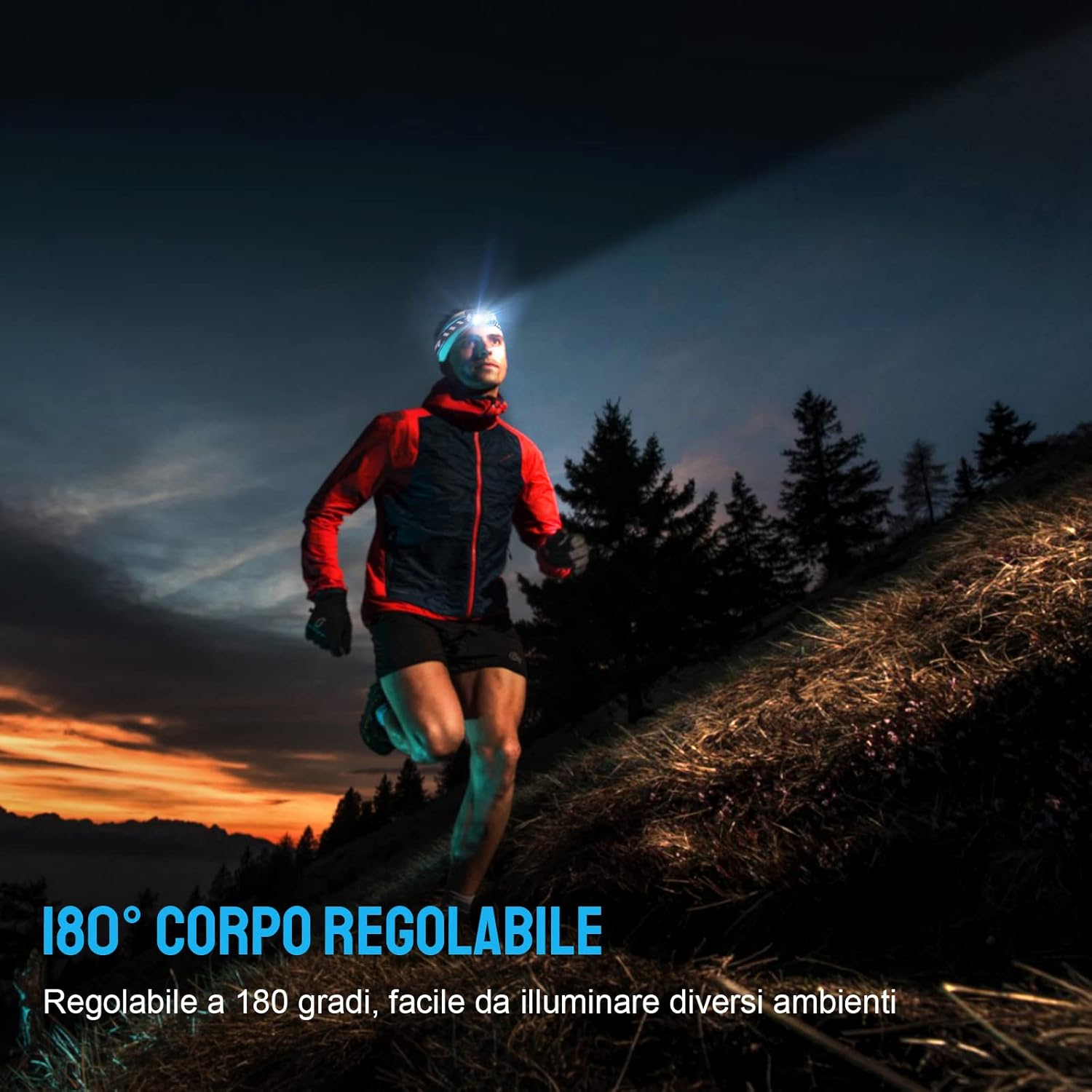
Image: A person running outdoors with the TrustFire MC12 headlamp, illustrating the flexibility of its 180-degree adjustable body to illuminate different areas.
4.6 Using as an EDC Flashlight
The MC12 can be removed from the headband and used as a compact, handheld flashlight. Its dual-direction pocket clip allows for easy attachment to pockets, belts, or hat brims.

Image: The TrustFire MC12 Headlamp detached from its headband, functioning as a compact Everyday Carry (EDC) flashlight.

Image: A person demonstrating the removable pocket clip of the TrustFire MC12, attaching it to a shirt pocket for hands-free use.
4.7 Magnetic Tailcap Functionality
The magnetic tailcap allows the headlamp to be securely attached to ferrous metal surfaces, providing hands-free illumination in various work environments.

Image: The TrustFire MC12 Headlamp magnetically secured to the underside of a car hood, providing hands-free lighting for automotive repair.
5. Pangropéa
5.1 beberesih
Ngusap sirahamp kalawan lemes, damp cloth. Do not use abrasive cleaners or solvents. Keep the charging port clean and free of debris.
5.2 Perawatan Batré
- Recharge the battery regularly, even if not in frequent use, to maintain optimal performance and extend battery life.
- Hindarkeun batréna pinuh.
- If storing for an extended period, remove the battery or ensure it is partially charged (around 50%).
5.3 Panyimpenan
Nyimpen headlamp in a cool, dry place away from direct sunlight and extreme temperatures. If storing for a long time, consider removing the battery.
6. Cara ngungkulan
| Masalah | Mungkin Cukang lantaranana | Solusi |
|---|---|---|
| Headlamp henteu hurung. | Batré béak. | Ngecas batré. |
| Battery incorrectly installed. | Pariksa polaritasna batré (+/-). | |
| Headlamp aya dina modeu lockout. | Double-press the power button to unlock. | |
| Headlamp teu ngecas. | Kabel ngecas teu nyambung kalawan bener. | Ensure magnetic cable is firmly attached to the charging port and USB end is connected to a working power source. |
| Port ngecasna kotor. | Clean the charging port with a dry cotton swab. | |
| Light output decreases or headlamp janten panas. | Automatic thermal regulation. | This is normal behavior to prevent overheating and protect the LED. The light will automatically reduce brightness. |
7. Spésifikasi
| Fitur | Rincian |
|---|---|
| Modél | MC12 |
| merek | TrustFire |
| Tipe Sumber Cahaya | LED |
| Caang Bodas | 1000 Lumén (Max) |
| Sumber Daya | Batré Powered |
| Jenis Batré | Rechargeable Lithium-Ion (16340/CR123A compatible) |
| Voltage | 3.7 volt |
| Tingkat Résistansi Cai | IP68 Waterproof |
| Item Beurat | 135 Gram (kira-kira 4.8 ons) |
| Dimensions (Headlamp) | Length: 65 mm (2.4 in), Diameter: 20.6 mm (0.79 in) |
| Komponén Kaasup | USB Cable, Headband |
| Tipe Pamasangan | Clip Mount, Belt Mount |
| Dianjurkeun Mangpaat | Camping, Cycling, Exploring, Fishing, Hiking, Hunting, Indoor activities, Repairing |
| UPC | 751433559831 |

Image: Individuals using the TrustFire MC12 headlamp in challenging weather, demonstrating its IP68 waterproof capability in snow and rain.
8. Émbaran Kasalametan
- Kasalametan panon: Do not shine the light directly into eyes. The high intensity light can cause temporary vision impairment or permanent eye damage.
- Barudak: Jauhkeun tina jangkauan barudak.
- Panas: Headlétamp may become warm during prolonged use, especially in High mode. This is normal. Avoid direct contact with hot surfaces.
- Kasalametan batré: Use only recommended batteries. Do not mix old and new batteries or different types of batteries. Do not dispose of batteries in fire.
- Pembongkaran: Ulah nyobian ngabongkar atanapi ngarobih sirahamp, as this will void the warranty and could cause damage or injury.
9. Garansi jeung Rojongan
For warranty information, technical support, or customer service inquiries, please visit the official TrustFire websitus atanapi ngahubungan pangecér Anjeun.
Resmi Websitus: www.trustfire.com