
1. Bubuka
This manual provides comprehensive instructions for the installation, operation, and maintenance of your ErGear Single Monitor Mount, Model EGSS7. This monitor arm is designed to enhance your workspace ergonomics by providing adjustable positioning for a single monitor. Please read this manual thoroughly before installation and retain it for future reference.

Image 1.1: The ErGear Single Monitor Arm (Model EGSS7) in a typical office setup.
2. Émbaran Kasalametan
Punten perhatikeun pancegahan kaamanan di handap ieu pikeun nyegah tatu atanapi karusakan kana alat anjeun:
- Ulah ngaleuwihan kapasitas beurat maksimum 14.3 lbs (6.5 kg).
- Ensure your monitor is between 17 and 27 inches in size.
- Verify that your monitor is VESA compatible (75x75mm or 100x100mm).
- Install the mount on a sturdy desk surface that can support the combined weight of the mount and your monitor.
- Follow all installation steps carefully. Improper installation may result in equipment damage or personal injury.
- Tetep bagian leutik jauh ti barudak.
3. Eusi Paket
Before proceeding with installation, please ensure all components are present and undamaged. Refer to the included parts list for detailed identification.
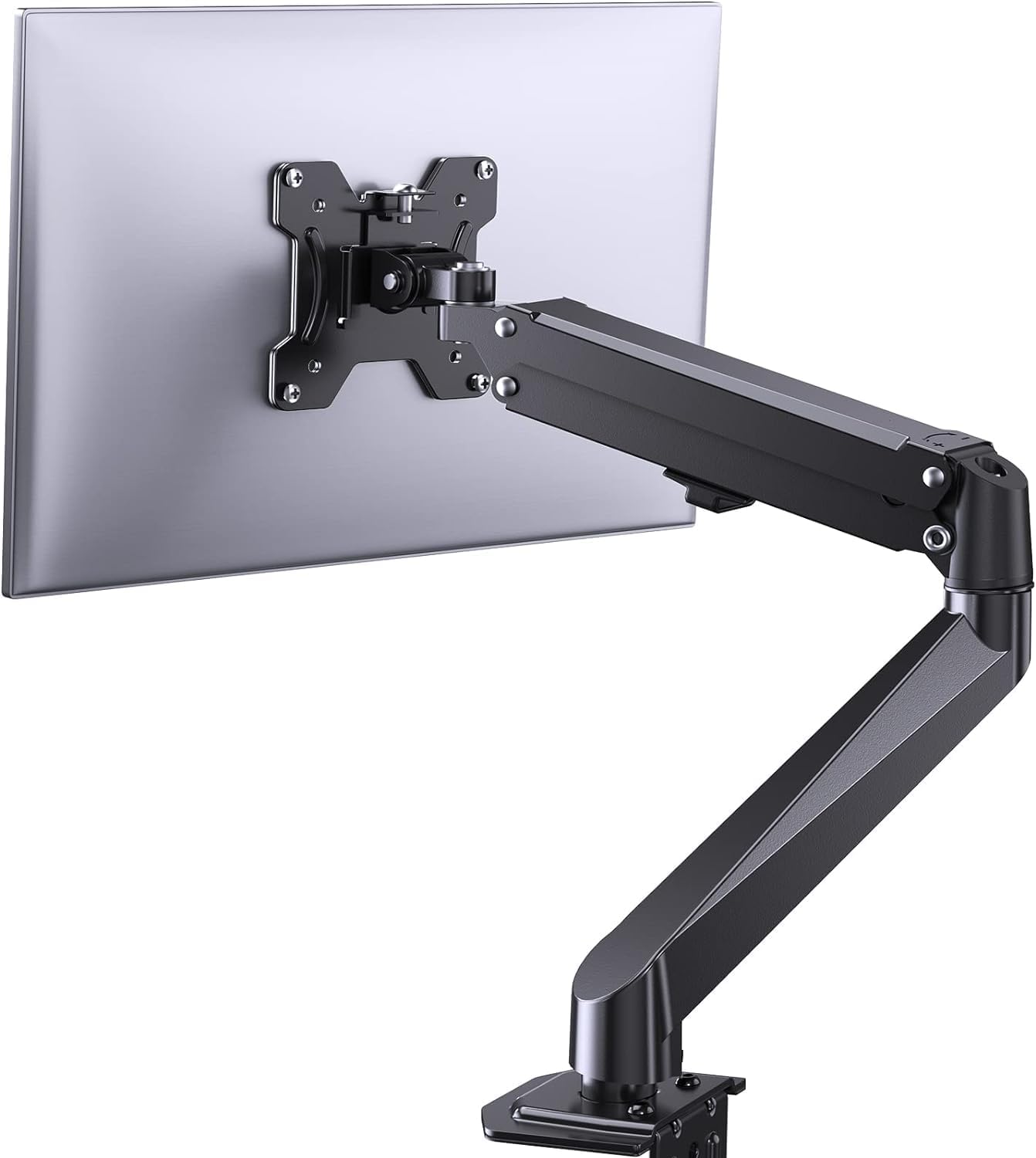
Gambar 3.1: Leuwihview of the ErGear Single Monitor Mount components.
4. Spésifikasi
| Fitur | Spésifikasi |
|---|---|
| merek | Ergear |
| Modél | EGSS7 |
| Ukuran Monitor anu Cocog | 17 - 27 inci |
| Kapasitas beurat | Nepi ka 14.3 lbs (6.5 kg) |
| Kasaluyuan VESA | 75x75mm, 100x100mm |
| Tipe Pamasangan | C-clamp atanapi Grommet |
| Bahan | Alloy Steel |
| Warna | Hideung |
| Rentang Dengdekkeun | -35 ° ka +50 ° |
| Rentang putar | -90 ° ka +90 ° |
| Rotasi | 360° |
| Dimensi produk | 41.2 x 30.4 x 10 cm |

Image 4.1: Monitor size and weight capacity details.
5. Parentah Setup
The ErGear Single Monitor Mount offers two installation options: C-clamp or Grommet mounting. Choose the option best suited for your desk.

Image 5.1: C-clamp and Grommet mounting options with desk thickness ranges.
5.1 C-Clamp Pamasangan
- Gantelkeun C-clamp to the base of the monitor arm.
- Posisikeun C-clamp on the edge of your desk. Ensure the desk thickness is between 0.4 and 3.3 inches.
- Kencangkeun clamp securely using the provided knob until the mount is stable.
5.2 Grommet Installation
- If your desk has a grommet hole, insert the grommet bolt through the base of the monitor arm and the desk hole. Ensure the desk thickness is between 0.4 and 3.1 inches.
- Secure the mount from underneath the desk using the provided plate and nut.
5.3 Ngapasangkeun Monitor
- Carefully attach your VESA-compatible monitor to the VESA plate on the arm using the appropriate screws.
- Ensure the screws are tightened firmly but do not overtighten.
5.4 Pangaturan Tegangan
The gas spring arm requires tension adjustment to properly support your monitor's weight. Use the included Allen key to adjust the tension screw located on the arm. Turn clockwise to increase tension for heavier monitors, and counter-clockwise to decrease tension for lighter monitors. Adjust until the monitor stays in position when moved.

Gambar 5.2: Internal view of the flexible gas spring arm.
6. Parentah Operasi
Once installed, your ErGear monitor mount allows for flexible positioning of your monitor.
6.1 Nyaluyukeun Posisi Monitor
- Penyesuaian Jangkungna: Gently push or pull the monitor to the desired height. The gas spring mechanism will hold it in place.
- Dengdekkeun: The monitor can be tilted from -35° to +50° to reduce glare and optimize viewdina sudut.
- Putar: Swivel the monitor from -90° to +90° for collaborative work or to view content from different angles.
- Rotasi: Puterkeun monitor 360° pikeun ngaganti orientasi lanskap sareng potret.

Image 6.1: Monitor height adjustment.

Image 6.2: Full motion range capabilities of the monitor arm.
6.2 Manajemén kabel
The monitor arm features an integrated cable management system to keep your workspace tidy. Route your monitor cables through the designated channels on the arm to conceal them.

Image 6.3: Integrated cable management system.
7. Pangropéa
Pangropéa rutin mastikeun umur panjang sareng kinerja anu optimal tina dudukan monitor anjeun.
- Pariksa sadaya sekrup sareng sambungan sacara berkala pikeun mastikeun éta pageuh.
- Clean the surface of the mount with a soft, damp lawon. Ngahindarkeun cleaners abrasive.
- Re-adjust the gas spring tension if your monitor feels too loose or too stiff when moving.
8. Cara ngungkulan
| Masalah | Mungkin Cukang lantaranana | Solusi |
|---|---|---|
| Monitor ngagantung atanapi henteu tetep dina posisina. | Gas spring tension is too low. | Increase gas spring tension using the Allen key (clockwise). |
| Monitor is difficult to move. | Tegangan pegas gas teuing luhur. | Decrease gas spring tension using the Allen key (counter-clockwise). |
| Mount karasana teu stabil. | C-clamp or grommet connection is loose. | Kencangkeun C-clamp knob or grommet nut. |
| Monitor does not fit the VESA plate. | Incorrect VESA pattern. | Ensure your monitor has a 75x75mm or 100x100mm VESA pattern. |
9. Garansi jeung Rojongan
For warranty information or technical support, please refer to the contact details provided with your purchase or visit the official ErGear website. Please have your model number (EGSS7) and purchase date available when contacting support.