
1. Bubuka
Thank you for choosing the Ourlife Kids Camera OU-630. This digital camera is designed for children, offering 1080p Full HD video recording, 12MP photo resolution, and a unique 60x macro magnification function for exploring the micro-world. It features a 3.5-inch large screen, various creative filters, games, and music playback. Please read this manual carefully to ensure proper use and maintenance of your camera.
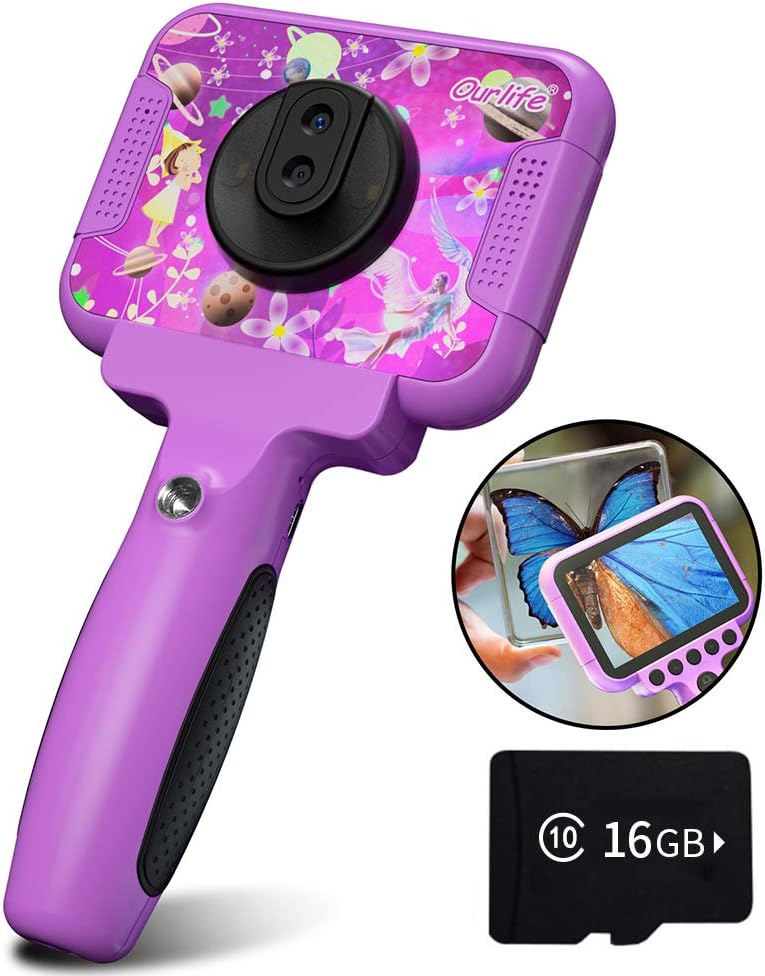
Image 1.1: The Ourlife Kids Camera OU-630, highlighting its design and macro capability.
2. Eusi Paket
Mangga parios pakét pikeun mastikeun yén sadaya barang aya:
- Kids Camera x 1
- 16GB TF Card x 1
- Base Bracket x 1
- Kabel Ngecas USB x 1
- Buku Panduan x 1
- Neck Lanyard x 1
- Tali Leungeun x 1

Image 2.1: Contents of the Ourlife Kids Camera OU-630 package.
3. Produk Langkungview
Biasakeun diri anjeun sareng komponén sareng kontrol kaméra:
- Layar tampilan: 3.5-inch color screen for viewing photos, videos, and navigating menus.
- Lensa Utama: For standard photography and video.
- Lensa Makro: Dedicated lens for 60x magnification.
- Tombol kontrol: M (Menu), Up, OK, Down, Power, Shutter/LED.
- cecekelan: Ergonomically designed for child-friendly grip.
- Port USB: Pikeun ngecas sareng mindahkeun data.
- Slot Kartu TF: Pikeun nyelapkeun kartu memori.

Image 3.1: Key features and specifications of the Ourlife Kids Camera OU-630.
Tombol Fungsi Table
| Tombol | Modeu kaméra | Modeu Rékam | Modeu Musik | Modeu Kaulinan | Modeu Playback |
|---|---|---|---|---|---|
| M | Balik deui ka Menu | ||||
| ▲ | Change filters/Frames Long press: Zoom in | Change filters/Frames | lagu saméméhna | Pindah ka kénca | Previous photo |
| OK | Long press: Open/Close LED light | OK | Choose music/story | OK | Play / Reureuh |
| ▼ | Change filters/Frames Long press: Zoom out | Change filters/Frames | Lagu salajengna | Pindah ka katuhu | Poto salajengna |
| ⏻ | Switch to Splicing mode | Balik deui ka Menu | NULL | NULL | Hapus |
| ◎ | Nyokot Poto | Balik deui ka Menu | NULL | NULL | NULL |
Image 3.2: Detailed functions of each button across different modes.
4. Setélan
4.1. Ngecas kaméra
Before first use, fully charge the camera. Connect the included USB charging cable to the camera's USB port and to a compatible USB power source (e.g., computer, wall adapter). The charging indicator light will show the charging status. A full charge provides approximately 3 hours of use.
4.2. Nyelapkeun Kartu TF
The camera requires a TF (MicroSD) card to store photos and videos. A 16GB TF card is included. Locate the TF card slot on the side of the camera. Gently insert the TF card with the metal contacts facing down until it clicks into place. To remove, push the card in again until it springs out.
5. Parentah Operasi
5.1. Daya Hurung / Pareum
- Pikeun ngahurungkeun, pencét jeung tahan kenop Tombol daya (⏻) dugi ka layar hurung.
- Pikeun pareum, pencét jeung tahan Tombol daya (⏻) nepi ka layar pareum.
5.2. Menu Napigasi
Ngagunakeun éta Ka luhur (▲) jeung Turun (▼) buttons to navigate through menu options. Press the Tombol OKÉ to confirm a selection. Press the Tombol M (Menu). to return to the previous menu or the main menu.
5.3. Nyokot Poto
- Tina ménu utama, pilih éta Ikon kaméra jeung pencét OK.
- Bingkai shot anjeun nganggo layar.
- Pencét éta Shutter button (◎) pikeun nyandak poto.
- Ngagunakeun éta Ka luhur (▲) jeung Turun (▼) buttons to change filters or frames. Long press Ka luhur (▲) pikeun ngazum gede, pencét lila Turun (▼) pikeun ngazum leutik.
5.4. Ngarékam Pidéo
- Tina ménu utama, pilih éta Ikon video jeung pencét OK.
- Pencét éta Shutter button (◎) pikeun ngamimitian ngarékam.
- Pencét éta Shutter button (◎) deui pikeun ngeureunkeun ngarékam.
- Ngagunakeun éta Ka luhur (▲) jeung Turun (▼) buttons to change filters or frames during recording.
5.5. Macro Function
The camera features a dedicated macro lens for 60x magnification, ideal for observing small objects. The optimal focal length for macro photography is 20-40mm.
- To switch between the main lens and macro lens, long press the Shutter button (◎).
- When in macro mode, position the camera close to the subject (20-40mm distance).
- Use the included base bracket for stability during macro shots to prevent hand shake.
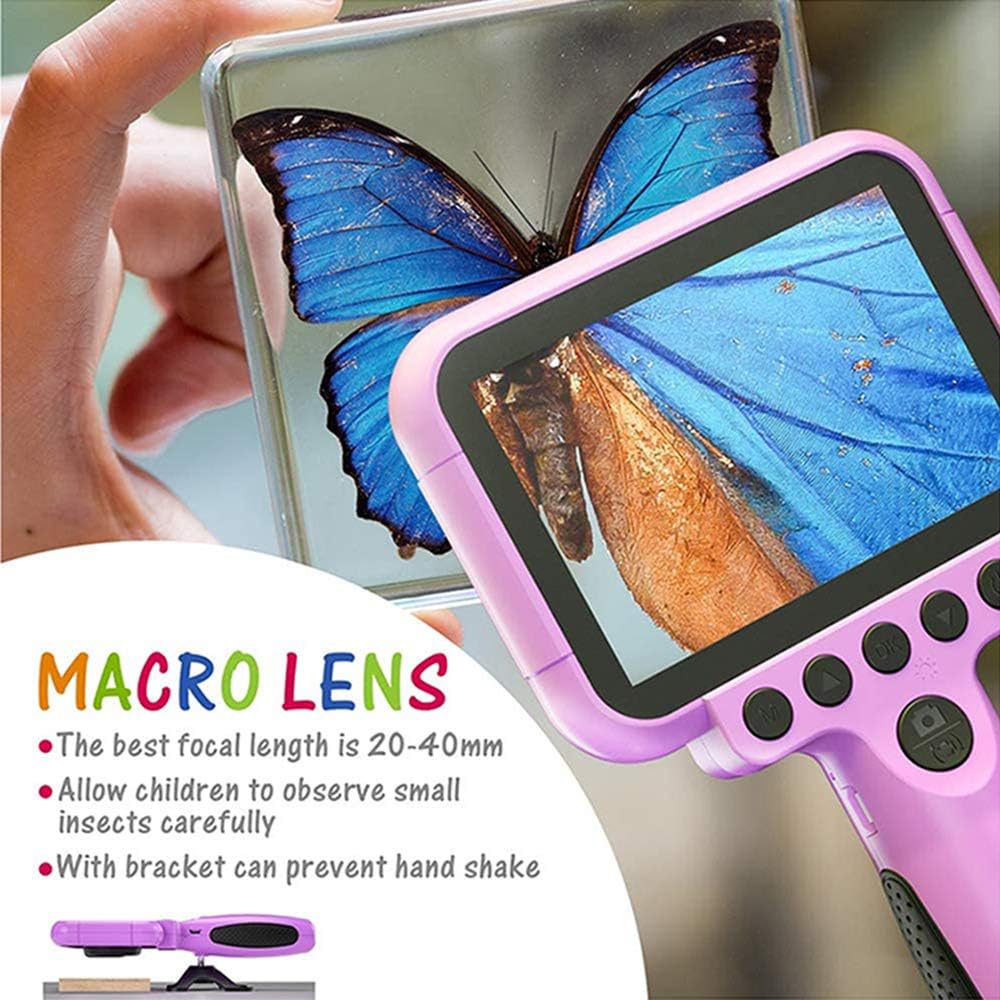
Image 5.1: Demonstrating the macro lens function for detailed observation.

Image 5.2: Switching between HD and Macro lenses.
5.6. Patchwork Mode (Splicing Mode)
This mode allows you to combine two separate photos into one. It includes various border patterns.
- In Camera Mode, press the Tombol daya (⏻) to switch to Splicing (Patchwork) mode.
- Follow the on-screen prompts to take two photos that will be merged.
- Select from 9 available border patterns.

Image 5.3: Using the Patchwork Mode to combine images.
5.7. Modeu Musik
The camera supports MP3 music playback. Store your favorite music files on the TF card. From the main menu, select the Ikon musik jeung pencét OK. Ngagunakeun éta Ka luhur (▲) jeung Turun (▼) buttons to select songs, and OK maén / reureuhan .
5.8. Kaulinan
The camera includes pre-installed games for entertainment. From the main menu, select the Game icon jeung pencét OK. Use the navigation buttons to play.
5.9. Modeu Puterkeun
Ka view your captured photos and videos, select the Photos/Video Playback icon ti ménu utama jeung pencét OK. Ngagunakeun éta Ka luhur (▲) jeung Turun (▼) buttons to browse, and OK to play videos or view photos. To delete a file, pencét tombol Tombol daya (⏻) bari viewdina éta.
5.10. Setélan
Access camera settings by selecting the Ikon setélan from the main menu. Here you can adjust various parameters such as date/time, language, resolution, and more.
6. Pangropéa
- Jaga kaméra beresih ku cara ngusap ku kaén anu garing sareng lemes.
- Ulah nepi ka kaméra kakeunaan suhu anu ekstrim, sinar panonpoé langsung, atanapi kalembaban.
- Entong nyobian ngabongkar atanapi ngalereskeun kaméra nyalira.
- Ensure the TF card is inserted correctly to prevent data loss.
- Charge the camera regularly to maintain battery health.
7. Cara ngungkulan
- Kaméra teu hurung: Pastikeun batréna geus dieusian. Sambungkeun ka sumber listrik teras cobian deui.
- Teu tiasa nyandak poto/video: Check if a TF card is inserted and if it has sufficient storage space.
- Kualitas gambar goréng: Ensure the lens is clean. Check lighting conditions. For macro shots, ensure correct focal distance (20-40mm).
- Kaméra beku: Press and hold the Power button to force a restart.
- TF card error: Reinsert the TF card. If the issue persists, try formatting the card (this will erase all data) or use a different TF card.
8. Spésifikasi
| Fitur | Rincian |
|---|---|
| Nomer modél | OU-630 |
| Resolusi Masih Éféktif | 12 MP |
| Resolusi Video | 1080 p |
| Ukuran layar | 3.5 inci |
| Stabilisasi Gambar | Digital |
| Tipe Lénsa | Macro (60x zoom) |
| Jenis Batré | 1 Polimér Litium (kaasup) |
| Téhnologi konektipitas | USB |
| Tipe Média Dirojong | Kartu SD |
| Modeu shooting | Loop recording, Continuous shooting, Timed photo, Macro photography, Filter photos |
| Ukuran barang (D x W x H) | 3.94 "D x 7.28" W x 0.79" H |
9. Jaminan & Dukungan
This Ourlife Kids Camera OU-630 comes with a 12-garansi sasih from the date of purchase. This warranty covers manufacturing defects and workmanship. It does not cover damage caused by misuse, accidents, unauthorized repairs, or normal wear and tear.
For technical support, warranty claims, or any questions regarding your product, please contact Ourlife customer service. Refer to the contact information provided on the product packaging or the official Ourllamun websitus.