
1. Bubuka
This manual provides essential information for the proper use and maintenance of your Soundcore Anker Life 2 Neo Wireless Headphones. Please read it thoroughly before using the product to ensure optimal performance and longevity.
2. Naon dina Box
- Soundcore Anker Life 2 Neo Wireless Headphones
- Kabel Ngecas USB-C
- Kabel Audio 3.5mm
- Manual pangguna (dokumén ieu)
3. Fitur Produk
- 100% More Bass: Oversized 40mm titanium-coated drivers with BassUp technology for enhanced bass output.
- Audio Hi-Res: Delivers sound up to 40 kHz for a rich listening experience.
- Dipanjangkeun Playtime: Nepi ka 60 jam playback kontinyu dina hiji muatan.
- Ngecas gancang: 5-minute charge provides 5 hours of listening via the high-speed USB-C port.
- Desain nyaman: Features memory foam earcups, an adjustable headband, and flexible earcups for extended wear.
- Konektipitas: Bluetooth 5.0 for wireless connection and a 3.5mm audio jack for wired listening.
- Desain anu tiasa dilipat: Kompak sareng portabel pikeun neundeun sareng transportasi anu gampang.

Image: Soundcore Life 2 Neo Headphones highlighting Hi-Res Audio certification.

Image: Diagram illustrating the BassUp Technology within the Soundcore Life 2 Neo Headphones.
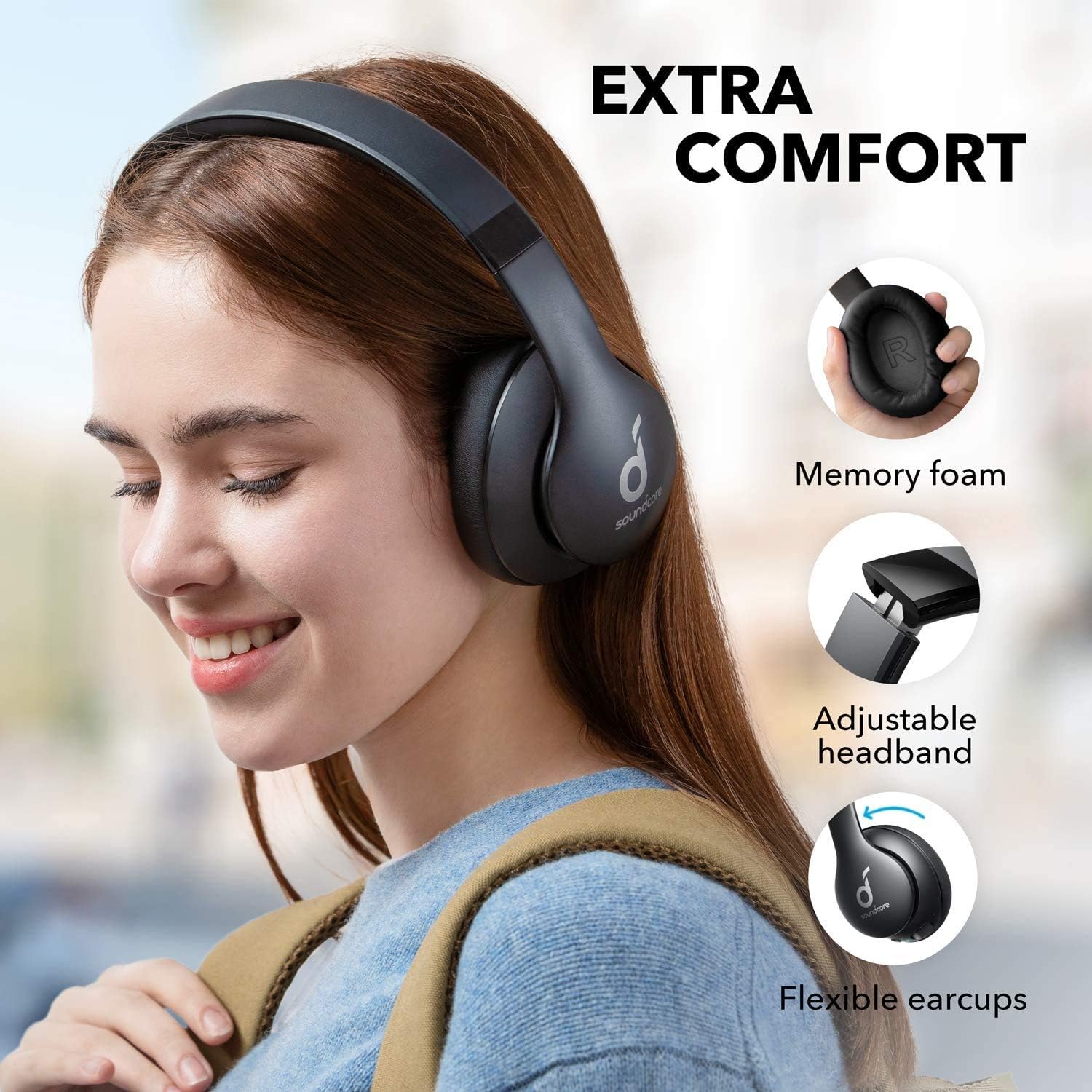
Image: Soundcore Life 2 Neo Headphones demonstrating memory foam, adjustable headband, and flexible earcups for extra comfort.
4. Setélan
4.1 Ngecas Headphone
Before first use, fully charge your headphones. Connect the provided USB-C cable to the charging port on the headphones and the other end to a compatible USB power source (e.g., wall adapter, computer USB port). The LED indicator will show charging status.
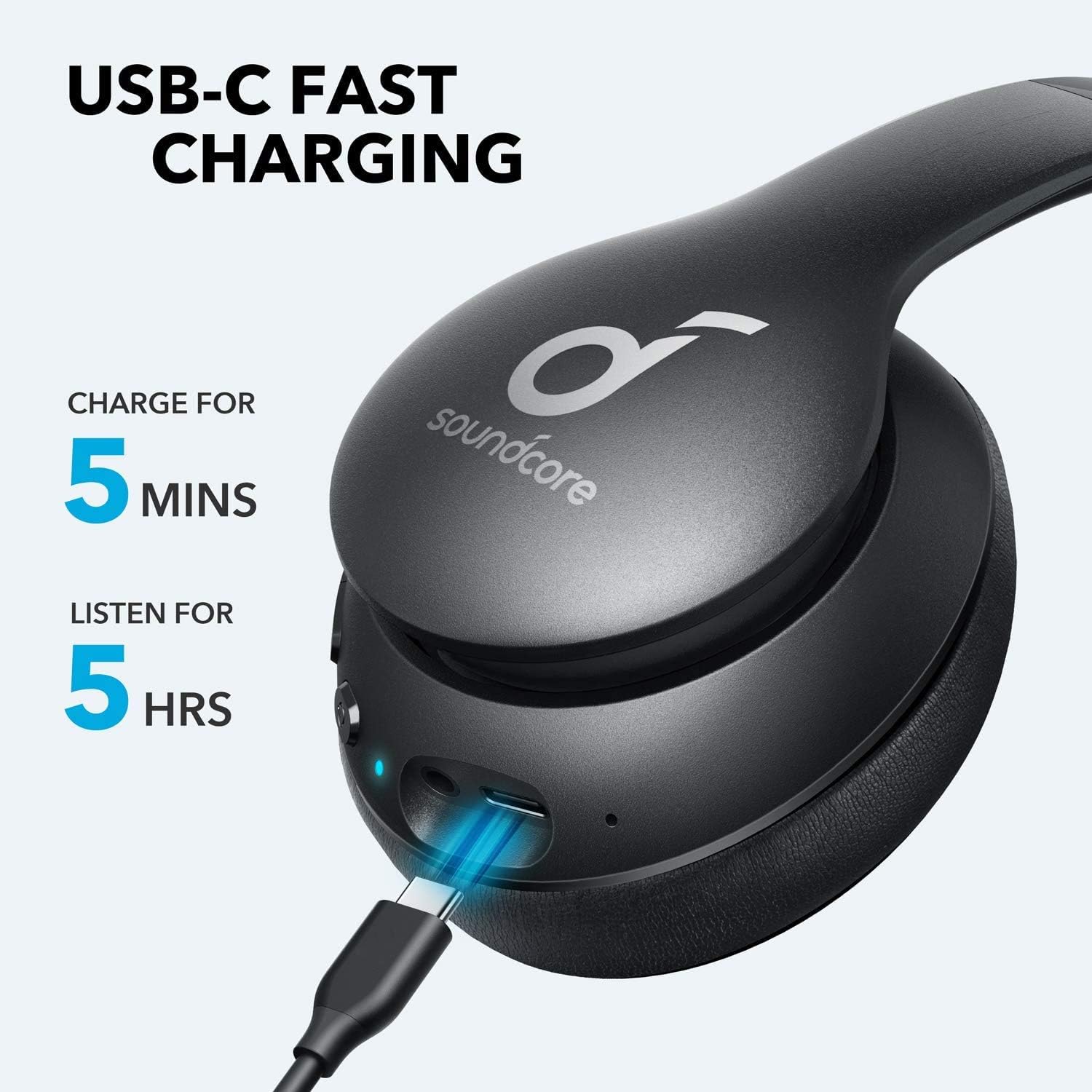
Image: Soundcore Life 2 Neo Headphones being charged via USB-C cable, illustrating the fast charging capability.
4.2 Powering on / Pareum
- Pikeun Ngahurungkeun: Pencét jeung tahan tombol Daya nepi ka indikator LED hurung.
- Pikeun mareuman: Pencét jeung tahan tombol Daya nepi ka indikator LED pareum.
4.3 Nyapasangkeun Bluetooth
- Pastikeun headphone dipareuman.
- Pencét terus tahan tombol Daya salila kira-kira 3-5 detik nepi ka indikator LED kedip-kedip biru, nunjukkeun modeu pairing.
- Dina alat anjeun (smartphone, tablet, komputer), aktipkeun Bluetooth sareng milarian alat anu sayogi.
- Pilih "Soundcore Life 2 Neo" tina daptar alat.
- Sakali disambungkeun, indikator LED bakal ngahurungkeun biru padet.
4.4 Sambungan kabel
If Bluetooth is not available or the battery is depleted, you can use the provided 3.5mm audio cable. Plug one end into the headphone's audio jack and the other end into your device's 3.5mm audio output.
5. Parentah Operasi
5.1 Kadali
The headphones feature intuitive controls located on the earcup:
- Tombol Daya: Power on/off, play/pause music, answer/end calls.
- Volume Naik (+): Increase volume, skip to next track (long press).
- Volume Turun (-): Decrease volume, skip to previous track (long press).
- Tombol BassUp: Activate/deactivate BassUp mode for enhanced bass.
5.2 Maké Headphone
The Soundcore Life 2 Neo headphones are designed for over-ear comfort. Adjust the headband to fit snugly on your head, ensuring the earcups fully cover your ears. The earcups are marked 'L' for left and 'R' for right for correct orientation.

Image: A person wearing Soundcore Life 2 Neo Headphones, demonstrating proper fit and comfort.
6. Pangropéa
- Bersihkeun headphone sacara teratur nganggo kaén anu lembut sareng garing.
- Hindarkeun headphone ka suhu ekstrim, kalembaban, atanapi sinar panonpoé langsung.
- Ulah make cleaners abrasive atawa pangleyur.
- Simpen headphone dina tempat anu tiis sareng garing upami henteu dianggo. Desain foldable ngamungkinkeun pikeun neundeun kompak.
7. Cara ngungkulan
7.1 Teu Bisa Dipasangkeun jeung Alat
- Pastikeun headphone aya dina modeu pairing (LED biru kedip-kedip).
- Pastikeun Bluetooth diaktipkeun dina alat Anjeun.
- Pindahkeun headphone ngadeukeutan ka alat Anjeun.
- Cobi hurungkeun deui headphone sareng alat anjeun.
- Pupus sambungan Bluetooth samemehna dina alat Anjeun tur coba masangkeun deui.
7.2 Taya Sora atawa Volume Low
- Pariksa tingkat polumeu boh dina headphone sareng alat Anjeun nu disambungkeun.
- Ensure the headphones are properly paired or connected via the 3.5mm audio cable.
- If using a wired connection, ensure the cable is fully inserted into both jacks.
- Tes nganggo sumber atanapi alat audio anu béda.
7.3 Masalah Ngecas
- Pastikeun kabel USB-C nyambung pageuh kana headphone sareng sumber daya.
- Coba nganggo kabel USB-C atanapi adaptor daya anu béda.
- Verify the power source is functioning correctly.
8. Spésifikasi
| Fitur | Rincian |
|---|---|
| Ngaran modél | Kahirupan 2 Neo |
| merek | Soundcore |
| Téhnologi konektipitas | Wireless (Bluetooth), Wired (3.5mm) |
| Téknologi Komunikasi Nirkabel | Bluetooth 5.0 |
| Ukuran Supir Audio | 40 milimeter |
| Kahirupan batré | 60 Jam |
| Waktu Ngecas | 5 menit pikeun 5 jam playback |
| Tipe Kontrol | Kontrol Média, Sora |
| Panempatan Ceuli | Leuwih Ceuli |
| Bahan | Faux Leather, Metal, Plastic |
| Item Beurat | 0.5 Kilogram (1.1 pon) |
| Fitur husus | Foldable, USB connectivity, Wireless |
9. Garansi jeung Rojongan
For warranty information and customer support, please refer to the documentation included with your purchase or visit the official Soundcore websitus. Sarat garansi khusus tiasa bénten-bénten gumantung kana daérah sareng pangecér.