
1. Bubuka
This manual provides detailed instructions for the installation, operation, and maintenance of your new ATA 43 Inch Full HD LED Smart TV, Model 43S1. Please read this manual thoroughly before using the television to ensure proper functionality and to maximize your viewpangalaman. Simpen manual ieu pikeun rujukan ka hareup.
2. Émbaran Kasalametan penting
- Sumber Daya: Pastikeun TV disambungkeun ka catu daya dina vol nu ditangtukeuntage rentang.
- Ventilasi: Ulah meungpeuk bukaan ventilasi. Ngidinan spasi nyukupan sabudeureun TV pikeun aliran hawa ditangtoskeun.
- Cai sareng Uap: Ulah ngalaan TV ka hujan atawa beueus. Hindarkeun nempatkeun objék anu dieusian ku cairan, sapertos vas, dina TV.
- beberesih: Cabut TV sateuacan beberesih. Paké lawon lemes, garing. Ulah make cleaners cair atawa cleaners aerosol.
- panempatan: Teundeun TV dina permukaan datar anu stabil. Hindarkeun nempatkeunna dina sinar panonpoé langsung atanapi caket sumber panas.
- Palayanan: Entong nyobian ngalayanan produk ieu nyalira. Rujuk sadayana ngalayanan ka tanaga jasa anu mumpuni.
3. Eusi Paket
Mangga cék kotak pikeun item di handap ieu:
- ATA 43 Inch Full HD LED Smart TV (Model 43S1)
- Kadali jauh
- Stand TV (2 buah)
- Kabel listrik
- Manual pangguna (dokumén ieu)
- Screws pikeun TV Stand
4. Produk Langkungview
4.1. Hareupeun View
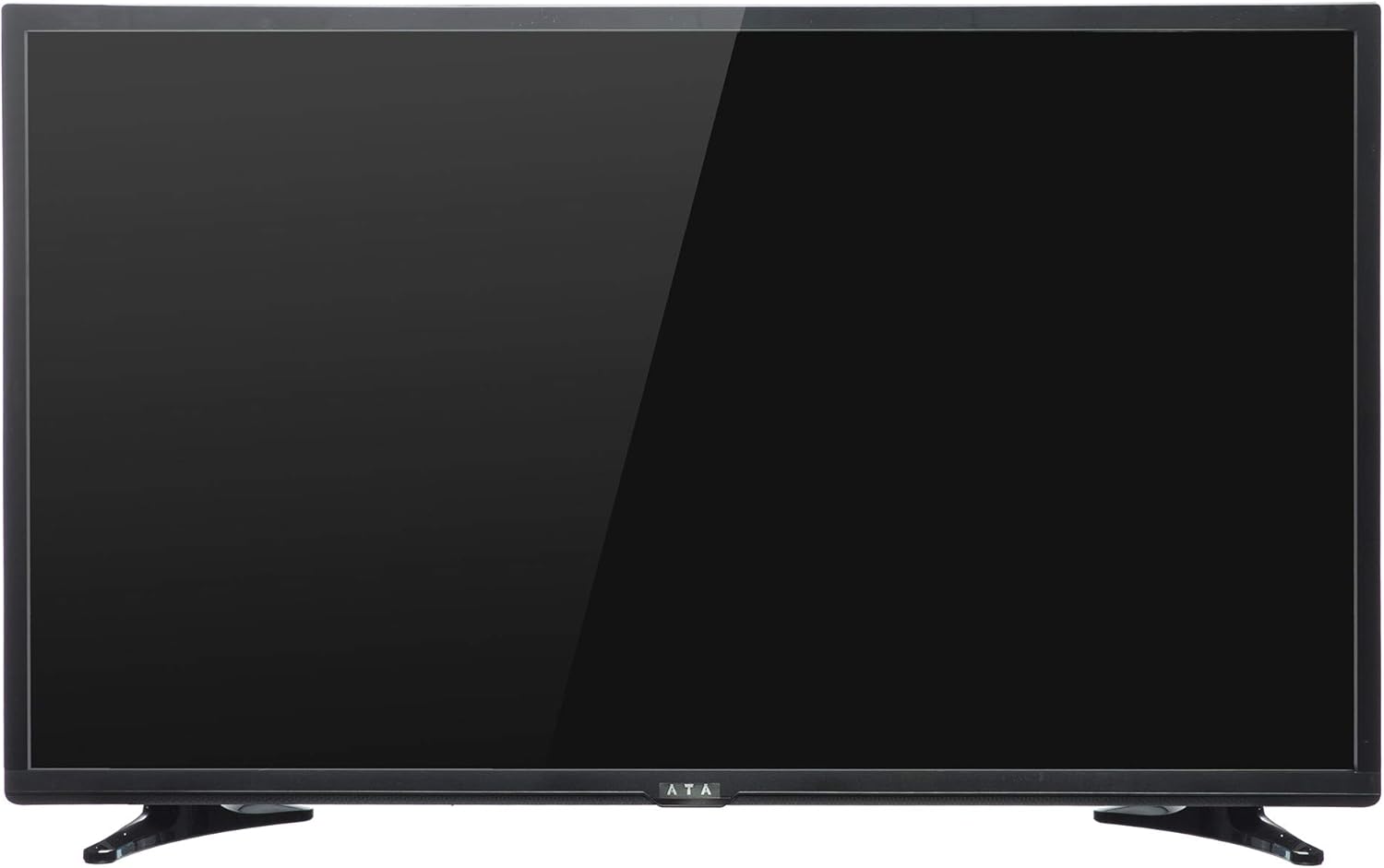
Gambar 1: Hareupeun view of the ATA 43 Inch Smart TV. The screen is black, indicating it is powered off or in standby mode. The ATA logo is visible at the bottom center.
The front of the ATA 43S1 TV features a sleek design with a narrow bezel, maximizing the screen area. The ATA brand logo is centrally located at the bottom of the frame. An indicator light (not visible in image) and IR receiver for the remote control are typically located near the logo.
4.2. Tukangeun View

Gambar 2: Tukangeun view of the ATA 43 Inch Smart TV. This image displays the back panel, including VESA mounting holes for wall installation and designated areas for input/output ports.
The rear panel of the TV includes VESA mounting points for wall installation (wall mount bracket sold separately). Various input and output ports are located on the side and bottom sections of the back panel for easy access.
4.3. Input / Kaluaran palabuhan
Your ATA Smart TV is equipped with a variety of ports to connect external devices.

Image 3: Close-up of the side-facing ports, showing three HDMI ports (HDMI1, HDMI2, HDMI3) and two USB ports (USB2.0, USB2.0).
- Port HDMI (x3): For connecting high-definition devices such as Blu-ray players, gaming consoles, and set-top boxes.
- Port USB (x2): Pikeun nyambungkeun alat panyimpenan USB pikeun muterkeun media files atawa pikeun apdet software.

Image 4: Close-up of the bottom-facing ports, including Earphone, RJ45 (Ethernet), PC Audio, PC(VGA), Mini YPbPr, Video, L/R Audio (AV In), and Coaxial.
- RJ45 (Ethernet) Port: Pikeun sambungan internét kabel.
- PC(VGA) Port: Pikeun nyambungkeun komputer.
- Audio PC Dina: Input audio pikeun sambungan VGA.
- AV In (Video, L/R Audio): Pikeun nyambungkeun alat heubeul jeung video komposit jeung outputs audio stereo.
- Mini YPbPr: Input pidéo komponén.
- Koaksial: Pikeun nyambungkeun anteneu atawa TV kabel.
- Jack Earphone: Pikeun nyambungkeun headphone.
4.4. Kadali jauh

Image 5: The remote control for the ATA Smart TV. It features standard TV controls, navigation buttons, and dedicated function keys.
The remote control allows you to operate all functions of your TV. It includes buttons for power, input source selection, volume control, channel navigation, menu access, smart TV functions, and media playback controls.
- STANDBY (Red Button): Daya Hurung / Pareuman.
- SUMBER: Select input source (HDMI, AV, TV, etc.).
- Tombol Jumlah (0-9): Pilihan saluran langsung.
- VOL +/-: Saluyukeun polumeu.
- CH +/-: Robah saluran.
- Bisu: Ngajempékeun/ngahurungkeun sora.
- MENU: Ngaksés ménu utami.
- Asupkeun: Konfirmasi pilihan.
- Tombol Navigasi (Kaluhur/Turun/Kénca/Katuhu): Napigasi ngalangkungan ménu.
- KALUAR: Kaluar menu atawa fungsi ayeuna.
- BANDUNG: Access the Smart TV home screen.
- MODE P / MODE S: Picture Mode / Sound Mode.
- SUBTITLE / AUDIO / REFRESH: Specific function buttons.
- PLAY/PAUSE, STOP, FF, FB, PREV, NEXT: Kadali playback média.
5. Setélan
5.1. Ngagantelkeun TV Stand
- Teundeun TV sacara saksama dina permukaan anu lemes sareng bersih pikeun nyegah karusakan layar.
- Sejajarkeun potongan nangtung sareng slot anu cocog dina handapeun TV.
- Ngamankeun potongan nangtung ngagunakeun screws disadiakeun. Pastikeun aranjeunna tightened pageuh.
- Angkat TV sacara saksama teras teundeun dina permukaan datar anu stabil.
Alternatively, you can use a VESA-compatible wall mount (not included) to mount the TV on a wall. Refer to the wall mount's instructions for installation.
5.2. Nyambungkeun Power
Connect the power cord to the TV's power input and then plug the other end into a wall outlet. The TV will enter standby mode.
5.3. Mimiti Setup Wizard
The first time you power on the TV, an initial setup wizard will guide you through basic settings.
- Pencét éta ANTOSAN tombol dina kadali jauh pikeun ngahurungkeun TV.
- Follow the on-screen prompts to select your preferred language, country/region, and time zone.
- Sambungan jaringan:
- Wifi: Pilih jaringan Wi-Fi anjeun tina daptar sareng lebetkeun kecap akses.
- Ethernet: If you connected an Ethernet cable to the RJ45 port, the TV should automatically detect the wired connection.
- Complete any remaining steps in the setup wizard, such as channel scanning (if connecting an antenna/cable).
6. Parentah Operasi
6.1. Daya Hurung / Pareum
- To turn on the TV from standby, press the ANTOSAN tombol dina remote.
- Pikeun nempatkeun TV kana mode standby, pencét tombol ANTOSAN tombol deui.
6.2. Pamilihan Sumber Input
To switch between connected devices (e.g., HDMI, AV, TV tuner):
- Pencét éta SUMBER tombol dina kadali jauh.
- Use the Navigation buttons (Luhur/Turun) to highlight the desired input source.
- Pencét Asupkeun pikeun mastikeun pilihan Anjeun.
6.3. Volume jeung Control Channel
- Pencét VOL+ ningkatkeun volume, VOL- pikeun ngirangan polumeu.
- Pencét CH + to go to the next channel, CH - pikeun muka saluran saméméhna.
- Use the Number buttons to directly enter a channel number.
- Pencét BISA to temporarily turn off the sound. Press again to restore.
6.4. Smart TV Features (Android 4.4.2)
Your TV runs on Android 4.4.2, providing access to various smart features and applications.
- Pencét éta RUMAH button on the remote to access the Smart TV home screen.
- From the home screen, you can navigate to pre-installed applications or access settings.
- Ensure your TV is connected to the internet via Wi-Fi or Ethernet to utilize online features.
- Use the Navigation buttons and Asupkeun to select and launch applications.
7. Pangropéa
- Ngabersihan layar: Lembut usap layar nganggo lawon anu lemes sareng teu aya serat. Pikeun tanda nekad, rada dampen lawon ku cai atawa cleaner layar husus (ulah menyemprot langsung kana layar).
- Ngabersihkeun Kabinet: Anggo kaén anu lembut sareng garing pikeun ngusap kabinet TV. Ulah make cleaners abrasive atawa pangleyur.
- Debu: Regularly dust the ventilation openings on the back of the TV to prevent overheating.
- Kabel listrik: Periodically check the power cord for any damage. If damaged, contact service personnel for replacement.
8. Cara ngungkulan
| Masalah | Mungkin Cukang lantaranana | Solusi |
|---|---|---|
| Taya kakuatan | Kabel listrik teu nyambung; Stop kontak teu jalan. | Pastikeun kabel listrik dicolokkeun sacara aman. Uji stop kontak nganggo alat anu sanés. |
| Henteu aya gambar, tapi aya sora | Sumber input anu dipilih salah; Masalah lampu latar. | Pencét éta SUMBER button to select the correct input. Check picture settings. |
| Henteu aya sora, tapi aya gambar | Volumena teu pati jelas atawa handap teuing; Kabel audio teu nyambung kalawan bener. | Pencét BISA atanapi ningkatkeun volume. Pariksa sambungan kabel audio. |
| Kadali jauh teu jalan | Batré paéh atanapi teu leres diselapkeun; Halangan antara remote jeung TV. | Replace batteries. Ensure line of sight to the TV's IR receiver. |
| Teu bisa nyambung ka Wi-Fi | Sandi salah; Masalah router; TV jauh teuing ti router. | Verify Wi-Fi password. Restart router. Move TV closer or use Ethernet. |
9. Spésifikasi
| Fitur | Rincian |
|---|---|
| merek | ATA |
| Nomer modél | 43S1 (ATA43FOS) |
| Ukuran layar | 43 inci |
| Tipe tampilan | LED FHD |
| Resolusi | 1920 x 1080 (HD lengkep) |
| Refresh Laju | 60 Hz |
| Sistem operasi | Android 4.4.2 |
| Téhnologi konektipitas | HDMI (x3), USB (x2), VGA, Ethernet (RJ45) |
| Fitur husus | Smart TV functionality, Flat Screen |
| Ukuran produk (D x W x H) | 9 x 96.5 x 56 cm |
| Item Beurat | 6.01 kg |
| Komponén Kaasup | TV, nangtung |
10. Garansi jeung Rojongan
For warranty information, please refer to the warranty card included with your product or contact your local ATA authorized dealer or service center. Keep your purchase receipt as proof of purchase for warranty claims.
For technical support or service inquiries, please contact ATA customer service through their official websitus atanapi inpormasi kontak anu disayogikeun dina dokuméntasi produk anjeun.