1. Bubuka
This user manual provides detailed instructions for the proper setup, operation, maintenance, and troubleshooting of your new Emporia Active Glam 4G mobile phone. Please read this manual carefully before using the device to ensure optimal performance and longevity. Keep this manual for future reference.

Figure 1.1: Emporia Active Glam 4G mobile phone, closed view displaying both front and back panels.
2. Setélan
2.1 Unboxing jeung komponén
Pastikeun yén sadaya komponén aya dina bungkusan:
- Emporia Active Glam 4G Mobile Phone
- Batré litium-ion
- Ngecas Lawu
- Kabel Tipe-C USB
- Adaptor kakuatan
2.2 Pamasangan batré
- Cabut panutup tukang telepon sacara saksama.
- Align the contacts of the Lithium-ion battery with the contacts in the battery compartment.
- Gently press the battery into place until it is securely seated.
- Pasang deui panutup tukang, pastikeun éta ngaklik kana tempatna.
2.3 Nyelapkeun Kartu SIM
The Emporia Active Glam 4G uses a standard SIM card. Ensure the phone is powered off before inserting or removing the SIM card.
- Remove the back cover and battery (if not already done).
- Pilarian slot kartu SIM.
- Selapkeun kartu SIM kalayan kontak emasna ngadep ka handap sareng pojok potong sajajar sareng slot.
- Gently push the SIM card until it locks into place.
- Pasang deui batré sareng panutup tukang.
2.4 Ngecas Alat
Before first use, fully charge the phone. The charging cradle provides a convenient way to charge your device.

Figure 2.1: The Emporia Active Glam 4G phone securely placed in its dedicated charging cradle.
- Connect the USB Type-C cable to the charging cradle and the power adapter.
- Colokkeun adaptor kakuatan kana stop kontak témbok.
- Place the phone into the charging cradle, ensuring it is properly seated and the charging indicator appears on the screen.
- Ngeusi batre pinuh biasana butuh 2-3 jam.
2.5 Powering on / Pareum
- Pikeun Ngahurungkeun: Pencét jeung tahan tombol Daya/Tungtung Telepon nepi ka layar hurung.
- Pikeun mareuman: Press and hold the Power/End Call button, then select 'Power Off' from the options on the screen.
3. Parentah Operasi
3.1 Nelepon jeung Narima Telepon

Figure 3.1: The Emporia Active Glam 4G phone opened, revealing its clear display and large, easy-to-use keypad.
- Pikeun nelepon: Pencét nomerna nganggo keypad teras pencét tombol Telepon Héjo.
- Pikeun Ngajawab Telepon: Pencét tombol Telepon Héjo nalika telepon disada.
- Pikeun ngeureunkeun telepon: Pencét tombol Réngsékeun Telepon Beureum.
3.2 Ngirim sareng Nampi Pesen
- Navigate to the 'Messages' menu using the navigation keys.
- Select 'New Message' to compose a text message.
- Enter the recipient's number or select from contacts, then type your message.
- Pencét 'Kirim' pikeun ngirim pesen.
3.3 Ngagunakeun kaméra
Telepon ieu dilengkepan kaméra 3 Megapiksel.
- Open the phone and navigate to the 'Camera' application.
- Frame your subject using the display.
- Press the designated camera button or 'OK' to capture a photo.
3.4 Fungsi Telepon Darurat SOS
The Emporia Active Glam 4G features a dedicated SOS button for emergencies, located on the back of the device.
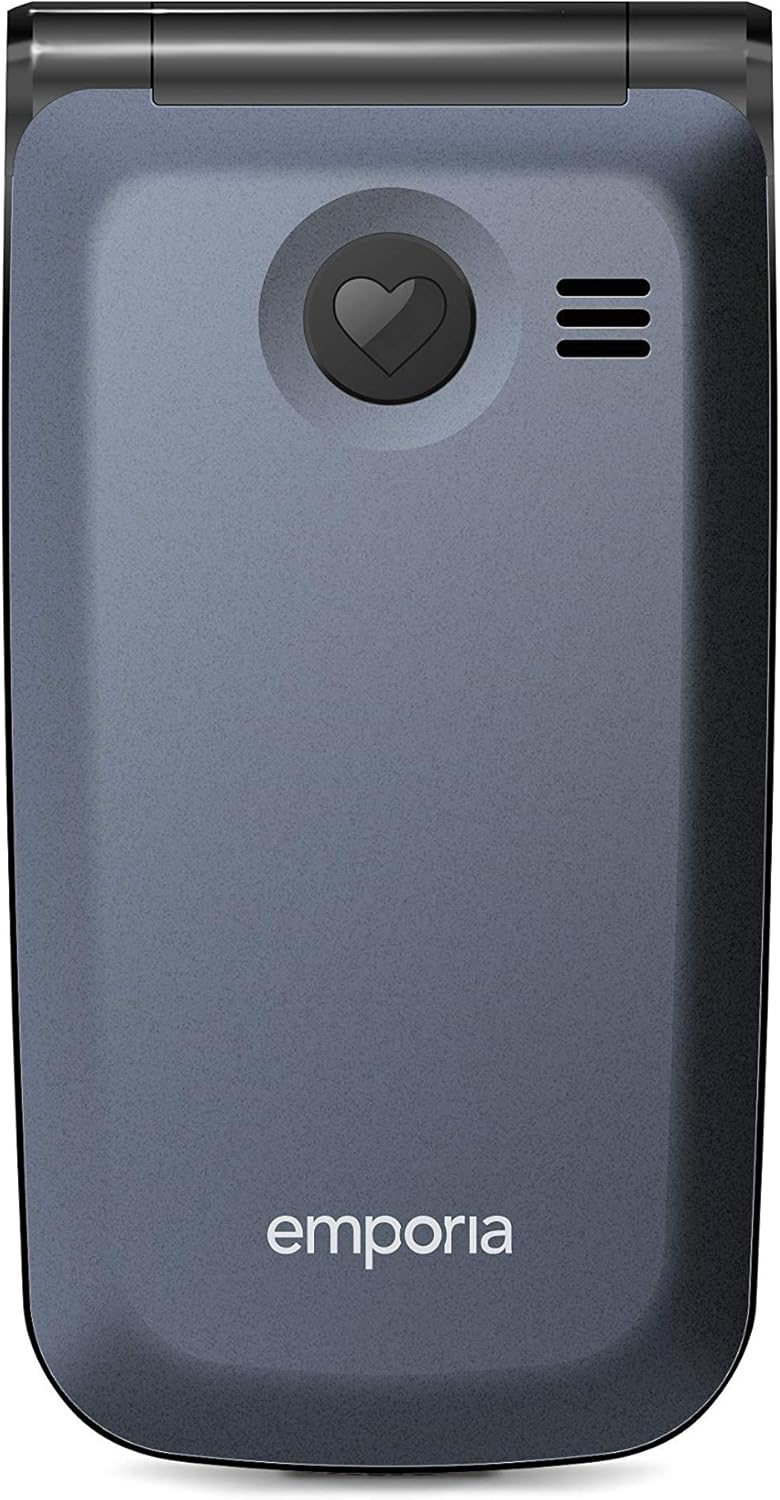
Gambar 3.2: Tukangeun view of the Emporia Active Glam 4G, highlighting the prominent SOS emergency call button.
- Disetél: Before using, configure up to five emergency contacts in the 'SOS Settings' menu. These contacts will be called sequentially until one answers.
- Aktipkeun: In an emergency, press and hold the SOS button on the back of the phone for a few seconds.
- The phone will automatically dial the pre-set emergency numbers and send an emergency SMS message to them.
3.5 Keypad and Display Navigation
The phone features a clear display and a tactile keypad for easy navigation.
- Use the directional navigation keys (up, down, left, right) to move through menus and options.
- Press the 'OK' or 'Select' button in the center of the navigation keys to confirm a selection.
- The 'Back' or 'Clear' button (often marked with an arrow or 'C') allows you to return to the previous screen or delete characters.
3.6 Connectivity (Bluetooth, Wi-Fi)
The phone supports Bluetooth and Wi-Fi connectivity.
- Bluetooth: Go to 'Settings' > 'Bluetooth' to enable, search for, and pair with other Bluetooth devices like headsets or car kits.
- Wifi: Go to 'Settings' > 'Wi-Fi' to enable, scan for available networks, and connect to a Wi-Fi network by entering the password if required.
4. Pangropéa
4.1 Ngabersihan Alat Anjeun
Pikeun ngajaga telepon anjeun dina kaayaan anu saé:
- Anggo lawon anu lembut sareng henteu lint pikeun ngusap layar sareng awak telepon.
- Ulah nganggo bahan kimia anu kasar, semprotan beberesih, atanapi bahan anu abrasif.
- Ulah ngantep telepon kakeunaan kalembaban anu kaleuleuwihi.
4.2 Perawatan Batré
Proper battery care can extend its lifespan:
- Hindari suhu anu ekstrim, boh panas boh tiis.
- Ulah ninggalkeun telepon ngecas pikeun période lila sanggeus dicas pinuh.
- Upami telepon moal dianggo salami lami, simpen heula bari ngecas sabagian (sakitar 50%).
4.3 Apdet parangkat lunak
While specific software update information is not available, it is generally recommended to keep your device's software updated to ensure optimal performance, security, and access to new features. Check the phone's settings periodically for any available updates.
5. Cara ngungkulan
If you encounter issues with your Emporia Active Glam 4G, refer to the following common problems and solutions:
| Masalah | Solusi anu mungkin |
|---|---|
| Telepon teu hurung | Ensure the battery is correctly installed and charged. Connect the phone to the charger and try again. |
| Taya sinyal jaringan | Pariksa naha kartu SIM parantos dipasang kalayan leres. Pindah ka daérah anu jangkauan jaringanana langkung saé. Pareuman terus hurungkeun deui telepon. |
| Teu tiasa nelepon atanapi nampi telepon | Verify network signal strength. Check if call barring is enabled. Ensure sufficient credit/plan if applicable. |
| Kualitas audio Goréng nalika nelepon | Adjust the call volume. Ensure the microphone and speaker are not obstructed. Move to a quieter environment. |
| Batré gancang boros | Reduce screen brightness. Close unused applications. Limit background data usage. Consider replacing the battery if it's old. |
If the problem persists after trying these solutions, please contact Emporia customer support for further assistance.
6. Spésifikasi
Key technical specifications for the Emporia Active Glam 4G (Model: V221-4g_001):
| Fitur | Rincian |
|---|---|
| merek | Emporia |
| Nomer modél | V221-4g_001 |
| Warna | Buah Blueberry |
| Jenis produk | Telepon flip |
| Sistem operasi | Android 10.0 |
| Ukuran layar | 2.2 inci |
| Resolusi | 320 x 240 piksel |
| Ukuran RAM | 512 MB |
| Laju CPU | 1.3 GHz |
| Konektipitas | Bluetooth, USB Type-C, Wi-Fi |
| Téhnologi sélular | 4G |
| Resolusi Masih Éféktif | 3 megapiksel |
| Komposisi batré | Litium-ion (1 kaasup) |
| Fitur husus | USB, Camera, Keypad, Flash, Touch (implied by OS), Wi-Fi |
7. Garansi jeung Rojongan
7.1 Émbaran jaminan
Your Emporia Active Glam 4G mobile phone is covered by a manufacturer's warranty. Please refer to the warranty card included in your product packaging or visit the official Emporia websitus kanggo syarat sareng katangtuan anu lengkep ngeunaan panutup garansi, durasi, sareng prosedur klaim.
7.2 Rojongan Palanggan
For technical assistance, troubleshooting beyond this manual, or warranty inquiries, please contact Emporia customer support. Contact details can typically be found on the official Emporia websitus atanapi dina dokuméntasi produk.
Sumberdaya Online: Visit the official Emporia websitus pikeun FAQs, manual diropéa, sarta panglawungan rojongan.
Nomer Kontak: Refer to your regional Emporia support contact information.