
1. Bubuka
Hatur nuhun pikeun meuliasing the Heayzoki K605 Portable Digital Tuning Radio Receiver. This device combines a multi-band radio with an MP3 player, offering versatility and portability. Please read this manual carefully to ensure proper use and to maximize your enjoyment of the product.

Image: The Heayzoki K605 portable radio, highlighting its compact and lightweight design.
Fitur konci:
- Desain kompak sareng portabel pikeun gampang dibawa.
- MP3 playback mode supporting WAV and MP3 formats.
- Memory card support for audio playback.
- FM stereo reception for improved sound clarity.
- High sensitivity and good selectivity for clear reception.
- Simple and intuitive operation, suitable for all ages.
2. Émbaran Kasalametan
To prevent damage and ensure safe operation, please observe the following precautions:
- Entong ngalaan alat ka suhu anu ekstrim, sinar panonpoé langsung, atanapi kalembaban anu luhur.
- Hindarkeun ragrag atanapi ngagentoskeun alat kana tabrakan anu kuat.
- Ulah ngabongkar atanapi nyobian ngalereskeun alat sorangan. Rujuk sadayana jasa ka tanaga anu mumpuni.
- Jauhkeun alat tina cai sareng cairan sanés.
- Anggo ngan ukur batré sareng asesoris ngecas anu ditangtukeun.
- When using earphones, keep the volume at a moderate level to prevent hearing damage.
3. Eusi Paket
Pastikeun yén sadaya item aya dina bungkusan:
- Heayzoki K605 Portable Radio Receiver
- Batré anu tiasa dicas deui (parantos dipasang atanapi misah)
- Kabel Ngecas USB
- Earphone
- Manual Pamilik (dokumén ieu)
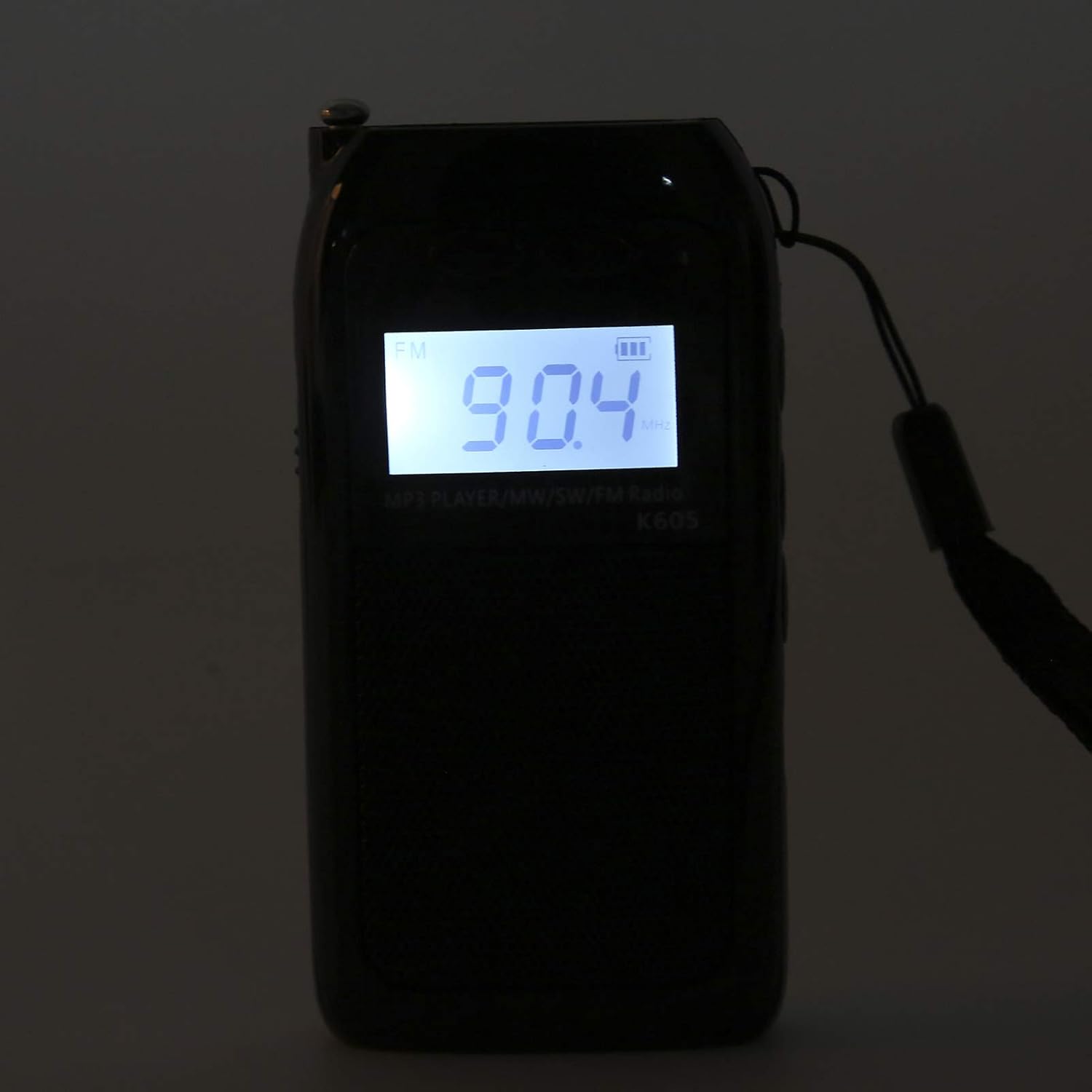
Image: The Heayzoki K605 radio displayed with its accessories, including earphones and a charging cable.
4. Produk Langkungview
Familiarize yourself with the buttons and ports of your K605 radio.

Gambar: Hareupeun view of the K605 radio, highlighting the LCD screen and speaker.

Gambar: Sisi view of the K605 radio, illustrating the control buttons for tuning and volume.

Gambar: Tukangeun view of the K605 radio, showing the battery compartment and additional ports.
Kontrol sareng palabuhan:
- Layar LCD: Shows frequency, time, battery status, and MP3 track information.
- Tombol Daya: Ngahurungkeun / mareuman alat.
- Tombol Mode: Switches between FM, SW, MW radio, and MP3 player modes.
- Volume +/- Tombol: Saluyukeun polumeu audio.
- Tuning +/- Buttons: Scans or manually tunes radio frequencies; navigates MP3 tracks.
- Tombol Puter/Reureuh: Controls MP3 playback.
- anteneu: Antena anu tiasa dipanjangkeun pikeun ningkatkeun panarimaan radio.
- Soket Headphone (3.5mm): Pikeun déngékeun pribadi.
- Port USB Mikro: Pikeun ngecas alat.
- Slot Kartu Mémori: For inserting a microSD card with MP3/WAV files.
5. Setélan
5.1. Ngecas Batré
- Connect the small end of the USB charging cable to the Micro USB port on the radio.
- Sambungkeun tungtung nu leuwih gede tina kabel ngecas USB ka adaptor kakuatan USB (teu kaasup) atawa port USB komputer.
- Indikator batré dina tampilan LCD bakal nembongkeun status ngecas.
- Saatos dicas pinuh, pegatkeun sambungan kabel ngecas.
5.2. Inserting a Memory Card (for MP3 Playback)
- Locate the memory card slot on the side or back of the radio.
- Gently insert a microSD card (up to 32GB, not included) with the metal contacts facing down until it clicks into place.
- To remove, push the card in slightly until it clicks out.
6. Parentah Operasi
6.1. Daya Hurung / Pareum
Pencét jeung tahan tombol Kakuatan tombol pikeun ngahurungkeun atawa mareuman radio.
6.2. Selecting Modes
Pencét éta Modus button repeatedly to cycle through the available modes: FM Radio, SW Radio, MW Radio, and MP3 Player.
6.3. Radio Operation (FM/SW/MW)
- Extend the Antenna: For optimal reception, fully extend the telescopic antenna.
- Pilih Band: Pencét éta Modus button until the desired band (FM, SW, or MW) is displayed.
- Tuning otomatis: Pencét jeung tahan tombol Tuning +/- tombol pikeun otomatis nyeken stasiun sadia salajengna.
- Tuning Manual: Pencét sakeudeung Tuning +/- tombol pikeun nyetel frékuénsi léngkah-léngkah.
- Penyesuaian volume: Ngagunakeun éta Jilid +/- tombol pikeun nyaluyukeun tingkat sora.

Image: The K605 radio with its antenna extended, ready for radio reception.
6.4. Operasi Pamuter MP3
Ensure a memory card with MP3 or WAV files diasupkeun.
- Select MP3 Mode: Pencét éta Modus button until "MP3" or similar is displayed.
- Puter / Reureuh: Pencét éta Play / Reureuh tombol pikeun ngamimitian atawa ngareureuhkeun playback.
- Lagu Salajengna / Saméméhna: Ngagunakeun éta Tuning +/- tombol pikeun skip ka lagu salajengna atawa saméméhna.
- Penyesuaian volume: Ngagunakeun éta Jilid +/- tombol pikeun nyaluyukeun tingkat sora.

Image: The K605 radio in MP3 playback mode, showing the MP3 indicator on the display.
6.5. Using Earphones
Plug your 3.5mm earphones into the earphone jack for private listening. The internal speaker will automatically mute.
7. Pangropéa
7.1. beberesih
- Usap alatna nganggo lawon anu lemes sareng garing.
- Ulah make cleaners abrasive, pangleyur, atawa bahan kimia kuat.
7.2. Panyimpenan
- Simpen radio dina tempat anu tiis sareng garing jauh tina sinar panonpoé langsung sareng suhu anu ekstrim.
- If storing for an extended period, ensure the battery is partially charged and recharge it periodically to maintain battery health.
8. Cara ngungkulan
| Masalah | Mungkin Cukang lantaranana | Solusi |
|---|---|---|
| Taya kakuatan | Batré béak. | Ngecas batré nganggo kabel USB nu disadiakeun. |
| panarimaan radio goréng | anteneu teu ngalegaan; sinyal lemah; gangguan. | Fully extend the antenna. Try repositioning the radio. Move away from electronic devices causing interference. |
| MP3 files teu maén | Memory card not inserted correctly; unsupported file format; ruksak files. | Ensure the memory card is properly inserted. Verify files are in WAV or MP3 format. Try another memory card or re-format the current one. |
| No sound from speaker/earphones | Volume is too low; earphones not fully plugged in; faulty earphones. | Increase the volume. Ensure earphones are fully inserted. Test with another pair of earphones. |
9. Spésifikasi
| Fitur | Rincian |
|---|---|
| Modél | K605 |
| merek | Heyzoki |
| Pita Radio Dirojong | FM, SW, MW (3-Band) |
| Rentang Frékuénsi FM | 76-108 MHz |
| MW Frequency Range | 522-1620 KHz (9KHz) / 520-1710 KHz (10KHz) |
| Rentang Frékuénsi SW | 4.75-21.85 MHz |
| Format audio didukung | WAV, MP3 |
| Téhnologi konektipitas | 3.5 mm audio |
| Tipe tampilan | LCD |
| Sumber Daya | Battery Powered (500mA 3.7V Lithium battery) |
| Speaker Maksimum Kaluaran Power | 2 Watt |
| Bahan | Acrylonitrile Butadiene Styrene (ABS) |
| Dimensi produk | 1 x 1 x 1 cm |
| Item Beurat | 156 gram |
10. Émbaran jaminan
Heayzoki products are designed and manufactured to the highest quality standards. This product is covered by a limited warranty against defects in materials and workmanship for a period specified by your retailer or local laws from the original date of purchase. Please retain your proof of purchase for warranty claims. The warranty does not cover damage caused by misuse, accident, unauthorized modification, or normal wear and tear.
11. Rojongan Palanggan
If you encounter any issues or have questions regarding your Heayzoki K605 Portable Digital Tuning Radio Receiver that are not addressed in this manual, please contact your retailer or the Heayzoki customer support team for assistance. Please have your model number and purchase details ready when contacting support.
Kanggo inpo nu leuwih lengkep, anjeun tiasa nganjang ka Heayzoki Store on Amazon.