1. Bubuka
The C-LOGIC 5100 is a manual ranging digital multimeter designed for precise electrical measurements. This versatile instrument is capable of measuring AC/DC voltage, AC/DC current, resistance, capacitance, frequency, temperature, and transistor hFE. It features a durable rubber housing for enhanced grip and comfort, along with a hinged bracket for convenient table-top operation. This manual provides essential information for the safe and effective use of your C-LOGIC 5100 Digital Multimeter.
2. Émbaran Kasalametan
Always observe the following safety precautions when operating the C-LOGIC 5100 Digital Multimeter to prevent personal injury or damage to the instrument:
- Ensure the multimeter is set to the correct function and range before connecting the test leads to any circuit.
- Do not exceed the maximum input values specified for each function. The C-LOGIC 5100 is rated for CAT III 600V.
- Disconnect the test leads from the circuit before changing functions or ranges.
- Inspect test leads for damaged insulation or exposed metal before each use. Replace damaged leads immediately.
- Ulah ngoperasikeun multimeter upami katingalina ruksak atanapi upami wadahna dibuka.
- Laksanakeun ati-ati pisan nalika damel sareng voltagdi luhur 60V DC atanapi 30V AC RMS, sabab ieu nyababkeun bahaya shock.
- Remove test leads from the multimeter before opening the battery compartment or fuse cover.
3. Fitur Produk
The C-LOGIC 5100 Digital Multimeter incorporates several features designed for user convenience and functionality:
- Rubber Housing: Provides improved grip and protection against accidental drops.
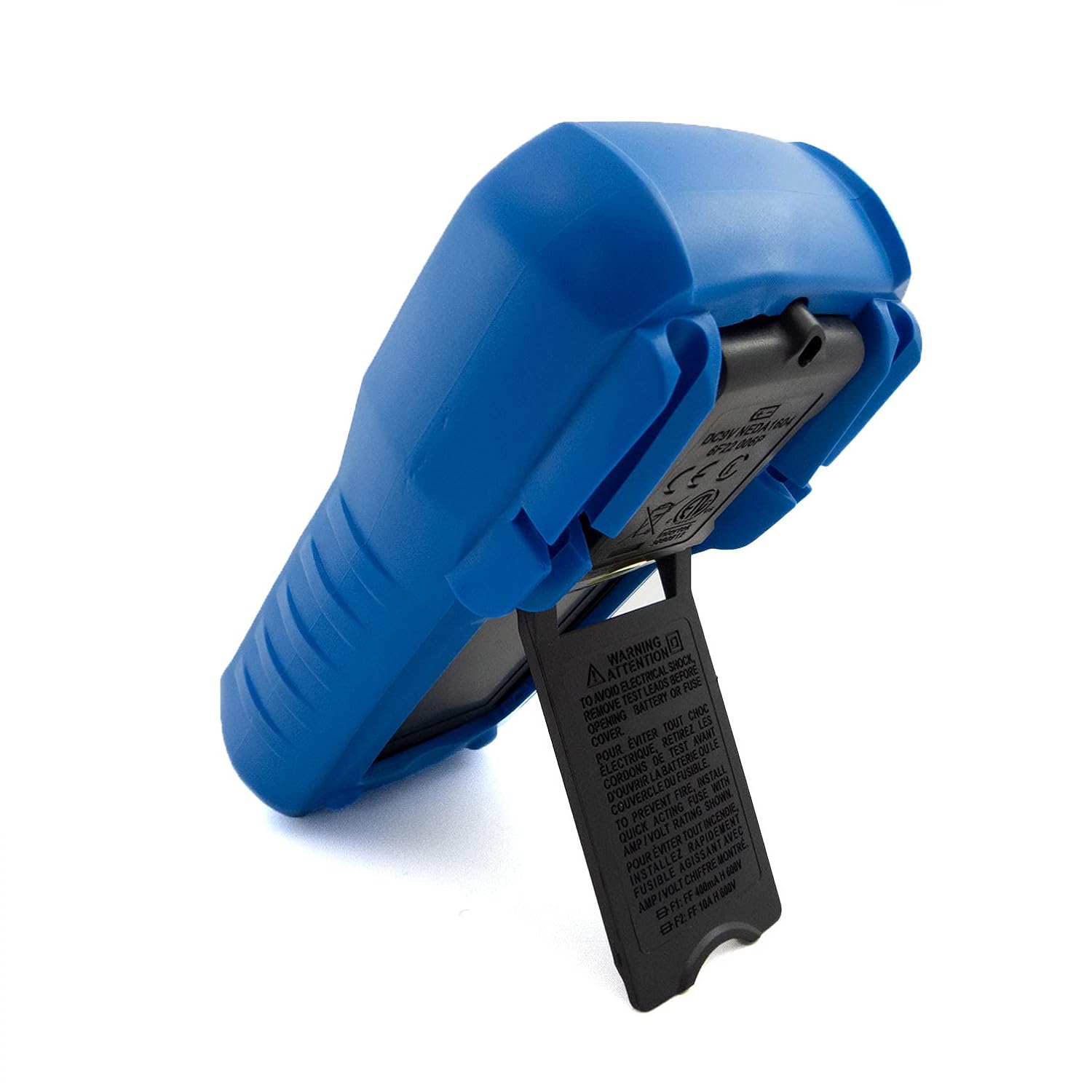
- Hinged Bracket: Allows the multimeter to stand upright for hands-free operation on a workbench.
- Kamampuhan pangukuran: AC / DC Voltage, AC/DC Current, Resistance, Capacitance, Frequency, Temperature, and Transistor hFE.
- Jumlah Tampilan: 2000-count digital display for clear readings.
- Otomatis Pareum (APO): Automatically turns off the device after a period of inactivity to conserve battery life.
- Tahan Data: Ngabekukeun bacaan anu ditampilkeun pikeun ngarékam anu merenah.
- Low Battery Display (LBD): Indicates when the battery needs replacement.
- Diode Test and Continuity Buzzer: For testing diodes and checking circuit continuity.
4. Komponén jeung kadali

Gambar 1: Hareupeun view of the C-LOGIC 5100 Digital Multimeter, showing the display, function selector, and input jacks.
Diajar heula ngeunaan komponén utama multimeter anjeun:
- Layar LCD: Némbongkeun bacaan pangukuran, unit, sareng indikator fungsi.
- Function/Range Selector Dial: Dipaké pikeun milih pungsi pangukuran anu dipikahoyong sareng rentang.
- Tombol TAHAN: Pencét pikeun ngabekukeun bacaan ayeuna dina tampilan. Pencét deui pikeun ngaleupaskeun.
- Hurungkeun ON / OFF: Ngahurungkeun atanapi mareuman multimeter.
- Input Jacks:
- VΩHzTemp: Input positif pikeun voltage, resistance, frequency, temperature, capacitance, diode, and continuity measurements.
- COM: Input umum (négatip) pikeun sadaya pangukuran.
- mA: Positive input for current measurements up to 200mA.
- 10A: Positive input for current measurements up to 10A (MAX 30 sec. every 15 min.). This input is fused.
- hFE Socket: For testing transistor hFE (DC current gain).
5. Setélan
5.1 Pamasangan batré
The C-LOGIC 5100 requires one 9V 6F22 battery (not included). To install or replace the battery:
- Pastikeun multimeter dipareuman sareng pegatkeun sadaya kabel tés tina jack input.
- Panggihan panutup kompartemen batré di tukang unit.
- Cabut sekrup penahan teras cabut panutupna kalayan ati-ati.
- Sambungkeun batré 9V kana klip batré, bari tetep niténan polaritasna anu bener.
- Lebetkeun batréna kana kompartemen teras pasang deui panutupna, pageuhkeun nganggo sekrup.
5.2 Sambungan Kabel Uji
Sambungan anu leres tina petunjuk tés penting pisan pikeun pangukuran anu akurat sareng aman:
- Kanggo sabagéan ageung pangukuran (voltage, resistance, capacitance, frequency, temperature, diode, continuity), insert the beureum kabel uji kana VΩHzTemp jack jeung hideung kabel uji kana COM jack.
- For current measurements up to 200mA, insert the beureum kabel uji kana mA jack jeung hideung kabel uji kana COM jack.
- For current measurements up to 10A, insert the beureum kabel uji kana 10A jack jeung hideung kabel uji kana COM jack.
6. Parentah Operasi

Gambar 2: The C-LOGIC 5100 Digital Multimeter actively measuring voltage dina panel listrik.
Follow these general steps for making measurements:
- Turn the multimeter ON using the ON/OFF switch.
- Select the desired function and appropriate range using the rotary dial. If unsure of the range, start with the highest range and work downwards.
- Sambungkeun kabel uji kana sirkuit atanapi komponén anu diuji.
- Baca nilai pangukuran dina layar LCD.
- After measurement, disconnect the test leads and turn the multimeter OFF.
6.1 Fungsi Pangukuran Husus
- DC Voltage (V=): Select the V= range. Connect the red lead to the positive side and the black lead to the negative side of the DC voltage sumber dina paralel.
- AC Voltage (V~): Select the V~ range. Connect the test leads across the AC voltage source in parallel. Polarity is not critical for AC voltage.
- DC Current (A=): Select the A= range (mA or 10A jack). Disconnect power to the circuit. Open the circuit where current is to be measured and connect the multimeter in series. Reapply power.
- AC Current (A~): Select the A~ range (mA or 10A jack). Follow the same series connection procedure as for DC current.
- Résistansi (Ω): Select the Ω range. Ensure the circuit is de-energized. Connect the test leads across the component to measure its resistance.
- Uji Kontinuitas (♫): Select the continuity function. If resistance is below approximately 50Ω, the buzzer will sound, indicating continuity.
- Uji dioda (→|→): Select the diode function. Connect the red lead to the anode and the black lead to the cathode of the diode. The display will show the forward voltage drop. Reverse the leads; the display should show 'OL' (open loop) for a good diode.
- Kapasitansi (F): Select the F range. Ensure the capacitor is discharged before connecting the test leads.
- Frékuénsi (Hz): Select the Hz range. Connect the test leads across the signal source.
- Suhu (Temp): Select the Temp range. Connect a K-type thermocouple (if included or purchased separately) to the VΩHzTemp and COM jacks.
- Transistor hFE: Insert the transistor's emitter, base, and collector leads into the corresponding holes in the hFE socket, ensuring correct NPN/PNP type selection.
7. Pangropéa
7.1 Ngagantian batré
When the low battery indicator appears on the display, replace the 9V battery as described in Section 5.1. Using a multimeter with a low battery can lead to inaccurate readings.
7.2 beberesih
Pikeun ngabersihkeun multimeter, usap wadahna ku adamp cloth and a mild detergent. Do not use abrasive cleaners, solvents, or alcohol, as these may damage the casing or display. Ensure the multimeter is completely dry before use.
7.3 Ngagantian sekering
If the 10A current measurement function stops working, the fuse may need replacement. This procedure should only be performed by qualified personnel. Refer to the specifications for the correct fuse type and rating. Always disconnect test leads and power off the unit before opening the case.
8. Cara ngungkulan
If your C-LOGIC 5100 Multimeter is not functioning as expected, refer to the following common issues and solutions:
- Henteu aya tampilan: Check if the multimeter is turned ON. Verify the 9V battery is correctly installed and has sufficient charge. Replace the battery if necessary.
- Bacaan anu salah: Ensure the correct function and range are selected for the measurement. Check that the test leads are securely connected to the correct input jacks and to the circuit. Verify the battery is not low.
- Indikasi 'OL' (Kaleuwihan Beban): This indicates that the input value exceeds the selected range. Switch to a higher range or ensure the input is within the multimeter's maximum specifications.
- No Continuity Buzzer: Check if the continuity function is selected. Ensure the circuit is de-energized.
- Pangukuran Arus Teu Jalan: Check the fuse for the current input (especially the 10A input). Replace if blown. Ensure test leads are connected to the correct current jacks (mA or 10A) and the multimeter is in series with the circuit.
9. Spésifikasi

Gambar 3: Detailed specifications and features of the C-LOGIC 5100 Digital Multimeter.
| Pangukuran | Range/Nilai |
|---|---|
| DC Voltage | Nepi ka 600V |
| AC Voltage | Nepi ka 600V |
| DC Ayeuna | Nepi ka 10A |
| AC Ayeuna | Nepi ka 10A |
| Résistansi | Nepi ka 200MΩ |
| Kapasitansi | Nepi ka 100µF |
| Frékuénsi | Hingga 20kHz |
| Suhu | -20°C nepi ka 1000°C / 1°F nepi ka 1832°F |
| Témbongkeun Counts | 2000 |
| Sasayogian tanaga | 1x 9V 6F22 Battery |
| Ukuran produk (L x W x H) | 18.8 x 9.3 x 5 cm (7.4 x 3.7 x 1.96 inci) |
| Beurat produk | 380 g (0.84 lbs) |
| Peunteun Kasalametan | CAT III 600V |
| Sertifikasi | CE, ETL, RoHS |
10. Aplikasi Utama
Gambar 4: Visual representation of common domestic and electronics applications for the C-LOGIC 5100 Multimeter.
The C-LOGIC 5100 Digital Multimeter is suitable for a wide range of applications, including:
- Domestic Electrical Testing: Checking household wiring, outlets, batteries, and appliance continuity.
- Diagnostik otomotif: Testing vehicle electrical systems, battery voltage, and component resistance.
- Electronics Troubleshooting: Ngukur voltage, current, resistance, and capacitance in electronic circuits, testing diodes and transistors.
- HVAC System Checks: Verifying voltage and current in heating, ventilation, and air conditioning systems.
- Hobbyist and DIY Projects: Essential tool for various electrical and electronic projects.
11. Garansi jeung Rojongan
For information regarding warranty coverage, technical support, or customer service, please visit the official C-LOGIC website or contact their support team directly. You can find more product details at clogic-intl.com/clogic-5100 atawa utama websitus di clogic-intl.com.