
Bubuka
Thank you for choosing the Soul S-GEAR Wireless Bluetooth Earbuds. These earbuds are designed to provide a high-quality audio experience with the convenience of wireless connectivity, active noise cancellation, and a comfortable in-ear fit. Featuring Bluetooth 5.0, IPX4 water resistance, and a long-lasting battery with fast charging, the S-GEAR earbuds are perfect for daily use.
Please read this manual carefully before using your earbuds to ensure proper operation and to maximize their lifespan.
Eusi pakét
- Soul S-GEAR Wireless Earbuds (Left and Right)
- Ngecas Case
- Kabel Ngecas USB-C
- Sababaraha Ukuran tina Tips Ceuli
- Manual pamaké
Produk Leuwihview
Familiarize yourself with the components of your Soul S-GEAR earbuds and charging case.
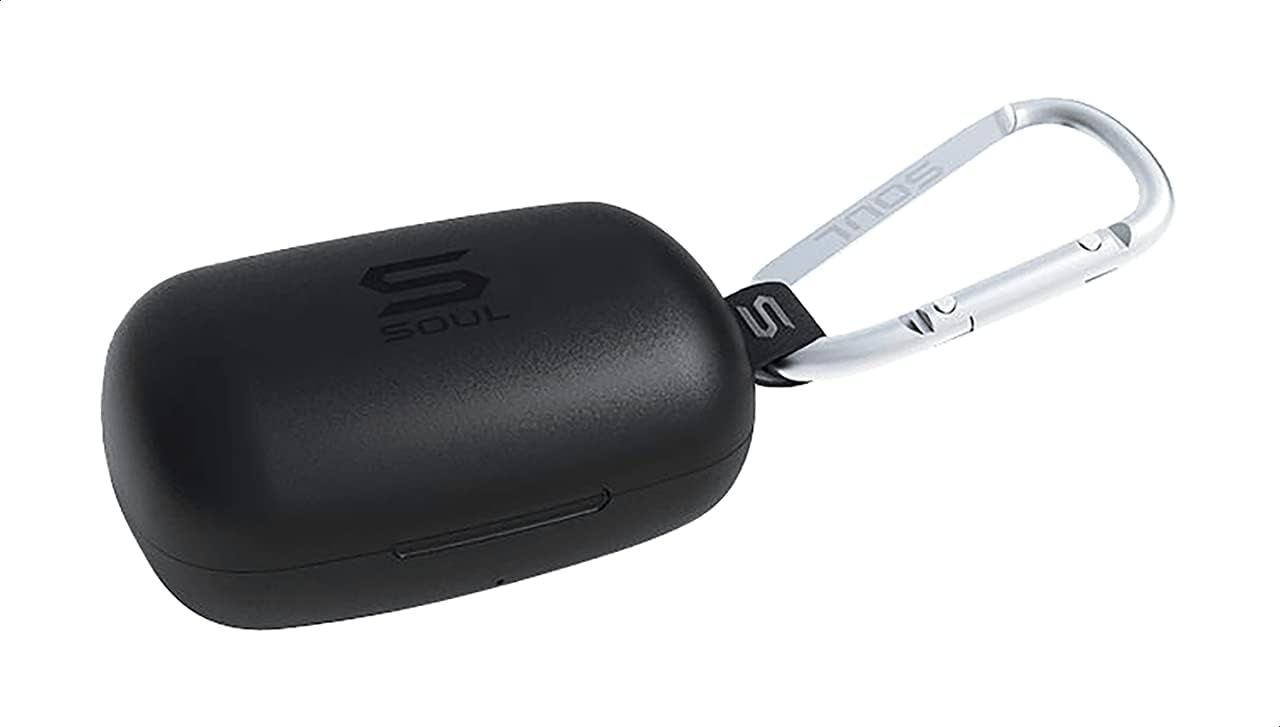
Gambar 1: The Soul S-GEAR charging case in black, with the Soul logo visible. A carabiner clip is attached for portability.
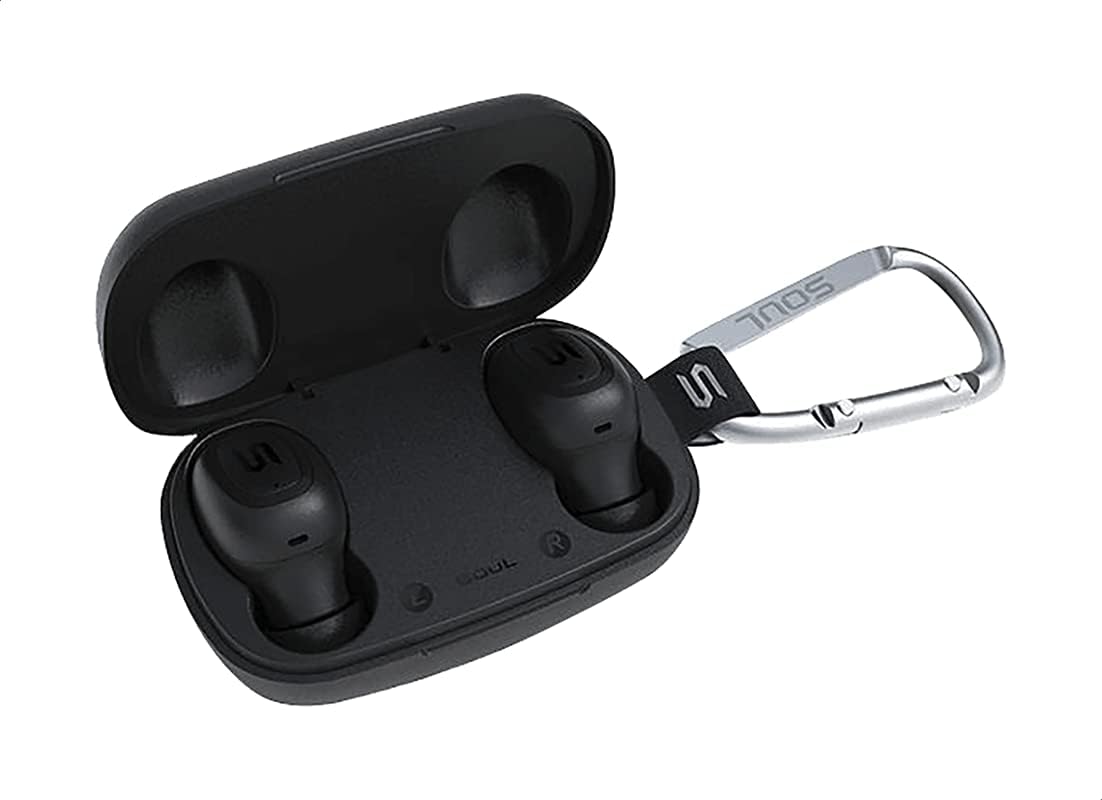
Gambar 2: The Soul S-GEAR charging case opened, revealing the two black earbuds securely placed inside their charging slots. The carabiner clip is also visible.
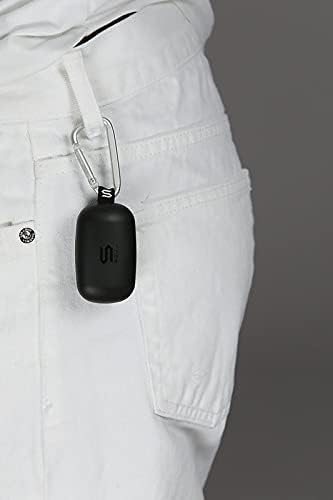
Gambar 3: The Soul S-GEAR charging case, with its carabiner clip, attached to the belt loop of white pants, demonstrating its portability.
Disetél
1. Ngecas Earbuds jeung Case
- Lebetkeun earbud kana wadah ngecas. Pastikeun éta dipasang kalayan leres dina slot L/R masing-masing.
- Sambungkeun kabel ngecas USB-C kana port ngecas dina casing teras colokkeun tungtung anu sanésna kana sumber daya USB (contona, adaptor témbok, port USB komputer).
- The indicator lights on the case will show the charging status. Allow approximately 1-2 hours for a full charge.
- Saatos dicas pinuh, pegatkeun sambungan kabel ngecas.
2. Ngapasangkeun Mimiti sareng Alat
- Buka wadah ngecas. Earbud bakal otomatis hurung teras lebet kana modeu pairing. Lampu indikator dina earbud bakal kedip-kedip, nunjukkeun yén parantos siap dipasangkeun.
- Dina alat anjeun (smartphone, tablet, jsb.), aktipkeun Bluetooth sareng milarian alat anu sayogi.
- Select "Soul S-GEAR" from the list of found devices.
- Once connected, you will hear an audible confirmation, and the earbud indicator lights will stop flashing.
- The earbuds feature automatic pairing. After the initial setup, they will automatically connect to the last paired device when removed from the case.
Parentah Operasi
The Soul S-GEAR earbuds feature touch controls for easy management of audio and calls.
Daya Hurung/Pareuman
- Daya Hurung: Open the charging case, or press and hold the touch sensor on both earbuds for 3 seconds.
- Pareum listrik: Place the earbuds back into the charging case and close the lid, or press and hold the touch sensor on both earbuds for 5 seconds.
Puterkeun Musik
- Puter / Reureuh: Tap the touch sensor on either earbud once.
- Lagu salajengna: Double-tap the touch sensor on the right earbud.
- Lagu Sateuacanna: Double-tap the touch sensor on the left earbud.
Manajemén Telepon
- Ngajawab / mungkas Telepon: Tap the touch sensor on either earbud once.
- Nolak Telepon: Press and hold the touch sensor on either earbud for 2 seconds.
Aktif Noise pembatalan (ANC)
- Aktipkeun / Nonaktipkeun ANC: Triple-tap the touch sensor on the left earbud to cycle through ANC On, Ambient Mode, and ANC Off.
Asisten sora
- Aktipkeun Asisten Sora: Triple-tap the touch sensor on the right earbud.
Ngecas
The Soul S-GEAR earbuds and charging case provide up to 24 hours of total playtime. The case supports USB-C fast charging.
- Ngecas Earbud: Place earbuds into the charging case. They will charge automatically.
- Ngecas Kasus: Connect the USB-C cable to the case and a power source. The LED indicator on the case will show charging status.
- A full charge for the case typically takes 1.5-2 hours.
Pangropéa
- beberesih: Rutin ngabersihkeun earbuds sareng wadah ngecas ku lawon anu lemes, garing, teu aya lint. Ulah make bahan kimia kasar atawa bahan abrasive.
- Tips ceuli: Cabut tungtung ceuli teras bersihan ku cai sareng sabun hampang upami diperyogikeun. Pastikeun garing pisan sateuacan dipasang deui.
- Tahan cai: The earbuds are IPX4 rated, meaning they are resistant to splashing water from any direction. They are not designed for submersion in water. Do not expose them to heavy rain or immerse them. Ensure earbuds are dry before placing them back in the charging case.
- Panyimpenan: Simpen earbuds dina wadah ngecas nalika henteu dianggo pikeun ngajagi sareng tetep dicas. Hindarkeun suhu anu ekstrim.
Pamérésan masalah
| Masalah | Solusi |
|---|---|
| Earbuds teu dipasangkeun |
|
| Teu aya sora ti hiji earbud |
|
| Kasus ngecas teu ngecas |
|
| Pembatalan Bising Aktif teu tiasa dianggo |
|
spésifikasi
| Fitur | Rincian |
|---|---|
| merek | Jiwa |
| Ngaran modél | S-GEAR (Soul S Gemar) |
| Nomer modél | SS56BK |
| Téhnologi konektipitas | Nirkabel (Bluetooth 5.0) |
| Faktor Bentuk Headphone | Dina Ceuli |
| Kontrol bising | Pembatalan Noise aktip |
| Mikropon | terpadu |
| Métode kontrol | Toél |
| Cai & Tahan Lebu | IPX4 |
| Waktu maén | Dugi ka 24 jam (kalayan ngeusi batre) |
| Port ngecas | USB-C (Ngeusi Gancang) |
| Alat nu cocog | Multiple Bluetooth-enabled devices |
| Bahan | palastik |
| Warna | Hideung |
| Ukuran Paket | 11.8 x 9.8 x 4.2 cm |
| Item Beurat | 152 gram |
Émbaran Kasalametan
- Ulah ngabongkar, ngalereskeun, atawa ngaropéa produk.
- Ulah ngalaan produk ka seuneu atawa suhu luhur.
- Ulah nganggo earbud dina volume anu kaleuleuwihi dina waktos anu lami pikeun nyegah karusakan pangrungu.
- Jauhkeun produk tina barudak sareng piaraan.
- Anggo ngan ukur kabel sareng adaptor ngecas anu disayogikeun atanapi anu disertipikasi.
- Buang produk sacara tanggung jawab nurutkeun peraturan lokal.
Garansi sareng Rojongan
The Soul S-GEAR Wireless Bluetooth Earbuds come with a standard manufacturer's warranty. For detailed warranty terms and conditions, please refer to the warranty card included in your package or visit the official Soul websitus.
For technical support, troubleshooting assistance, or any inquiries regarding your product, please contact Soul customer service through their official websitus atanapi inpormasi kontak anu disayogikeun dina bungkusan produk anjeun.