
Ctronics CTIPC-380C-4MP
Ctronics 2K 4MP PTZ Security Camera User Manual
Model: CTIPC-380C-4MP
1. Bubuka
Thank you for choosing the Ctronics 2K 4MP PTZ Security Camera. This manual provides detailed instructions for setting up, operating, and maintaining your camera. Please read this manual thoroughly before use to ensure proper functionality and safety.
2. Produk Langkungview
The Ctronics 2K 4MP PTZ Security Camera is designed for outdoor surveillance, offering high-resolution video, pan-tilt-zoom capabilities, human detection, auto-tracking, and two-way audio. It is IP66 rated for weather resistance.

Figure 2.1: Ctronics 2K 4MP PTZ Security Camera (Front View)
This image displays the main unit of the Ctronics 2K 4MP PTZ Security Camera, featuring its white dome-shaped body, dual antennas for enhanced connectivity, and the camera lens surrounded by multiple LED lights for night vision. The Ctronics logo is visible on the front.
3. Eusi Paket
Ensure all items are present and in good condition. If any items are missing or damaged, please contact customer support.
- Ctronics 2K 4MP PTZ Security Camera
- Adaptor kakuatan
- Pemasangan Screws sareng Jangkar
- Pakakas Tahan Cai pikeun Kabel Jaringan
- Gancang Mimitian Guide

Figure 3.1: Camera and Packaging
This image shows the Ctronics camera alongside its retail packaging, indicating the product's branding and presentation.
4. Setup Guide
4.1 Ngahurungkeun kaméra
- Sambungkeun adaptor daya ka port input daya kaméra.
- Colokkeun adaptor kakuatan kana stop kontak listrik standar.
- The camera will perform a self-test, indicated by its movement and the status indicator light.
- Wait for the camera to complete its initialization process. This may take a few minutes.
4.2 Pamasangan Aplikasi
Download the "Ctronics Pro" app from your mobile device's app store (iOS or Android). Alternatively, you can use the HiP2P Client for desktop operating systems.
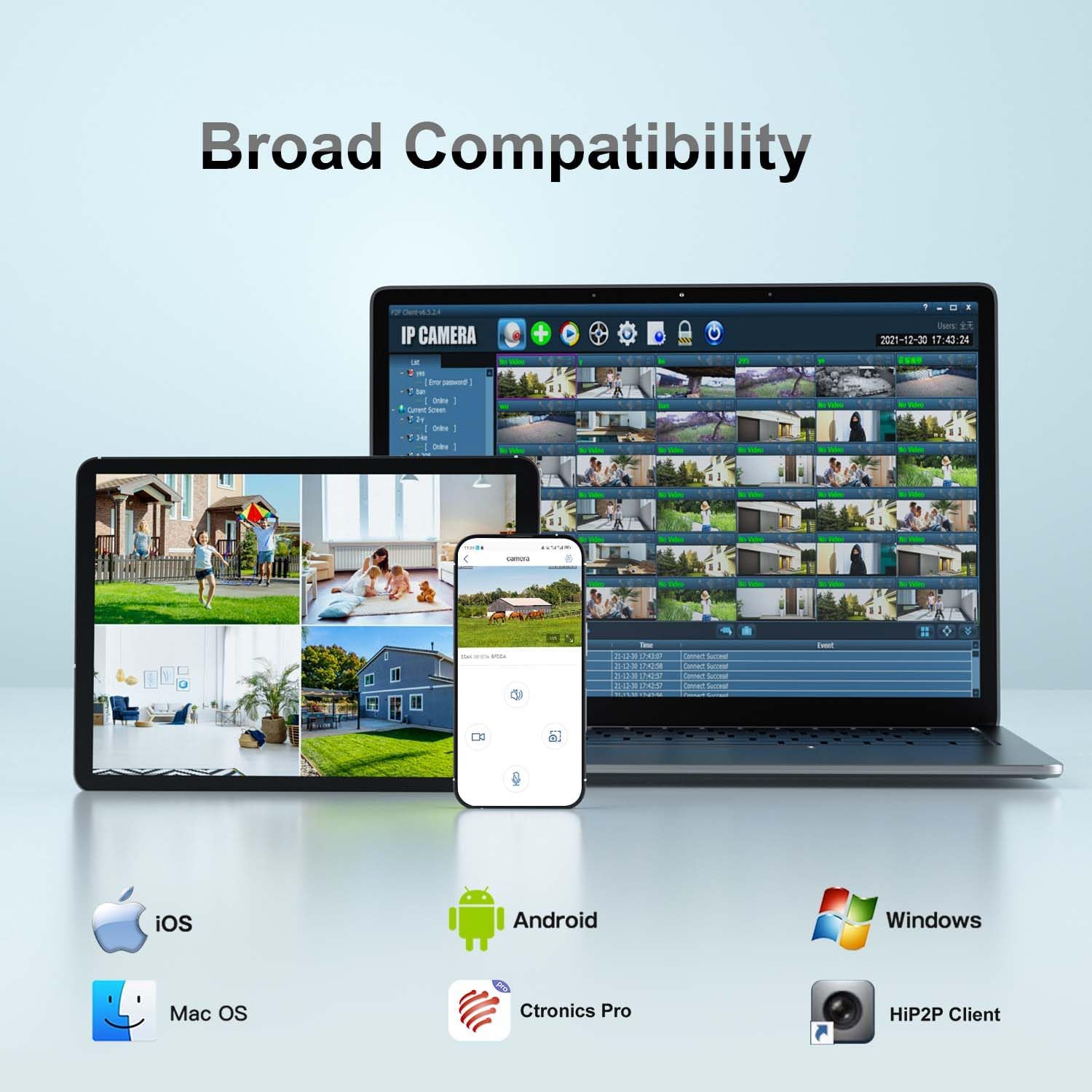
Gambar 4.1: Kompatibilitas Lega
This image illustrates the broad compatibility of the Ctronics camera with various operating systems and applications, including iOS, Android, Mac OS, Windows, Ctronics Pro app, and HiP2P Client, showcasing the flexibility in accessing and managing the camera.
4.3 Sambungan Wi-Fi
Follow these steps to connect your camera to your Wi-Fi network using the Ctronics Pro app:
- Open the Ctronics Pro app and tap "Add Camera".
- Select "Wireless Installation" or "Search Camera from LAN" if the camera is connected via Ethernet for initial setup.
- Follow the on-screen prompts to enter your Wi-Fi network details (SSID and password).
- The camera will confirm successful connection with an audible prompt.
Video 4.1: WIFI Connection Video for 380 2K Security Camera
This video demonstrates the step-by-step process of connecting the Ctronics 380 2K Security Camera to a Wi-Fi network using the mobile application. It covers powering the camera, accessing the app settings, and entering Wi-Fi credentials for a successful connection.
5. Ngoperasikeun kaméra anjeun
5.1 Kontrol PTZ (Pan, Tilt, Zoom)
The camera supports Pan 355° and Tilt 90° for comprehensive coverage. Use the controls within the Ctronics Pro app to remotely adjust the camera's viewsudut ing.
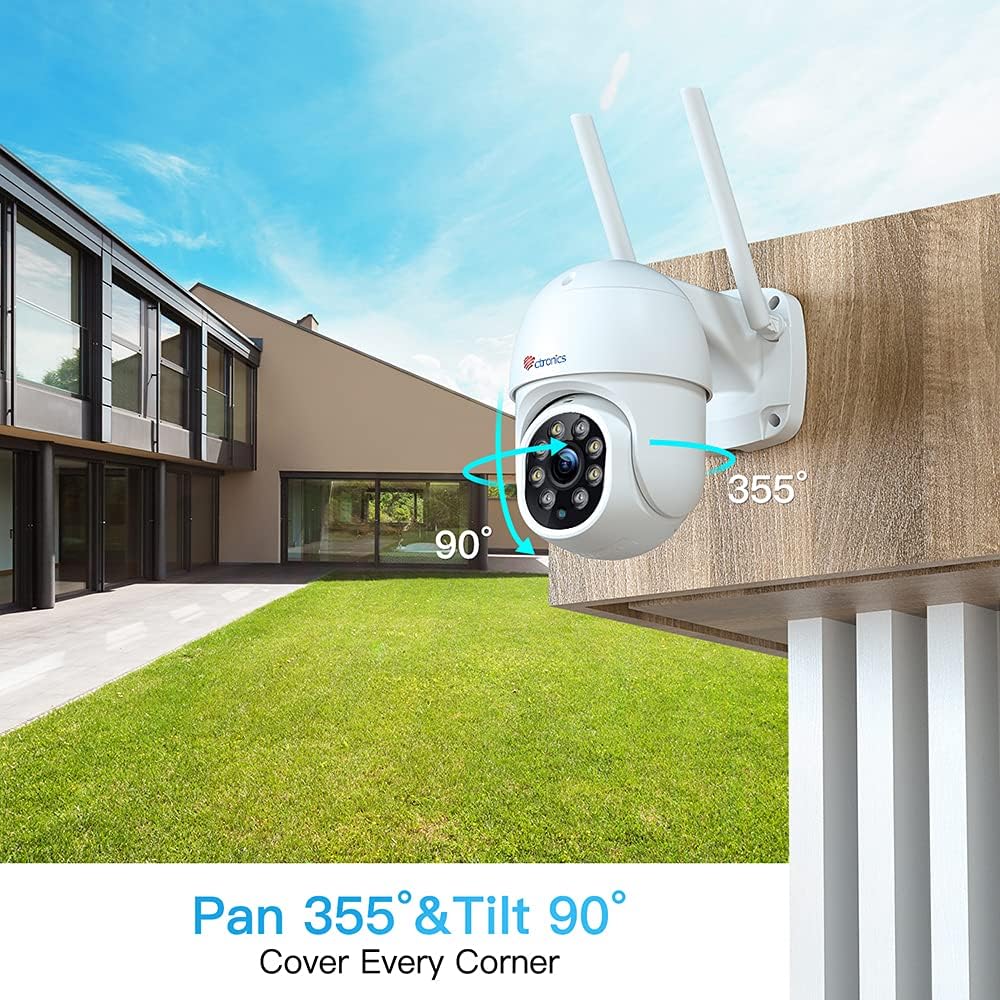
Figure 5.1: Pan 355° & Tilt 90°
This image illustrates the camera's pan and tilt capabilities, showing its wide range of motion (355 degrees horizontally and 90 degrees vertically) to cover a large area.
5.2 Human Detection & Auto Tracking
Enable human detection in the app settings to receive alerts when a human figure is detected. The auto-tracking feature allows the camera to automatically follow detected human movement within its field of view.

Figure 5.2: Human Detection & Auto Tracking
This image demonstrates the camera's human detection and auto-tracking features, showing an on-screen alert for a detected visitor and the camera's ability to follow human movement.
5.3 Audio Dua Arah
Utilize the built-in microphone and speaker for two-way communication. This feature allows you to listen to the camera's surroundings and speak through the camera from your mobile device.
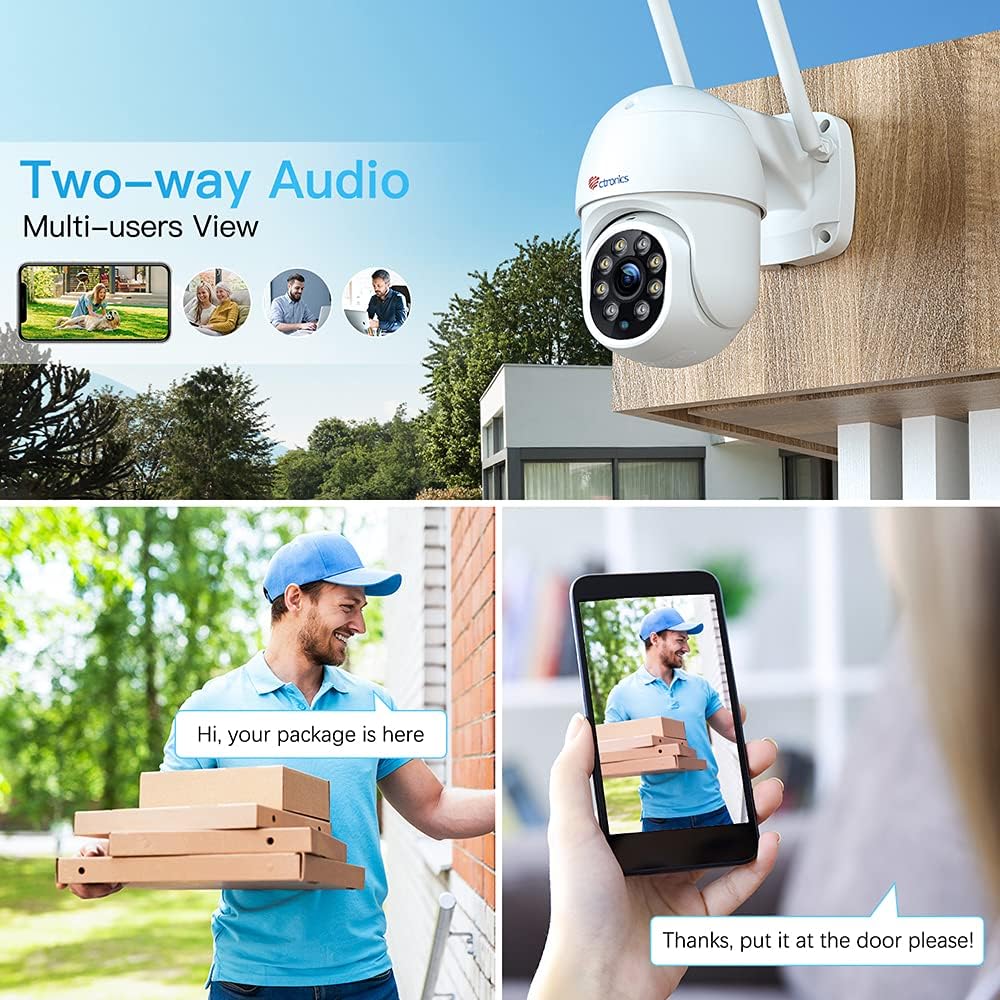
Figure 5.3: Two-Way Audio
This image illustrates the two-way audio functionality, showing a person speaking into their phone and another person receiving the audio through the camera, enabling real-time communication.
5.4 Visi Peuting
The camera features color night vision for clear surveillance even in low-light conditions. The integrated LEDs provide illumination for enhanced visibility.

Figure 5.4: 2.5K 4MP HD Resolution
This image highlights the camera's 2.5K 4MP HD resolution (2560x1440P), emphasizing the clarity and brightness of the videos and pictures captured by the device, even in varying light conditions.
5.5 Local Storage (SD Card)
The camera supports local storage via a MicroSD card (not included). Insert the card into the designated slot to record video footage langsung dina alat.
6. Pedoman instalasi
The Ctronics PTZ camera is designed for outdoor use with an IP66 weatherproof rating. Choose a mounting location that provides optimal viewing coverage and a stable surface.
- Tandaan titik-titik pangeboran nganggo témplat pemasangan anu disayogikeun.
- Bor liang jeung selapkeun jangkar témbok lamun perlu.
- Secure the camera base to the mounting surface using the screws.
- Ensure all cable connections are properly sealed using the waterproof kit to prevent water ingress.

Gambar 6.1: Rating Tahan Cuaca IP66
This image shows the Ctronics camera mounted outdoors, being exposed to rain, highlighting its IP66 weatherproof rating and suitability for various environmental conditions.
7. Pangropéa
- Bersihkeun lénsa kaméra sacara rutin nganggo lawon anu lemes sareng garing pikeun mastikeun kualitas gambar anu jelas.
- Check cable connections periodically for any signs of wear or damage.
- Ensure the camera's firmware is up to date through the Ctronics Pro app for optimal performance and security.
- Avoid using harsh chemicals or abrasive cleaners on the camera's surface.
8. Cara ngungkulan
| Masalah | Mungkin Cukang lantaranana | Solusi |
|---|---|---|
| Kaméra offline | No power; Wi-Fi signal weak/disconnected; Network issues. | Check power supply; Relocate camera closer to router; Restart router and camera. |
| Kualitas gambar henteu saé | Dirty lens; Low network bandwidth; Insufficient lighting. | Clean lens; Check internet speed; Ensure adequate lighting for night vision. |
| Deteksi gerak teu jalan | Detection settings incorrect; Obstructions in view. | Adjust sensitivity in app; Clear obstructions from camera's field of view. |
| Teu bisa nyambung ka Wi-Fi | Incorrect password; Out of range; 5GHz network. | Verify Wi-Fi password; Move camera closer to router; Ensure 2.4GHz network is used. |
9. Spésifikasi
| Fitur | Rincian |
|---|---|
| Nomer modél | CTIPC-380C-4MP |
| Resolusi Capture Video | 2K (2560×1440P), 4MP |
| Téhnologi konektipitas | Wireless (2.4G WiFi) |
| Pan / Dengdekkeun Range | Pan 355°, Dengdekkeun 90° |
| Fitur husus | Night Vision, PTZ Technology, Motion Sensor, Human Detection, Auto Tracking, 2-Way Audio, Custom Sound Alarm |
| Pamakéan jero rohangan / outdoor | Luar |
| Peunteun Protection Internasional | IP66 |
| Sumber Daya | AC/DC (12 Volts, 12 Watt-hours) |
| Ukuran barang (L x W x H) | 3.54 x 5.91 x 11.81 inci |
| Item Beurat | 1.54 pon |
| Alat nu cocog | iOS (and Android, Windows, Mac OS via app/client) |
10. Garansi jeung Rojongan
Ctronics products typically come with a limited warranty. Please refer to the warranty card included in your package or visit the official Ctronics websitus kanggo inpormasi garansi lengkep.
For technical support, troubleshooting assistance, or any inquiries, please contact Ctronics customer service. Contact details can usually be found on the product packaging or the official Ctronics websitus.
Ask a question about this manual
Ask about setup, troubleshooting, compatibility, parts, safety, or missing instructions. Manuals+ will review the question and use this page’s manual context to help answer it.