
Bubuka
Thank you for choosing the Sengled Smart Bulb. This manual provides essential information for setting up, operating, and maintaining your new smart lighting product. The Sengled Smart Bulb offers advanced features including app and voice control, 16 million colors, tunable white light, scheduling, and remote access, all without requiring a separate hub.
Guide Setup
Follow these steps to set up your Sengled Smart Bulb:
- Download the Sengled Home App: Milarian pikeun 'Sengled Home' in the App Store (iOS) or Google Play Store (Android) and install the application.
- Ngadaptar / Asup: Buka aplikasi tur turutan parentah dina layar pikeun nyieun hiji akun anyar atawa asup lamun anjeun geus boga akun.
- Pasang bohlam: Twist the Sengled Smart LED bulb into a standard E26 medium base socket. Ensure the power is turned off before installation.
- Daya Hurung: Turn on the light switch to power on the bulb. The bulb should blink to indicate it's in pairing mode.
- Tambahkeun Alat dina App: In the Sengled Home app, tap the '+' icon to add a new device. Select 'Light Bulb' and follow the in-app guide to complete the setup.
- Nyambung ka Wi-Fi: The bulb will connect to your home's 2.4GHz Wi-Fi network. No additional hub is required.
- Integrasi Asisten Sora (Opsional): If you wish to use voice control, link your Sengled Home account with your Amazon Alexa or Google Assistant account through their respective apps.
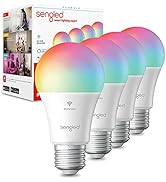
Image: Steps for setting up the Sengled Smart Bulb using the Sengled Home app.

Image: A Sengled Smart Bulb installed in a ceiling light fixture.
Parentah Operasi
The Sengled Smart Bulb offers versatile control options:
Kontrol Aplikasi
- Hurung/Pareuman: Toggle the bulb's power directly from the app.
- Dimming: Saluyukeun kacaangan ti 1% ka 100%.
- Pilihan Warna: Pilih ti 16 juta warna pikeun cocog sareng suasana haté atanapi hiasan anjeun.
- Bodas Tunable: Select white light temperatures from 2000K (warm white) to 6500K (cool white).
- Jadwal: Set timers and routines for automatic on/off times, dimming, or color changes.
- Kontrol Grup: Create groups of bulbs to control multiple lights simultaneously.
- Modeu Adegan: Apply pre-set or custom scenes for various activities or moods.
Image: A smartphone screen displaying the Sengled Home app interface for color selection.
Kontrol sora
Control your smart bulbs hands-free using voice commands with Amazon Alexa or Google Assistant. Examples:
- "Alexa, hurungkeun lampu ruang tamu."
- "Hei Google, setel lampu kamar tidur ka biru."
- "Alexa, dim the kitchen to 50%."
Image: A person interacting with a smart speaker to control the Sengled Smart Bulb via voice commands.
Kadali jauh
Manage your lighting from anywhere using the Sengled Home app on your smartphone, ensuring your home always looks occupied, even when you're away.
Wake Up to Light Feature
Program your bulbs to slowly brighten over a set period, simulating a natural sunrise to help you wake up gently.
Video: Official Sengled video demonstrating the 100-watt smart bulb's features and Alexa compatibility.
Pangropéa
Sengled Smart Bulbs are designed for long-term use with a service life of 22.8 years. No specific maintenance is required beyond occasional dusting with a soft, dry cloth. Ensure the bulb is not exposed to water or excessive humidity.
Pamérésan masalah
If you encounter issues with your Sengled Smart Bulb, consider the following:
- Masalah konektipitas: Ensure your Wi-Fi network is 2.4GHz (5G networks are not supported). Try restarting your router and the bulb.
- Bohlam teu ngabales: Check if the bulb is securely screwed into the socket and if the power switch is on. Try turning the power off and on again to reset the bulb.
- Voice Command Problems: Verify that your Alexa or Google Assistant device is properly linked to your Sengled Home account and that the device names are correctly configured.
- Masalah Aplikasi: Ensure your Sengled Home app is updated to the latest version. Try force-closing and reopening the app.
Kanggo bantosan salajengna, mangga tingal bagian dukungan atanapi hubungi layanan palanggan.
spésifikasi
| Fitur | Rincian |
|---|---|
| merek | Kéngingkeun |
| Nomer modél | W12-N15 |
| Tipe Lampu | LED |
| Wattage | 100 watts equivalent (actual power consumption not specified, but typically lower for LED) |
| Caang | 1500 Lumén |
| Ukuran Bentuk Bohlam | A19 |
| Dasar Bulb | E26 Sedeng |
| Warna Cahaya | Multicolor (16 Million Colors) & Tunable White (2000K to 6500K) |
| Indéks Rendering Warna (CRI) | >90 |
| Téhnologi konektipitas | Wi-Fi (2.4 GHz wungkul) |
| Tipe Controller | Amazon Alexa, Asisten Google, SmartThings |
| Kahirupan Operasi Sumber Cahaya | 22.8 Taun |
| Pamakéan jero rohangan / outdoor | jero rohangan |
| Jenis Bahan | Polimér sintétik (PMMA) |
Garansi sareng Rojongan
Sengled Smart Bulbs come with a garansi 2 taun. For warranty claims or technical support, please visit the official Sengled website or contact their customer service. Live customer service is available in the U.S.
Kanggo inpo nu leuwih lengkep sarta rojongan, mangga buka sengled.com.