

1. Bubuka
Thank you for choosing the CREATE FRYER AIR PRO 3.5L Air Fryer. This appliance uses advanced hot air technology to cook your favorite foods with little to no oil, offering a healthier alternative to traditional frying. It features a 3.5-liter capacity, a digital LCD screen, and 8 pre-installed programs for convenient cooking. Please read this manual thoroughly before first use to ensure safe and optimal performance.
2. Parentah Kasalametan penting
Salawasna turutan pancegahan kaamanan dasar nalika nganggo alat-alat listrik pikeun ngirangan résiko kahuruan, kejutan listrik, sareng tatu.
- Baca sadaya parentah sateuacan dianggo.
- Ulah neuleumkeun unit utama, ari, atawa nyolok kana cai atawa cairan séjén.
- Pastikeun voltage dituduhkeun dina alat anu saluyu sareng vol lokal anjeuntage.
- Pengawasan anu ketat diperyogikeun nalika alat naon waé dianggo ku atanapi caket barudak.
- Cabut colokan tina stop kontak nalika henteu dianggo sareng sateuacan beberesih. Ngidinan pikeun niiskeun sateuacan dipasang atanapi nyabut bagian.
- Entong ngoperasikeun alat naon waé nganggo kabel atanapi colokan anu ruksak, atanapi saatos alatna teu tiasa dianggo atanapi parantos ruksak dina cara naon waé.
- Entong nganggo kantétan anu henteu disarankeun ku produsén alat.
- Ulah nempatkeun alat kana témbok atawa kana parabot lianna. Ninggalkeun sahenteuna 10 cm rohangan bébas dina tonggong sareng sisi sareng 10 cm rohangan bébas di luhur alat.
- Ulah nempatkeun nanaon dina luhureun alat.
- Entong nganggo alat pikeun tujuan naon waé sanés anu dijelaskeun dina manual ieu.
- Hot air is released through the air outlet openings during hot air frying. Keep your hands and face at a safe distance from the steam and from the air outlet openings.
- Beungeut luarna tiasa janten panas nalika dianggo. Ulah noel permukaan anu panas. Anggo gagang atanapi kenop.
- Salawasna mastikeun karanjang diselapkeun leres sateuacan operasi.
3. Produk Langkungview jeung Komponén
Familiarize yourself with the main parts of your CREATE FRYER AIR PRO:
- Unit Utama kalawan Control Panel
- Témbongkeun LCD Digital
- Temperature/Time Control Dial
- Hawa Fryer Baskét
- Piring Crisper (tiasa dicabut)
- Nanganan
- Inlet hawa
- Hawa outlet Vents

Image: A composite image displaying the CREATE FRYER AIR PRO air fryer unit alongside its separate basket and crisper plate components.
4. Setup jeung pamakéan munggaran
4.1 Ngabongkar bungkusan
Carefully remove all packaging materials, stickers, and labels from the appliance. Keep packaging for future storage or disposal.
4.2 beberesih Awal
- Ngusap bagian luar alat nganggo iklanamp lawon.
- Clean the basket and crisper plate with hot water, dish soap, and a non-abrasive sponge. These parts are dishwasher safe.
- Pastikeun sadaya bagian parantos garing sateuacan dianggo.
4.3 Nempatkeun
Place the appliance on a stable, horizontal, and heat-resistant surface. Ensure there is adequate air circulation around the unit (at least 10 cm clearance on all sides and top).
4.4 First Use (Burn-in Cycle)
It is recommended to run the air fryer empty for about 10-15 minutes at 180°C before cooking food for the first time. This helps to burn off any manufacturing residues and odors. A slight odor may be present during this process; this is normal.
5. Parentah Operasi
5.1 Operasi Dasar
- Plug the power cord into a grounded wall outlet. The appliance will beep, and the display will illuminate briefly.
- Pull the basket out of the air fryer. Place your ingredients into the basket, ensuring not to overfill (do not exceed the MAX line).
- Geser karanjang deui kana fryer hawa nepi ka clicks kana tempatna.
- The display will show the default temperature and time. Use the control dial to adjust the temperature (80°C to 200°C) and time (1 to 60 minutes). Press the dial to switch between temperature and time settings.
- Press the Start/Pause button (usually a play/pause icon) to begin cooking.
- During cooking, you can pull out the basket to shake or turn ingredients. The air fryer will automatically pause and resume when the basket is reinserted.
- Once the timer reaches zero, the air fryer will beep, indicating cooking is complete.
- Carefully pull out the basket and empty the cooked food. Use heat-resistant tongs or gloves.

Gambar: A lengkep view of the CREATE FRYER AIR PRO's digital control panel, highlighting the temperature display and various cooking program icons.
5.2 Program anu tos dipasang sateuacanna
The FRYER AIR PRO comes with 8 pre-installed programs for common dishes. To use them:
- After placing food in the basket, press the Menu button (often represented by multiple icons or a 'P' symbol) to cycle through the programs.
- Each program has a preset temperature and time. You can adjust these settings manually after selecting a program if desired.
- Pencét tombol Start / Pause pikeun ngamimitian program anu dipilih.
The 8 programs include:
- Pommes Frites (Fries)
- Revben (Ribs)
- Fisk (Fish)
- Räkor (Shrimp)
- Kyckling (Chicken)
- Pajer (Pies)
- Kycklingben (Chicken Legs)
- Bröd (Bread)
5.3 Tips masak
- Pikeun hasil nu pangsaena, preheat fryer hawa pikeun 3-5 menit saméméh nambahkeun dahareun.
- Shake the basket halfway through cooking for even browning, especially for smaller items like fries or nuggets.
- Lightly brush or spray food with oil for extra crispiness, though many foods require no added oil.
- Do not overcrowd the basket. Cook in batches if necessary to ensure proper air circulation and even cooking.
- For foods that typically require baking, the air fryer can often achieve similar results with a crispy exterior.
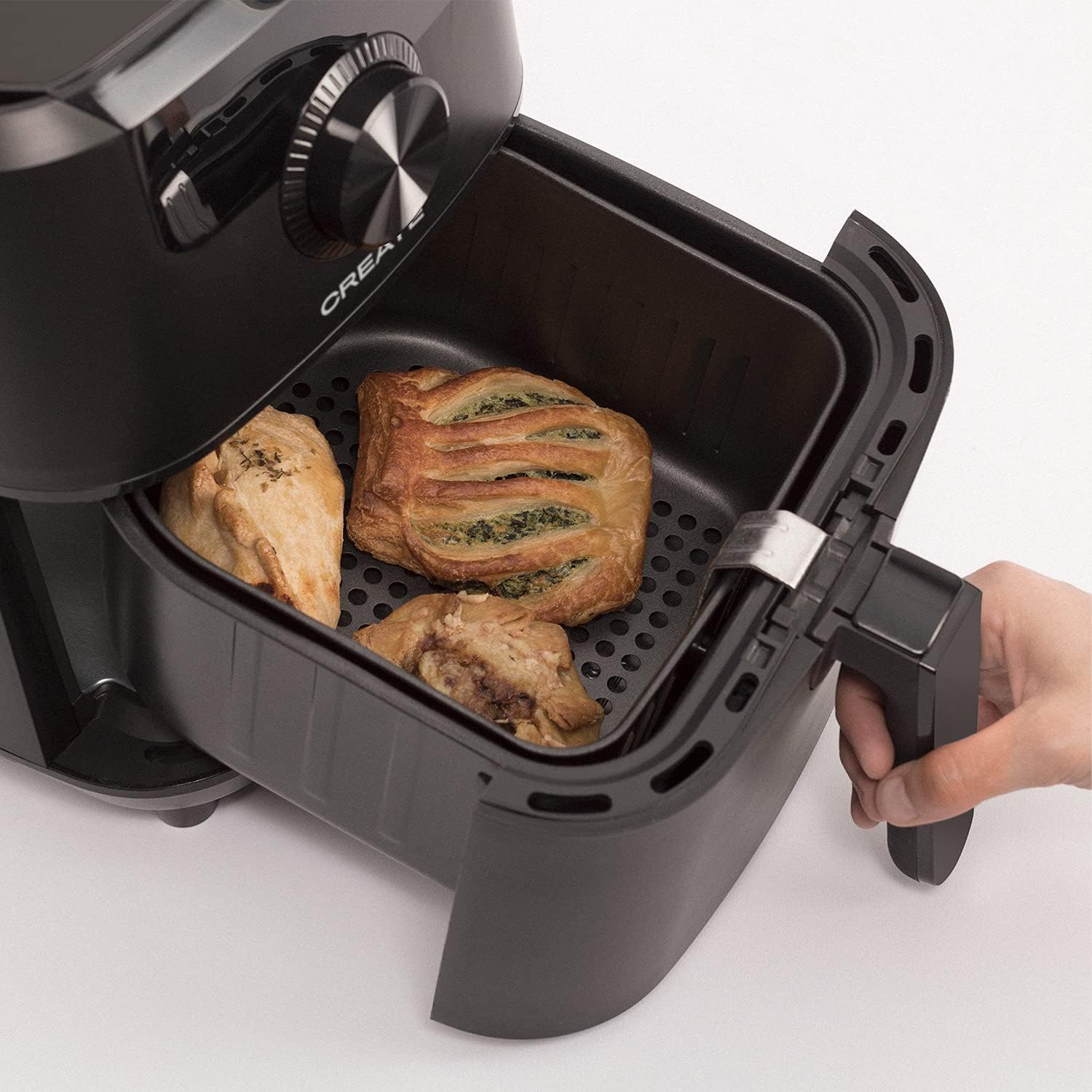
Image: The air fryer basket, pulled out from the main unit, containing cooked pastries and chicken pieces, demonstrating the cooking capacity.
6. Pangropéa jeung beberesih
Ngabersihan fryer hawa sanggeus unggal pamakéan.
- Unplug the appliance from the wall outlet and allow it to cool down completely before cleaning.
- Ngusap bagian luar unit utama nganggo iklanamp lawon. Ulah make cleaners abrasive.
- Remove the basket and crisper plate. Wash them with hot water, dish soap, and a non-abrasive sponge. The non-stick coating makes cleaning easy. These parts are also dishwasher safe.
- For stubborn food residues, soak the basket and crisper plate in hot water with dish soap for about 10 minutes before cleaning.
- Pastikeun sadaya bagian tos garing sateuacan dipasang deui atanapi nyimpen alat.
- Simpen kagorengan hawa dina tempat anu garing sareng garing.

Image: The air fryer basket, with its crisper plate, fully removed from the main unit, illustrating its readiness for cleaning.
7. Cara ngungkulan
| Masalah | Mungkin Cukang lantaranana | Solusi |
|---|---|---|
| Air fryer teu hurung. | Perkakas henteu dicolokkeun. | Pastikeun kabel listrik dicolokkeun aman kana stop kontak anu dibumikeun. |
| Dahareun teu asak rata. | Basket is overcrowded. Food not shaken. | Cook in smaller batches. Shake the basket halfway through cooking. |
| Haseup bodas asalna tina alat. | Résidu gajih tina pamakéan saméméhna. | Clean the basket and crisper plate thoroughly after each use. |
| Dahareun teu garing. | Too much moisture in food. Not enough oil (if desired). | Pat food dry before cooking. Lightly spray or brush with oil for extra crispiness. |
8. Spésifikasi
- Ngaran modél: FRYER AIR PRO
- Jumlah modél: 52025_186434
- merek: NYIPTA
- Kapasitas: 3.5 liter
- Wattage: 1500 Watt
- Voltage: 240V
- Rentang Suhu: 80°C - 200°C
- Métode kontrol: Toél, Dial
- Fitur husus: Programmable, Temperature Control, Digital Display
- Bahan: palastik
- warna: Hideung
- Ukuran (D x W x H): 37.8 cm x 26.5 cm x 33.7 cm
- Lapisan Anti Lengket: Sumuhun
9. Garansi jeung Rojongan
For warranty information, please refer to the warranty card included with your product or visit the official CREATE website. If you encounter any issues not covered in this manual, please contact CREATE customer support for assistance.
Websitus: www.create.com (Kelample link, please refer to actual manufacturer's websitus)