
HTC TWS3
HTC True Wireless Bluetooth Earbuds 2 Instruction Manual
Modél: HTC TWS3
Bubuka
Thank you for choosing the HTC True Wireless Bluetooth Earbuds 2. This manual provides detailed instructions on how to set up, operate, and maintain your earbuds to ensure optimal performance and longevity. Please read this manual carefully before using the product.
Naon dina Box
- 1x Ngecas bisi
- 1x kabel USB Tipe-C
- 1x Pitunjuk Mimiti Gancang
- 2x True Wireless Earbuds (Left and Right)
- 2x pairs of rubber tips (large and small) - Note: A medium pair is likely pre-installed.
Produk Leuwihview
Familiarize yourself with the components of your HTC True Wireless Bluetooth Earbuds 2 and their charging case.

Image: The HTC True Wireless Earbuds 2, with one earbud outside the open charging case, showing the charging contacts and indicator light.
The charging case features a USB-C port for charging and an LED indicator to show charging status. Each earbud has touch-sensitive surfaces for control and charging contacts at the bottom.
Disetél
1. Ngecas Earbuds jeung Case
Sateuacan nganggo heula, pastikeun boh earbuds sareng wadah ngecas tos pinuh.
- Place the earbuds into the charging case. Ensure they are correctly seated; the indicator lights on the earbuds should illuminate, indicating charging.
- Connect the USB Type-C cable to the charging port on the case and the other end to a USB power source (e.g., computer, wall adapter).
- The charging case's indicator light will show charging status. A full charge for the case provides up to 3 additional charges for the earbuds, extending total playtime to 32 hours.

Image: The HTC True Wireless Earbuds 2 in their charging case, illustrating the long battery life performance with up to 8 hours listening time per charge and 32 hours total with the 500mAh charging case.
2. Nyapasangkeun sareng Alat
Headphone ieu nganggo Bluetooth 5.1 pikeun sambungan anu gancang sareng stabil.
- Buka wadah ngecas. Earbuds bakal otomatis asup kana mode papasangan.
- Dina alat anjeun (smartphone, tablet, laptop), aktipkeun Bluetooth.
- Milarian pikeun "HTC TWS3" or "HTC True Wireless Earbuds 2" in the list of available Bluetooth devices.
- Pilih earbud anu bade disambungkeun. Saatos disambungkeun, anjeun bakal ngadangu sora konfirmasi.

Image: The HTC True Wireless Earbuds 2 and their charging case positioned near a smartphone, demonstrating the quick and easy pairing process facilitated by the latest Bluetooth 5.1 chipset.
The earbuds can be used individually or together. For optimal stereo sound, use both earbuds. They maintain a stable connection up to 10 meters (32 feet) from your device.
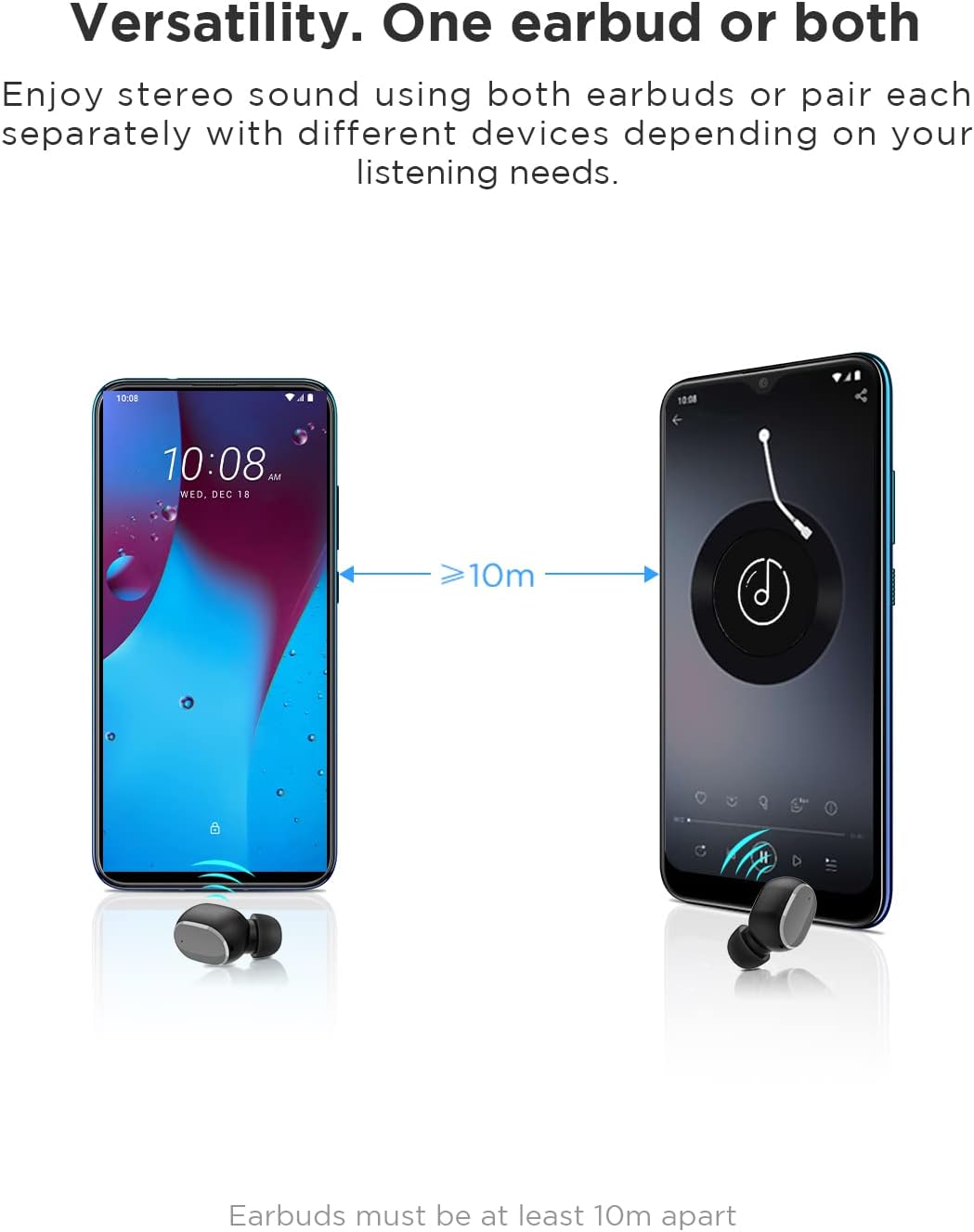
Image: An illustration showing two smartphones and earbuds, emphasizing the versatility of using one or both earbuds and the effective operating range of at least 10 meters.
Parentah Operasi
The HTC True Wireless Bluetooth Earbuds 2 feature intuitive touch controls for various functions.

Image: A detailed diagram illustrating the simple touch controls for the HTC True Wireless Earbuds 2, including commands for play/pause, track navigation, call management, voice assistant, and volume control.
| Aksi | Fungsi |
|---|---|
| Ketok boh earbud sakali | Play / Pause music, Answer / End call |
| Ketok earbud kénca dua kali | Ningkatkeun Jilid |
| Ketok earbud katuhu dua kali | Ngurangan Volume |
| Ketok boh earbud tilu kali | Aktipkeun Asisten Sora |
| Ketok jeung tahan earbud kénca 2 detik | Darso Lagu Sebelumnya |
| Ketok jeung tahan earbud katuhu pikeun 2 detik | Darso Lagu Salajengna |
| Tap and hold either earbud for 2 seconds (during incoming call) | Nolak Telepon |
| Tap either earbud 5 times | Clear pairing / Restore factory settings |
The earbuds are designed for comfortable, long-term wear, weighing only 4.4g per earbud. They come with three different sizes of ear tips to ensure a secure and comfortable fit.

Image: A person comfortably wearing an HTC earbud, accompanied by illustrations highlighting the ergonomic design, skin-friendly material, and the inclusion of three different earplug sizes for optimal fit and comfort.
Pangropéa
beberesih
Pembersihan rutin ngabantosan ngajaga kualitas sora sareng kabersihan.
- Anggo lawon anu lembut, garing, henteu lint pikeun ngusap earbuds sareng wadah ngecas.
- For earwax or debris in the ear tips or speaker mesh, use a small, soft brush or cotton swab. Do not use sharp objects.
- Ulah nganggo pembersih abrasif, alkohol, atanapi pangleyur kimia.
Panyimpenan
Nalika henteu dianggo, simpen earbuds dina wadah ngecasna pikeun ngajagi sareng tetep dicas.
- Simpen di tempat anu tiis, garing, jauh tina suhu anu ekstrim sareng sinar panonpoé langsung.
- Ulah disimpen dina lingkungan anu loba kekebul atawa kotor.
Tahan cai (IPX5)
The HTC True Wireless Bluetooth Earbuds 2 are rated IPX5 water-resistant, meaning they can withstand a sustained, low-pressure water jet spray. This makes them suitable for workouts and light rain.
- Ulah beuleum earbuds dina cai.
- Casing ngecasna teu tahan cai. Jaga supaya tetep garing.
- Pastikeun earbuds garing sateuacan nempatkeun deui kana wadah ngecas pikeun nyegah karusakan.
Pamérésan masalah
Upami anjeun ngalaman masalah sareng earbud anjeun, tingali solusi umum ieu:
| Masalah | Solusi |
|---|---|
| Earbuds henteu dipasangkeun sareng alat |
|
| Ngan hiji earbud anu aya sora |
|
| Earbuds teu ngecas |
|
| Kualitas sora anu goréng atanapi pegat sambungan |
|
spésifikasi
Detailed technical specifications for the HTC True Wireless Bluetooth Earbuds 2.
| Fitur | Rincian |
|---|---|
| Ngaran modél | TWS 2 (HTC TWS3) |
| Téhnologi konektipitas | Nirkabel (Bluetooth 5.1) |
| Headphone Jack | USB (pikeun wadah ngecas) |
| Tipe Kontrol | Touch, Volume Control |
| Tingkat Résistansi Cai | IPX5 (Earbuds) |
| Format mikropon | Built-In, Stereo |
| Waktu Maén (Earbuds) | Nepi ka 8 jam (sakali muatan) |
| Talk Time (Earbuds) | Nepi ka 6 jam (sakali muatan) |
| Total Playtime kalawan Case Ngecas | Nepi ka 32 jam |
| Ngecas Kapasitas Batré Case | 500 mah |
| Earbud Weight (Single) | 4.4g |
| Jarak Operasi maksimum | 32 suku (kira-kira 10 méter) |
| Alat nu cocog | Android, Laptops, iPhone |
| Bahan | palastik |
| Dimensi produk | 4.34 x 4.34 x 3.45 cm; 160 g (overall package) |
Émbaran Kasalametan
Please observe the following safety guidelines for safe and effective use:
- Ulah ngabongkar, ngalereskeun, atanapi ngarobih produk. Ieu tiasa nyababkeun kahuruan, sengatan listrik, atanapi karusakan lengkep kana produk.
- Jauhkeun produk tina suhu anu ekstrim, sinar panonpoé langsung, sareng kalembaban anu luhur.
- Hindarkeun ragrag atanapi ngagentos produk kana dampak anu kuat.
- Ulah nganggo earbud dina volume anu kaleuleuwihi dina waktos anu lami, sabab ieu tiasa nyababkeun karusakan pangrungu.
- Jauhkeun tina jangkauan barudak sareng piaraan.
- Dispose of the product and its batteries responsibly according to local regulations.
Rojongan Palanggan
For further assistance or inquiries, please contact HTC customer support through their official channels. Refer to the product packaging or the official HTC websitus pikeun inpo kontak.
Note: Specific warranty details are not provided in this manual. Please refer to your purchase documentation or the manufacturer's websitus kanggo inpormasi jaminan.
Ask a question about this manual
Ask about setup, troubleshooting, compatibility, parts, safety, or missing instructions. Manuals+ will review the question and use this page’s manual context to help answer it.