
1. Bubuka
This manual provides detailed instructions for the installation, operation, and maintenance of your DIHOOM BC13 3MP WiFi Outdoor Security Camera. This camera is designed to provide reliable surveillance with features such as 3-megapixel resolution, full-color night vision, AI-powered human and face detection, two-way audio, and IP65 weather resistance. Please read this manual thoroughly before using the product to ensure proper setup and functionality.
2. Eusi Paket
Pastikeun yén sadaya item anu didaptarkeun di handap kalebet kana pakét anjeun:
- 1 x DIHOOM BC13 3MP WiFi Outdoor Security Camera (with 10400 mAh battery)
- 1 x Manual Pamaké
- 1 x Mounting Bracket with Screw Set
- 1 x Kabel Ngecas USB Tipe-C
- 1 x Kartu Garansi
3. Produk Langkungview
Biasakeun diri sareng komponén kaméra.

The DIHOOM BC13 camera features a cylindrical design with dual antennas for enhanced Wi-Fi connectivity. It is designed for outdoor installation.
- Lensa kaméra: Nangkep video footage.
- Sorotan: Provide illumination for color night vision and act as a deterrent.
- LEDs Infrabeureum: Enable black and white night vision.
- Mikropon: Ngarekam audio pikeun komunikasi sareng ngarékam dua arah.
- Speaker: Outputs audio for two-way communication and alarms.
- Dual 5dBi Antennas: Enhance Wi-Fi signal reception for stable connectivity.
- Dasar pamasangan: Pikeun pamasangan anu aman dina témbok atanapi plafon.
- Port USB Tipe-C: Pikeun ngecas batré internal.
- Slot Kartu SD Mikro: Pikeun neundeun pidéo lokal (ngadukung dugi ka 128GB).
- Tombol Reset: Dipaké pikeun ngareset kaméra ka setélan pabrik.
4. Setélan
4.1 Unduh Aplikasi sareng Pendaptaran Akun
- Download the "Eseecloud" app from your smartphone's app store (iOS App Store or Google Play Store).
- Buka aplikasi teras turutan pitunjuk dina layar pikeun ngadaptarkeun akun énggal.
- Asup ka akun nu anyar dijieun.
4.2 Initial Camera Pairing (Wi-Fi Connection)
- Ensure the camera is fully charged using the provided USB Type-C cable.
- Hurungkeun kaméra.
- In the Eseecloud app, tap the "+" icon to add a new device.
- Select the appropriate camera type (e.g., "Wireless Camera" or scan the QR code on the camera).
- Follow the app's instructions to connect the camera to your 2.4GHz Wi-Fi network. Ensure your Wi-Fi password is correct.
- Sakali disambungkeun, anjeun bisa ngaranan kaméra Anjeun tur mimitian hirup viewing.
4.3 Pamasangan Parentah

Featuring a 120-degree wide-angle lens, the camera provides broad coverage. The dual 5dBi antennas ensure a stable and extended Wi-Fi connection.
- Choose a suitable outdoor location for mounting, ensuring good Wi-Fi signal strength and a clear view wewengkon nu Anjeun hoyong monitor.
- Use the mounting bracket as a template to mark the drill holes on the wall or ceiling.
- Drill holes and insert the provided wall anchors.
- Ngamankeun bracket ningkatna kana témbok maké screws.
- Gantelkeun kaméra ka bracket pamasangan tur saluyukeun sudutna pikeun sinyalna optimal.
- Ensure the camera is positioned to avoid direct sunlight or strong light sources that could affect image quality.
5. Parentah Operasi
5.1 Hirup View
Open the Eseecloud app on your smartphone. Tap on the camera's name to access the live video feed. You can switch between Standard Definition (SD) and High Definition (HD) for optimal viewing based on your network conditions.
5.2 Audio Dua Arah

The integrated microphone and speaker enable two-way audio communication, allowing you to speak with visitors or deter intruders directly through the Eseecloud app.
Nalika hirup view, tap the microphone icon in the app to activate two-way audio. Speak into your phone to communicate with anyone near the camera. Tap the icon again to end the conversation.
5.3 Motion Detection & AI Features

The camera's AI features can distinguish between general motion, human figures, and faces, sending specific alerts to your smartphone via the Eseecloud app. This helps reduce false alarms.
The camera is equipped with advanced AI algorithms that can differentiate between general motion, human shapes, and faces. This significantly reduces false alarms caused by pets, insects, or swaying branches. When motion, a person, or a face is detected, the camera will automatically record a video clip and send a push notification to your smartphone via the Eseecloud app. You can customize detection sensitivity and alert types within the app settings.
5.4 Modeu Visi Peuting
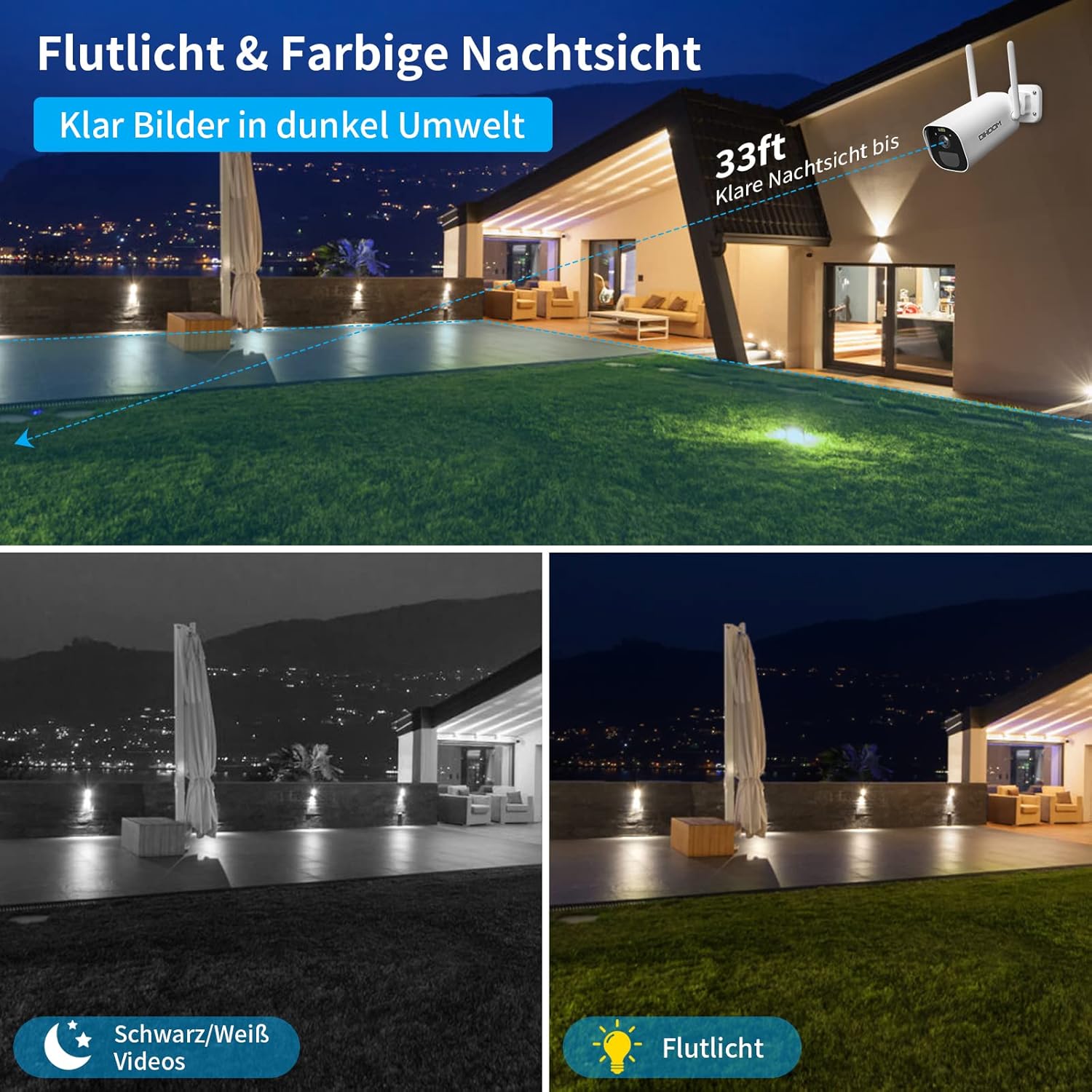
This image illustrates the camera's night vision capabilities, showing both standard black and white infrared mode and the enhanced full-color night vision activated by the integrated spotlight.
Kaméra nawiskeun dua mode visi wengi:
- Infrabeureum (IR) Night Vision: Provides clear black and white video footage in complete darkness, with a range of up to 25 meters.
- Full-Color Night Vision: When motion is detected, the integrated spotlights activate, providing full-color video even in low-light conditions. This mode can also act as a visual deterrent.
You can configure the night vision mode preferences within the Eseecloud app.
5.5 Rékam & Panyimpenan
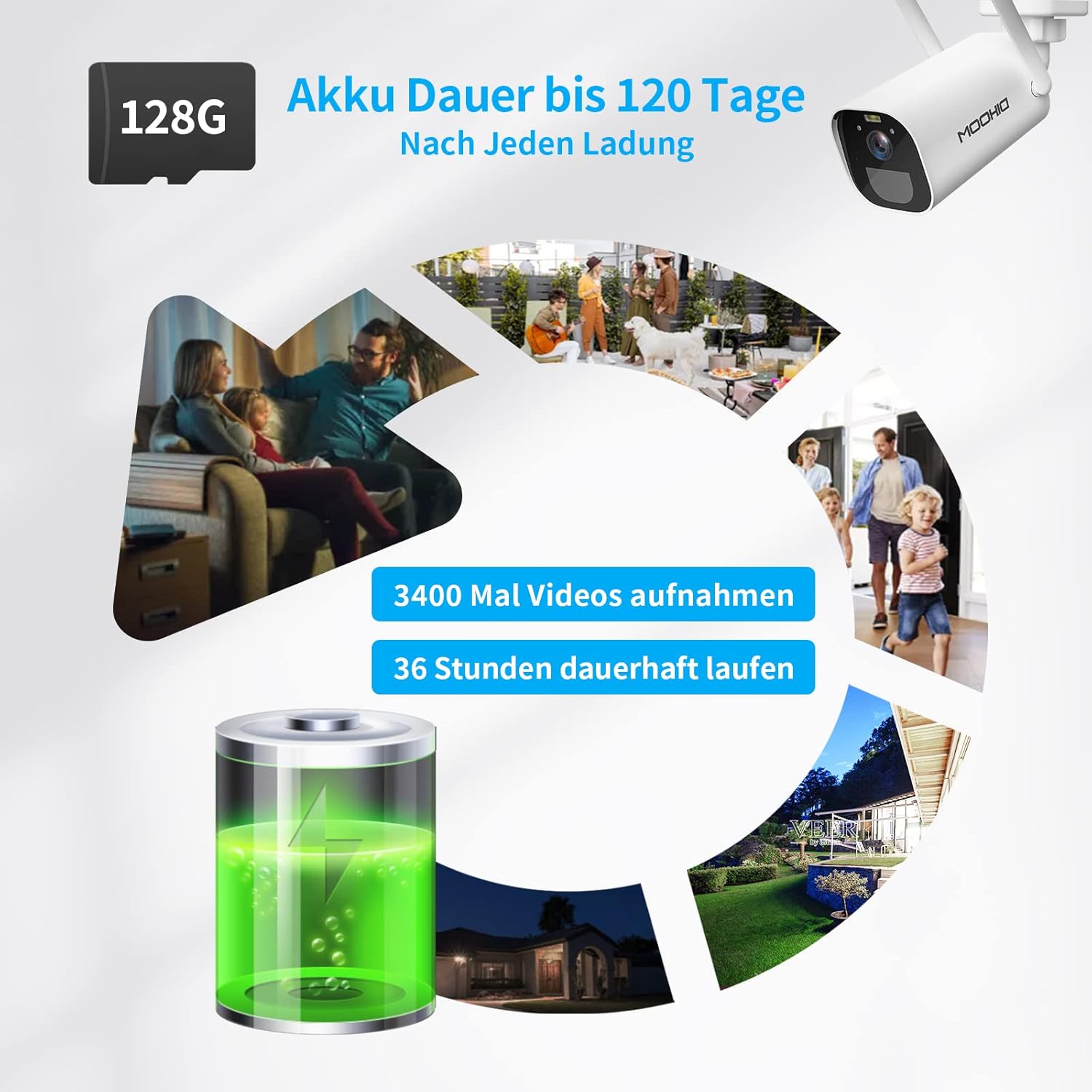
The camera is equipped with a 10400 mAh rechargeable battery, providing extended operation. It supports local storage via a Micro SD card up to 128GB for recording events.
The camera supports two storage options for recorded video clips:
- Kartu SD Mikro: Insert a Micro SD card (up to 128GB, not included) into the designated slot on the camera. The camera will automatically record motion-triggered events to the card.
- Panyimpenan awan: The camera supports AWS Cloud storage services. Refer to the Eseecloud app for subscription details and activation.
Recorded videos can be reviewed and downloaded directly from the Eseecloud app.
5.6 Manajemén batré
The DIHOOM BC13 camera is powered by a 10400 mAh rechargeable lithium-ion battery. A full charge can provide up to 120 days of standby time or approximately 3400 motion-triggered recordings. For continuous operation, especially in areas with frequent activity, consider connecting a compatible solar panel (sold separately). Note that solar panel efficiency may be reduced in winter conditions.
To charge the camera, connect the provided USB Type-C cable to the camera's charging port and a standard 5V/2A USB power adapter (not included).
6. Pangropéa
- beberesih: Gently wipe the camera lens and body with a soft, dry cloth to remove dust and dirt. Avoid using harsh chemicals or abrasive materials.
- Perawatan batré: For optimal battery life, avoid fully discharging the battery frequently. Charge the camera regularly, especially if it's not connected to a solar panel.
- Pembaruan firmware: Periodically check the Eseecloud app for available firmware updates to ensure your camera has the latest features and security enhancements.
7. Cara ngungkulan
- Kaméra teu nyambung ka Wi-Fi:
- Pastikeun jaringan Wi-Fi anjeun 2.4GHz. Kaméra henteu ngadukung Wi-Fi 5GHz.
- Pastikeun kecap akses Wi-Fi leres.
- Place the camera closer to your Wi-Fi router during initial setup.
- Reset the camera using the reset button and try pairing again.
- Alarm palsu anu sering:
- Adjust the motion detection sensitivity in the Eseecloud app.
- Ensure AI human/face detection is enabled to filter out non-human movements.
- Avoid pointing the camera at areas with constant movement (e.g., busy roads, swaying trees).
- Kualitas visi wengi anu goréng:
- Pastikeun lensa kaméra beresih jeung bebas tina halangan.
- Check if the IR LEDs or spotlights are blocked.
- Verify that the night vision mode is set correctly in the app.
- Batré teu ngecas:
- Ensure the USB Type-C cable is securely connected to both the camera and the power adapter.
- Try a different USB power adapter (5V/2A recommended).
- Pariksa lamun port ngecas beresih jeung bébas tina lebu.
- Henteu aya audio atanapi kualitas audio anu goréng:
- Ensure the microphone and speaker are not blocked.
- Check the audio settings in the Eseecloud app.
- Verify your smartphone's volume is turned up.
8. Spésifikasi
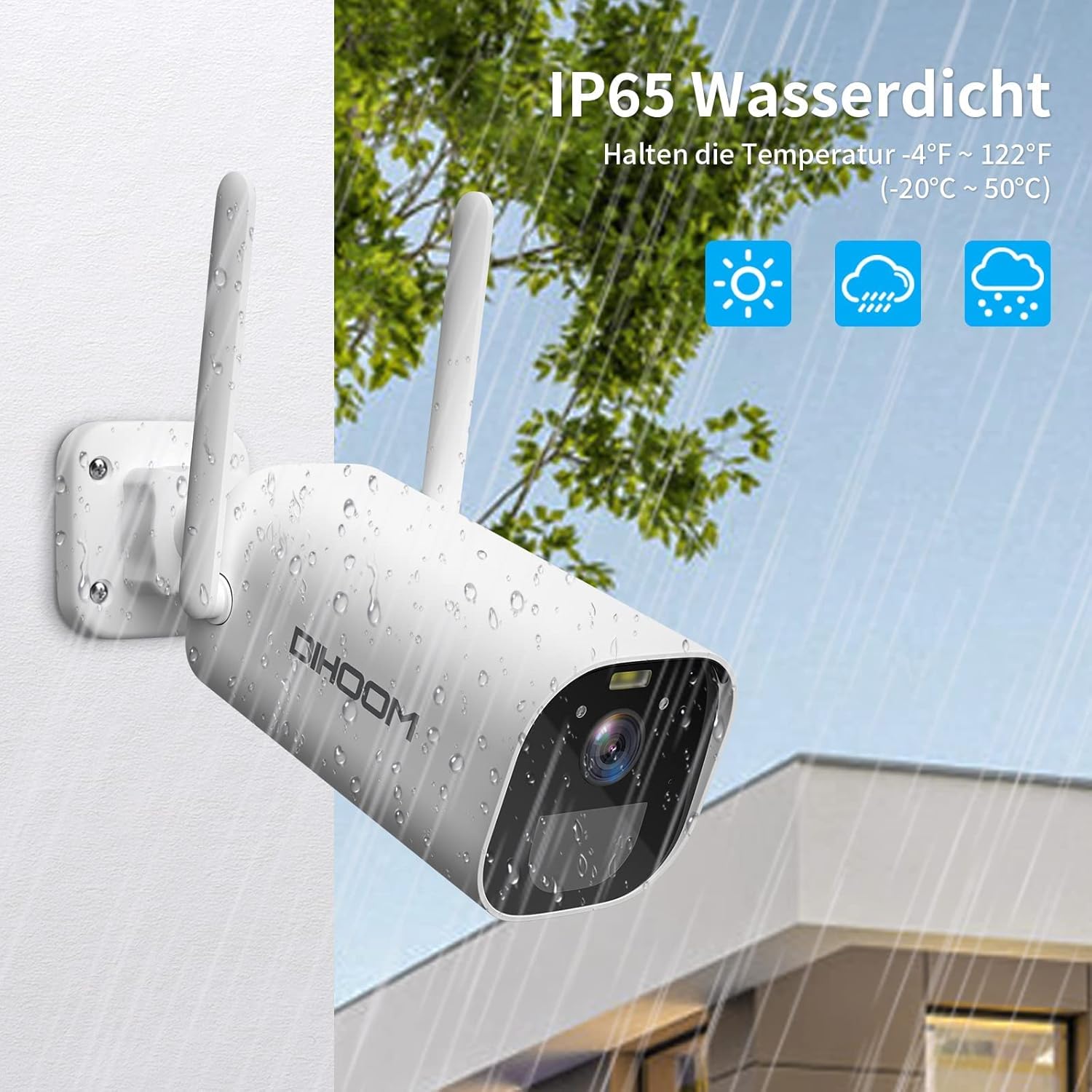
The camera boasts an IP65 weather-resistant rating, ensuring reliable operation in various outdoor conditions, including rain and extreme temperatures ranging from -10°C to 50°C.
| Fitur | Spésifikasi |
|---|---|
| Nomer modél | BC13 |
| Resolusi Video | 3 MP (2304 x 1296) |
| Laju pigura | 1080P/30FPS, 1296P/25fps |
| Viewdina Angle | 120 darajat |
| Konéktipitas Wireless | Wi-Fi (2.4GHz wungkul) |
| anteneu | Dual 5dBi |
| Visi Peuting | Infrared (B&W) & Full-Color (with spotlight) |
| Deteksi gerak | PIR, AI Human/Face Detection |
| Audio | Audio Dua Arah (Mic & Speaker Terpasang) |
| Pilihan Panyimpenan | Micro SD Card (up to 128GB), AWS Cloud Storage |
| Kapasitas batré | 10400 mAh Litium-ion |
| Input kakuatan | USB Tipe-C (disarankeun 5V/2A) |
| Résistansi Cuaca | IP65 |
| Suhu Operasi | -10°C nepi ka 50°C (14°F nepi ka 122°F) |
| Bahan | Plastik ABS |
| Ukuran (L x W x H) | 19 x 7 x 7 cm |
| Beurat | 820 gram |
9. Garansi jeung Rojongan
9.1 Émbaran jaminan
Your DIHOOM BC13 camera comes with a limited warranty. Please refer to the included warranty card in your package for specific terms, conditions, and duration of the warranty coverage.
9.2 Rojongan Téknis
For technical assistance, troubleshooting, or any questions regarding your DIHOOM BC13 camera, please refer to the support section within the Eseecloud app. You may also find contact information for customer support on the warranty card or the official DIHOOM websitus.