
1. Bubuka
Thank you for choosing the DEKCO 2K Solar Security Camera. This wireless outdoor camera provides comprehensive surveillance with its 2K resolution, 360° pan and tilt capabilities, and solar-powered design. Equipped with advanced features like motion detection, two-way audio, and enhanced night vision, it offers reliable home security. This manual provides detailed instructions for installation, operation, and maintenance to ensure optimal performance of your device.
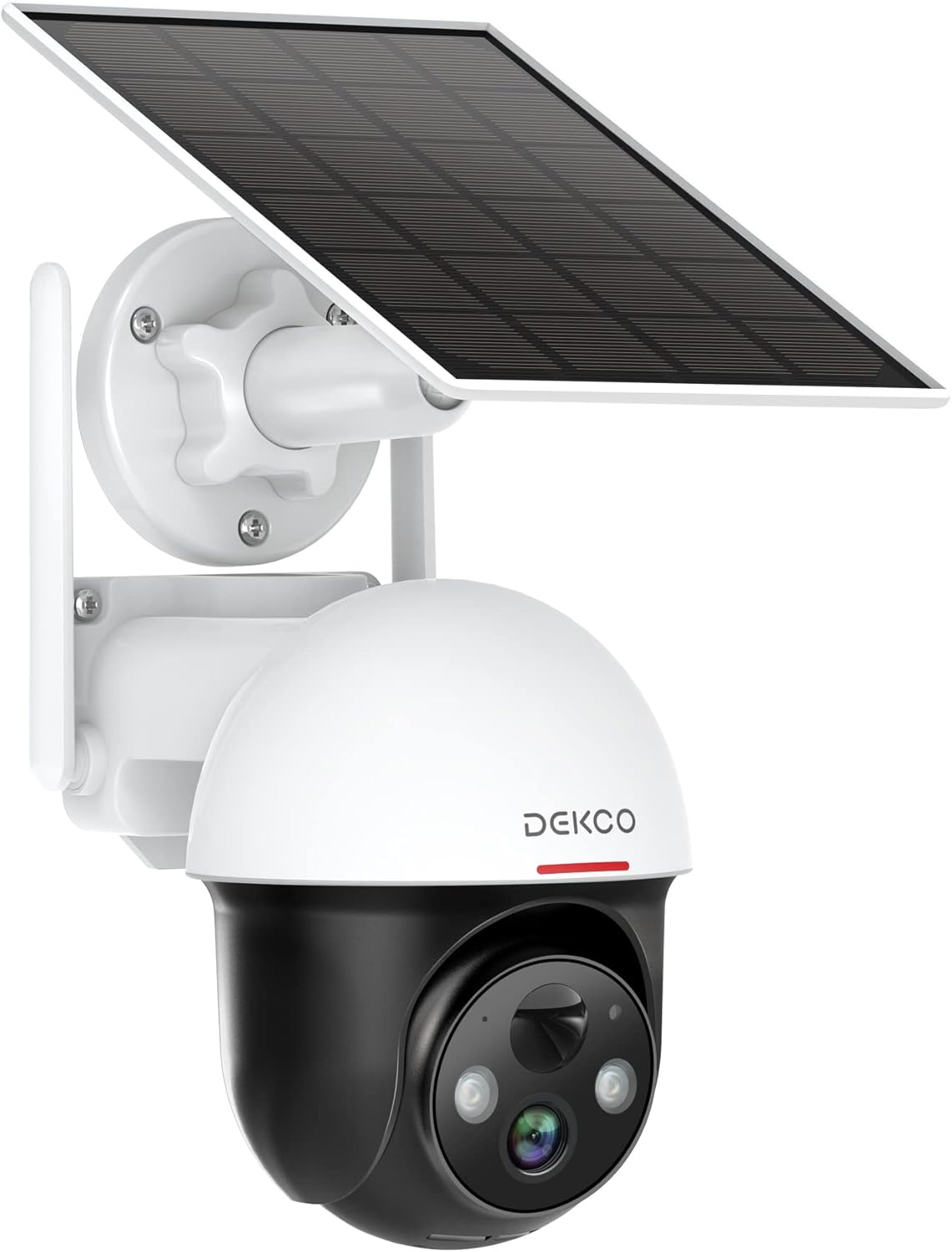
Figure 1.1: DEKCO 2K Solar Security Camera with integrated solar panel.
2. Eusi Paket
Please check the package contents upon opening to ensure all components are present and undamaged. If any items are missing or damaged, please contact DEKCO customer support.

angka 2.1: Item kaasup dina pakét produk.
- DEKCO 2K Solar Security Camera
- Solar Panel (pre-attached or separate, depending on model variant)
- Ningkatna Kurung
- Kabel Ngecas USB
- Pemasangan Screws sareng Jangkar Tembok
- Manual pamaké
- Gancang Mimitian Guide
3. Produk Langkungview
Familiarize yourself with the main components of your DEKCO solar security camera.

Figure 3.1: Key features of the DEKCO Solar Security Camera.
Komponén kaméra:
- Lensa kaméra: Nangkep video footage.
- LEDs Infrabeureum: Nyadiakeun visi wengi ditingkatkeun.
- Sorotan: Illuminates the area for color night vision and acts as a deterrent.
- Mikropon: Ngarekam audio pikeun komunikasi dua arah.
- Speaker: Outputs audio for two-way communication and siren.
- Sensor Gerak Pir: Detects heat signatures for accurate motion detection.
- Anteneu: For stable 2.4GHz Wi-Fi connectivity.
- Panel surya: Ngecas batré internal nganggo sinar panonpoé.
- Tombol Reset: Dipaké pikeun ngareset kaméra ka setélan pabrik.
- Slot Kartu SD Mikro: For local video storage (supports 8-128GB, not included).
4. Setélan
4.1 Ngecas Awal
Before first use, fully charge the camera's internal battery using the provided USB cable and a 5V/2A power adapter (not included). The charging indicator light will turn solid blue when fully charged.
4.2 App Download and Registration
- Scan the QR code below or search for "CloudEdge" in your mobile app store (App Store for iOS, Google Play for Android).
- Download and install the CloudEdge app.
- Open the app and register for a new account using your email address. Follow the on-screen instructions to complete registration.

Figure 4.1: The CloudEdge app is compatible with both Android and iOS devices.
4.3 Sambungan Wi-Fi
Ensure your Wi-Fi network is 2.4GHz. This camera does not support 5GHz Wi-Fi.
- Power on the camera. The indicator light will flash red, indicating it's ready for pairing.
- In the CloudEdge app, tap the "+" icon to add a new device.
- Select "Battery Camera" and follow the prompts.
- Enter your 2.4GHz Wi-Fi network name (SSID) and password.
- Place the QR code generated by the app in front of the camera lens (approx. 15-20 cm / 6-8 inches away) until you hear a prompt sound from the camera.
- Sakali disambungkeun, lampu indikator bakal ngahurungkeun biru padet.
4.4 Masang kaméra
Choose a location with strong 2.4GHz Wi-Fi signal and direct sunlight exposure for the solar panel.
- Mark the drilling positions using the mounting bracket as a template.
- Drill holes and insert wall anchors if mounting on masonry or concrete.
- Pasangkeun braket pemasangan kana témbok nganggo sekrup.
- Gantelkeun kaméra kana bracket pamasangan.
- Adjust the camera angle and solar panel orientation to maximize sunlight exposure.

Figure 4.2: The camera is designed for wire-free installation, powered by its solar panel.
5. Parentah Operasi
5.1 Hirup View
Buka aplikasi CloudEdge teras pilih kaméra anjeun pikeun view the live feed. You can pinch to zoom in on the live view.
5.2 Pan & Dengdekkeun Control
Ti live view screen, use the directional controls to remotely pan (horizontal rotation up to 360°) and tilt (vertical rotation up to 90°) the camera lens to monitor different areas.

Figure 5.1: The camera offers a 360° all-around field of view with pan and tilt functions.
5.3 Audio Dua Arah
Tap the microphone icon in the app to speak through the camera's speaker. Tap again to end. This allows for real-time communication with visitors or to deter intruders.

Figure 5.2: Premium 2-Way Audio allows clear communication.
5.4 Deteksi & Peringatan Gerakan
The camera uses advanced PIR motion detection to identify human shapes, reducing false alarms. When motion is detected, you will receive instant notifications on your phone.
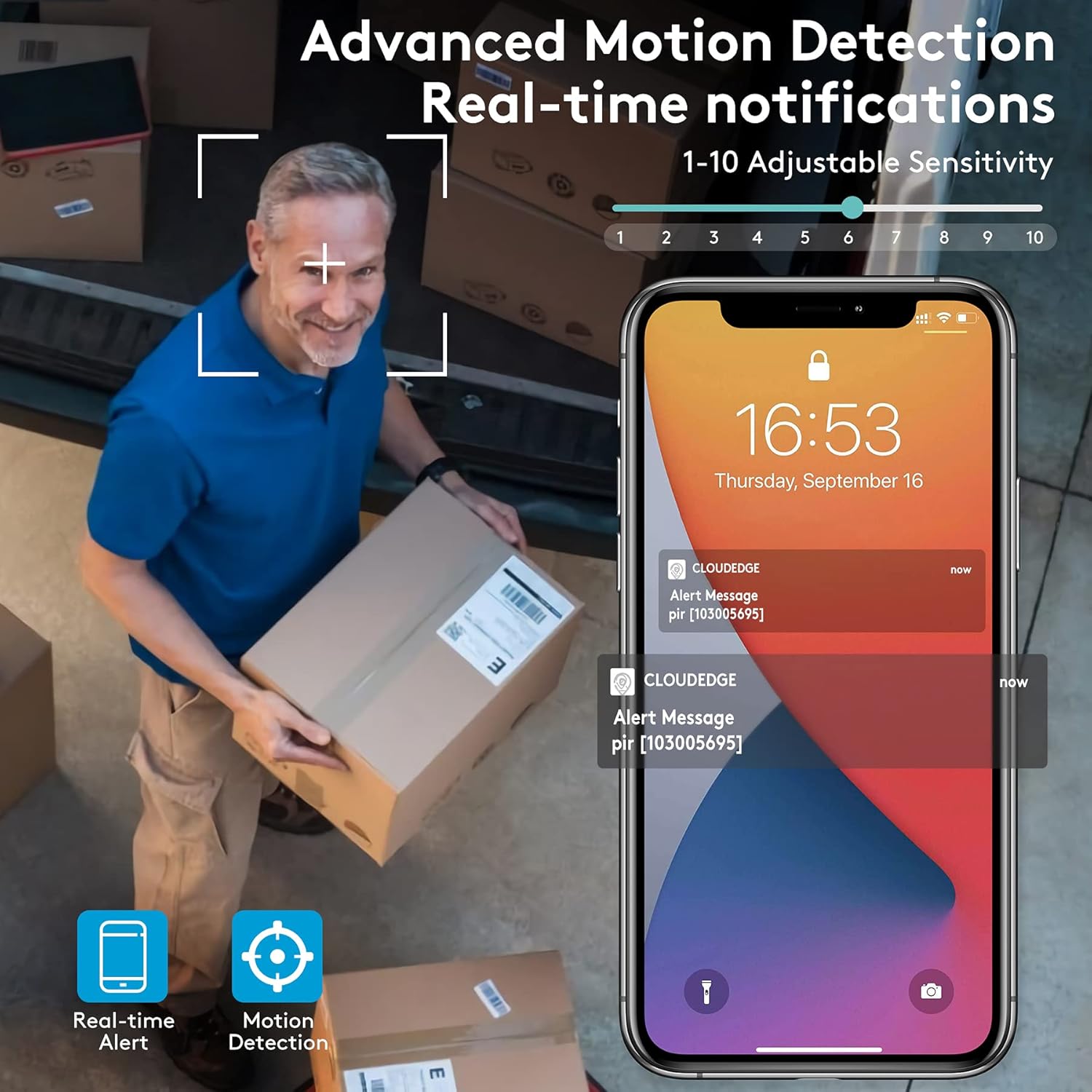
Figure 5.3: Advanced Motion Detection provides real-time notifications with adjustable sensitivity.
- Sensitipitas: Adjust motion detection sensitivity (1-10) in the app settings.
- Zona Kagiatan: Define specific areas for motion detection to focus on.
- Siren/Spotlight: Configure the camera to activate its siren and/or spotlight upon motion detection for deterrence.

Figure 5.4: The camera can ward off intruders with a motion-activated alarm, including a flashing light and siren.
5.5 Ngarekam jeung Playback
The camera records events triggered by motion detection. You can access these recordings via the CloudEdge app.
- Panyimpenan awan: Enjoy a free 7-day trial for cloud storage. Subscription plans are available for extended storage.
- Kartu SD Mikro: Insert a Micro SD card (up to 128GB, not included) for local storage. Recordings will loop once the card is full.

Figure 5.5: The camera supports both cloud and local Micro SD card storage.
5.6 Visi Peuting
The camera features upgraded infrared LEDs for clear night vision up to 66ft. When sufficient ambient light is present, it can provide full-color night vision.

Figure 5.6: 2K HD quality with enhanced night vision capabilities.
6. Pangropéa
6.1 beberesih
- Usap lénsa kaméra sareng panel surya sacara rutin nganggo kaén anu lemesamp lawon pikeun ngaleungitkeun lebu sareng lebu. Ngahindarkeun cleaners abrasive.
- Ensure the solar panel is clean for optimal charging efficiency.
6.2 Perawatan Batré
- The camera is designed for continuous power via solar charging. In areas with limited sunlight, occasional manual charging via USB may be required.
- Avoid exposing the camera to extreme temperatures outside its operating range to preserve battery life.
6.3 Apdet firmware
Periodically check the CloudEdge app for available firmware updates. Keeping your camera's firmware updated ensures optimal performance, new features, and security enhancements.
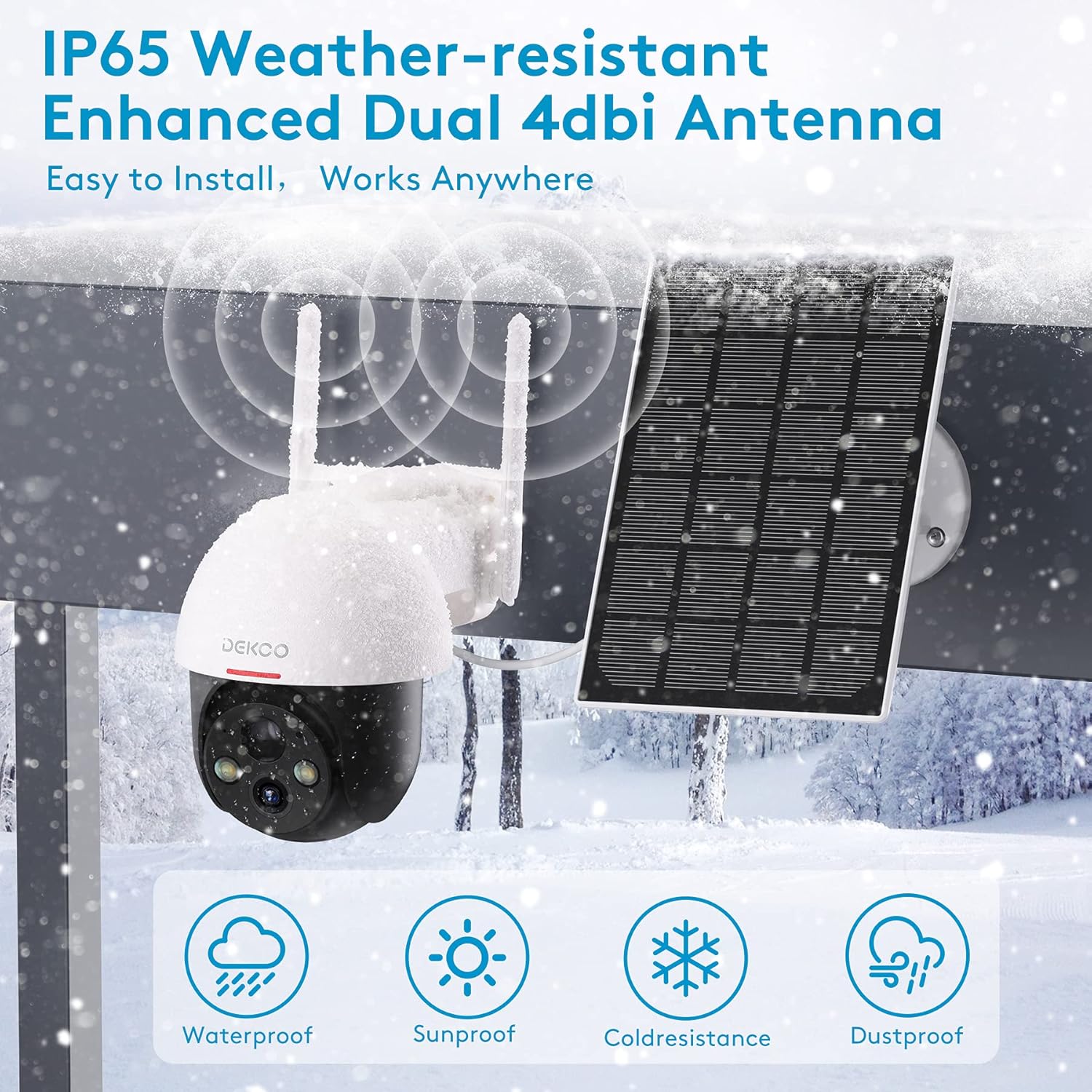
Figure 6.1: The camera is IP65 weather-resistant, designed to withstand various outdoor conditions.
7. Cara ngungkulan
| Masalah | Mungkin Cukang lantaranana | Solusi |
|---|---|---|
| Kaméra teu hurung | Low battery; Power button off | Charge the camera fully; Ensure power button is in ON position. |
| Teu bisa nyambung ka Wi-Fi | Incorrect Wi-Fi password; 5GHz Wi-Fi network; Weak signal | Verify password; Ensure 2.4GHz network; Move camera closer to router or use a Wi-Fi extender. |
| Deteksi gerak teu jalan | PIR sensitivity too low; Incorrect activity zone settings; Obstructions | Increase PIR sensitivity in app; Adjust activity zones; Clear any obstructions in the camera's view. |
| Kualitas gambar henteu saé | Dirty lens; Poor lighting; Network bandwidth issues | Bersihkeun lénsa; Pastikeun cahayana cekap; Pariksa kecepatan jaringan. |
| Masalah audio dua arah | Microphone/speaker blocked; App permissions | Ensure microphone/speaker are clear; Grant microphone permissions to the app. |
| Kaméra sering offline | Weak Wi-Fi signal; Router issues | Relocate camera or router; Restart router. |
8. Spésifikasi
| Fitur | Rincian |
|---|---|
| Modél | 5059648201190 |
| Resolusi Capture Video | 3 MP (2K QHD) |
| Téhnologi konektipitas | Nirkabel (Wi-Fi) |
| Komunikasi Nirkabel | Wi-Fi 2.4GHz |
| Sumber Daya | Solar Powered, Batré Powered |
| Jenis Batré | Litium Ion (kaasup) |
| Batré Rata Kahirupan | Approx. 5 months (without solar charging) |
| Wengi Sawangan Sawangan | Nepi ka 66 Feet |
| Fitur husus | Battery Powered, Motion Sensor, Night Vision, Solar Powered, Spotlights, Two-Way Audio |
| Pamakéan jero rohangan / outdoor | Outdoor (IP65 Weather-resistant) |
| Alat nu cocog | Smartphone, Tablet (Android, iOS) |
| Pilihan Panyimpenan | Micro SD Card (8-128GB, not included), Cloud Storage |
| Pan / Dengdekkeun Range | 360 ° Pan, 90 ° Dengdekkeun |
| Bahan | logam |
9. Garansi jeung Rojongan
DEKCO products are designed for reliability and performance. This product comes with a standard manufacturer's warranty. For specific warranty terms and conditions, please refer to the warranty card included in your package or visit the official DEKCO websitus.
If you encounter any issues or have questions regarding your DEKCO 2K Solar Security Camera, please contact our customer support team:
- Surélék: Refer to your product packaging or the CloudEdge app for support contact information.
- Dukungan Online: Visit the DEKCO official websitus pikeun FAQs, pituduh ngungkulan, jeung formulir kontak.
Mangga siapkeun nomer modél anjeun (5059648201190) sareng inpormasi pameseran nalika ngahubungi dukungan.