1. Bubuka
Welcome to your new Smart Tech 40FN10T2 Full HD LED TV. This manual provides essential information for the safe and efficient setup, operation, and maintenance of your television. Please read this manual thoroughly before using your TV and retain it for future reference.
2. Parentah Kasalametan penting
Pikeun mastikeun operasi anu aman sareng nyegah karusakan, perhatoskeun tindakan pencegahan kaamanan ieu:
- Sumber Daya: Sambungkeun TV ngan ka stop kontak AC tina vol nu ditangtukeuntage.
- Ventilasi: Pastikeun ventilasi nyukupan sabudeureun TV. Ulah meungpeuk bukaan ventilasi.
- Cai sareng Uap: Ulah ngalaan TV ka hujan, beueus, atawa nempatkeun objék ngeusi cairan dina atawa deukeut TV.
- beberesih: Cabut TV sateuacan beberesih. Paké lawon lemes, garing. Ulah make cleaners cair atawa cleaners aerosol.
- Palayanan: Ulah nyobian ngalayanan TV sorangan. Rujuk sadayana jasa ka tanaga jasa anu mumpuni.
- panempatan: Tempatkeun TV dina permukaan anu rata sareng stabil atanapi pasangkeun kana témbok kalayan pageuh.
3. Eusi Paket
Pastikeun yén sadaya item aya dina bungkusan:
- Smart Tech 40FN10T2 Full HD LED TV
- Kadali jauh
- Batré AAA (2x)
- Stand TV (2 buah)
- Screws pikeun TV Stand
- Manual pamaké
4. Produk Langkungview
4.1 Hareup View
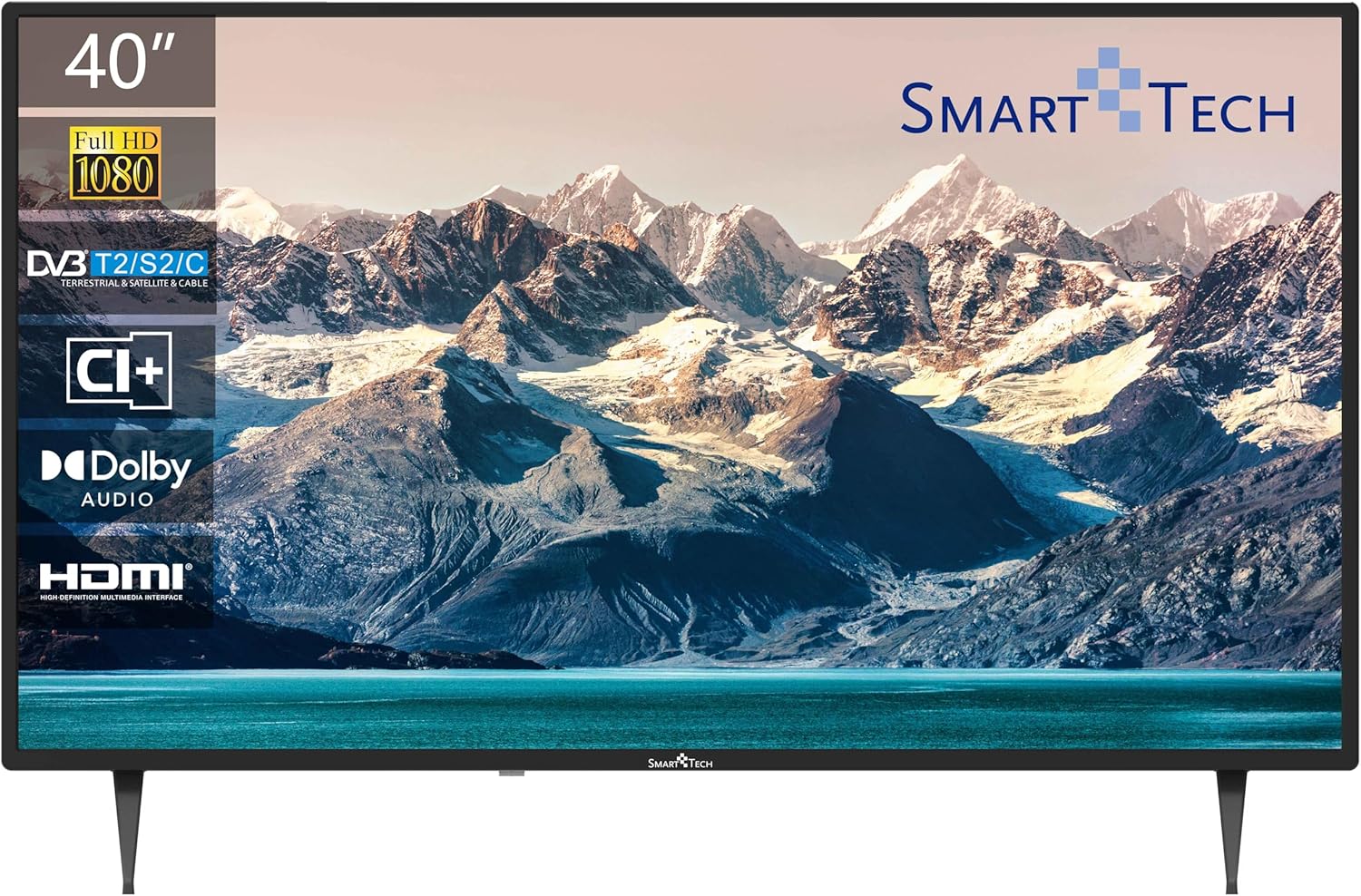
The front of the television features the 40-inch Full HD LED display with a frameless design, providing an immersive viewing experience. The Smart Tech logo is located at the bottom center.
4.2 Sambungan Panel Balik

The back panel provides various input and output ports for connecting external devices:
- USB 1 & USB 2: Pikeun nyambungkeun alat panyimpenan USB pikeun muterkeun média.
- DVB-T/T2: Antenna input for terrestrial digital television.
- DVB-S/S2: Satellite input for satellite digital television.
- HDMI 1, HDMI 2, HDMI 3: Input Antarmuka Multimedia Definisi Tinggi pikeun nyambungkeun alat sapertos pamuter Blu-ray, konsol game, atanapi set-top box.
- AV IN: Analog video and audio input for older devices.
- COAXIAL: kaluaran audio digital.
- CI +: Common Interface Plus slot for conditional access modules.
4.3 Ukuran

The television measures approximately 905mm (width) x 515mm (height without stand) x 275mm (depth with stand). The VESA mounting pattern is 200mm x 200mm.
4.4 Jauh Jauh
The remote control allows you to access all TV functions. Key buttons include Power, Channel Up/Down, Volume Up/Down, Input Source, Menu, Navigation, and Number buttons.
5. Setélan
5.1 Ngagantelkeun Stand
- Teundeun TV sacara saksama dina permukaan anu lemes sareng bersih pikeun nyegah karusakan layar.
- Sejajarkeun potongan nangtung sareng slot anu cocog dina handapeun TV.
- Ngamankeun potongan nangtung ngagunakeun screws disadiakeun. Pastikeun aranjeunna tightened pageuh.
5.2 Pamasangan Tembok (Pilihan)
This TV supports VESA standard wall mounts with a 200mm x 200mm pattern. Wall mount brackets are sold separately. Follow the instructions provided with your wall mount for proper installation.
5.3 Nyambungkeun TV Anjeun
- Antena/Kabel: Connect an antenna or cable TV signal to the DVB-T/T2 input.
- Satelit: Connect a satellite dish cable to the DVB-S/S2 input.
- Alat HDMI: Connect devices like a Blu-ray player, game console, or set-top box to any of the HDMI ports.
- Alat USB: Insert a USB flash drive or external hard drive into a USB port for media playback.
- kakuatan: Colokkeun kabel listrik kana TV teras kana stop kontak témbok.
5.4 First-Time Power On
- Pencét tombol Daya dina remot kontrol atanapi TV.
- Follow the on-screen prompts to select your preferred language and country.
- Initiate the automatic channel scan to find available terrestrial, cable, or satellite channels.
6. Ngoperasikeun TV Anjeun
6.1 Daya Hurung/Pareuman
Pencét éta POWER tombol dina kadali jauh pikeun ngahurungkeun TV atawa mareuman.
6.2 Pamilihan Saluran
Ngagunakeun éta CH + / CH- buttons to change channels sequentially, or enter the channel number directly using the number buttons.
6.3 Volume Control
Saluyukeun polumeu nganggo VOL + / VOL- kancing. Pencét éta BISA tombol pikeun ngajempékeun samentara audio.
6.4 Pilihan Sumber Input
Pencét éta SUMBER button on the remote to cycle through available input sources (HDMI 1, HDMI 2, HDMI 3, AV, DVB-T/T2, DVB-S/S2).
6.5 Navigasi Menu
Pencét éta MENU button to access the main menu. Use the arrow buttons to navigate and OK pikeun mastikeun pilihan. Pencét KALUAR ninggalkeun menu.
6.6 Fungsionalitas Triple Tuner
Your TV is equipped with a triple tuner supporting DVB-T/T2 (terrestrial), DVB-C (cable), and DVB-S/S2 (satellite) signals. You can select the desired tuner mode during the initial setup or via the TV's menu settings.
6.7 USB Media Playback
Insert a USB storage device into one of the USB ports. The TV will typically detect the device and prompt you to open the media browser. You can then navigate and play supported video, audio, or image files.
7. Pangropéa
7.1 Perawatan sareng Ngabersihan
- layar: Ngusap layar nganggo kaén anu lembut sareng teu aya serat. Pikeun tanda pengkuh, enteng dampen the cloth with water or a specialized screen cleaner (ensure it's TV-safe). Do not spray liquid directly onto the screen.
- Casing: Lap TV casing ku lawon anu lemes sareng garing. Ulah make cleaners abrasive atawa pangleyur.
- Lebu: Sacara rutin lebu bukaan ventilasi pikeun nyegah overheating.
8. Cara ngungkulan
Tingali tabel di handap pikeun masalah umum sareng solusina:
| Masalah | Solusi anu mungkin |
|---|---|
| Taya kakuatan | Pariksa naha kabel listrikna geus dipasang pageuh kana TV sareng stop kontak. Pastikeun stop kontakna aya dayana. |
| Henteu aya gambar, tapi aya sora | Pariksa heula sumber input anu leres. Pariksa sambungan kabel ka alat éksternal. |
| Henteu aya sora, tapi aya gambar | Pariksa tingkat polumeu sareng pastikeun TV teu dijempékeun. Pariksa sambungan kabel audio pikeun alat éksternal. |
| Kadali jauh teu jalan | Ganti batréna. Pastikeun teu aya halangan antara jauh sareng sénsor IR TV. |
| Kualitas gambar henteu saé | Check antenna or cable connections. Adjust picture settings in the TV menu. If using an external device, check its output resolution. |
9. Spésifikasi Téknis
Detailed specifications for the Smart Tech 40FN10T2 Full HD LED TV:
| Fitur | Spésifikasi |
|---|---|
| Nomer modél | 40FN10T2 |
| Ukuran layar | 40 Inci (101 cm) |
| Téknologi tampilan | LED |
| Resolusi | 1080p (HD lengkep, 1920 x 1080 piksel) |
| Refresh Laju | 120 hertz (60 Hz native) |
| Tipe Tuner | DVB-T/T2/C/S/S2 (Triple Tuner) |
| Téhnologi Audio | Dolby Audio |
| Konektipitas | 3x HDMI, 2x USB 2.0, CI+, AV In, Coaxial Out |
| Fitur husus | Desain Tanpa Bingkai |
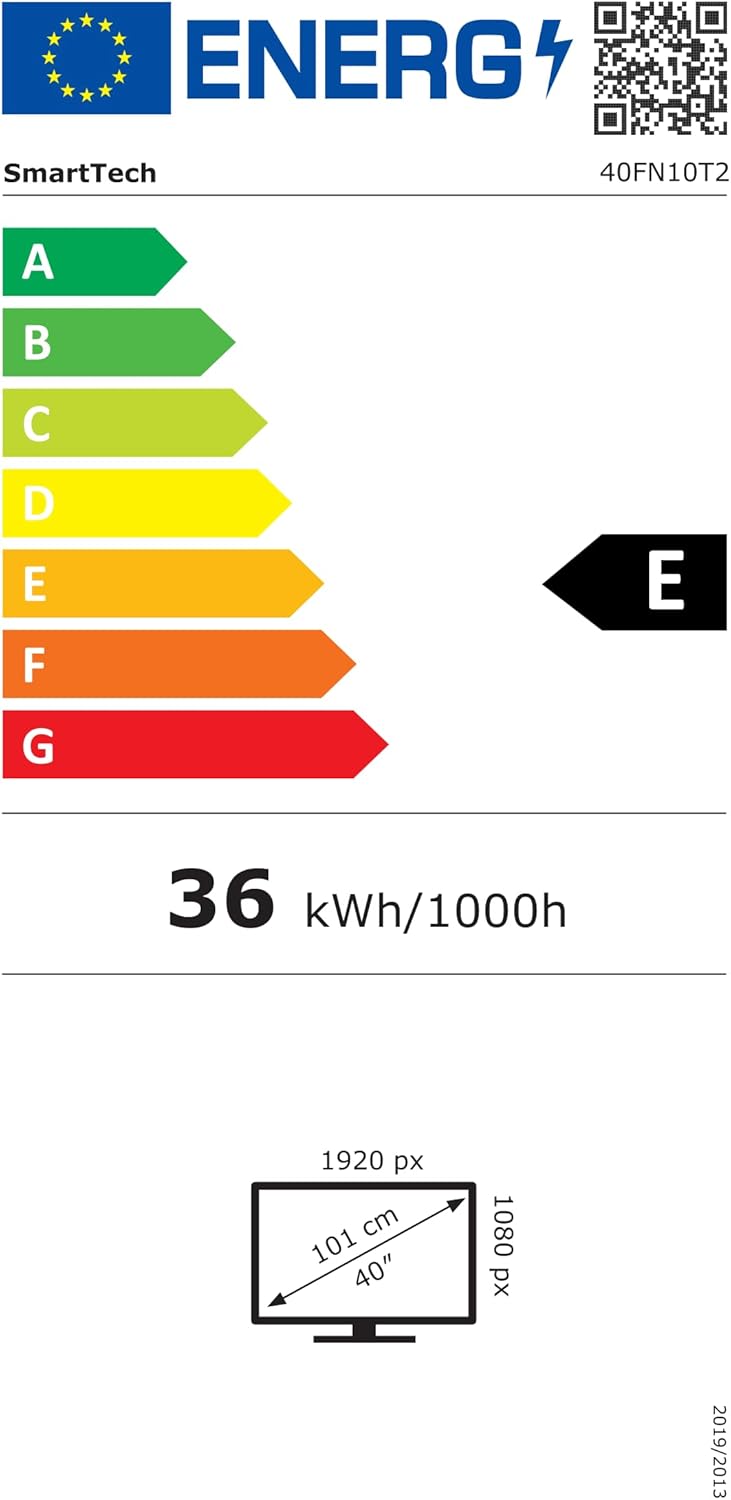
| Konsumsi Daya (SDR) | 36 kWh / 1000h |
| Kelas Éfisiensi Énergi (SDR) | E |
| Ukuran (PxLxT) | 90.5 x 51.5 x 27.5 cm (kalayan nangtung) |
| VESA Wall Mount | 200 x 200 mm |
| Komponén Kaasup | Remote Control, 2x AAA Batteries |
For detailed energy information, please refer to the official EPREL database: https://eprel.ec.europa.eu/qr/964704
10. Garansi jeung Rojongan
Your Smart Tech 40FN10T2 TV comes with a standard manufacturer's warranty. Please refer to the warranty card included in your package for specific terms and conditions. For technical support, service inquiries, or to obtain replacement parts, please contact your retailer or the Smart Tech customer service department.