
HTC TWS2
HTC True Wireless Earbuds 1 (Model TWS2) User Manual
Parentah komprehensif pikeun setelan, operasi, sarta perawatan.
1. Bubuka
Thank you for choosing the HTC True Wireless Earbuds 1. This manual provides essential information to help you set up, operate, and maintain your earbuds for optimal performance.
Eusi pakét
Pastikeun sadaya item aya dina pakét anjeun:
- 1 Pair HTC True Wireless Earbuds
- 1 Kabel Ngecas USB-C
- 2 Pairs of Rubber Eartips (S/L)
- 1 Pituduh Gancang
- 1 Kartu Garansi
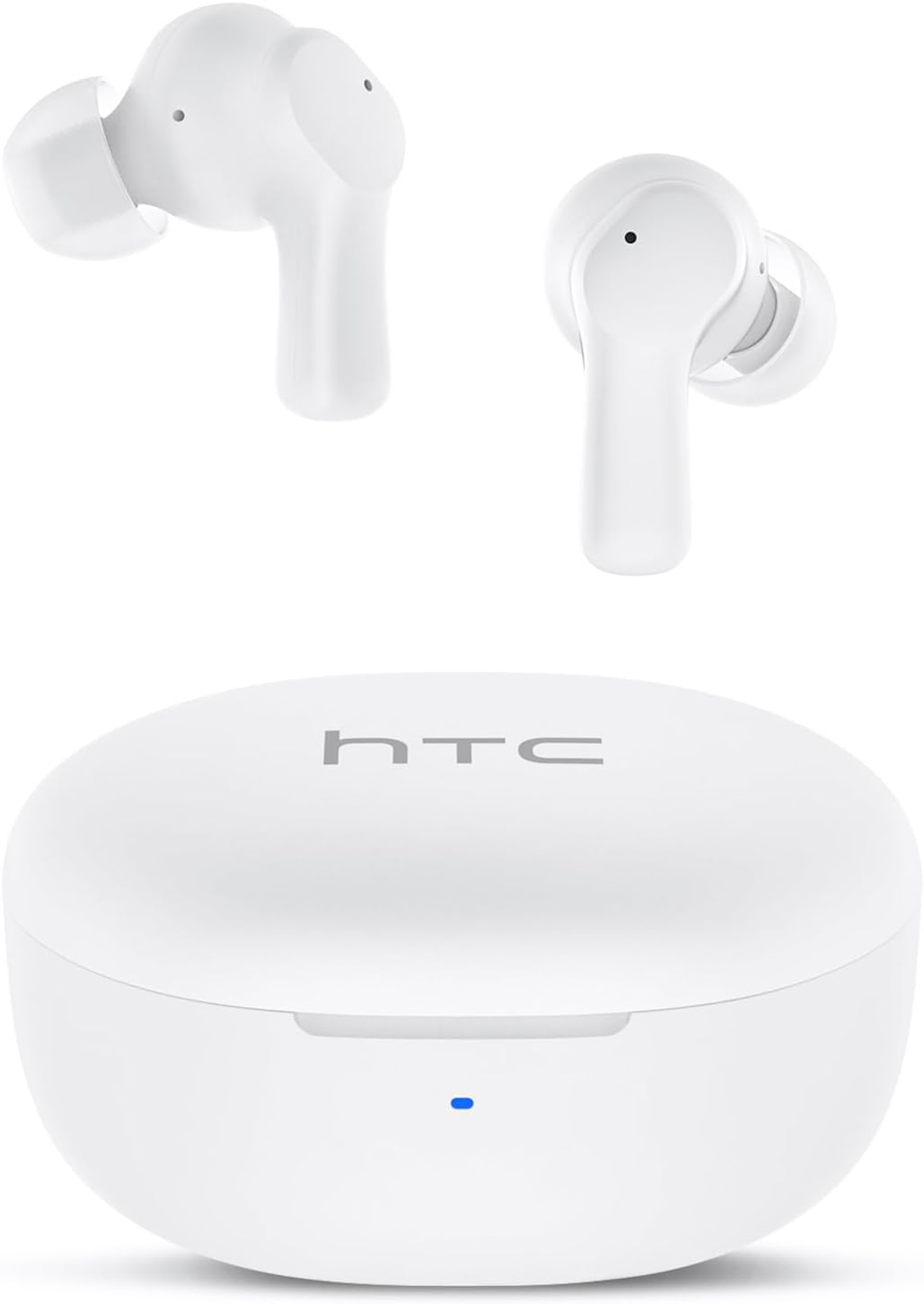
Gambar: HTC True Wireless Earbuds 1 sareng wadah ngecasna.

Image: The charging case opened, showing the two earbuds nestled inside.
2. Setup jeung papasangan
Setup Awal
- Cabut pilem pelindung: Before first use, remove the protective film from the charging contacts on both earbuds.
- Ngecas Earbud: Place the earbuds back into the charging case and close the lid. Connect the charging case to a USB power source using the provided USB-C cable. Ensure the earbuds and case are fully charged before initial use.
- Daya Hurung: Buka tutup wadah ngecas. Earbud bakal otomatis hurung teras lebet kana modeu pairing.
Papasangan Bluetooth
The HTC True Wireless Earbuds 1 feature one-step auto-pairing after the initial setup.
- Aktipkeun Bluetooth: Dina alat anjeun (smartphone, tablet, komputer), aktipkeun Bluetooth.
- Milarian pikeun Paranti: Dina setélan Bluetooth alat anjeun, milarian alat anu sayogi.
- Select 'HTC TWS2': From the list of found devices, select 'HTC TWS2' to connect.
- Konfirmasi: Sakali disambungkeun, anjeun bakal ngadéngé ajakan audio, sarta earbuds bakal siap dipaké.
After the first successful pairing, the earbuds will automatically connect to the last paired device when taken out of the charging case, provided Bluetooth is enabled on the device.

Image: Illustration of the one-step auto-pairing process, showing earbuds connecting to a smartphone.
3. Kumaha Ngagem
For optimal sound quality and comfort, it is important to wear the earbuds correctly.
- Pilih Eartips: Select the rubber eartips (S, M, L) that best fit your ear canal. A proper seal enhances bass response and noise isolation.
- Selapkeun Earbuds: Lebetkeun unggal earbud lalaunan kana ceulina anu saluyu (L pikeun kénca, R pikeun katuhu).
- Rotate to Lock: Rotate the earbud slightly forward or backward until it feels secure and comfortable in your ear canal.

Image: Diagram showing how to properly insert the earbuds and the available S/M/L silicone eartips.
4. Pitunjuk Operasi (Kontrol Toél)
The HTC True Wireless Earbuds 1 feature intuitive touch controls on each earbud. The following actions can be performed:
| Aksi | Kontrol | Fungsi |
|---|---|---|
| Puterkeun Musik | Single tap (either earbud) | Play / Reureuh |
| Puterkeun Musik | Ketok dua kali earbud kénca | Lagu saméméhna |
| Puterkeun Musik | Ketok dua kali earbud katuhu | Lagu salajengna |
| Telepon | Single tap (either earbud) | Jawaban / Telepon Akhir |
| Telepon | Long press (either earbud) | Nolak Telepon |
| Asisten sora | Triple tap (either earbud) | Aktipkeun Asisten Sora (Siri, Asisten Google, jsb.) |
| Volume Control | Pencét lila earbud kénca | Volume Turun |
| Volume Control | Pencét lila earbud katuhu | Volume Up |
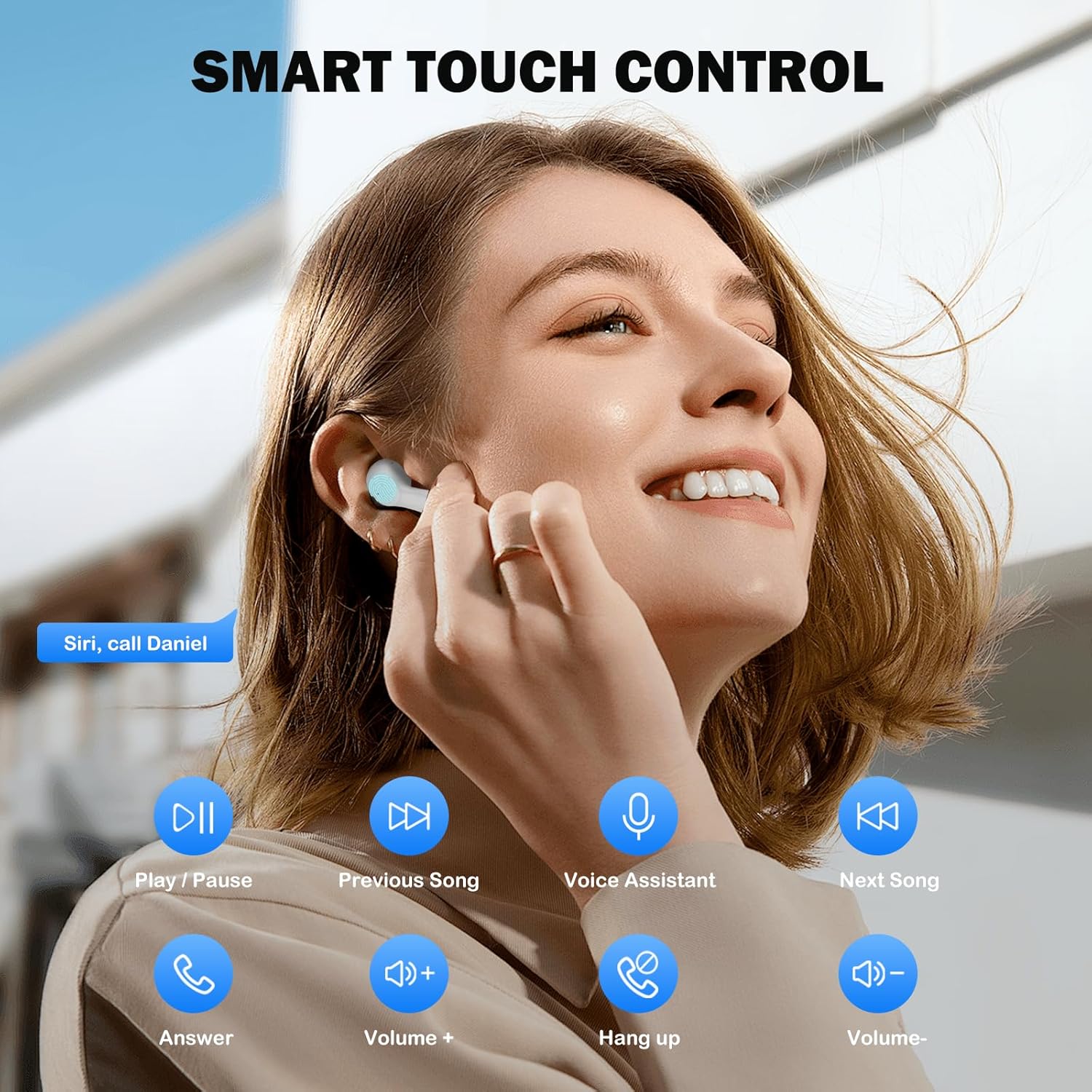
Image: Visual guide to the smart touch controls for music, calls, and voice assistant.
5. Ngecas
The earbuds and charging case are powered by internal rechargeable batteries.
Ngecas Earbuds
Place the earbuds into the charging case. They will automatically begin charging. The LED indicator on the case will show charging status.
Ngecas Kasus
Connect the provided USB-C cable to the charging port on the case and to a USB power adapter (not included). The LED indicator on the case will show charging progress. A full charge for the earbuds takes approximately 40 minutes.
Kahirupan batré
- Earbuds: Up to 8 hours of listening time on a single charge (at 50% volume).
- Kalayan Kasus Ngecas: Up to 40 hours of total playtime with multiple charges from the case.
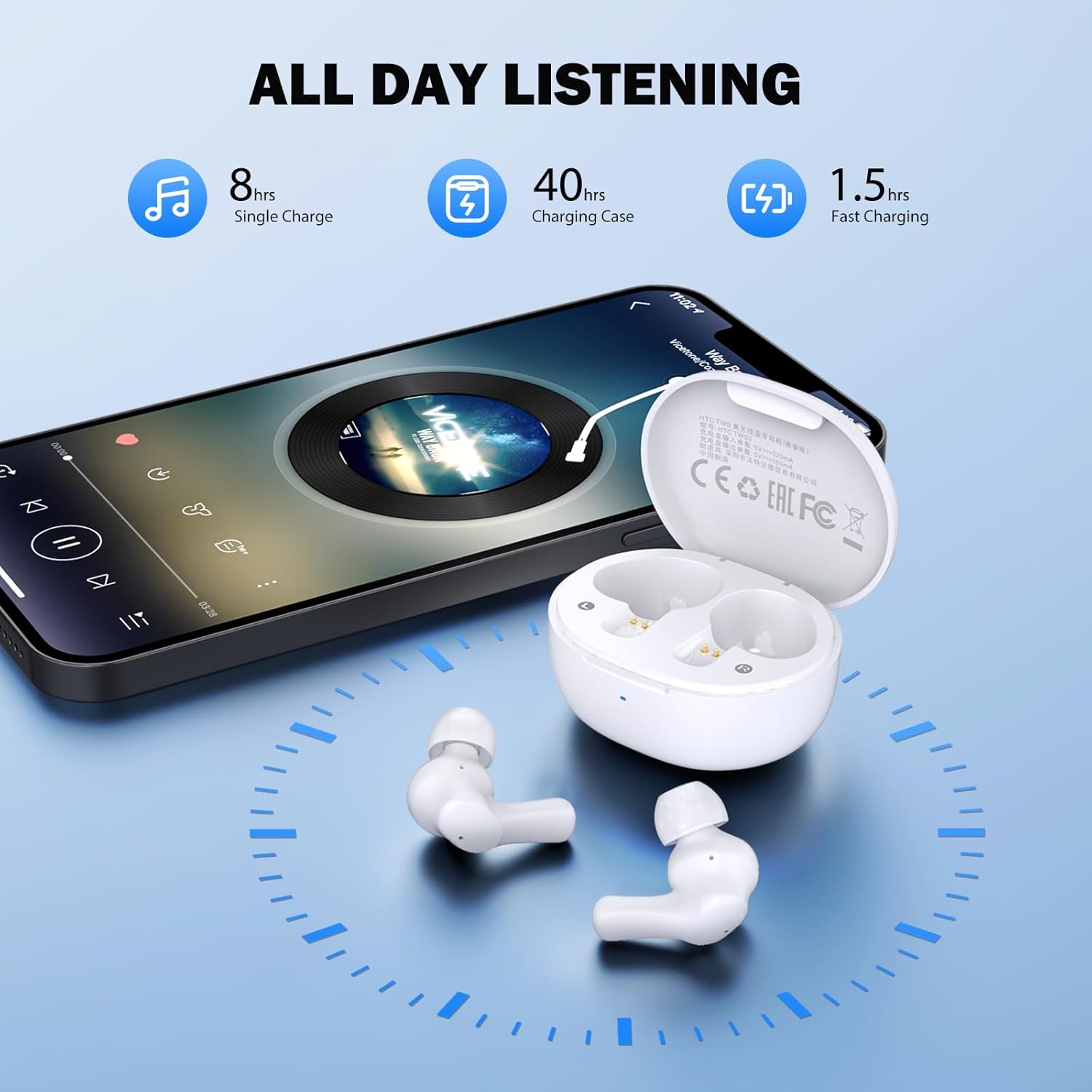
Image: Visual representation of 8 hours single charge, 40 hours with charging case, and 1.5 hours fast charging for the case.
6. Pangropéa sarta perawatan
Perawatan anu leres mastikeun umur panjang sareng kinerja earbud anjeun.
beberesih
- Rutin ngabersihkeun earbuds sareng wadah ngecas ku lawon anu lemes, garing, teu aya lint.
- Cabut eartips sareng bersihkeun ku sabun sareng cai anu hampang, teras garing sacara saksama sateuacan dipasang deui.
- Ensure charging contacts on both earbuds and inside the case are clean and free of debris.
Tahan cai
Headphone-headphone éta dipeunteun IPX4 tahan cai, meaning they are protected against splashing water from any direction. They are suitable for exercise and light rain, but should not be submerged in water or exposed to heavy downpours.
Panyimpenan
Nalika henteu dianggo, simpen earbuds dina wadah ngecasna pikeun ngajagi sareng tetep dicas.
7. Cara ngungkulan
Upami anjeun mendakan masalah, cobian solusi ieu:
- Henteu aya sora: Ensure earbuds are charged, connected to your device, and volume is up on both the earbuds and your device.
- Masalah pasangan: Make sure Bluetooth is enabled on your device and the earbuds are in pairing mode. Try turning Bluetooth off and on again on your device.
- Hiji Earbud Teu Gawé: Lebetkeun deui dua earbud kana wadah ngecas, tutup, antosan sababaraha detik, teras cabut deui. Ieu sering bakal nyingkronkeun deui.
- Sambungan Intermittent: Ensure there are no obstructions between the earbuds and your device. Keep your device within the 10-meter Bluetooth range.
Reset pabrik
If problems persist, a factory reset may resolve them:
- Tempatkeun duanana earbuds kana kotak ngeusian.
- With the earbuds in the case, quickly tap each earbud 5 times.
- The LED on the earbuds will flash red, then turn off, indicating a successful reset.
- Close the charging case lid, then open it again to re-initiate pairing.

Image: Visual instructions for initial setup, wearing the earbuds, and performing a factory reset.
8. Spésifikasi
| Fitur | Rincian |
|---|---|
| Ngaran modél | HTC TWS2 |
| Téhnologi konektipitas | Nirkabel (Bluetooth 5.3) |
| Rentang Bluetooth | Nepi ka 10 méter (33 suku) |
| Tipe Supir Audio | 10mm Supir Dinamis |
| Rentang Frékuénsi | 20 Hz - 20,000 Hz |
| Kahirupan Batré Earbud | Nepi ka 8 jam (sakali muatan) |
| Total Playtime (kalawan kasus) | Nepi ka 40 jam |
| Waktu Ngecas Earbud | Kurang leuwih 40 menit |
| Tingkat Résistansi Cai | IPX4 (Sweatproof, Splash Resistant) |
| Tipe Kontrol | Toél Control |
| Mikropon | Built-in with Call Noise Cancellation |
| Latency Lemah | 40ms (Modeu Kaulinan) |
| Beurat Earbud | Approximately 3.8g per earbud |
| Alat nu cocog | ios, Android, alat Windows |

Image: Diagram illustrating the 10mm diameter loud speaker for HiFi stereo sound.

Image: Visual representation of Bluetooth 5.3 technology benefits: low consumption, faster transmission, lower latency, and built-in microphone.
9. Garansi jeung Rojongan
Émbaran jaminan
Your HTC True Wireless Earbuds 1 come with a warranty. Please refer to the included Warranty Card for detailed terms and conditions, including coverage period and what is covered.
Rojongan Palanggan
For any questions, technical assistance, or warranty claims, please contact HTC customer support. Refer to the contact information provided in your Quick Guide or on the official HTC websitus.
Ask a question about this manual
Ask about setup, troubleshooting, compatibility, parts, safety, or missing instructions. Manuals+ will review the question and use this page’s manual context to help answer it.