
Dzees D3K
Dzees Solar Security Camera D3K User Manual
Modél: D3K
Brand: Dzees
Thank you for choosing the Dzees Solar Security Camera. This manual provides essential information for setting up, operating, and maintaining your device. Please read it thoroughly before use to ensure optimal performance and safety.
1. Bubuka
The Dzees D3K Solar Security Camera is an advanced wireless outdoor surveillance solution designed for comprehensive home security. It features 2K resolution for clear imaging, 360° pan and 90° tilt capabilities for wide coverage, and is powered by an efficient solar panel for continuous operation. Equipped with intelligent AI detection, color night vision, and an IP66 weather-resistant design, the D3K provides reliable monitoring in various environmental conditions.
Fitur konci:
- 2K PTZ Camera: Supports 355° horizontal and 90° vertical rotation with 4X digital zoom for comprehensive coverage.
- Solar-Powered: High-efficiency solar panel ensures continuous power supply, reducing the need for manual charging.
- Deteksi AI pinter: Accurately distinguishes between individuals, packages, vehicles, and animals, minimizing false alarms.
- Fungsi Alarm: Features a loud siren, spotlight, and sound alerts to deter intruders.
- Warna Night Vision: Provides clear, full-color video even in low-light conditions.
- IP66 Tahan Cuaca: Designed to withstand various weather conditions, ensuring year-round protection.
- Panyimpenan anu fleksibel: Supports up to 128GB memory card (not included) and offers 2 years of free 3-day loop cloud storage.
2. Eusi Paket
Punten parios eusi bungkusan nalika unboxing pikeun mastikeun yén sadaya komponén aya:
- Dzees Solar Security Camera
- Panel surya
- Ningkatna Kurung
- Pemasangan Screws sareng Jangkar
- Kabel Ngecas USB
- Manual pangguna (dokumén ieu)
3. Produk Langkungview
Familiarize yourself with the main components of your Dzees Solar Security Camera:

Figure 3.1: Dzees Solar Security Camera D3K and accompanying solar panel.
- Lensa kaméra: Ngarekam pidéo résolusi 2K.
- Sorotan: Nyayogikeun katerangan pikeun visi wengi warna sareng pencegahan.
- Sensor Pir: Ngadeteksi gerakan dumasar kana tanda panas infrabeureum.
- Mikropon: Ngarekam audio pikeun komunikasi dua arah.
- Speaker: Outputs audio for two-way communication and siren.
- Solar Panel Port: Connects the solar panel for continuous charging.
- Tombol Reset: Dipaké pikeun ngareset kaméra ka setélan pabrik.
- Slot Kartu SD Mikro: Pikeun panyimpenan vidéo lokal (ngarojong dugi ka 128GB, kartu henteu kalebet).
- Anteneu: For stable Wi-Fi connectivity.
4. Setup Guide
4.1 Ngecas Awal
Before initial use, fully charge the camera using the provided USB cable. Connect the USB cable to the camera's charging port and a standard 5V/2A USB power adapter (not included). A full charge typically takes several hours.
4.2 Pamasangan Aplikasi
Download and install the "Dzees Home" app on your smartphone or tablet. The app is available on both the Apple App Store and Google Play Store.

Figure 4.1: The Dzees Home app interface, displaying multiple camera feeds and control options.
- Milarian pikeun "Dzees Home" in your device's app store.
- Unduh sareng pasang aplikasina.
- Daftarkeun akun anyar atanapi lebet upami anjeun parantos gaduh.
4.3 Kaméra papasangan
Follow these steps to connect your camera to your Wi-Fi network and the Dzees Home app:
- Open the Dzees Home app and tap the "+" icon to add a new device.
- Pilih modél kaméra anjeun tina daptar.
- Power on the camera. The camera will emit a voice prompt indicating it's ready for pairing.
- Turutan parentah dina aplikasi pikeun nyambungkeun kaméra ka jaringan Wi-Fi 2.4GHz anjeun. Note: This camera only supports 2.4GHz Wi-Fi.
- Scan the QR code displayed on your phone screen with the camera lens.
- Sakali nyambung, kaméra bakal mastikeun pasangan anu suksés.

Figure 4.2: Illustration of the solar-powered, wire-free setup, emphasizing 2.4GHz WiFi connectivity and solar charging efficiency.
4.4 Masang kaméra
Choose a suitable location for mounting your camera, ensuring it has a clear view of the area you wish to monitor and that the solar panel receives adequate direct sunlight throughout the day.
- Mark the drilling spots using the mounting bracket as a template.
- Drill holes and insert wall anchors if mounting on masonry or drywall.
- Ngamankeun bracket ningkatna kana témbok ngagunakeun screws disadiakeun.
- Gantelkeun kaméra kana bracket pamasangan.
- Connect the solar panel cable to the camera's solar panel port. Position the solar panel to maximize sun exposure.
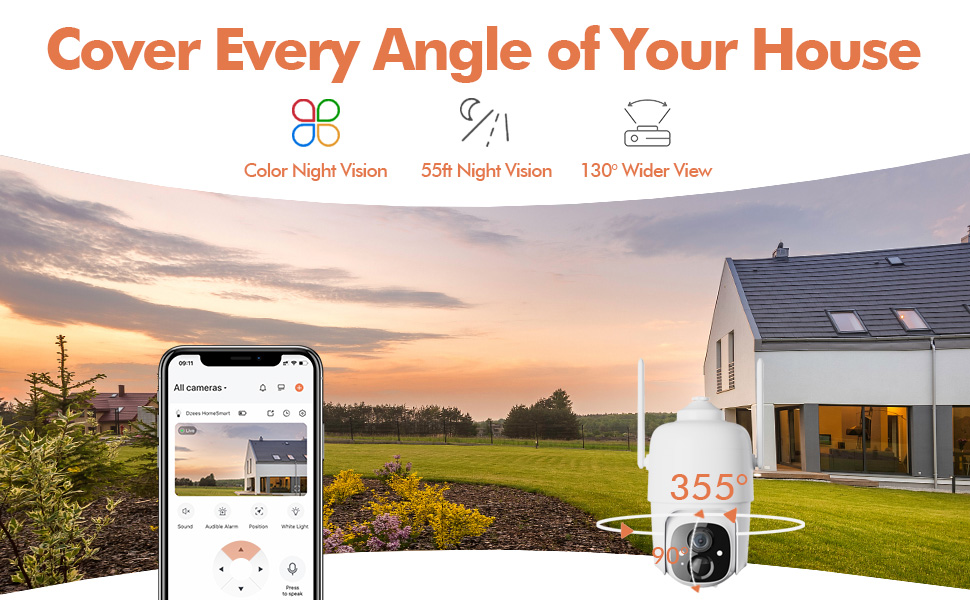
Figure 4.3: The Dzees camera mounted outdoors, showcasing its IP66 weather-resistant design, capable of operating in various weather conditions.

Figure 4.4: The camera's advanced PIR motion detection in action, highlighting its ability to detect movement within a specified zone.
5. Ngoperasikeun kaméra
5.1 Hirup View sareng Playback
Access the live video feed and review recorded events through the Dzees Home app.
- From the app's home screen, tap on the camera's thumbnail to enter the live view panganteur.
- Use the timeline or event list to navigate and play back recorded footage.

Figure 5.1: The Dzees Home app displaying live camera feed with controls for pan, tilt, digital zoom, and night vision settings.
5.2 Pan, Tilt, sareng Zoom (PTZ)
Ngontrol kaméra viewing angle directly from the app:
- Di hirup view, use the directional controls to pan (355° horizontal) and tilt (90° vertical) the camera.
- Pinch to zoom in or out for 4X digital zoom. Note: This is digital zoom, not optical zoom.
- Set up to 5 preset points for quick navigation to frequently monitored areas.

Figure 5.2: Illustration of setting up and utilizing up to 5 preset positions for rapid camera view pangaluyuan.
5.3 Deteksi Gerak sareng Siaga
Customize your detection settings to receive relevant alerts:
- Navigate to the camera settings in the app.
- Enable AI detection to differentiate between people, packages, vehicles, and animals.
- Define custom activity zones to focus detection on specific areas and ignore others.
- Adjust detection sensitivity to reduce unwanted notifications.
- Receive instant push notifications on your phone when motion is detected.
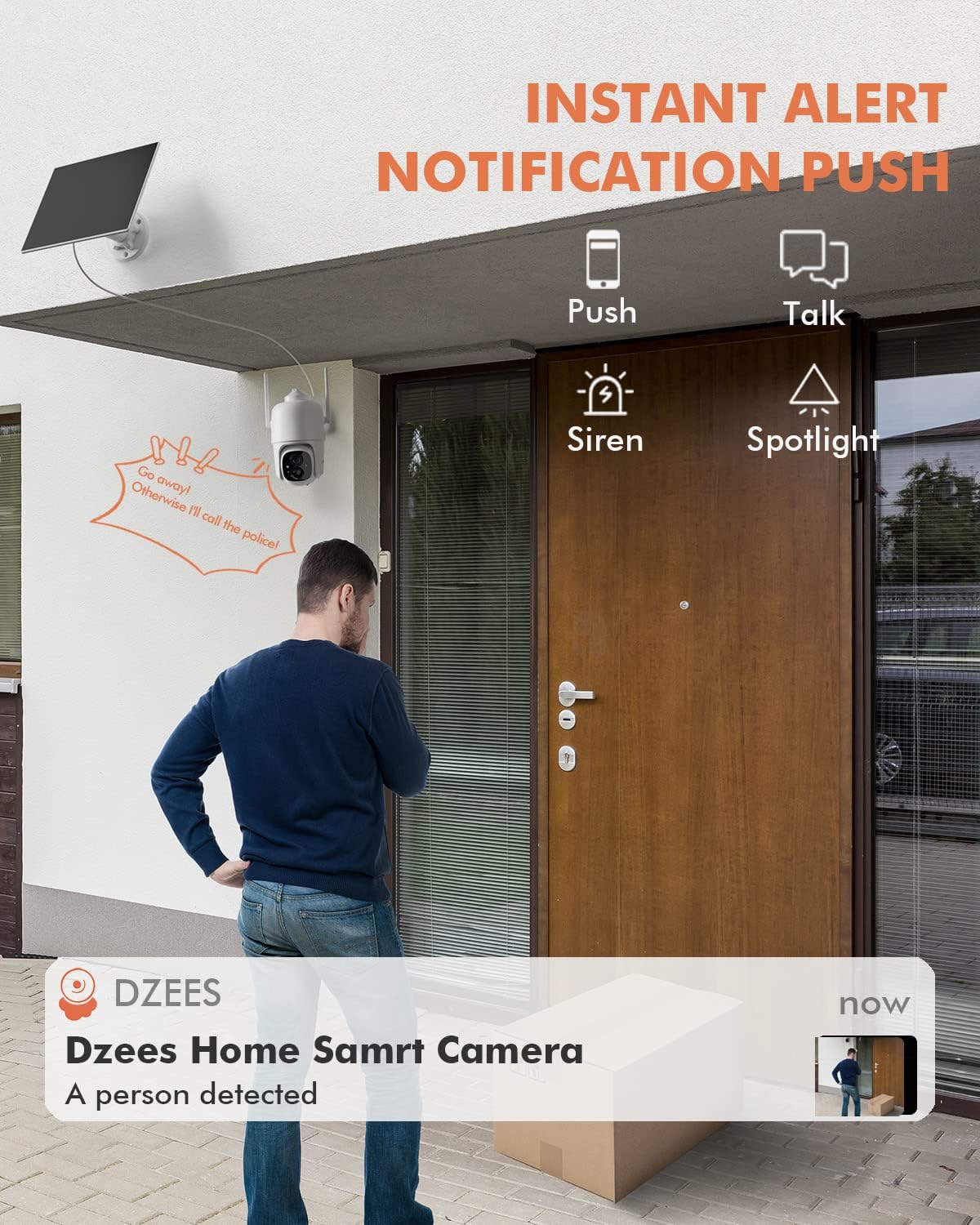
Gambar 5.3: Kelample of an instant push notification received on a smartphone when the camera detects a person.
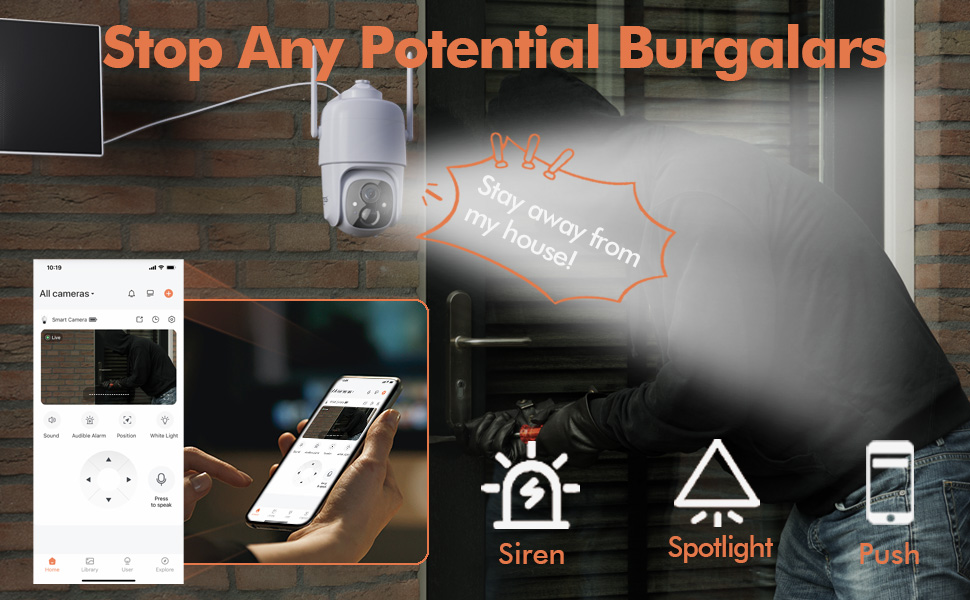
Figure 5.4: Detailed motion detection settings within the Dzees app, allowing for customization of detection zones and sensitivity.
5.4 Audio Dua Arah
Communicate with visitors or deter intruders using the camera's built-in microphone and speaker:
- Di hirup view, ketok ikon mikropon pikeun nyarita ngaliwatan kaméra.
- Ketok ikon spiker pikeun ngadangukeun audio tina lokasi kaméra.
5.5 Sorotan sareng Sirene
Enhance security with active deterrence features:
- Manually activate the spotlight or siren from the live view interface in the app.
- Configure automatic activation of the spotlight or siren upon motion detection in the camera settings.
Figure 5.5: The camera's active deterrence features, including siren, spotlight, and instant push notifications, designed to deter potential intruders.
5.6 Pilihan Panyimpenan
Your Dzees camera offers flexible storage solutions for your recordings:
- Panyimpenan Lokal: Insert a Micro SD card (up to 128GB, not included) into the camera's SD card slot for continuous or event-based recording.
- Panyimpenan awan: Enjoy 2 years of free 3-day loop cloud storage. A 30-day trial of the Plus Plan is available for new users, offering upgraded cloud storage and advanced AI features.

Figure 5.6: The camera's support for both local Micro SD card storage (up to 128GB) and free 3-day cloud storage.
6. Pangropéa
Regular maintenance ensures the longevity and optimal performance of your Dzees Solar Security Camera:
- Cleaning the Lens and Solar Panel: Usap lénsa kaméra sareng panel surya sacara berkala nganggo kaén anu lemesamp cloth to remove dust, dirt, or debris. This ensures clear video quality and efficient solar charging.
- Mariksa Status Batré: Monitor the battery level in the Dzees Home app. Ensure the solar panel is receiving sufficient direct sunlight to maintain charge.
- Pembaruan firmware: The Dzees Home app will notify you of available firmware updates. It is recommended to update the camera's firmware to ensure you have the latest features and security enhancements. Follow the in-app instructions for updating.
7. Cara ngungkulan
If you encounter issues with your Dzees Solar Security Camera, refer to the following common problems and solutions:
7.1 Kaméra Teu Nyambung ka Wi-Fi
- Pastikeun jaringan Wi-Fi anjeun 2.4GHz. Kaméra henteu ngadukung Wi-Fi 5GHz.
- Check the Wi-Fi signal strength at the camera's location. Move the camera closer to the router if the signal is weak.
- Pariksa yén anjeun parantos ngasupkeun sandi Wi-Fi anu leres.
- Try resetting the camera by pressing and holding the reset button for 5 seconds until you hear a prompt. Then, attempt pairing again.
7.2 Battery Not Charging or Draining Quickly
- Ensure the solar panel is connected securely to the camera.
- Verify that the solar panel is positioned to receive direct sunlight for several hours daily, without any obstructions (e.g., trees, eaves).
- Clean the surface of the solar panel regularly to remove dirt or dust that may hinder charging efficiency.
- In prolonged cloudy or rainy weather, the battery may drain. Consider temporarily charging the camera via USB if needed.
7.3 Alarm Palsu Anu Kaleuleuwihi
- Adjust the motion detection sensitivity in the Dzees Home app to a lower setting.
- Utilize the activity zone feature to exclude areas with frequent irrelevant motion (e.g., busy streets, swaying trees).
- Enable AI detection to filter out non-human movements.
7.4 Kualitas Gambar Miskin
- Bersihkeun lénsa kaméra nganggo lawon anu lemes sareng teu aya serat.
- Ensure a strong Wi-Fi connection for optimal streaming quality.
- Check for any physical obstructions in front of the lens.
7.5 No Night Vision
- Verify that night vision mode is enabled in the Dzees Home app settings.
- Ensure the camera's spotlights are not obstructed.
If the issue persists after trying these solutions, please contact Dzees customer support for further assistance.
8. Spésifikasi Téknis
| Fitur | Spésifikasi |
|---|---|
| Nomer modél | D3K |
| Resolusi Video | 2K / 3MP |
| Pan Sudut | 355° |
| Sudut Dengdekkeun | 90° |
| Zum Digital | 4X |
| Wengi Sawangan Sawangan | Up to 55 feet (Color Night Vision supported) |
| Résistansi Cuaca | IP66 |
| Sumber Daya | Solar Powered (with built-in rechargeable battery) |
| Konektipitas | Wi-Fi 2.4GHz, Bluetooth |
| Panyimpenan Lokal | Kartu Micro SD (dugi ka 128GB, teu kalebet) |
| Panyimpenan awan | Free 3-day loop storage (2 years included) |
| Ukuran (L x W x H) | 5.8 x 7 x 8 inci |
| Beurat | 1.06 pon (480 gram) |
| Bahan | Acrylonitrile Butadiene Styrene (ABS) |
9. Garansi jeung Rojongan
Dzees is committed to providing high-quality products and excellent customer service.
- Garansi: Your Dzees Solar Security Camera comes with 2 years of after-sales support, ensuring peace of mind.
- Bantosan Téknis: An experienced technical team is available for 24/7 lifetime support. For any inquiries or assistance, please contact Dzees customer service.
- Sumberdaya Online: Visit the official Dzees Store for more product information, FAQs, and support resources: Dzees Store on Amazon.
Ask a question about this manual
Ask about setup, troubleshooting, compatibility, parts, safety, or missing instructions. Manuals+ will review the question and use this page’s manual context to help answer it.