
1. Produk Langkungview
1.1 Eusi pakét
The DIHOOM 2K Wireless Security Camera System includes the following components:
- 4x 2K Wireless Security Cameras
- 1x 5MP WiFi NVR (Network Video Recorder)
- 1x 12V 2A Adapter for NVR
- 4x 12V 1A Adapters for Cameras
- 1x 1TB Hard Drive (Pre-installed in NVR)
- 1x beurit
- Kabel Ethernet 1x
- 4x Warning Labels
- Screws and Waterproof Lids
- Manual pamaké

Image: All components included in the DIHOOM 2K Wireless Security Camera System package, neatly arranged.
1.2 Fitur konci
This security camera system offers advanced features for comprehensive home surveillance:
- Human/Facial Detection Alerts: The system can classify moving types (human, vehicle) and push notifications, reducing false alarms. It also supports facial recognition for quick video playback.
- Smarter Activated Floodlight & Two-Way Audio: Motion-activated spotlights and sirens deter intruders. Two-way audio allows communication through the app.
- Smooth 2K Ultra-HD: Provides 2304x1296P resolution for clear images and videos, with a 100° viewsudut ing.
- Plug & Play Wireless System: Easy installation with automatic pairing between cameras and NVR. No network required for local viewing.
- Remotely Control and Warranty: Aksés langsung view and playback via the XMEye Pro App or VMS software without subscription. Lifetime technical support is provided.
- Catetan penting: The system is not 100% wire-free. Cameras and NVR require power adapters. Remote access requires the NVR to be connected to a router via Ethernet.

Image: Icons representing key features: 2K resolution, Motion Detection, Night Vision, Smart Alerts, 2-Way Talk, and Remote Viewing.
1.3 Spésifikasi Téknis
| Spésifikasi | Rincian |
|---|---|
| merek | DIHOOM |
| Nomer modél | YS-XM05-US5004-1TB |
| Téhnologi konektipitas | Nirkabel |
| Resolusi Capture Video | 2K (2304x1296P) |
| Fitur husus | Motion Sensor, Night Vision, Face Detect, 2-Way Audio |
| Jumlah Saluran | 8 (4 cameras included, expandable to 8) |
| Kapasitas Panyimpenan Mémori | 1 TB (Pre-installed HDD) |
| Sumber Daya | Kabel Listrik |
| Item Ukuran L x W x H | 15 x 8 x 11 inci |
| Kasaluyuan System Operasi | Android, iOS (for mobile app) |
| Dianjurkeun Mangpaat | Panjagaan |
| Viewdina Angle | 100 darajat |
| Téhnologi Lampu Lemah | Warna Peuting Visi |
2. Setup Sistim
2.1 Diagram Hubungan
The DIHOOM wireless security camera system is designed for easy plug-and-play setup. Refer to the diagram below for typical connections.
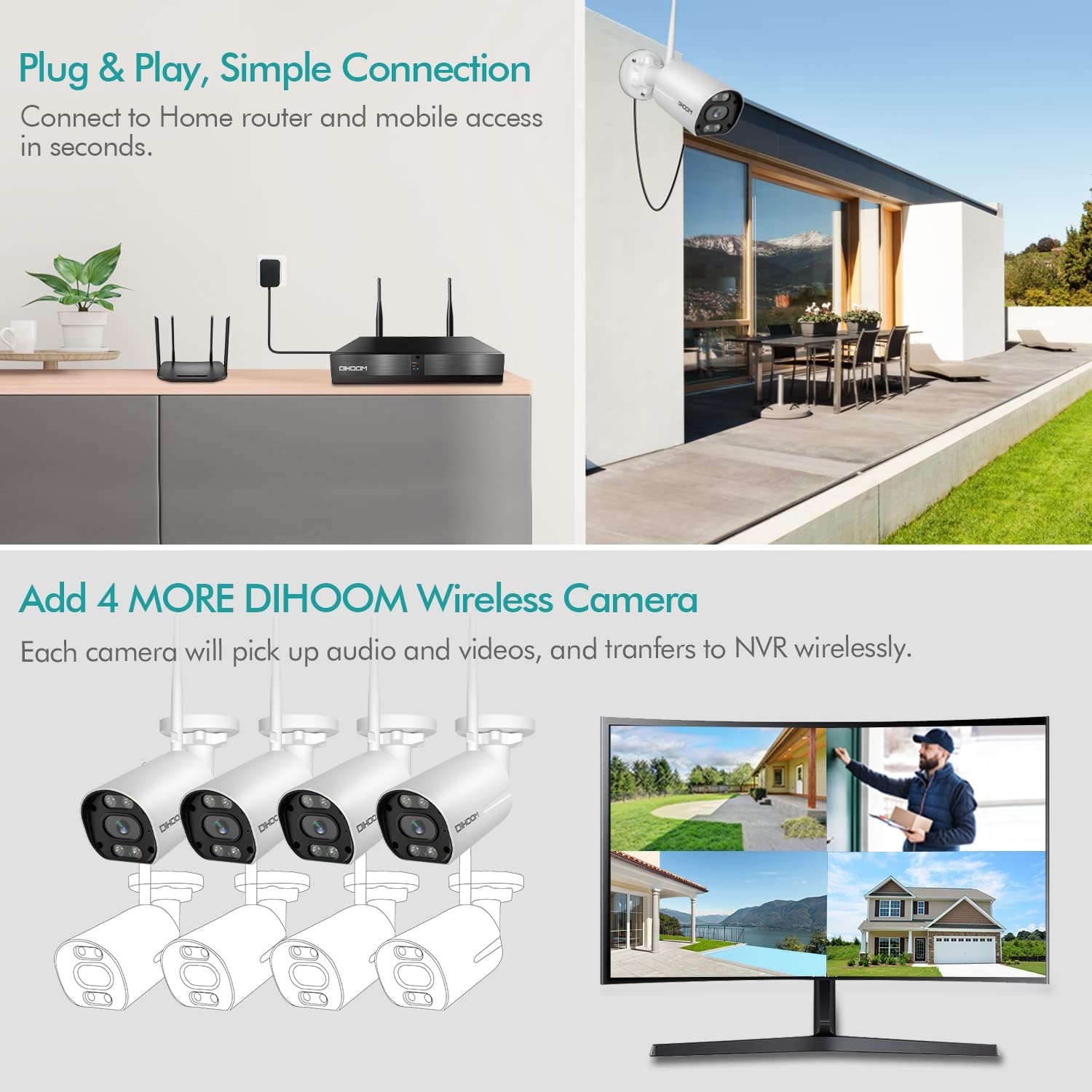
Image: A diagram illustrating the connections for the DIHOOM security system, showing the NVR connected to a monitor, mouse, power, and an Ethernet cable to a router. Four wireless cameras are shown connecting to the NVR, and a smartphone is shown accessing the system remotely via Wi-Fi.
2.2 Léngkah-léngkah Persiapan Awal
- Sambungkeun NVR ka Monitor: Use a VGA or HDMI cable to connect the NVR to a monitor or TV.
- Power on NVR: Connect the 12V 2A DC power adapter to the NVR and plug it into a power outlet.
- Sambungkeun Mouse: Plug the included mouse into a USB port on the NVR.
- Power on Cameras: Connect each camera to its respective 12V 1A DC power adapter and plug them into power outlets. The cameras will automatically pair with the NVR.
- Remote Access (Optional but Recommended): Pikeun jauh viewing via the mobile app, connect the NVR to your home router using the provided Ethernet cable.
Video: A step-by-step guide on how to set up the DIHOOM wireless security camera system, including unboxing, connecting the NVR to a monitor, powering on the NVR and cameras, and connecting the mouse.
3. Operasi Sistim
3.1 Smart Motion and Facial Detection
The DIHOOM system utilizes advanced AI technology for intelligent detection. It can differentiate between human and vehicle movements, significantly reducing false alarms from environmental factors like moving branches or animals. The facial detection feature allows for quick searching and playback of recorded video based on detected faces.

Image: Illustrates the smart motion detection capabilities, showing human and facial detection in action, distinguishing them from irrelevant movements like leaves or shadows. A phone notification for human detection is also shown.

Image: Shows a family watching a monitor displaying live camera feeds, with a sidebar showing detected faces for quick playback and identification.
3.2 Audio Dua Arah
Each camera is equipped with a built-in speaker and microphone, enabling clear two-way audio communication. This allows you to hear sounds from the camera's location and speak through the camera using the mobile application, facilitating interaction with visitors or deterring unwanted individuals.

Image: Depicts the two-way audio functionality, showing a user interacting with a delivery person via the camera and mobile app.
3.3 Activated Spotlight and Siren
When motion is detected, the outdoor Wi-Fi security cameras can activate bright spotlights and loud sirens. This feature serves as an effective deterrent against potential intruders, while also sending notifications to your device and recording clear color videos, even at night.

Image: Shows a camera with an activated spotlight illuminating a car at night, demonstrating the color night vision capability.

Image: Illustrates how the system deters unwanted guests using spotlight, smart siren, and two-way audio when an intruder is detected in a monitored area.
3.4 Aksés sareng Pemantauan Jarak Jauh
Access your security system remotely from anywhere using the free XMEye Pro App on your smartphone (iOS/Android) or VMS software on your computer (Windows/Mac). This allows you to view live feeds, play back recordings, receive instant alerts, and customize settings.

Image: Shows the NVR connected to a router and a camera, with a smartphone displaying the live camera feed, emphasizing remote access capabilities.
3.5 Customizing Monitoring Areas
You can define specific monitoring areas within the camera settings to focus detection on critical zones and minimize false alarms. This allows the camera to ignore detection in unselected areas.

Image: A screen capture showing how to personalize an alarm area on a monitor connected to the NVR, highlighting a specific zone for detection.
3.6 Kamungkinan Ngembangkeun Sistem
The 8-channel NVR allows you to add up to 4 more cameras to the existing 4 included cameras, providing expanded surveillance coverage for your property.

Image: An illustration showing a house with four installed cameras and the NVR, indicating the possibility to add four more cameras for a total of eight channels.
4. Pangropéa
4.1 Manajemén hard drive
The NVR comes with a pre-installed 1TB hard drive, capable of storing months of video footage. The advanced H.265+ compression technology ensures efficient storage utilization and a smoother viewpangalaman.
4.2 Pertimbangan Lingkungan
The cameras are designed to operate across a wide range of temperatures, from -10°C (14°F) to 55°C (131°F), making them suitable for various indoor and outdoor environments.

Image: Displays the operating temperature range (-10°C/14°F to 55°C/131°F) and various suitable environments for camera installation, including outdoor, indoor, office, and store settings.
5. Cara ngungkulan
5.1 Wireless vs. Wired Power
It is important to clarify that while the cameras transmit video and audio wirelessly to the NVR, the system is not 100% wire-free. Both the cameras and the NVR require continuous power supply via their respective DC adapters. Ensure all components are properly plugged into power outlets for continuous operation.
5.2 Masalah Aksés Jarak Jauh
If you experience issues with remote access via the mobile app, ensure the NVR is connected to your home router using an Ethernet cable. Verify your internet connection is stable and that the XMEye Pro App is updated to the latest version.
5.3 General Connectivity
If cameras lose connection to the NVR, try the following:
- Ensure cameras are within the NVR's wireless range.
- Check that all power adapters are securely connected.
- Restart the NVR and cameras.
- If issues persist, refer to the detailed troubleshooting section in the full user manual or contact support.
6. Garansi jeung Rojongan
DIHOOM provides professional lifetime technical support for this product. If you encounter any issues or have questions, please do not hesitate to contact us via e-mail or through Amazon's messaging system. We are committed to assisting you promptly.