
Bubuka
This manual provides instructions for the proper use and maintenance of your 1MORE Omthing AirFree Buds wireless earbuds. Please read this manual thoroughly before using the product to ensure optimal performance and longevity.
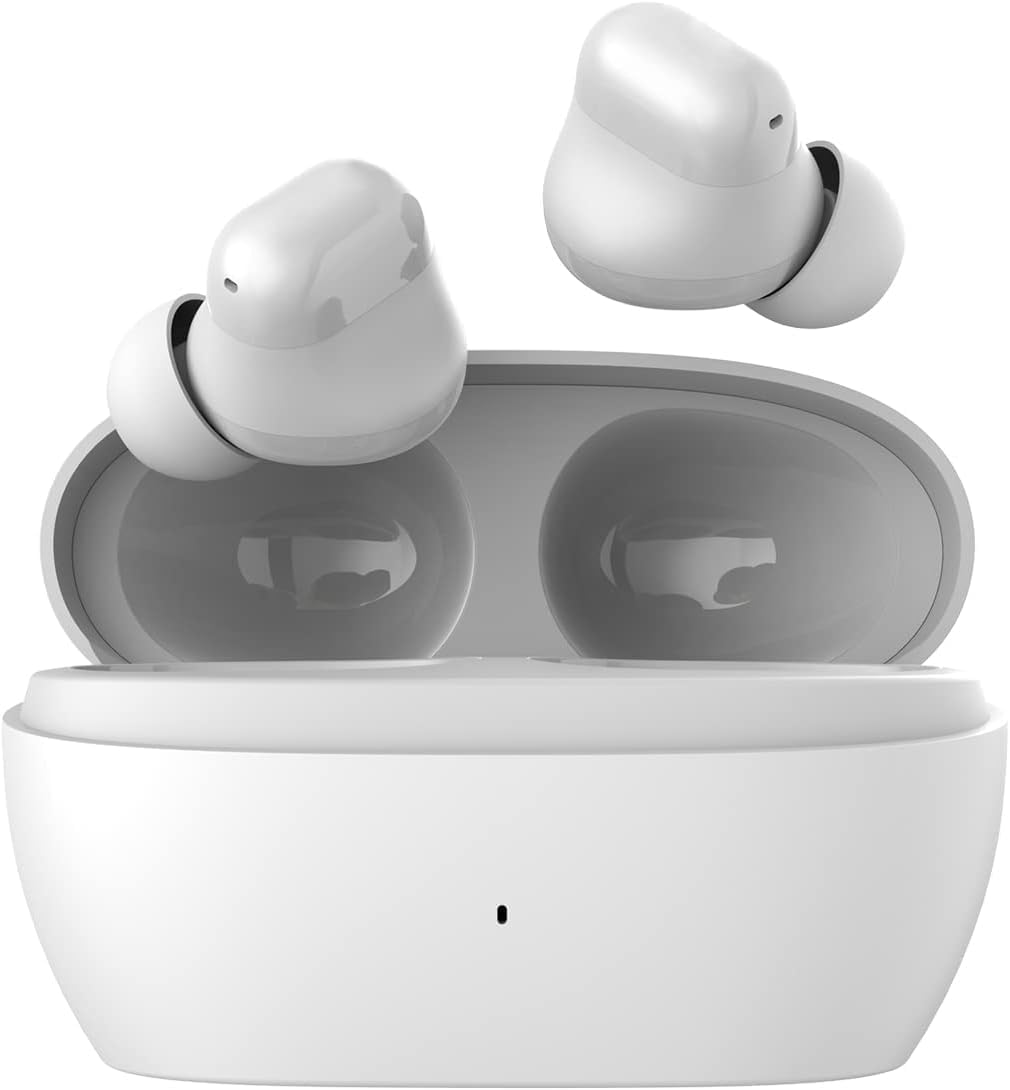
Image: The 1MORE Omthing AirFree Buds, white wireless earbuds, are shown resting inside their matching white charging case. The case is open, revealing the earbuds nestled in their charging slots.
Eusi pakét
Pastikeun yén sadaya item aya dina pakét anjeun:
- 1MORE Omthing AirFree Buds (Left and Right Earbuds)
- Ngecas Case
- Kabel Ngecas USB
- Manual pangguna (dokumén ieu)
- Eartips (rupa-rupa ukuran)

Image: The front of the product box for the 1MORE Omthing AirFree Buds. The box is white with an orange accent, displaying the brand logo and an image of the earbuds.
Disetél
1. Ngecas Earbuds jeung Case
Before first use, fully charge the earbuds and charging case. The charging case provides additional power for the earbuds on the go.
- Waktu maén Earbud: Nepi ka 7 jam dina hiji muatan.
- Total Waktu Maén sareng Casing: Nepi ka 44 jam.
- Waktos Ngecas Case: Kurang leuwih 165 menit.

Image: A graphic showing the 1MORE Omthing AirFree Buds in their charging case, with a large "44h" indicating the total battery life. A charging symbol is visible below the case.
2. Nyapasangkeun sareng Alat Anjeun
The AirFree Buds utilize Bluetooth 5.3 for a stable and efficient wireless connection.
- Buka wadah ngecas. Earbuds bakal otomatis asup kana mode papasangan.
- Dina alat Anjeun (smartphone, tablet, jsb), aktipkeun Bluetooth.
- Milarian pikeun "omthing AirFree Buds" in the list of available Bluetooth devices.
- Select "omthing AirFree Buds" to connect. A confirmation sound will indicate successful pairing.

Image: A smartphone screen displaying the Bluetooth pairing interface, showing "omthing AirFree Buds" as an available device to connect. The earbuds in their open charging case are depicted below the phone.

Image: A stylized graphic of a microchip with "Bluetooth 5.3" prominently displayed, illustrating the advanced connectivity technology of the earbuds.
3. Ngagem Earbuds
Choose the eartips that provide the best fit and seal for optimal sound quality and comfort. The earbuds are designed to be lightweight for extended wear.

Image: A selection of white, skin-friendly eartips in different sizes, designed for a comfortable and secure fit.

Image: Two white earbuds are depicted resting on soft white feathers, emphasizing their lightweight and comfortable design.
Parentah Operasi
Toél Kontrol
The earbuds feature intuitive touch controls for managing playback and calls:
- Puter / Reureuh: Ketok dua kali boh earbud.
- Asistén Sora: Ketok tilu kali salah sahiji earbud.
- Pencét lila (2 detik): Function may vary based on settings (e.g., skip track, answer/reject call). Refer to the app for customization.
Adjustable EQ Modes
Customize your audio experience using the companion app. You can select from preset equalizer modes or create your own custom settings.
- Choose from 6 EQ presets (including Default).
- Set 2 custom equalizer profiles to match your preferred music genres.

Image: A smartphone screen displaying an equalizer interface within an app, allowing users to adjust audio frequencies for a personalized sound experience. Earbuds are shown on either side of the phone.
Smart Call Noise Cancellation
The earbuds are equipped with microphones and an advanced Deep Neural Network (DNN) algorithm to enhance call clarity by suppressing environmental noise and accurately capturing your voice.

Image: A graphic demonstrating the effect of call noise cancellation. It shows a "Before" waveform with significant background noise and an "After" waveform with a clearer, more isolated voice signal.
Pangropéa
To ensure the longevity and optimal performance of your AirFree Buds, follow these maintenance guidelines:
- beberesih: Lap earbud sareng wadah ngecas sacara rutin nganggo lawon anu lemes, garing, sareng henteu buluan. Entong nganggo pembersih atanapi pelarut anu abrasif.
- Eartips: Cabut eartip sacara berkala sareng bersihan nganggo iklanamp lawon. Pastikeun aranjeunna tos rengse garing saméméh reattaching.
- Port ngecas: Keep the charging contacts on the earbuds and inside the case clean and free of debris.
- Panyimpenan: Lamun teu dipake, nyimpen earbuds dina wadah ngecas maranéhanana pikeun ngajaga eta tina lebu jeung karuksakan.
- Tahan cai: The earbuds feature IPX4 water resistance, meaning they are protected against splashing water from any direction. Do not submerge them in water or expose them to heavy rain.
Pamérésan masalah
If you encounter issues with your AirFree Buds, try the following solutions:
- Henteu aya sora:
- Pastikeun earbuds dieusi.
- Pariksa sambungan Bluetooth ka alat Anjeun.
- Atur volume dina alat anjeun sareng earbud.
- Masalah pasangan:
- Pastikeun earbuds aya dina mode papasangan (kasus muka).
- Pareuman sareng aktipkeun Bluetooth dina alat anjeun.
- Forget "omthing AirFree Buds" from your device's Bluetooth list and re-pair.
- Pastikeun teu aya alat sanés anu nyambung ka earbuds.
- Hiji Earbud Teu Gawé:
- Lebetkeun deui dua earbud kana wadah pangisi daya, tutup, antosan sababaraha detik, teras buka deui.
- Pastikeun kadua earbuds dicas.
- Kualitas Telepon goréng:
- Pastikeun mikropon teu ngahalangan.
- Pindah ka lingkungan anu langkung sepi upami mungkin.
- Pariksa kakuatan sinyal jaringan dina telepon anjeun.
- Masalah ngecas:
- Pastikeun kabel ngecas disambungkeun aman.
- Coba kabel ngecas atawa adaptor kakuatan béda.
- Bersihkeun kontak ngecas dina earbuds sareng wadahna.
If problems persist, consult the 1MORE support websitus atanapi ngahubungan layanan palanggan.
spésifikasi
| Fitur | Rincian |
|---|---|
| Ngaran modél | AirFree Buds |
| Nomer modél | EO009 |
| Téhnologi konektipitas | Nirkabel (Bluetooth 5.3) |
| Tipe Supir Audio | 8mm Supir Dinamis |
| Kahirupan Batré Earbud | Nepi ka 7 jam |
| Total Playtime (kalawan kasus) | Nepi ka 44 jam |
| Waktu Ngecas (Kasus) | Kurang leuwih 165 menit |
| Rentang Bluetooth | 10 méter |
| Kontrol bising | Smart Call Noise Cancellation |
| Fitur husus | Adjustable EQ Modes, Built-in Voice Assistant, IPX4 Water Resistant |
| Item Beurat | 0.08 Kilogram (2.82 ons) |
| Produsén | 1MORE INC |
| UPC | 190280000668 |
Émbaran jaminan
1MORE products are covered by a limited warranty. For detailed warranty terms and conditions, including coverage period and service procedures, please refer to the official 1MORE websitus atanapi hubungi dukungan palangganna. Simpen bukti pameseran anjeun kanggo klaim garansi.
Rojongan Palanggan
For further assistance, technical support, or inquiries regarding your 1MORE Omthing AirFree Buds, please visit the official 1MORE support page or contact their customer service team. Contact information can typically be found on the 1MORE websitus.
Sumberdaya Online: www.1more.com