
Pro-Ject PJ292792
Buku Panduan Pangguna Turntable Pro-Ject Debut PRO S
Modél: PJ292792
Bubuka
This manual provides essential information for the proper setup, operation, and maintenance of your Pro-Ject Debut PRO S Turntable. Please read these instructions carefully before using your turntable to ensure optimal performance and longevity of the product.
Eusi pakét
Before proceeding with setup, verify that all components are present in the packaging:
- Pro-Ject Debut PRO S Turntable Unit
- Pick it S2 C integrated cartridge/headshell
- 10" Aluminum S-Shaped Tonearm (pre-installed)
- Precision aluminum platter with TPE damping
- TPE-Damped Die-Cast Aluminum Record Platter
- Panutup lebu
- Kabel phono semi-simétris premium
- Sasayogian tanaga
- counterweight
- Anti skate beurat
- Setup tools (e.g., alignment protractor, stylus force gauge)
Disetél
Proper setup is crucial for the performance of your turntable. Follow these steps carefully.
1. Unpacking na panempatan
Carefully remove all components from the packaging. Place the turntable on a stable, level surface, away from direct sunlight, heat sources, and vibrations. Ensure adequate ventilation around the unit.

Image: The Pro-Ject Debut PRO S Turntable, showcasing its sleek satin black finish and the S-shaped tonearm. This view highlights the overall design and footprint of the unit, important for placement considerations.
The turntable features height-adjustable TPE-damped metal feet. Adjust these feet to ensure the turntable chassis is perfectly level. This minimizes resonance and improves playback stability.

Gambar: Hiji sudut view from below the turntable, illustrating the motor suspension system and the adjustable TPE-damped metal feet. Proper adjustment of these feet is essential for leveling the turntable and isolating it from vibrations.
2. Platter jeung Beubeur Instalasi
Carefully place the TPE-damped die-cast aluminum record platter onto the spindle. Locate the drive belt and loop it around the motor pulley and the sub-platter rim. Ensure the belt is not twisted.

Image: A schematic diagram illustrating the turntable's platter and belt drive mechanism. This visual aid helps in correctly installing the drive belt around the motor pulley and the sub-platter.
3. Setelan Tonearm sareng Kartrid
The Debut PRO S comes with a 10" S-shaped aluminum tonearm and a Pick it S2 C integrated cartridge/headshell pre-installed. You will need to balance the tonearm and set the tracking force.
- Saimbang Tonearm: Leupaskeun tonearm cl lalaunanamp. While supporting the tonearm, rotate the counterweight until the tonearm floats freely and horizontally.
- Atur gaya nyukcruk: Once balanced, rotate the tracking force scale ring on the counterweight to '0' without moving the counterweight itself. Then, rotate the entire counterweight counter-clockwise until the desired tracking force (typically specified by the cartridge manufacturer, usually around 1.8g for the Pick it S2 C) is indicated on the scale.
- Set Anti-Skate: Attach the anti-skate weight to the small fishing line and loop it over the anti-skate post. The recommended setting for the Pick it S2 C cartridge is typically the second groove from the tonearm pivot.
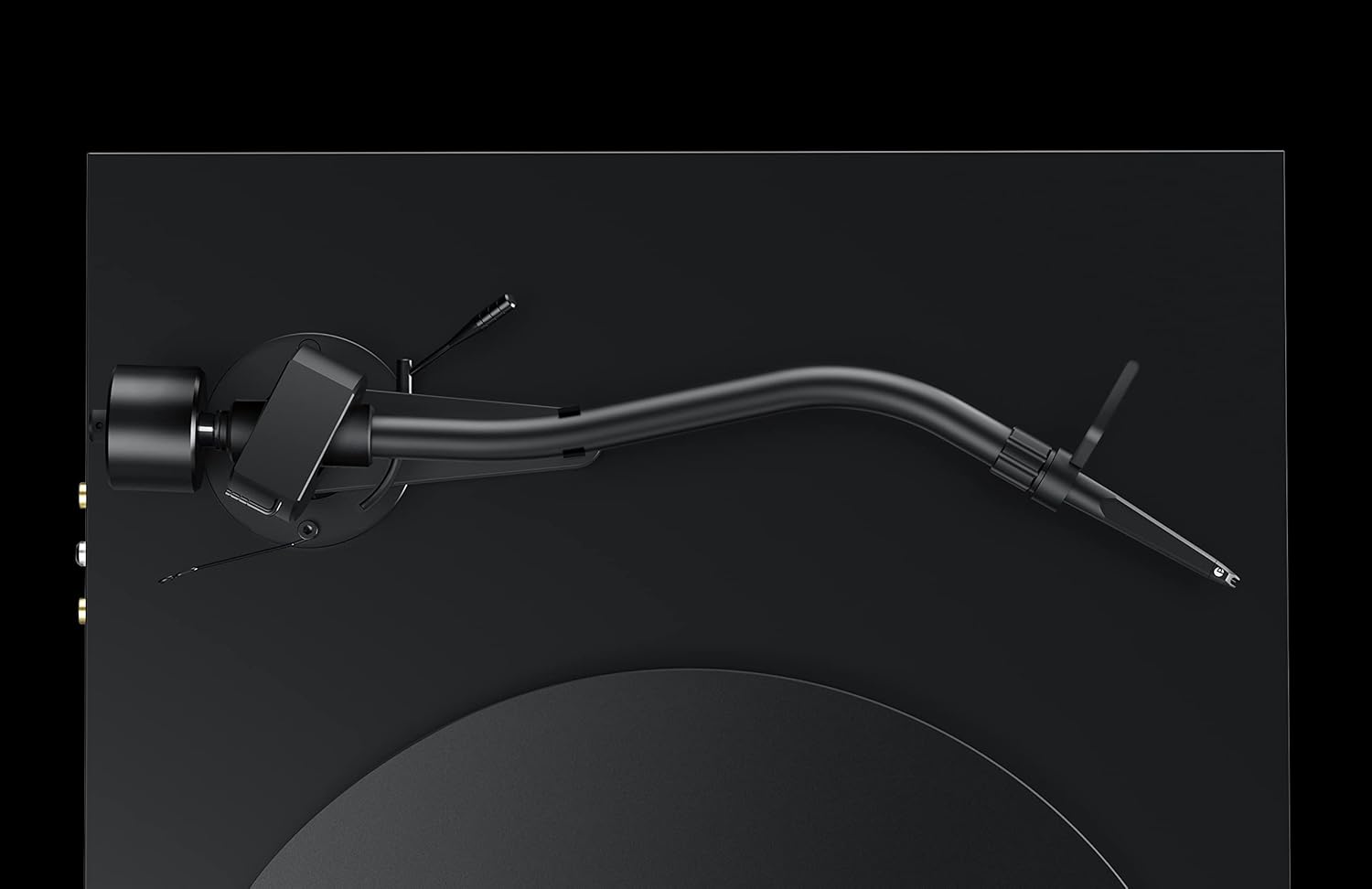
Gambar: A lengkep view of the S-shaped tonearm, highlighting the counterweight and anti-skate mechanism. This image is crucial for understanding the physical components involved in balancing the tonearm and setting the tracking force.
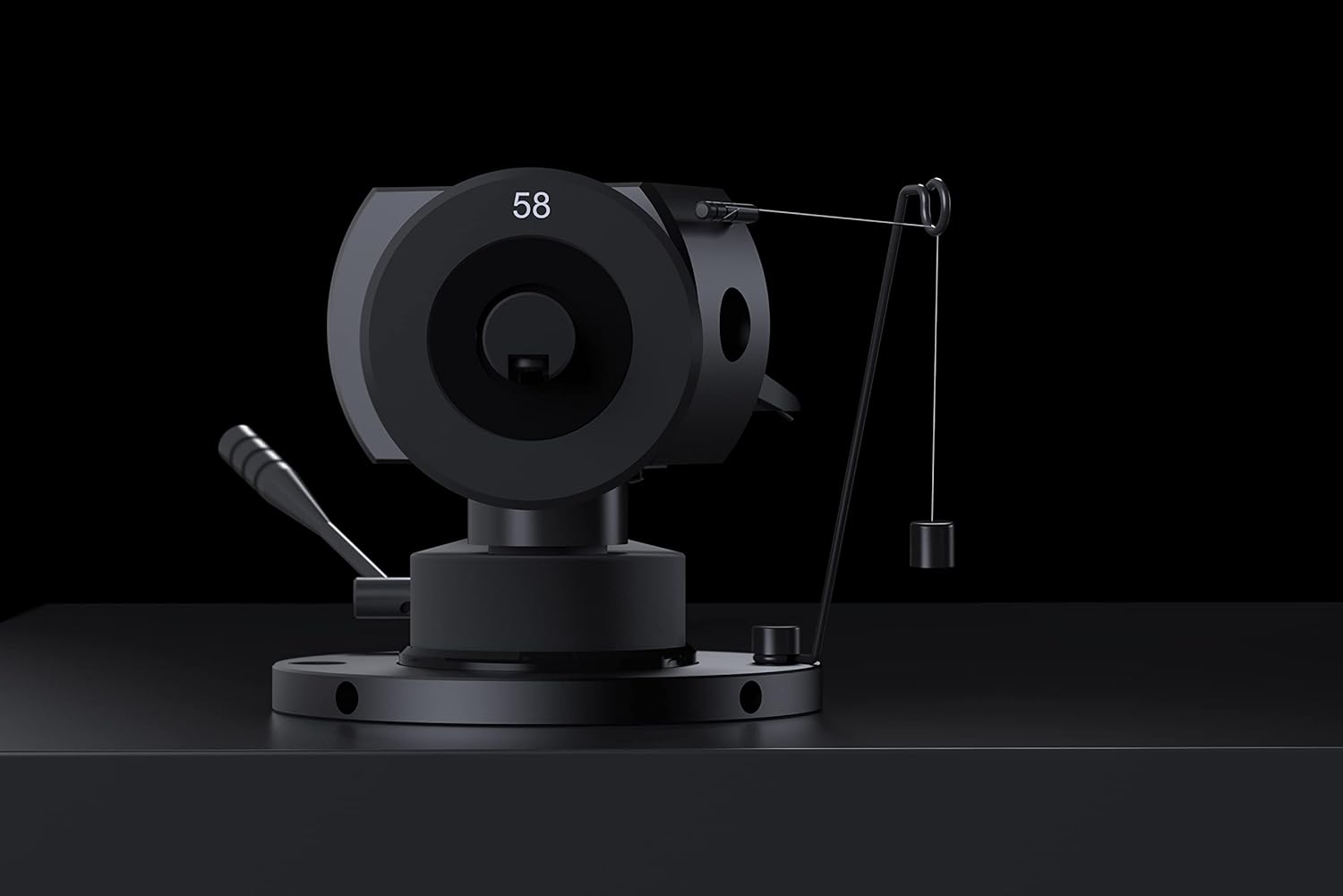
Image: A close-up of the tonearm's pivot area, clearly showing the anti-skate weight and its attachment point. This detail assists users in correctly setting the anti-skate force.
The tonearm also supports VTA (Vertical Tracking Angle) and Azimuth adjustment for fine-tuning cartridge performance. Refer to advanced setup guides if you wish to adjust these parameters.
4. Panyambungan
Connect the premium semi-symmetrical phono cable from the turntable's RCA outputs to the phono input of your amplifier atanapi phono preamplifier. Ensure the ground wire is connected to the ground terminal on your amplifier to prevent hum.
Connect the power supply to the turntable's power input and then to a suitable wall outlet.
Parentah Operasi
Once set up, operating your Pro-Ject Debut PRO S Turntable is straightforward.
1. Powering On and Speed Selection
Locate the power switch, typically on the underside or side of the plinth. Turn the turntable on. The Debut PRO S supports multiple speeds, including 33 1/3, 45, and 78 RPM. Adjust the speed according to the record you are playing. For 78 RPM records, a special stylus may be required.

Gambar: Hiji overhead view of the Pro-Ject Debut PRO S Turntable, providing a clear perspective of the platter, tonearm, and the overall layout. This angle is useful for understanding the operational components.
2. Maén Rékor
- Teundeun catetan dina piring.
- Pastikeun kecepatan puter anu leres parantos dipilih.
- Gently angkat tonearm ngagunakeun uas cueing.
- Position the stylus over the lead-in groove of the record.
- Turunkeun tuas isyarat lalaunan supados stylus tiasa turun kana piringan hitam.
- At the end of the record, lift the tonearm using the cueing lever and return it to the tonearm rest. Secure it with the tonearm clamp.
Pangropéa
Pangropéa rutin bakal ngabantosan ngajaga kinerja sareng penampilan turntable anjeun.
- Cleaning the Chassis: The turntable features an 8-coat hand-painted satin black MDF chassis. Use a soft, dry, lint-free cloth to gently wipe the surface. Avoid abrasive cleaners or solvents.
- Ngabersihan Stylus: Use a dedicated stylus cleaning brush or fluid to carefully clean the stylus before or after each play. Always brush from back to front.
- Dustcover Care: The included dustcover protects the turntable from dust. Clean it with a soft, damp lawon. Ulah make bahan kimia kasar.
- Inspeksi Sabuk: Periodically inspect the drive belt for wear or stretching. Replace if necessary to maintain accurate playback speed.
Pamérésan masalah
Upami anjeun mendakan masalah sareng turntable anjeun, tingal masalah sareng solusi umum di handap ieu.
| Masalah | Mungkin Cukang lantaranana | Solusi |
|---|---|---|
| Teu aya sora atawa sora nu leutik pisan |
|
|
| Sora humming |
|
|
| Skipping atawa sora menyimpang |
|
|
| Kacepetan puter anu salah |
|
|
spésifikasi
| Fitur | Rincian |
|---|---|
| Ngaran modél | Debut PRO S |
| Nomer Modél Item | PJ292792 |
| merek | Pro-Ject |
| Ukuran produk (L x W x H) | 13.39 x 18.11 x 5.51 inci |
| Item Beurat | 15.4 pon (7 Kilogram) |
| Tonearm Style | S Shape Tonearm, 10" Aluminum |
| Kartrid | Pick it S2 C integrated cartridge/headshell |
| Plat | Precision aluminum platter with TPE damping, TPE-Damped Die-Cast Aluminum Record Platter |
| Bahan Chassis | Engineered Wood (MDF) with 8-coat hand-painted satin black finish |
| Tipe Motor | AC Motor with motor suspension |
| Fitur husus | VTA & Azimuth Adjustment, 78 RPM Support, Height-adjustable TPE-damped metal feet |
| Warna | Hideung |
| Alat nu cocog | Laptop, Desktop, Personal Computer, Headphone, Speaker (via appropriate amppangajén) |
Garansi sareng Rojongan
Inpormasi Garansi: Specific warranty terms and conditions for the Pro-Ject Debut PRO S Turntable are typically provided with the product packaging or can be found on the official Pro-Ject Audio Systems websitus. Punten tahan bukti pameseran anjeun pikeun klaim garansi.
Rojongan Palanggan: For technical assistance, troubleshooting beyond this manual, or service inquiries, please contact Pro-Ject Audio Systems customer support or your authorized dealer. Contact information can usually be found on the manufacturer's websitus atanapi dina dokuméntasi produk.
Ask a question about this manual
Ask about setup, troubleshooting, compatibility, parts, safety, or missing instructions. Manuals+ will review the question and use this page’s manual context to help answer it.