
Bubuka
The UPULTRA Light Bulb Security Camera is designed to provide comprehensive surveillance for your home or outdoor spaces. Featuring easy installation into a standard E27 bulb base, this camera offers high-definition video, 360-degree panoramic viewing, motion detection with real-time alerts, two-way audio communication, and advanced night vision capabilities. It supports both 5GHz and 2.4GHz Wi-Fi networks for flexible connectivity.
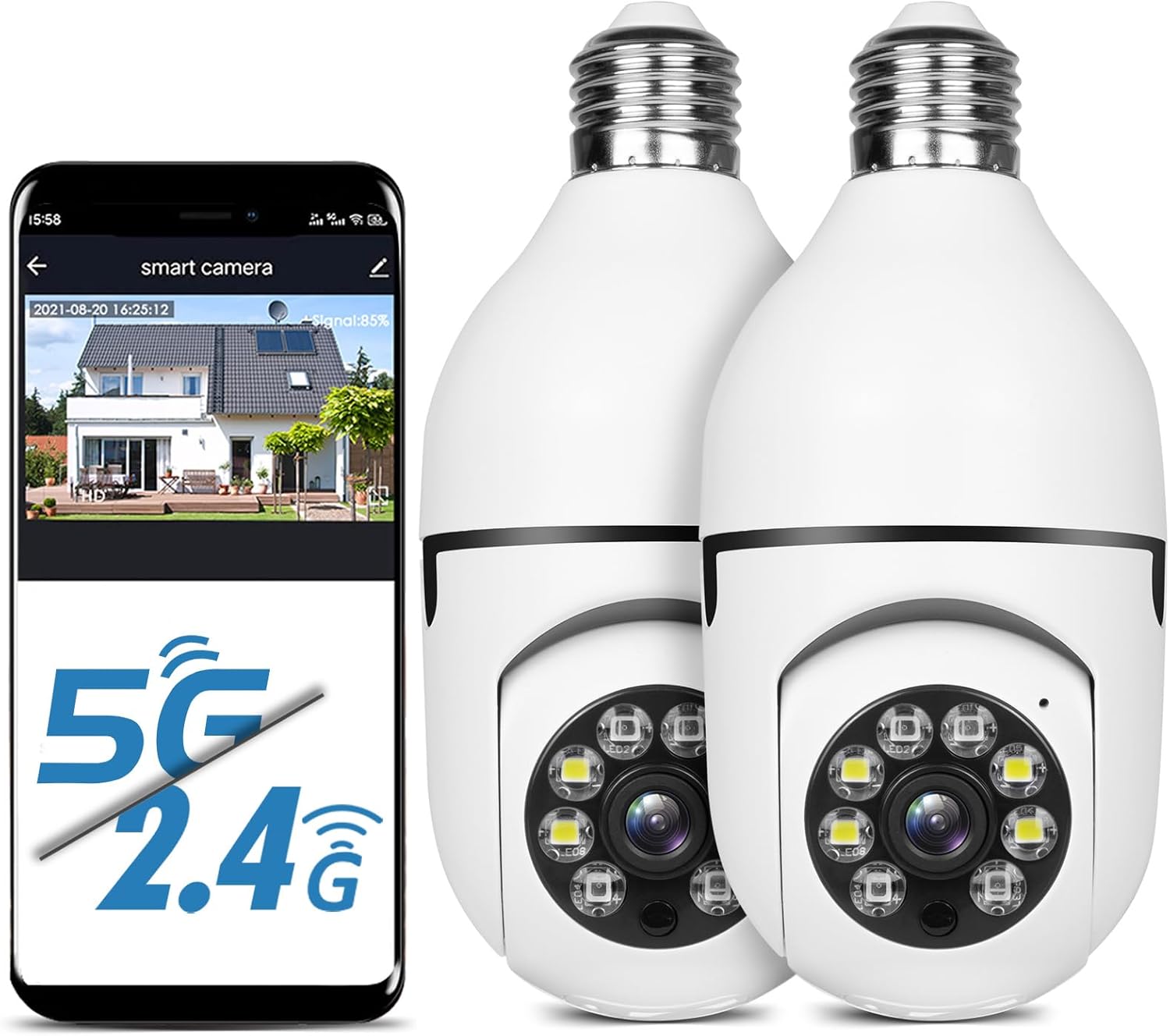
Figure 1: UPULTRA Light Bulb Security Camera with mobile app interface.
Fitur produk
- 5GHz/2.4GHz Wireless & Easy Installation: Installs into a normal E27 bulb base (110V~240V) without extra steps. Connects to router via app.
- Motion Detection & Real-time Alerts: Highly sensitive motion sensor records moving objects and sends notifications via the APP.
- HD & Pan Tilt: Full HD 1080P resolution with APP-controlled 360-degree viewing angle (355° Pan & 95° Tilt) for no blind spots.
- Audio Dua Arah: Built-in microphone and speaker for communication with visitors.
- Jauh Viewing & Night Vision: Kontrol viewing angle and access live feed remotely via iPhone/Android/iPad. Clear images even in complete darkness.

Gambar 2: Leuwihview of camera features.
Eusi pakét
- UPULTRA Light Bulb Security Camera(s)
- Manual pangguna (dokumén ieu)
- Mounting Accessories (if applicable, not explicitly listed but implied by "CAMERA" in whats_in_the_box)
spésifikasi
| Fitur | Rincian |
|---|---|
| Ngaran modél | LB camera |
| Téhnologi konektipitas | Nirkabel (Wi-Fi) |
| Téknologi Komunikasi Nirkabel | Wi-Fi (5GHz/2.4GHz) |
| Resolusi Capture Video | 1920p (Full HD 1080P) |
| Pan / Dengdekkeun Range | 355 ° Pan, 95 ° Dengdekkeun |
| Sumber Daya | Corded Electric (E27 bulb base, 110V~240V) |
| Visi Peuting | Infrared and Full Color Night Vision |
| Deteksi gerak | Sumuhun, kalawan ngabejaan real-time |
| Audio Dua Arah | Muhun (Mikropon sareng spiker internal) |
| Pilihan Panyimpenan | Micro SD Card Slot, Cloud Storage (subscription may be required) |
| Alat nu cocog | Smartphone (iPhone/Android), iPad |
| Ukuran (L x W x H) | 7.1 x 3.1 x 7.1 inci |
| Item Beurat | 1.01 pon |
| Peunteun IP | IP65, IP67 |
Parentah Setup
- Daya Hurung: Screw the light bulb camera into a standard E27 bulb base (110V~240V). Ensure the power is on. The camera will power up and may emit an audible prompt.
- Unduh App: Scan the QR code provided in the camera's packaging or search for the recommended application (e.g., "HDMiniCam" or similar, as seen in video) in your smartphone's app store (iOS or Android). Download and install the application.
- Ngadaptar/Log: Buka aplikasi teras turutan pitunjuk dina layar pikeun ngadaptarkeun akun énggal atanapi lebet upami anjeun parantos gaduh.
- Tambahkeun Alat: In the app, select the option to add a new device. Choose the appropriate camera type.
- Nyambung ka Wi-Fi: Follow the app's prompts to connect the camera to your Wi-Fi network. Ensure your Wi-Fi network is 2.4GHz or 5GHz compatible. Some cameras may require initial setup on a 2.4GHz network before connecting to 5GHz.
- papasangan: The app will guide you through the pairing process, which may involve scanning a QR code displayed on your phone with the camera, or listening for an audible confirmation from the camera.
- Ngabéréskeun Setup: Once connected, you can name your camera and adjust initial settings within the app.

Figure 3: Easy installation of the light bulb camera.
Video 1: Demonstration of the light bulb camera's features including night vision and two-way audio, and installation process.
Parentah Operasi
Hirup View sarta Pan / Dengdekkeun Control
Once the camera is connected, open the app to access the live video feed. You can control the camera's viewing angle by swiping on the screen to pan (horizontal movement up to 355°) and tilt (vertical movement up to 95°), ensuring comprehensive coverage without blind spots.

Gambar 4: Kamampuh kaméra pikeun ngageser sareng miring.
Deteksi gerak sareng Tanda
The camera is equipped with a sensitive motion sensor. When motion is detected, the camera will automatically record the event and send a real-time alert notification to your smartphone via the app. You can customize motion detection sensitivity and alert settings within the app.

Figure 5: Motion detection and alarm function.
Audio Dua Arah
Utilize the built-in microphone and speaker for two-way communication. This feature allows you to speak to individuals near the camera, such as delivery personnel or family members, directly through the app.
Visi Peuting
The camera supports both infrared and full-color night vision modes. In low-light conditions, the camera automatically switches to night vision to provide clear images. Full-color night vision is activated when sufficient ambient light is available or when the camera's integrated lights are active.

Figure 6: Infrared vs. Full Color Night Vision.
Rekaman sareng Panyimpenan Video
The camera supports video recording to a Micro SD card (not included) or to cloud storage (subscription may be required). Recorded footage bisa diaksés jeung ulangviewed through the mobile application.
Pangropéa
- beberesih: Lembut usap lénsa kaméra jeung awakna ku kaén nu garing tur lemes. Hindarkeun ngagunakeun bahan kimia anu kasar atanapi pembersih abrasive.
- Pembaruan firmware: Periodically check the app for available firmware updates to ensure optimal performance and security. Follow the app's instructions for updating.
- Manajemén Kartu SD: If using an SD card, regularly back up important footage and format the card periodically to maintain performance.
- Siklus kakuatan: If the camera becomes unresponsive, unscrew it from the E27 base, wait a few seconds, and then screw it back in to power cycle the device.
Pamérésan masalah
| Masalah | Mungkin Cukang lantaranana / Solusi |
|---|---|
| Camera won't connect to Wi-Fi or frequently disconnects. |
|
| Motion detection is too sensitive or not detecting. |
|
| No video feed or black screen in app. |
|
| Audio dua arah teu jalan. |
|
| Camera stopped working after some time. |
|

Figure 7: Camera components and dimensions, including Reset Button and SD Card Slot location.
Garansi sareng Rojongan
UPULTRA provides lifetime technical support and services for this product. For any questions or issues, please contact UPULTRA customer service. Refer to the product packaging or the official UPULTRA websitus kanggo inpormasi kontak khusus.
The product typically comes with a standard return policy. Please refer to your purchase platform for details regarding returns and replacements.