
Bubuka
This manual provides comprehensive instructions for the setup, operation, and maintenance of your SMPL Big Button Corded Phone for Seniors, Model 56020. Designed with ease of use in mind, this phone features large buttons, amplified sound, and photo memory keys to enhance communication for individuals with hearing, vision, or dexterity challenges.
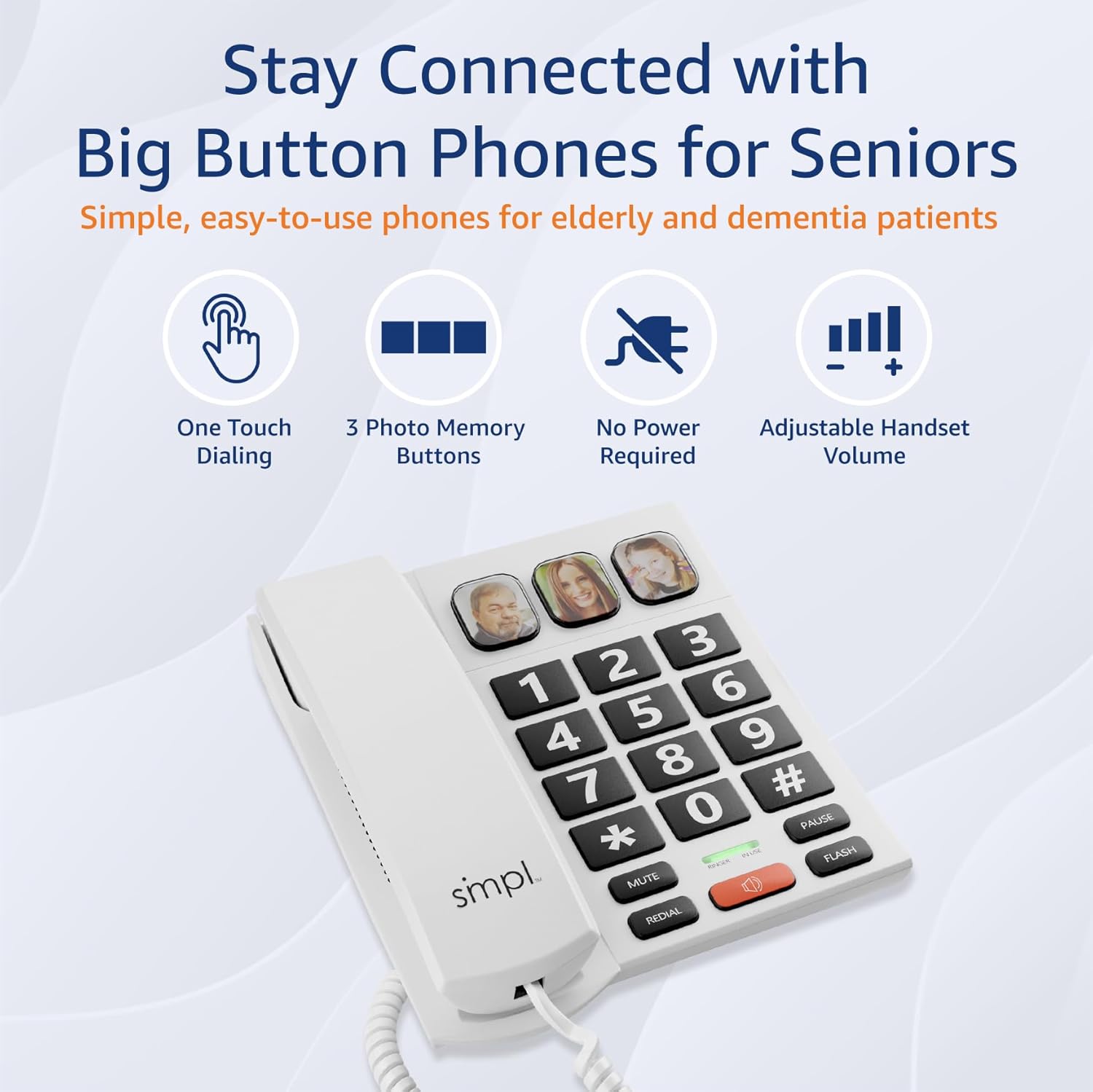
Image: The SMPL Big Button Corded Phone, showcasing its large keypad and three photo memory buttons.
Eusi pakét
Punten parios yén sadaya barang anu didaptarkeun di handap kalebet kana pakét anjeun:
- 1 x Basis Telepon
- 1 x Handset
- 1 x Handset Cord
- 1 x Phone Line Cord
- 1 x Manual Pamaké
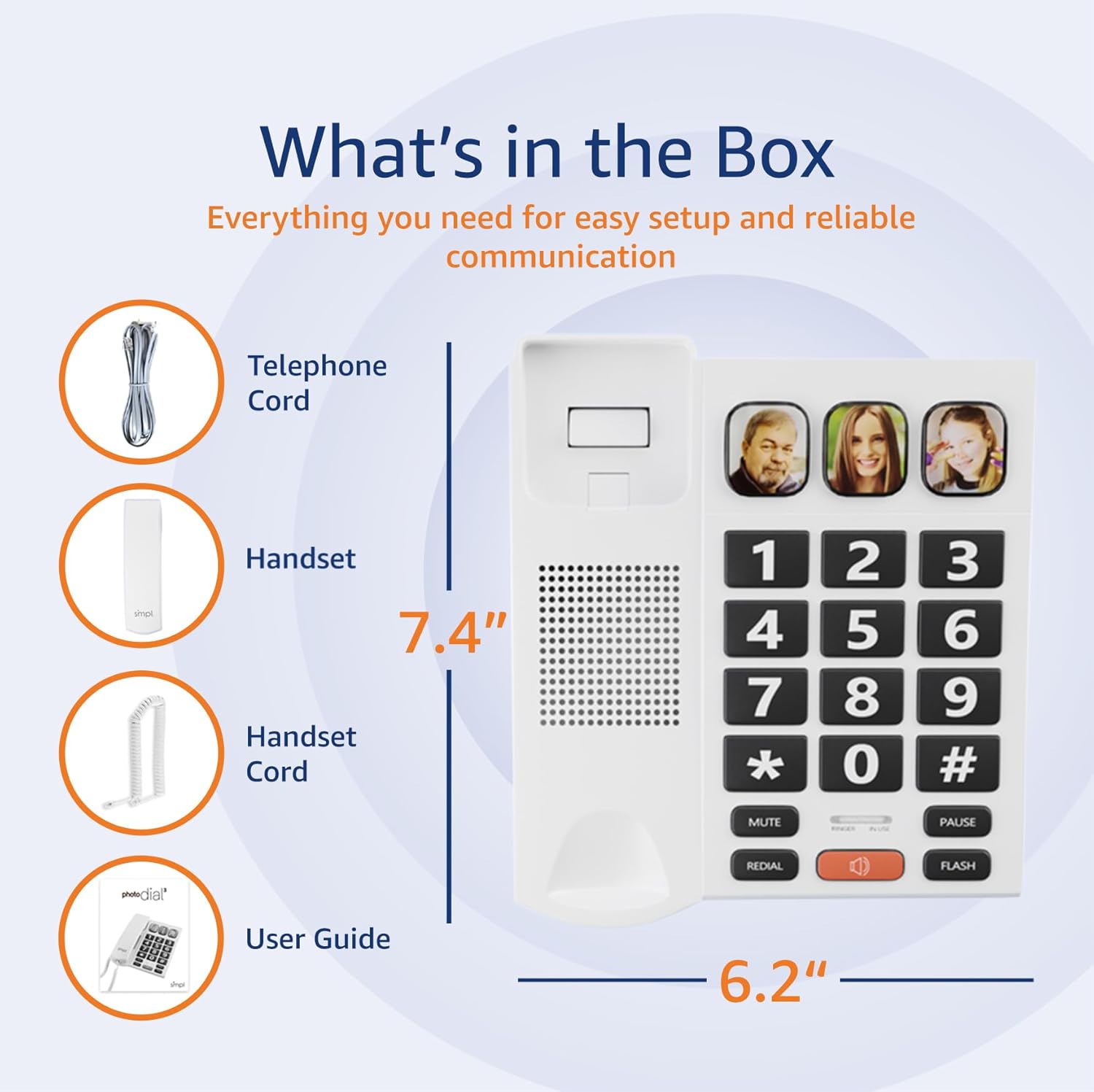
Image: A visual representation of the phone's components, including the telephone base, handset, cords, and user guide, laid out next to the packaging.
Parentah Setup
- Sambungkeun Handset: Plug one end of the coiled handset cord into the handset and the other end into the designated port on the left side of the telephone base. Ensure a secure connection.
- Connect to Phone Line: Plug one end of the phone line cord into the "LINE" port on the back of the telephone base. Plug the other end into your wall phone jack.
- Power (Optional for VoIP): This phone operates on traditional landlines without external power. If you are using a VoIP service (Internet with voice), an optional power adapter (Model 56021, sold separately) may be required for full functionality. Check your service bill if unsure.
- Adjust Ringer Volume: Locate the "LOW HI RINGER" switch on the back of the phone. Adjust to your preferred volume setting (Low or High).
- Adjust Handset Volume: Locate the "MED HI VHI HANDSET VOLUME" switch on the back of the phone. Adjust to your preferred listening level (Medium, High, or Very High).

Gambar: Tukangeun view of the phone base, highlighting the ports for the phone line and handset, along with the adjustable switches for ringer and handset volume.
Fitur Langkungview
- Tombol badag: Oversized, high-contrast buttons for easy visibility and dialing, reducing errors for users with visual impairments or dexterity issues.
- Three Photo Memory Keys: Dedicated buttons (M1, M2, SOS) allow users to program frequently called numbers with corresponding photos for one-touch dialing.
- Amplified Handset & Ringer Volume: Adjustable volume levels for both the handset (up to 85 dB) and ringer (over 75 dB) to accommodate varying degrees of hearing loss.
- Visual Flasher: An integrated visual alert flashes during incoming calls, providing an additional notification for users who may not hear the ringer.
- Speakerphone: Hands-free communication option for convenience and group conversations.
- Fungsi Panggil Ulang: Quickly redial the last number called.
- Tombol Flash: Used for call waiting or transferring calls (if supported by your phone service).

Image: A close-up of the phone's large, easy-to-read buttons and the visual flasher, emphasizing its user-friendly design.
Parentah Operasi
Nelepon:
- Standard Dialing: Angkat handset atawa pencét kenop SPEAKER button. Dial the desired phone number using the large keypad.
- Photo Memory Key Dialing:
- Pemrograman:
- Angkat héndsét.
- Pencét éta TOKO kancing.
- Pencét nomer telepon anu anjeun hoyong simpen.
- Pencét éta TOKO tombol deui.
- Press one of the photo memory keys (M1, M2, or SOS) to assign the number.
- Ganti héndsét.
- Telepon: Angkat handset atawa pencét kenop SPEAKER button, then simply press the desired photo memory key (M1, M2, or SOS). The phone will automatically dial the stored number.
- Pemrograman:
Video: This video demonstrates how to add a phone number to a picture button on a similar Easyfone T6 model, illustrating the process of programming speed dial keys with associated images.
Video: This video illustrates how to dial numbers using the standard keypad function on a similar Easyfone T6 model, for calls not assigned to photo buttons.
Narima Telepon:
- Sawaktos telepon hurung, angkat héndsét atawa pencét kenop SPEAKER tombol pikeun ngajawab.
- Pikeun mungkas telepon, pasang deui gagang telepon atanapi pencét tombol SPEAKER button again if using hands-free mode.
Adjusting Volume During a Call:
- While on a call, use the VOL+ jeung VOL- buttons (if available on your model) or the handset volume switch on the back of the phone to adjust the listening volume.
Pangropéa
- beberesih: Lap telepon ku kaén nu lemes,amp lawon. Ulah make bahan kimia kasar atawa cleaners abrasive.
- Panyimpenan: Simpen telepon dina tempat anu tiis sareng garing jauh tina sinar panonpoé langsung sareng suhu anu ekstrim.
- Perawatan kabel: Avoid tangling or excessive pulling of the cords to prevent damage.
Pamérésan masalah
| Masalah | Solusi anu mungkin |
|---|---|
| Taya nada dial |
|
| Teu tiasa ngadangu nu nelepon / Nu nelepon teu tiasa ngadangu kuring |
|
| Telepon teu hurung |
|
| Photo memory keys not working |
|
spésifikasi
- Jumlah modél: 56020
- Ukuran produk: 19.1 x 20.7 x 6.4 cm
- beurat: 581 g
- warna: Bodas
- Bahan: palastik
- Jenis Telepon: Korded
- Sumber Daya: Corded Electric (operates on landline power; optional adapter for VoIP)
- Tipe Telepon: Keypad Tunggal
- Jenis Sistem Ngajawab: Digital (Recording Capacity: 24 Minutes)
- Alat anu cocog: Alat Pangrungu
- Operasi Multiline: Operasi Single-Line
- ID nu nelepon: No
- UPC: 628857560203
Garansi sareng Rojongan
For warranty information or technical support, please refer to the contact details provided with your purchase documentation or visit the official SMPL websitus. Simpen resi pameseran anjeun salaku bukti pameseran pikeun klaim garansi.