
1. Bubuka jeung Leuwihview
The Salicru SLC-2000-TWIN RT3 is an On-Line Double Conversion Uninterruptible Power Supply (UPS) designed to provide reliable power protection for critical systems. This model, with a capacity of 3000VA / 2000W, offers high operational efficiency and an optimized battery charging system. Its versatile design allows for both 2U rack and tower installations, adapting to various environmental needs. Key features include an output power factor of 1, a rotatable Dot Matrix display for easy monitoring, and options for extended autonomy.
2. Émbaran Kasalametan
Please read all safety instructions carefully before installing, operating, or servicing the UPS. Failure to follow these instructions may result in electric shock, fire, or serious injury.
- Kasalametan listrik: Unit ieu ngandung vol picilakaeuntages. Ulah muka wadah UPS. Perawatan ngan ukur kedah dilakukeun ku tanaga anu mumpuni.
- Kasalametan batré: UPS ieu ngandung batré timbal-asam anu disegel. Ulah miceun batréna kana seuneu, sabab bisa ngabeledug. Ulah muka atanapi ngaruksak batréna. Éléktrolit anu dileupaskeun ngabahayakeun kulit sareng panon.
- Lingkungan: Install the UPS in a well-ventilated area, free from excessive dust, corrosive fumes, and conductive contaminants. Avoid direct sunlight and heat sources.
- beurat: The UPS unit is heavy. Use proper lifting techniques and ensure adequate support during installation.
3. Eusi Paket
Verify that all items are present in the package. If any items are missing or damaged, contact your dealer immediately.
- Salicru SLC-2000-TWIN RT3 UPS Unit
- Manual pangguna (dokumén ieu)
- Kabel Input Daya
- Output Power Cables (quantity may vary)
- Rack Mount Kit (rails, brackets, screws)
- Tower Stand (for vertical orientation)
- Communication Cables (USB, RS232)
4. Pedaran Fisik jeung Komponén
The SLC-2000-TWIN RT3 features a robust design with a front panel display and controls. Its convertible form factor allows for flexible deployment.

Gambar 4.1: Hareupeun view of the Salicru SLC-2000-TWIN RT3 UPS in a rackmount configuration, showing the display and control buttons.
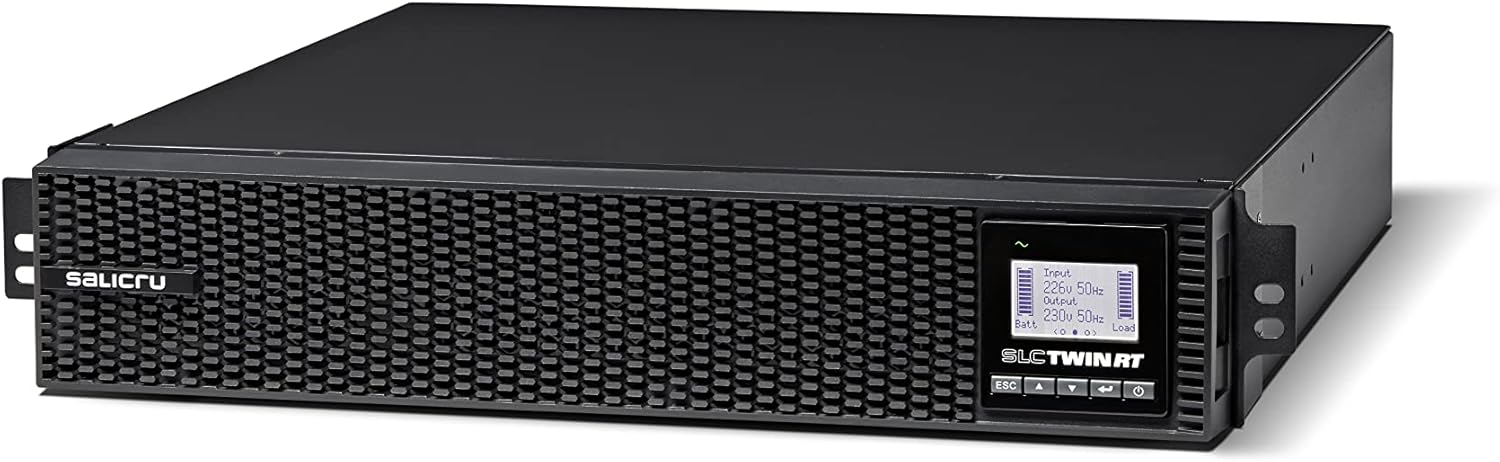
Gambar 4.2: Detil view of the UPS front panel, highlighting the Dot Matrix display and navigation buttons (ESC, Up, Down, Enter).

Figure 4.3: The Salicru UPS unit stacked with an optional external battery module, demonstrating extended autonomy capability.
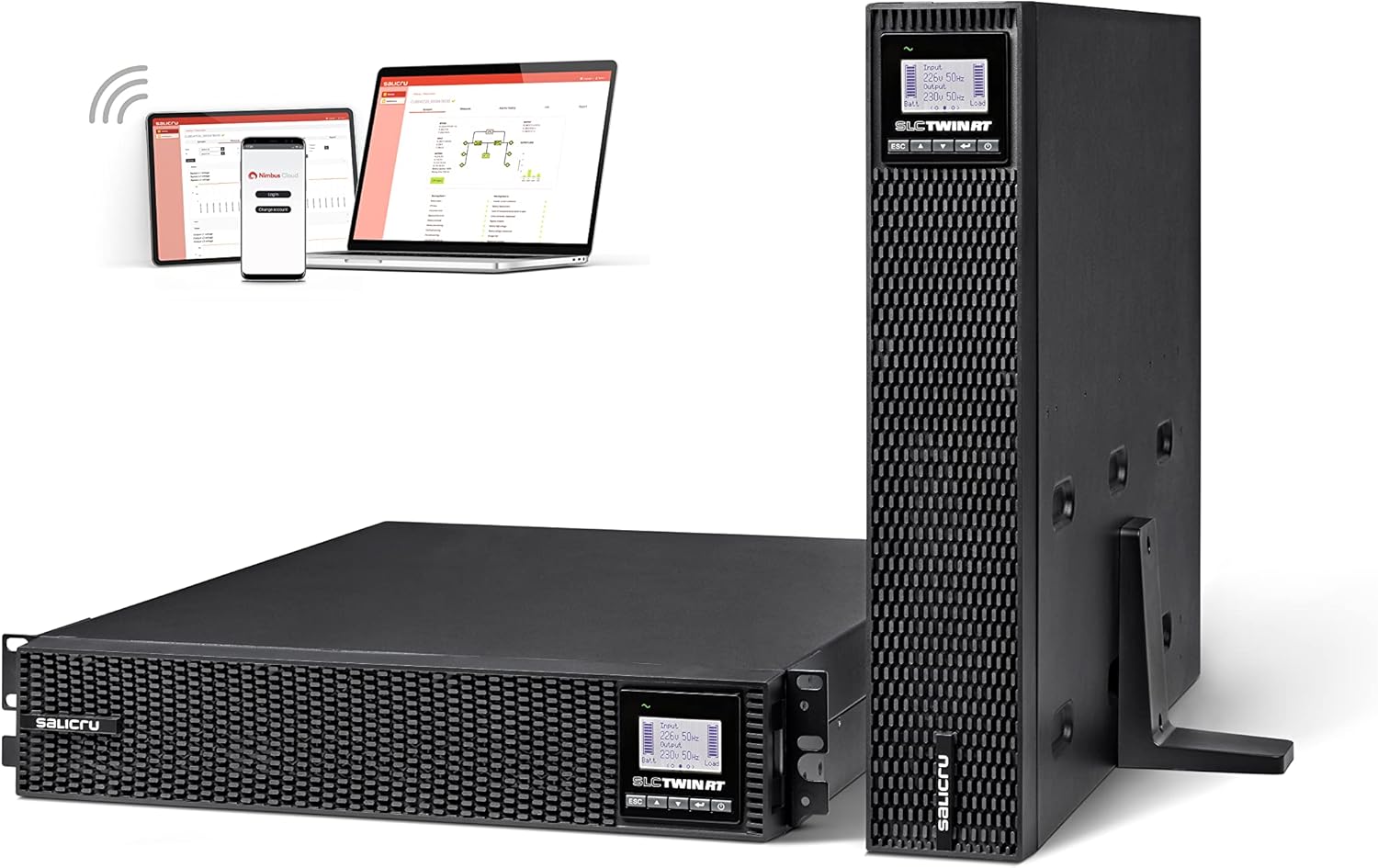
Figure 4.4: The UPS shown in both horizontal (rack) and vertical (tower) orientations, alongside a depiction of its monitoring software interface on various devices.
4.1 Panel payun
- Tampilan Dot Matrix: Provides real-time status, input/output voltage, load level, battery status, and alarm messages. The display can be rotated for optimal viewing in both rack and tower configurations.
- Tombol kontrol: Used for navigating menus, confirming selections, and controlling UPS functions (e.g., ESC, Up, Down, Enter/Power).
4.2 Panel tukang
The rear panel typically includes input power connectors, output receptacles (identified by color for different functions), communication ports (USB, RS232, SNMP slot), and an external battery connector.
5. Setup jeung Instalasi
Follow these steps for proper installation of your Salicru UPS.
5.1 Milih Lokasi
Select a location that meets the environmental requirements mentioned in Section 2. Ensure sufficient clearance for ventilation and access to the front and rear panels.
5.2 Rackmount or Tower Configuration
The UPS can be installed in a standard 19-inch rack or as a standalone tower unit.
- Rackmount: Attach the provided rackmount ears and rails to the UPS and then secure it into the server rack.
- munara: Attach the provided tower stand to the base of the UPS for vertical stability. Ensure the display orientation is adjusted as needed.
5.3 Nyambungkeun UPS
- Nyambungkeun Daya Input: Connect the UPS input power cable to a grounded electrical outlet.
- Alat Sambungkeun: Plug your critical equipment (servers, network devices, etc.) into the output receptacles on the rear panel of the UPS. Observe the power ratings of the UPS and your connected devices.
- Connect Communication Cables: For monitoring and management, connect the USB or RS232 cable from the UPS to your computer or server. Install the monitoring software if desired.
- External Battery Modules (Optional): If using external battery modules, connect them to the designated port on the UPS rear panel. The UPS features an automatic detection system for these modules.
5.4 Mimiti Mimiti
- Pastikeun sadaya sambungan aman.
- Press and hold the power button on the front panel until the UPS powers on.
- The display will show the startup sequence and then the current operating status.
- Allow the UPS to charge its internal batteries for at least 8 hours before relying on it for extended backup.
6. Parentah Operasi
The Salicru SLC-2000-TWIN RT3 operates in On-Line Double Conversion mode, providing continuous, clean power to connected equipment.
6.1 Pintonan sareng Napigasi
The Dot Matrix display provides comprehensive information. Use the navigation buttons (ESC, Up, Down, Enter) to scroll through menus and adjust settings. Refer to the detailed menu structure in the full manual for specific options.
6.2 Operasi normal
During normal operation, the UPS continuously converts incoming AC power to DC to charge the batteries and then converts it back to clean AC power for your connected devices. This isolates your equipment from utility power fluctuations.
6.3 Modeu batré
Dina acara kakuatan outage, the UPS automatically switches to battery power, providing uninterrupted power to your connected equipment. The display will indicate battery mode and remaining runtime.
6.4 Pareum
To safely shut down the UPS, press and hold the power button until the unit powers off. Ensure all connected equipment is also properly shut down before disconnecting the UPS from the power source.
7. Pangropéa
Regular maintenance ensures the longevity and optimal performance of your UPS.
- Perawatan batré: The UPS features an improved 8A charger with a
Ask a question about this manual
Ask about setup, troubleshooting, compatibility, parts, safety, or missing instructions. Manuals+ will review the question and use this page’s manual context to help answer it.