
1. Bubuka
This manual provides comprehensive instructions for the Poly Voyager 5200 Bluetooth headset. It covers essential information for setup, operation, maintenance, and troubleshooting, enabling users to maximize the headset's performance and utilize its advanced features effectively.
2. Produk Langkungview
The Poly Voyager 5200 is a professional-grade Bluetooth headset designed for clear communication in various environments. It features advanced noise-canceling technology and voice control capabilities, making it ideal for mobile professionals.
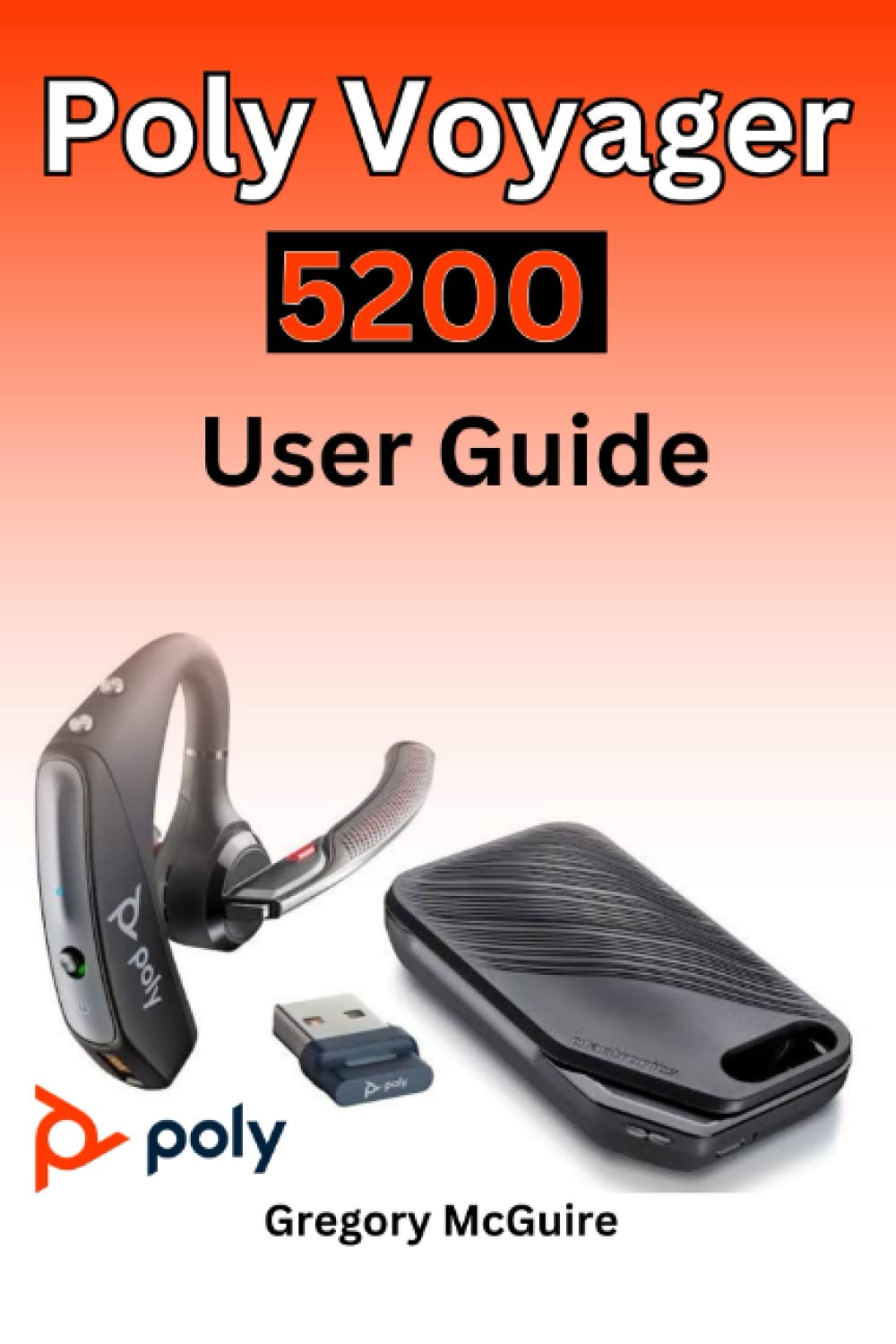
Figure 2.1: Front cover of the Poly Voyager 5200 User Guide book, featuring a red and orange gradient design with 'Copyrighted Material' text.
Figure 2.2: Back cover of the Poly Voyager 5200 User Guide book, displaying the ISBN 9798387380280 barcode and 'Copyrighted Material' text.
3. Setélan
3.1 Ngecas Headsét
Before first use, fully charge your Poly Voyager 5200 headset.
- Connect the provided USB charging cable to the headset's charging port.
- Plug the other end of the USB cable into a USB wall charger or a powered USB port on your computer.
- The indicator light on the headset will illuminate to show charging status. It will typically turn off or change color when fully charged.
3.2 Nyapasangkeun sareng Alat
To use your headset, you must pair it with your Bluetooth-enabled device (e.g., smartphone, tablet, computer).
- Daya Hurung: Turn on your Poly Voyager 5200 headset by pressing and holding the Power button until you hear a voice prompt or see the indicator light flash.
- Aktipkeun Mode Papasangan: Press and hold the Call button on the headset until the indicator light flashes red and blue, indicating it is in pairing mode.
- Aktipkeun Bluetooth: On your device, go to the Bluetooth settings and ensure Bluetooth is enabled.
- Select Headset: From the list of available devices, select "Poly V5200" or "Plantronics V5200". If prompted for a passcode, enter "0000" (four zeros).
- Konfirmasi: Once successfully paired, the headset's indicator light will stop flashing red and blue, and you will hear a voice prompt confirming the connection.
4. Parentah Operasi
4.1 Kadali Dasar
- Hurungkeun/Pareuman: Pencét jeung tahan tombol Daya salila kurang leuwih 2 detik.
- Ngajawab / mungkas Telepon: Pencét tombol Telepon sakali.
- Nolak Telepon: Press and hold the Call button for approximately 2 seconds.
- Kontrol volume: Use the Volume Up (+) or Volume Down (-) buttons located on the headset to adjust audio levels.
- Ngajempékeun/Nganonaktipkeun: Pencét tombol Jempé nalika nelepon aktip.
- Voice Commands/Assistant: Press the Voice button to activate your device's voice assistant (e.g., Siri, Google Assistant).
4.2 Maké Headsét
For optimal comfort and sound clarity, adjust the headset as follows:
- Gently place the ear tip into your ear.
- Rotate the microphone boom until it points towards your mouth.
- Ensure the headset is secure and comfortable for extended wear.
5. Pangropéa
5.1 beberesih
Ngabersihkeun sacara rutin ngabantosan ngajaga kinerja sareng kabersihan headset.
- Wipe the headset with a dry, soft, lint-free cloth.
- Avoid using harsh chemicals, cleaning solvents, or abrasive materials, as these can damage the headset.
- Ulah ngalelepkeun headset kana cai atanapi cairan anu sanés.
5.2 Panyimpenan
Proper storage extends the life of your headset.
- Simpen headset di tempat anu tiis sareng garing jauh tina sinar panonpoé langsung sareng suhu anu ekstrim.
- When not in use for extended periods, ensure the headset is partially charged to prevent deep discharge.
6. Cara ngungkulan
If you encounter issues with your Poly Voyager 5200 headset, refer to the following common troubleshooting steps:
- Henteu aya kakuatan: Ensure the headset is fully charged. Verify that the charging cable and power source are functioning correctly.
- Teu Bisa Dipasangkeun: Confirm the headset is in pairing mode (indicator flashing red and blue). Ensure Bluetooth is enabled on your device and the headset is within range. Try deleting previous pairings on your device and re-pairing.
- Kualitas Audio goréng: Check the headset's placement and ensure the microphone boom is positioned correctly towards your mouth. Move closer to your connected device to minimize interference. Ensure there are no physical obstructions between the headset and the device.
- Henteu aya sora: Verify that the volume levels on both the headset and your connected device are turned up. Confirm that the Poly Voyager 5200 is selected as the audio output device on your phone or computer.
- Headset Not Responding: Try resetting the headset by turning it off and then on again. If the issue persists, consult the official Poly support resources.
7. Spésifikasi
| Fitur | Rincian |
|---|---|
| ASIN | B0BYR893FQ |
| pamedal | Diterbitkeun sacara mandiri |
| Tanggal Publikasi | 17 Maret 2023 |
| Basa | Inggris |
| Panjang Print | 35 kaca |
| ISBN-13 | 979-8387380280 |
| Item Beurat | 3.68 ons |
| Diménsi | 6 x 0.08 x 9 inci |
8. Émbaran Kasalametan
Please read and follow these safety guidelines to ensure safe operation and prevent damage to your headset:
- Avoid exposing the headset to extreme temperatures, direct sunlight, moisture, or corrosive substances.
- Do not attempt to disassemble, modify, or repair the headset yourself. Refer all servicing to qualified personnel.
- Use only manufacturer-approved charging cables and accessories.
- Keep the headset and its accessories out of reach of children and pets.
- Paparan kana volume anu luhur dina jangka waktu anu lila tiasa nyababkeun karusakan dédéngéan. Dengékeun dina volume anu sedeng.
9. Garansi jeung Rojongan
Specific warranty details and support contact information for the Poly Voyager 5200 headset are not provided within this manual. For warranty claims, technical support, or further assistance, please refer to the official Poly (formerly Plantronics) websitus atanapi ngahubungan layanan palanggan maranéhanana langsung.