
1. Bubuka
Thank you for choosing the Osee LCM215-HDR+ 21.5 Inch Full HD Field Production Monitor. This monitor is designed for professional video production, offering a 1500-nit ultra-high brightness panel, excellent backlight uniformity, and comprehensive input/output options. This manual provides essential information for the safe and efficient use of your monitor, including setup, operation, maintenance, and troubleshooting.
2. Émbaran Kasalametan
- Sasayogian tanaga: Use only the specified power adapter. Ensure the power source matches the monitor's requirements.
- Ventilasi: Do not block ventilation openings. Ensure adequate airflow around the monitor to prevent overheating.
- Cai sareng Uap: Keep the monitor away from water, rain, and high humidity. Do not operate with wet hands.
- beberesih: Disconnect power before cleaning. Use a soft, dry cloth. Avoid liquid cleaners or aerosols.
- Penanganan: Ati-ati dina ngurus monitor. Ulah nepi ka muragkeun atawa kakeunaan dampak anu kuat.
- ngalereskeun: Ulah nyobian ngalereskeun monitor sorangan. Serahkan sadaya perawatan ka tanaga anu mumpuni.
3. Eusi Paket
Pastikeun yén sadaya item aya dina pakét anjeun:
- Osee LCM215-HDR+ 21.5 Inch Full HD Ultra-High Brightness Field Production Monitor
- V-Gunung Batré Plate
- Panonpoé Tudung
- C-Stand Adapter
- Custom Foam Mold
- Desktop Stand Kaki
- Kabel Daya
- Manual pamaké
- Osee 1-Year Limited Warranty Card
4. Produk Langkungview
The Osee LCM215-HDR+ is an upgraded version of the LCM215-HDR monitor, featuring a new 1500-nit ultra-high brightness panel with excellent backlight uniformity. This super 1500-nit screen is approximately 3-4 times brighter than other field monitors, allowing outdoor shooting in direct sunlight without image washout. It does not require a sun hood during use. The LCM215-HDR+ monitor supports various connectors, including 2Ch 3G/HD/SD-SDI input, 1Ch video input, 1 HDMI input, and 1Ch 3G/HD/SD-SDI output. It supports most audio and video formats. The monitor's compatibility makes it suitable for various application scenarios, whether placed on a table, mounted on a rod using a C-stand adapter, or transmitting signals and images wirelessly. It offers superior software functions, including built-in SDR/HDR 3DLUTs. The LCM215-HDR+ provides 30 SDR 3DLUTs to convert log modes to REC 709 for major camera brands like FUJIFILM, GoPro, JVC, Panasonic, RED, and Sony. Additionally, it offers 14 HDR 3DLUTs to further convert log modes.
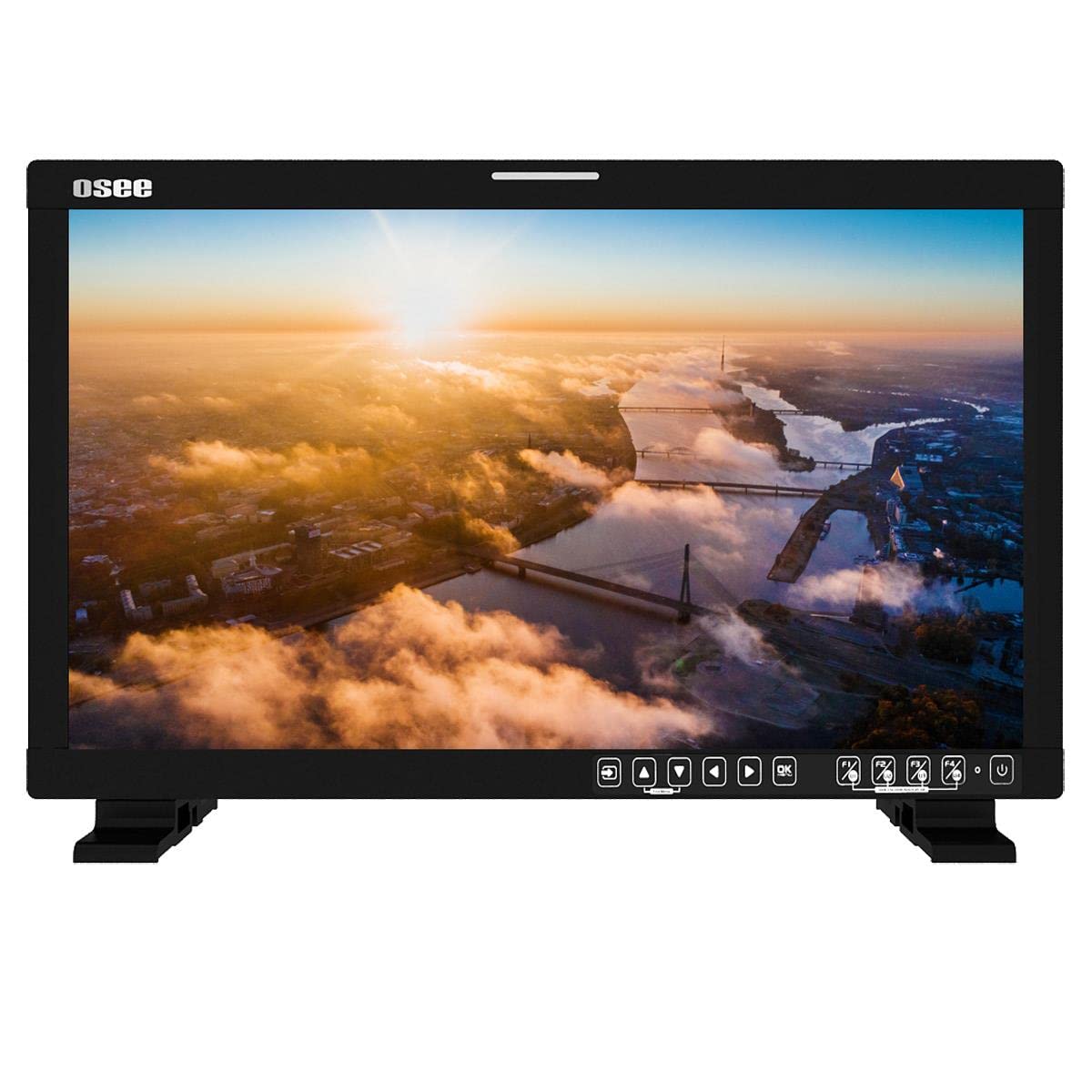
Gambar 4.1: Hareupeun view of the Osee LCM215-HDR+ monitor, displaying a vibrant landscape scene.
Gambar 4.2: Sisi view of the Osee LCM215-HDR+ monitor, showing its slim profile and robust build.

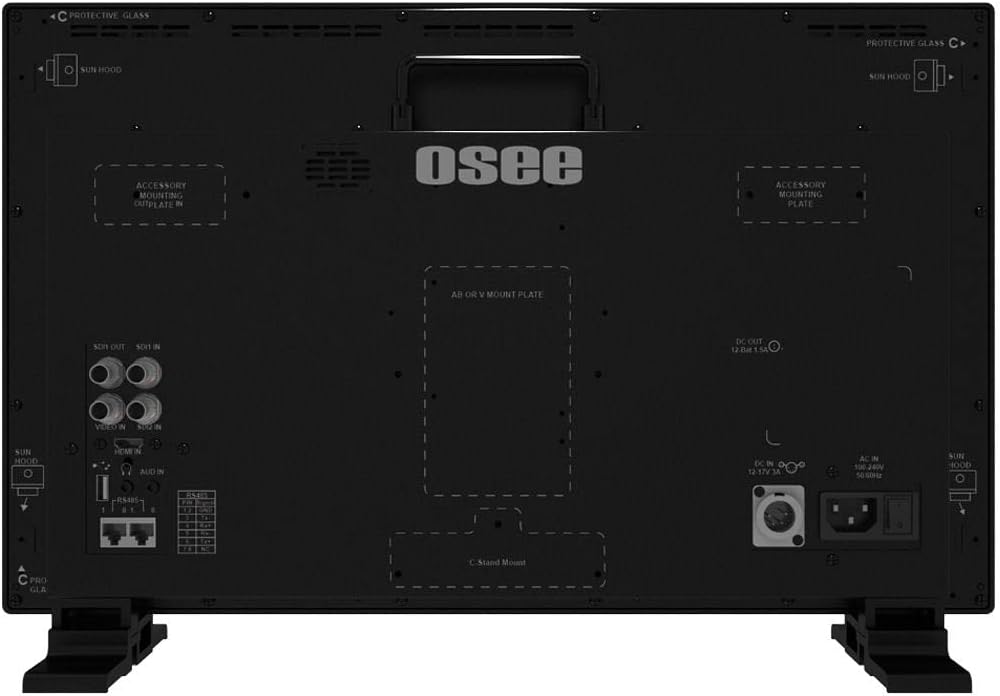
Gambar 4.3: Tukangeun view of the Osee LCM215-HDR+ monitor, highlighting various input/output ports including SDI, HDMI, and power connections.

Figure 4.4: Osee LCM215-HDR+ monitor displayed with its included accessories: sun hood, C-stand adapter, and V-mount battery plate.

Figure 4.5: Two Osee LCM215-HDR+ monitors in a field production setting, displaying video content from cameras.
5. Setélan
5.1 Masang Monitor
- Pamakéan Desktop: Attach the provided desktop stand feet to the bottom of the monitor. Ensure they are securely fastened.
- C-Stand Mounting: Use the included C-stand adapter to mount the monitor onto a C-stand or other compatible rod. Secure the adapter firmly to the monitor and the stand.
- Accessory Mounting Plates: The monitor features accessory mounting plates on the rear for additional equipment.
5.2 Sambungan Daya
- Connect the power cable to the AC input port on the rear of the monitor.
- Plug the other end of the power cable into a suitable power outlet (100-240V AC).
- Alternatively, attach a V-mount battery to the V-mount battery plate for portable operation.
5.3 Sambungan Input
The LCM215-HDR+ supports multiple input types:
- SDI: Connect your 3G/HD/SD-SDI sources to the SDI IN ports. The monitor has 2 SDI inputs.
- HDMI: Connect your HDMI source to the HDMI IN port.
- Video: Connect analog video sources to the Video IN port.
The monitor also features 1Ch 3G/HD/SD-SDI output for looping through signals to other devices.
6. Nyuping
6.1 Powering on / Pareum
Press the power button located on the front panel to turn the monitor on or off. The power indicator light will illuminate when the monitor is on.
6.2 Navigasi Menu
Use the control buttons on the front panel to navigate the on-screen display (OSD) menu. Typically, there are buttons for menu access, navigation (up/down/left/right), and selection (enter).
6.3 Pamilihan Input
Access the input menu via the OSD to select the desired input source (SDI 1, SDI 2, HDMI, Video).
6.4 Brightness and Picture Settings
Adjust brightness, contrast, saturation, and other picture parameters through the OSD menu. The LCM215-HDR+ offers a super bright 1500-nit display, ideal for outdoor viewing.
6.5 LUT Functions
The monitor includes built-in 3DLUTs for color management:
- SDR 3DLUTs: Access 30 SDR 3DLUTs to convert log modes from major camera brands (FUJIFILM, GoPro, JVC, Panasonic, RED, Sony) to REC 709.
- HDR 3DLUTs: Utilize 14 HDR 3DLUTs for advanced log mode conversions.
These functions are accessible through the OSD menu, allowing you to apply them to your input signal for accurate monitoring.
6.6 Kaluaran Audio
The monitor features a built-in speaker for audio monitoring. Adjust the volume through the OSD menu.
7. Pangropéa
7.1 beberesih
- layar: Lembut usap layar nganggo lawon anu lemes sareng teu aya serat. Pikeun tanda nekad, rada dampen the cloth with water or a screen-specific cleaning solution (do not spray directly onto the screen).
- awak: Lap c monitorasing ku lawon anu lemes sareng garing. Hindarkeun pembersih abrasive atanapi pangleyur.
7.2 Panyimpenan
When not in use for extended periods, store the monitor in a cool, dry place, away from direct sunlight and extreme temperatures. Use the custom foam mold and original packaging for protection during transport or storage.
7.3 Battery Care (V-Mount)
If using a V-mount battery, follow the battery manufacturer's guidelines for charging, discharging, and storage to maximize battery life and performance.
8. Cara ngungkulan
- Henteu aya kakuatan:
- Pariksa naha kabel daya disambungkeun sacara aman ka monitor sareng stopkontak.
- If using a V-mount battery, ensure it is charged and properly attached.
- Pastikeun stop kontak listrik fungsina.
- Henteu aya sinyal:
- Ensure the input source (camera, video switcher) is powered on and outputting a signal.
- Check that the video cables (SDI, HDMI, Video) are securely connected to both the source and the monitor.
- Pariksa yén sumber input anu leres parantos dipilih dina menu OSD monitor.
- Confirm the signal format from your source is supported by the monitor (refer to Specifications).
- Image Problems (Distorted, Flickering, Incorrect Colors):
- Check the video cable for damage or loose connections. Try a different cable if possible.
- Reset the monitor's picture settings to default via the OSD menu.
- Ensure the correct LUT is applied, or disable LUTs to check the raw signal.
- If the issue persists, try connecting a different video source to isolate the problem.
- Henteu aya Audio:
- Check the audio settings in the OSD menu and ensure the volume is not muted or set too low.
- Verify that the input source is sending an audio signal.
If you encounter issues not covered here, please contact Osee customer support.
9. Spésifikasi
| Fitur | Spésifikasi |
|---|---|
| merek | Osee |
| Nomer modél | LCM215-HDR+ |
| Ukuran layar | 21.5 inci |
| Resolusi | FHD 1080p (Native: 1920 x 1080) |
| Tipe tampilan | LCD LED |
| Screen Surface Finish | Herang |
| Viewdina Angle | 170 derajat |
| Fitur | Built-in Speaker, High Dynamic Range |
| Input Interfaces | 2x 3G/HD/SD-SDI, 1x Video, 1x HDMI |
| Interfaces kaluaran | 1x 3G/HD/SD-SDI |
| Input kakuatan | AC 100-240V, V-Mount Battery |
| Warna | Hideung |
| Paké produk | Desktop |
| Tipe Pamasangan | Méja Gunung |
| UPC | 650971522317 |
| ASIN | B0BZKSSN5D |
10. Garansi jeung Rojongan
The Osee LCM215-HDR+ monitor comes with a 1-year limited warranty. Please refer to the warranty card included in your package for detailed terms and conditions. For technical support, service, or further inquiries, please visit the official Osee websitus atanapi ngahubungan distributor lokal Anjeun. Simpen resi pameseran anjeun salaku bukti pameseran pikeun klaim garansi.