1. Émbaran Kasalametan penting
Please read all instructions carefully before using the product. Keep this manual for future reference.
- This product is not waterproof. Do not immerse the product in water or expose it to excessive moisture.
- Ulah nyobian ngabongkar atawa ngaropéa alat.
- Jauhkeun tina jangkauan barudak leutik.
- Anggo ukur kabel Type-C anu disayogikeun pikeun ngecas.
2. Eusi Paket
Pastikeun yén sadaya item aya dina bungkusan:
- 1 × Voice Activated Sensor Light
- 1 × Base
- 1 × Tipe-C Kabel Ngecas
3. Spésifikasi produk
| Ngaran produk | Voice-activated Sensor Light |
| Modél produk | NO-HB034 |
| Sumber Cahaya | LED |
| Warna Cahaya | Warm Yellow (3000 Kelvin) |
| Daya Cahaya | 1W |
| Kapasitas batré | Batré Litium 1500mAh |
| Dipeunteun Voltage | DC5V 1A |
| Bahan Produk | Sapele wood, Iron, Plastic, Electronic Components |
| Kelas IP | IP20 (henteu waterproof) |
| Dimensi produk | 70mm (D) x 70mm (W) x 186mm (H) / 2.75"D x 2.75"W x 7.32"H |
| Beurat bersih | 360 gram / 12.7 ons |
| Métode kontrol | Kontrol Sora, Kontrol Toél |
| Fitur husus | Cordless, Dimmable (3 levels), Rechargeable |
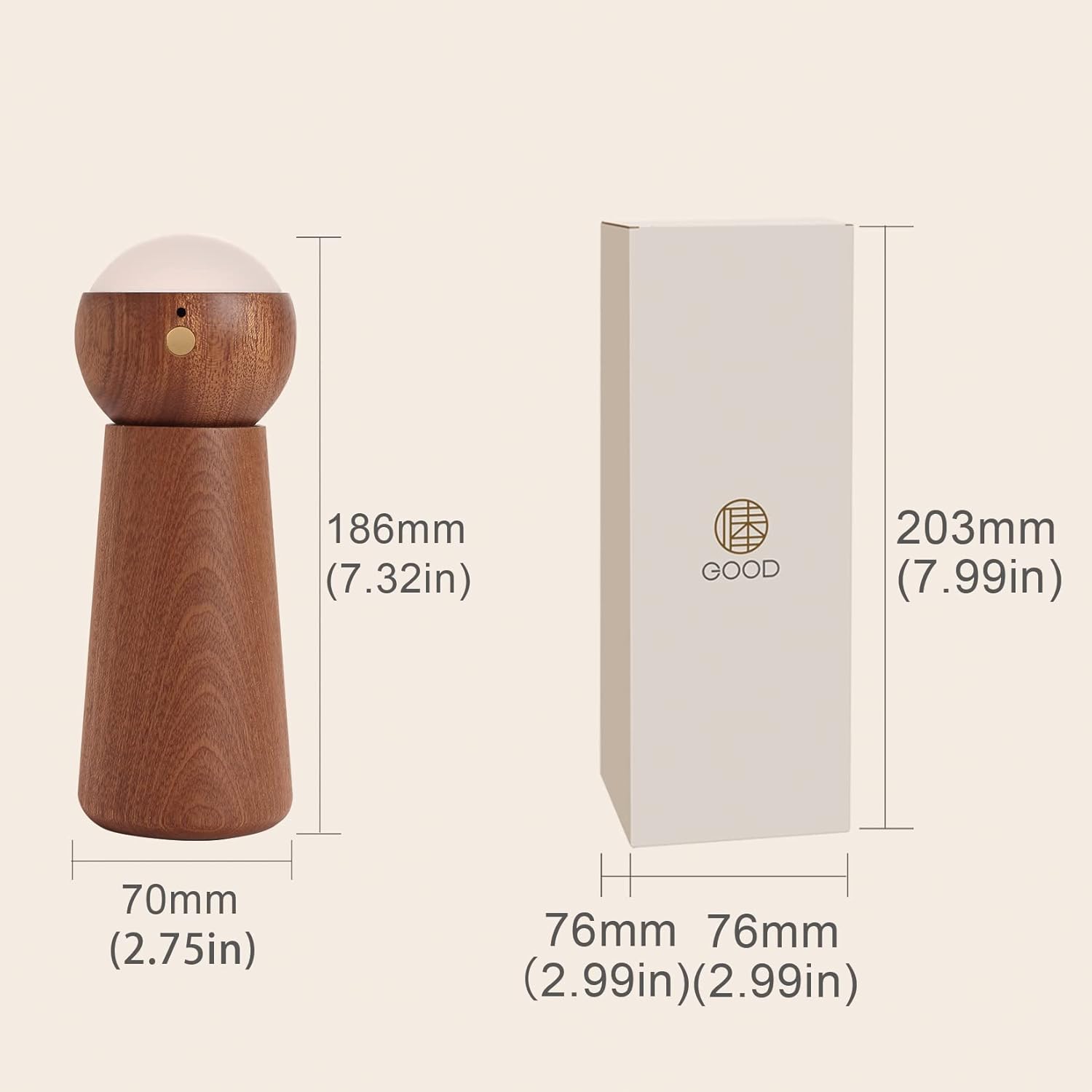
Gambar 1: Diménsi Produk (70mm x 70mm x 186mm)
4. Setélan
- Ngabongkar: Sacara saksama miceun sadaya komponén tina bungkusan.
- ngumpul: The light module can be separated from its base. Place the light module securely onto the base. The direction of the light can be adjusted by rotating the light module on the base.
- Muatan Awal: Before first use, fully charge the device using the provided Type-C cable. Refer to the 'Charging the Device' section for details.
- Modeu Hurung/Siaga: Long press the switch button on the light module for 2 seconds to enter standby mode. Once in standby mode, you can enable either voice control or touch control mode.
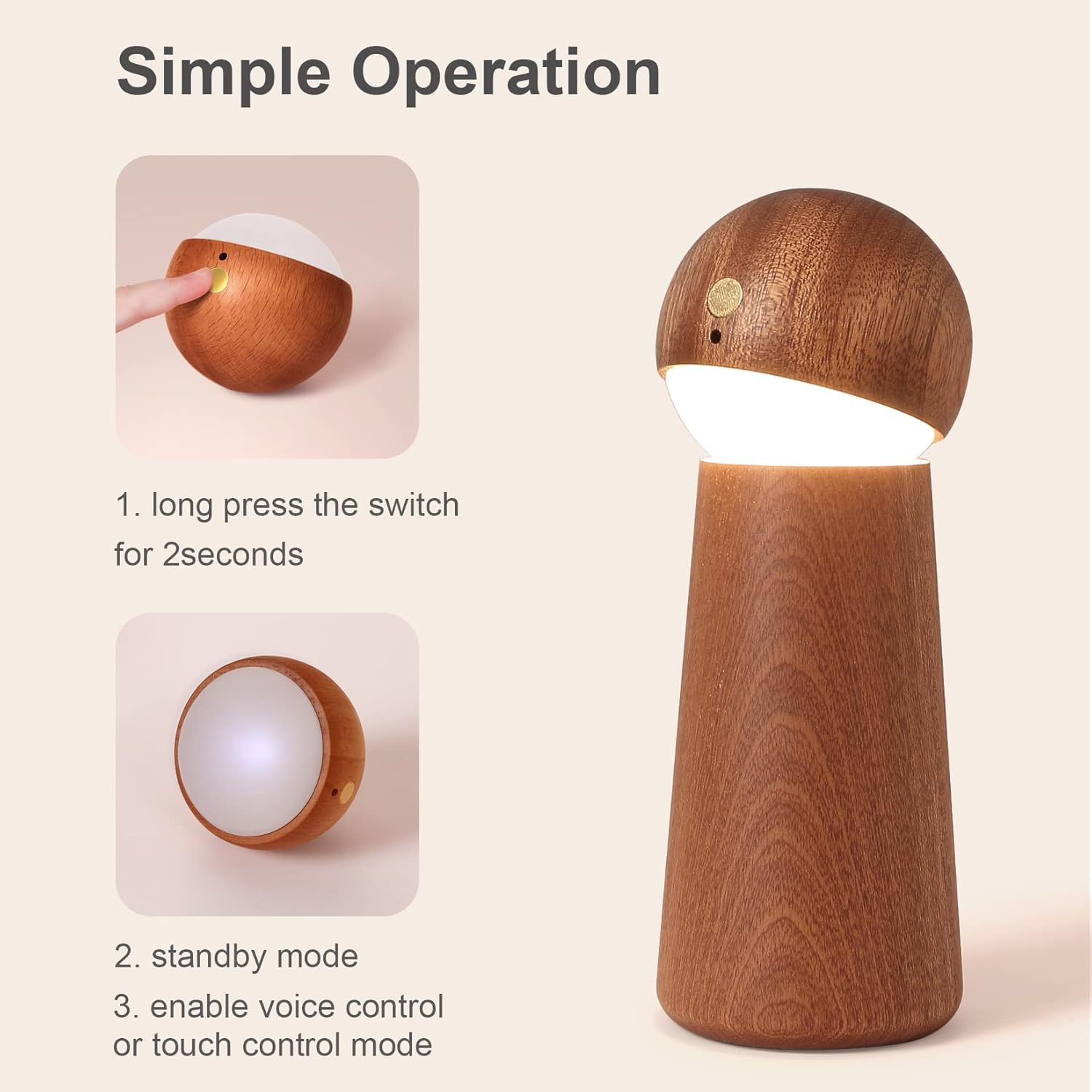
Figure 2: Simple Operation - Power On
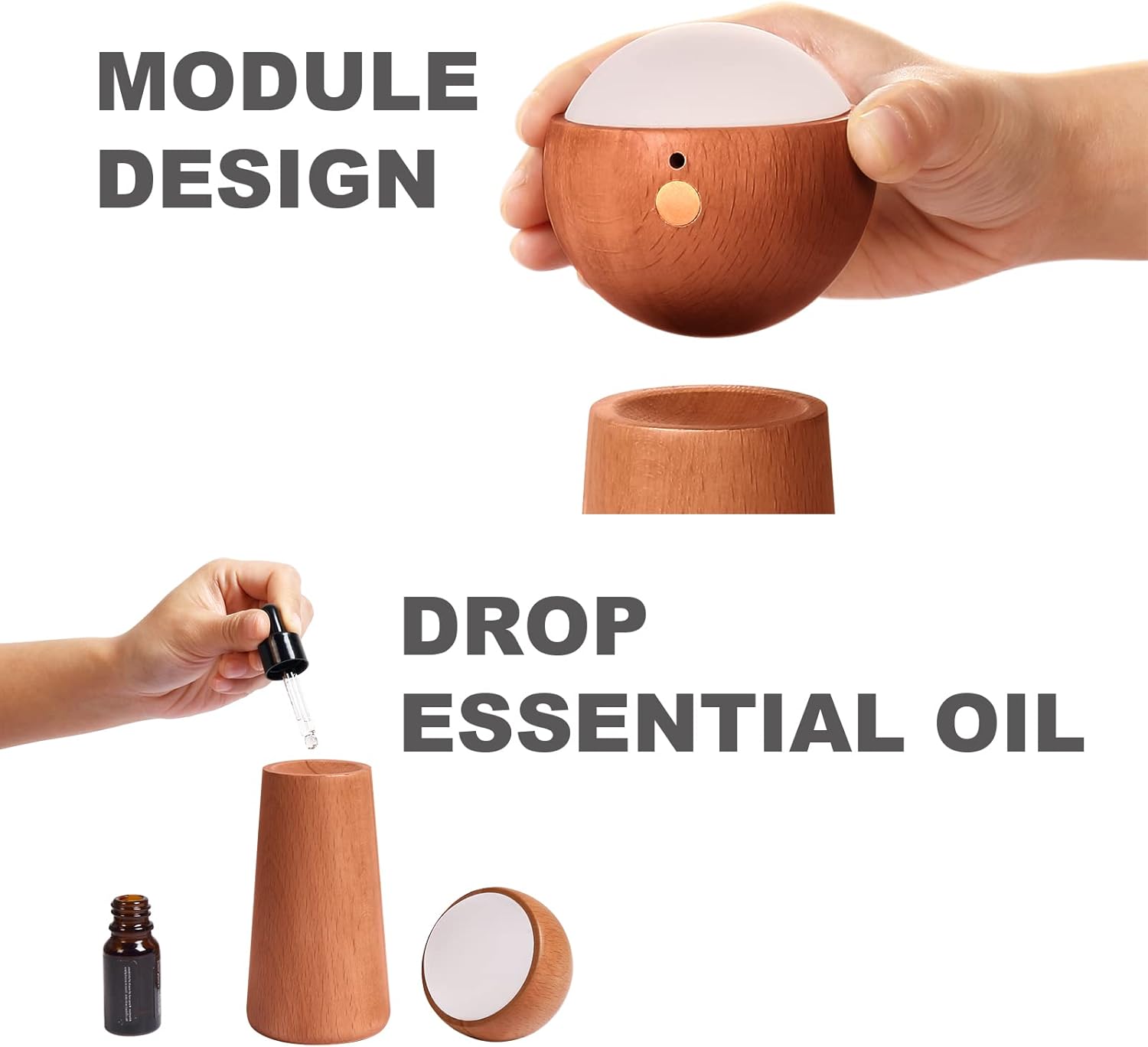
Figure 3: Module Design and Essential Oil Application
5. Parentah Operasi
5.1 Voice Control Mode
The night light features an AI artificial intelligence chip for independent voice recognition, requiring no internet connection. Ensure ambient noise is below 60dB for optimal performance within a 5-meter range.
To activate voice control, ensure the device is in standby mode. Use the following commands:
- "Light on": Turns the light on.
- "Light off": Turns the light off.
- "Brighten the light": Increases the brightness level.
- "Dim the light": Decreases the brightness level.

Figure 4: Voice Control Commands
5.2 Touch Control Mode
The night light also offers touch control for adjusting brightness.
- Aktipkeun: Ensure the device is in standby mode. Gently touch the designated touch area on the light module.
- Saluyukeun Caang: Each touch will cycle through three brightness levels: Low, Medium, and High. Continue touching until the desired brightness is achieved.

Figure 5: Smart Touch Control and Brightness Levels
5.3 Essential Oil Diffusion
The wooden base of the night light can be used for essential oil diffusion.
- Separate Module: Gently lift the light module from its wooden base.
- Apply Essential Oil: Add a few drops of your preferred essential oil directly onto the wooden base. The wood will absorb the oil and slowly release its fragrance.
- Pasang deui: Place the light module back onto the base.
6. Ngecas Alat
The night light is equipped with a 1500mAh lithium battery and charges via a Type-C port.
- Sambungkeun kabel: Insert the Type-C charging cable into the charging port on the light module.
- Sambungkeun Kakuatan: Connect the other end of the cable to a compatible USB power source (e.g., adapter, power bank, computer, laptop).
- Indikator ngecas: During normal charging, the indicator light will be red.
- muatan pinuh: Lampu indikator bakal pareum pas batréna tos pinuh.

Gambar 6: Ngecas via Port Tipe-C
7. Pangropéa
- beberesih: Use a soft, dry cloth to wipe the surface of the night light. Do not use abrasive cleaners or solvents.
- Panyimpenan: Simpen alat dina tempat anu tiis sareng garing upami henteu dianggo kanggo waktos anu lami.
- Perawatan batré: Pikeun manjangkeun umur batre, ulah miceun batre pinuh. Ngeusi batre alat sacara rutin, sanajan henteu dianggo terus-terusan.
8. Cara ngungkulan
- Lampu teu hurung:
- Pastikeun batréna tos dicas. Sambungkeun alat ka sumber daya teras parios indikator ngecas.
- Long press the switch button for 2 seconds to ensure it is in standby mode.
- Voice control is not responsive:
- Ensure the ambient noise level is below 60dB. High background noise can interfere with voice recognition.
- Speak clearly and within 5 meters of the device.
- Confirm the device is in standby mode.
- Touch control is not working:
- Ensure the device is in standby mode.
- Ensure your finger is making proper contact with the touch area.
9. Garansi jeung Rojongan
For product support, warranty information, or any inquiries, please contact the manufacturer or your retailer. Please have your product model number (NO-HB034) available when seeking assistance.
