
1. Bubuka
Thank you for choosing the YESKAMO 4MP Wireless Outdoor Battery Security Camera System. This manual provides detailed instructions for the installation, operation, and maintenance of your security camera system. Please read this manual thoroughly before use and retain it for future reference.
2. Émbaran Kasalametan
- Pastikeun sadaya sambungan listrik aman sareng leres sateuacan dioperasikeun.
- Do not expose the camera or base station to extreme temperatures, humidity, or corrosive environments.
- Avoid placing the camera in direct sunlight for prolonged periods if not equipped with a solar panel.
- Jauhkeun alat ti barudak jeung piaraan.
- Use only manufacturer-approved accessories and power adapters.
- Ulah nyobian ngabongkar atanapi ngarobih alat, sabab ieu bakal ngabatalkeun garansi.
3. Eusi Paket
Mangga parios pakét kanggo barang-barang ieu:
- YESKAMO 4MP Battery Cameras (x2)
- Pangkalan (x1)
- Pamasangan kurung jeung screws
- Kabel Ngecas USB
- Adaptor kakuatan pikeun Base Station
- Kabel Ethernet
- Manual pamaké
Note: Solar panels and SD cards are sold separately.
4. Produk Langkungview
4.1 Komponén kaméra
The YESKAMO camera is designed for both indoor and outdoor use, featuring a robust, weather-resistant build.

Image 4.1: YESKAMO 4MP Wireless Outdoor Battery Security Camera
- Lensa: 4MP UHD resolution for clear video.
- LED IR: Pikeun visi peuting infra red.
- Sorotan: Enable color night vision and act as deterrents.
- Sensor Pir: Sensor Infrabeureum pasip pikeun deteksi gerak.
- Mikropon & Spiker: Pikeun komunikasi audio dua arah.
- anteneu: 4 dBi external antenna for enhanced Wi-Fi signal.
- Titik Pasang: Pikeun instalasi aman.
4.2 Base Station Components
The base station acts as the central hub for your cameras, managing recordings and network connectivity.

Image 4.2: YESKAMO Base Station and Camera
- Slot Kartu SD: Ngarojong nepi ka 128GB pikeun neundeun lokal.
- Port USB: For potential future expansions or accessories.
- Port Ethernet: Pikeun sambungan jaringan kabel.
- Input kakuatan: Pikeun nyambungkeun adaptor kakuatan.
- Kode QR: Used for initial setup and pairing with the app.
5. Setélan
5.1 Unduh Aplikasi sareng Pendaptaran Akun
- Unduh Eseecloud or YESKAMO aplikasi ti toko aplikasi smartphone anjeun (ios atanapi Android).
- Buka aplikasi teras daptar kanggo akun énggal, atanapi lebet upami anjeun parantos gaduh.
5.2 Pairing Cameras with the Base Station
The system is designed for easy, two-step activation:
- In the app, select to add a new device and scan the QR code located on the base station.
- Power on the camera(s). The camera(s) will automatically connect to the base station.
- Once connected, you can name your cameras and configure initial settings within the app.
5.3 Instalasi fisik
The cameras are designed for wall mounting. Choose a location that provides the desired viewing angle and is within Wi-Fi range of the base station. If using a solar panel (sold separately), ensure the camera is placed where it receives at least 2 hours of direct sunlight daily.
- Use the provided mounting bracket and screws to securely attach the camera to a wall or suitable surface.
- Saluyukeun sudut kaméra pikeun nutupan area pantauan anu dipikahoyong.
6. Ngoperasikeun Sistem Kaméra
6.1 Hirup View sareng Audio Dua Arah
Access live video feeds from your cameras through the Eseecloud/YESKAMO app on your smartphone, PC, or tablet. The integrated microphone and speaker allow for real-time two-way communication.

Image 6.1: Two-Way Audio Communication
6.2 Deteksi Gerak
The camera features AI algorithms for human recognition, achieving up to 99% accuracy, and PIR motion detection to reduce false alerts.

Image 6.2: Smart PIR Motion Detection
- Deteksi Manusa AI: Focuses on human shapes to minimize alerts from animals or inanimate objects.
- Sensitipitas adjustable: Customize motion detection sensitivity in the app.
- Modeu Siaga: The camera's two spotlights and siren offer three customizable alert modes.
6.3 Visi Peuting
The camera provides clear surveillance even in low-light conditions.
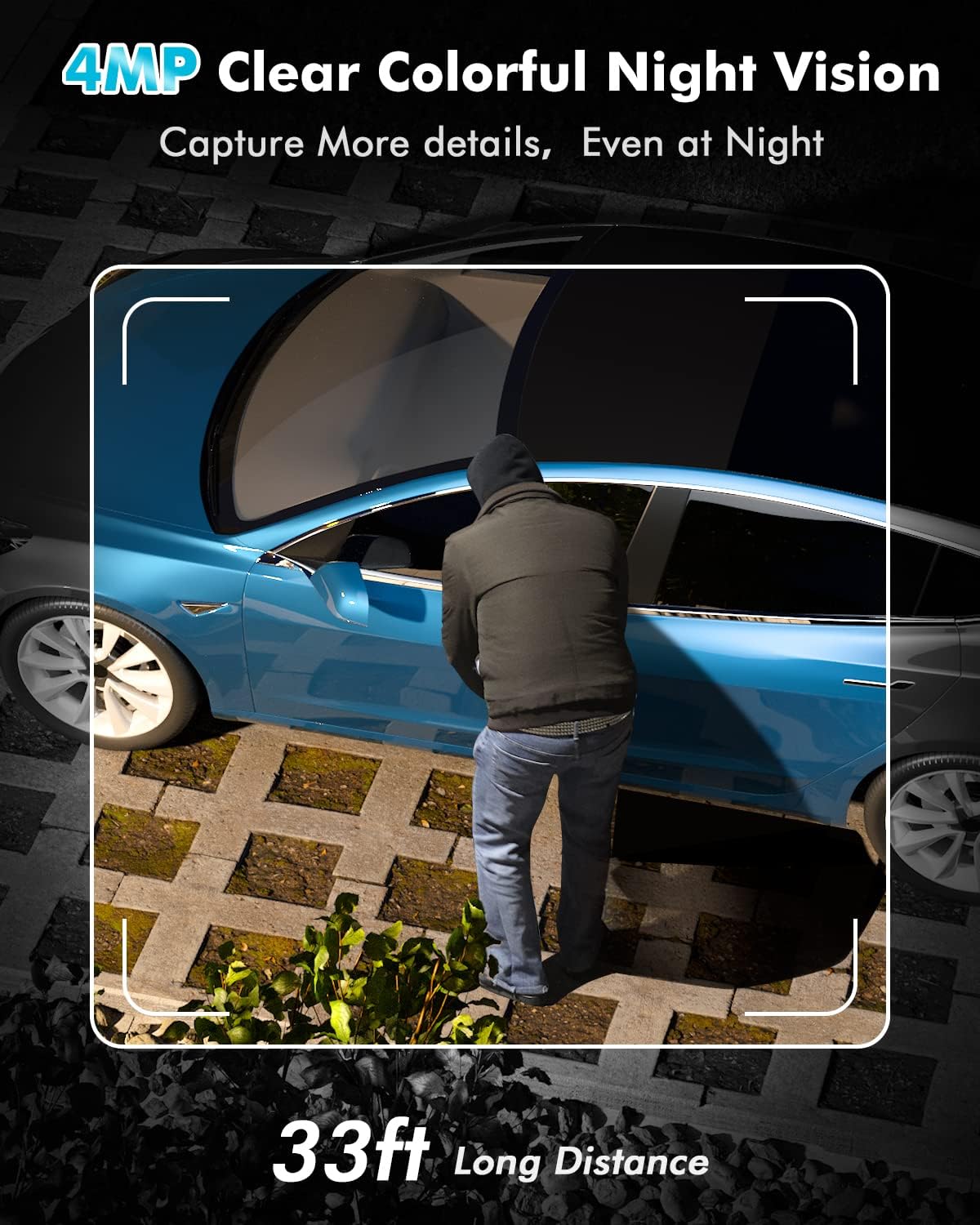
Image 6.3: 4MP Clear Colorful Night Vision
- Warna Night Vision: Enabled by the two integrated spotlights, providing detailed, full-color video at night.
- Infrabeureum Night Vision: Standard black and white night vision when spotlights are off.
6.4 Ngarekam jeung Panyimpenan
Your camera system offers flexible storage options for recorded footage.

Image 6.4: Cloud and SD Card Storage Options
- Panyimpenan Lokal: The base station supports a Micro SD card up to 128GB (not included).
- Panyimpenan awan: 1 year of free cloud storage is offered (registration required).
6.5 Konektipitas Wi-Fi
The system utilizes 2.4 GHz Wi-Fi for stable and extended coverage.
- 100% Wireless: Cameras connect wirelessly to the base station.
- rentang diperpanjang: The upgraded 4 dBi external antenna provides a stronger signal through walls and up to 91.4 meters (300 feet) of Wi-Fi coverage.
- 2.4 GHz Ngan: The system supports 2.4 GHz Wi-Fi networks only; 5 GHz is not supported.
7. Pangropéa
7.1 Manajemén batré
The cameras are equipped with long-lasting batteries.
- Kahirupan batré: Provides up to 180 days of continuous protection on a full charge.
- Ngecas Surya: Supports charging via a compatible solar panel (sold separately). Approximately 2 hours of direct sunlight can provide enough power for one day of operation. With consistent solar charging, the camera can operate for up to 360 days without manual recharging.
7.2 Résistansi Cuaca
The cameras have an IP67 waterproof rating, making them suitable for various outdoor weather conditions.
7.3 beberesih
Periodically clean the camera lens and housing with a soft, dry cloth to ensure optimal image quality and prevent debris buildup.
8. Cara ngungkulan
- Kaméra Teu Nyambung: Ensure the base station is powered on and connected to the internet. Verify the camera is powered on and within range. Re-scan the QR code on the base station via the app.
- Sinyal Wi-Fi goréng: Ensure the base station is centrally located. Avoid placing it near large metal objects or other sources of interference. The camera's external antenna helps improve signal strength.
- Tanda Gerak Palsu: Adjust the motion detection sensitivity in the app. Utilize AI human detection to filter out non-human movements.
- Kahirupan batré pondok: Ensure the camera is fully charged. If using a solar panel, verify it receives adequate direct sunlight daily. Extreme cold temperatures can affect battery performance.
- Teu aya Visi Peuting: Check if the IR LEDs or spotlights are obstructed. Ensure night vision settings are enabled in the app.
9. Spésifikasi
| Fitur | Spésifikasi |
|---|---|
| merek | YESKAMO |
| Nomer modél | TJ33-B |
| Resolusi Video Éféktif | 4 MP |
| Kakuatan | 3 Watt |
| Gaya | Battery 2 Cams Kit |
| Jenis Bohlam | Infrabeureum |
| Fitur husus | Night Vision, AI Motion Detection, Two-Way Audio |
| Pamakéan | Luar, jero rohangan |
| Batré Kalebet | Sumuhun |
| Téhnologi konektipitas | Nirkabel (Wi-Fi 2.4 GHz) |
| Alat nu cocog | Smartphone (iOS, Android), PC, Tablet |
| Sumber Daya | Battery, Cable Electric (for base station) |
| Tipe Pamasangan | Tembok Gunung |
| Jumlah Saluran | 2 |
| Faktor Bentuk | Kubah |
| Peunteun IP | IP67 |
10. Garansi jeung Rojongan
The YESKAMO 4MP Wireless Outdoor Battery Security Camera System comes with a one-year free warranty from the date of purchase.
If you encounter any issues or have questions regarding your product, please do not hesitate to contact our support team. Our dedicated team is available to assist you with troubleshooting, technical guidance, and any warranty-related inquiries.
Inpormasi kontak: Please refer to the contact details provided on the product packaging or the official YESKAMO websitus pikeun inpormasi pangrojong paling up-to-date.