
Bubuka
This manual provides detailed instructions for the safe and effective use of your BORUIT V3 and V7 EDC flashlights. Please read this manual thoroughly before operation to ensure proper functionality and longevity of your devices.
Disetél
Charging the Flashlights
Both BORUIT V3 and V7 flashlights are equipped with a Type-C charging port. Before first use, or when the battery is low, charge the flashlight using a standard USB-C cable and a compatible power source.
- Connect the Type-C cable to the flashlight's charging port.
- Sambungkeun tungtung kabel anu sanésna kana adaptor daya USB atanapi port USB komputer.
- For the V7 flashlight, a red light will flash during charging, and a green light will indicate a full charge.
- The V3 flashlight has a battery indicator display that shows charging status.
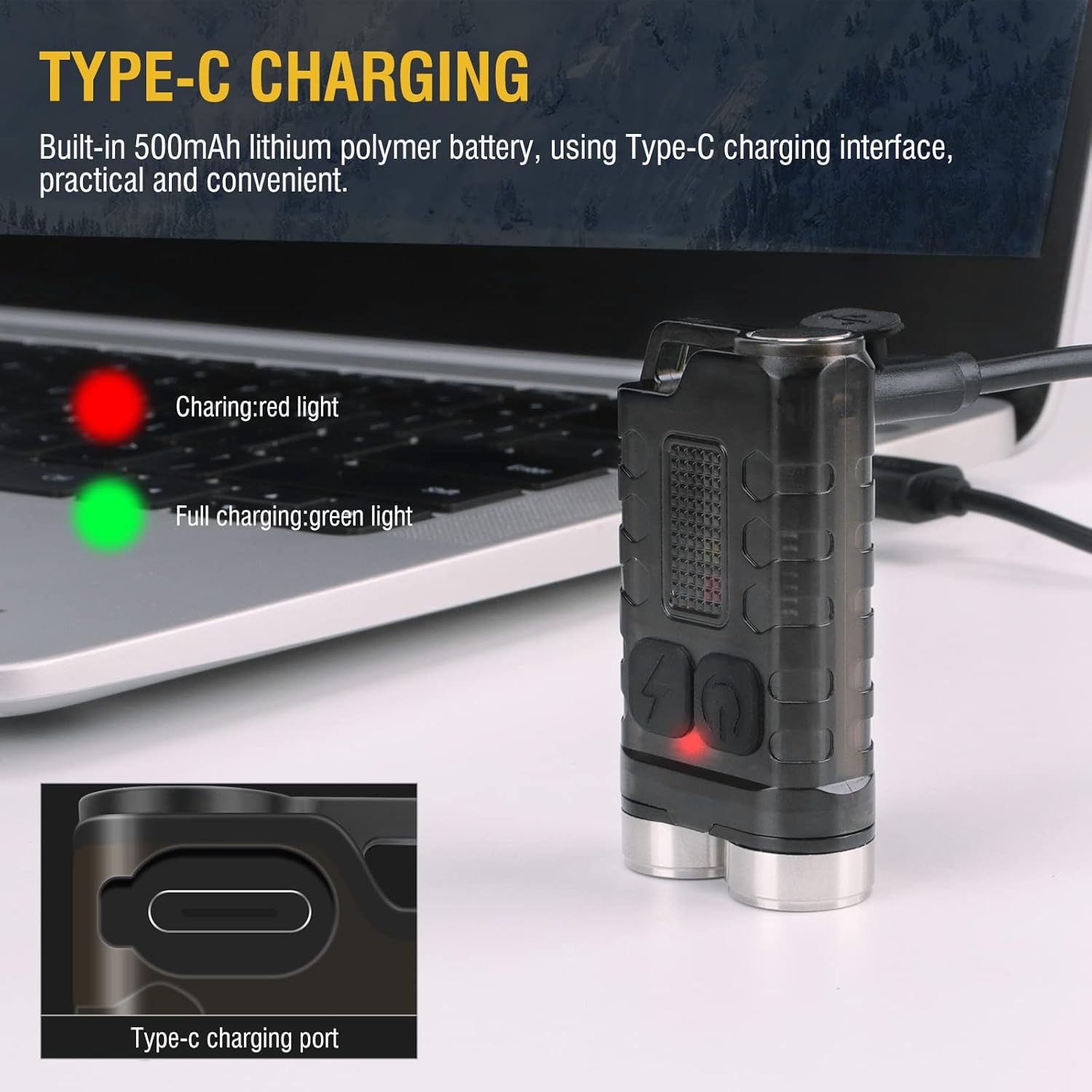
Image: BORUIT V3 flashlight charging via Type-C cable, with a red indicator light visible.

Image: BORUIT V7 flashlight and its Type-C charging cable.
Parentah Operasi
BORUIT V3 Flashlight Operation
The BORUIT V3 flashlight features 12 lighting modes, including 5 main light modes and 7 side light modes.
Modeu Lampu Utama:
- Super Caang
- Cahaya Luhur
- Sedeng Caang
- Cahaya Lemah
- Ékonomi
Modeu Lampu Sisi:
- Cahaya Bodas
- Lampu UV
- Lampu Beureum
- Lampu Beureum Flash
- Red Blue Light Flash
Operating the V3 Main Light:
- Hurungkeun/Pareuman: Press the main light switch button to turn on. Release to turn off.
- Robah Modeu: Double-click the main light switch button to cycle through modes.
- Turn Off from Mode: Press and hold the main light switch button to turn off.
Operating the V3 Side Light:
- Cahaya bodas: Long press the side light switch to turn on the white light. Long press again to turn it off.
- Red-Blue Flash: Click the side light switch three times to activate the red-blue flash.
- Robah Modeu: Double-click the side light switch to cycle through other side light modes.
- Turn Off from Mode: Press and hold the side light switch to turn off.

Image: BORUIT V3 flashlight lighting modes and operation guide.
BORUIT V7 Flashlight Operation
The BORUIT V7 flashlight features 3 powerful LED lights and multi-color side lights. Specific mode cycling instructions are similar to the V3 model, typically involving single clicks, double clicks, and long presses of the power button to cycle through brightness levels and special modes.
Magnetic Tail and Clip:
The V7 flashlight includes a magnetic tail, allowing it to be attached to metallic surfaces for hands-free operation. A clip on the back enables secure attachment to pockets, straps, or hats.

Image: BORUIT V7 flashlight demonstrating its ultra-light and portable design with clip and keychain.

Image: BORUIT V7 flashlight utilizing its magnetic adsorption feature.
Pangropéa
To ensure optimal performance and extend the lifespan of your BORUIT flashlights, follow these maintenance guidelines:
- beberesih: Ngusap awak senter ku hipu, damp lawon. Ulah make cleaners abrasive atawa pangleyur.
- Tahan cai: The V3 is IP65 waterproof, and the V7 is IPX5 waterproof. While resistant to splashes and rain, avoid submerging the flashlights in water for extended periods. Ensure the charging port cover is securely closed to maintain water resistance.
- Panyimpenan: Store the flashlights in a cool, dry place away from direct sunlight and extreme temperatures. If storing for a long period, ensure the battery is partially charged (around 50%) to prevent deep discharge.
- Perawatan batré: Ngecas batré sacara rutin, sanajan henteu sering dianggo, pikeun ngajaga kaséhatan batré.

Image: BORUIT V3 flashlight demonstrating IP65 outdoor waterproof capability.
Pamérésan masalah
If you encounter issues with your BORUIT flashlight, refer to the following common troubleshooting steps:
- Senter teu hurung:
- Ensure the battery is charged. Connect to a charger and check the indicator light.
- Verify that the power button is being pressed correctly according to the operating instructions (e.g., single press, double-click, long press).
- Kaluaran Cahaya Taram:
- Batré bisa jadi lemah. Ngecas senter.
- Ensure the flashlight is not in an economic or low-power mode. Cycle through the modes to a brighter setting.
- Masalah ngecas:
- Pariksa kabel ngecas sareng adaptorna naha aya karusakan. Cobi kabel atanapi sumber daya anu béda.
- Ensure the Type-C cable is fully inserted into the charging port.
spésifikasi
BORUIT V3 Flashlight
| Parameter | Rincian |
|---|---|
| Bahan | PC + 304 Stainless Steel |
| Lumén | 900 LM |
| Sumber Cahaya | LED |
| Modeu Lampu | 12 (5 Main, 7 Side) |
| Warna Cahaya | UV, White, Red, Blue Light |
| Tipe Ngecas | TIPE-C |
| Kelas waterproof | IP65 |
| Jarak Iradiasi | 100 méter |
| Ukuran produk | 15mm * 31mm * 56mm |
BORUIT V7 Flashlight
| Parameter | Rincian |
|---|---|
| Sumber cahaya | 3 * LED |
| Lamp Luminous (lm) | 1100lm |
| Jarak Beam | 100 Méter (328 suku) |
| Kapasitas batré | Batré Litium Polimér 800mAh |
| Input | 5V |
| Waktu Ngecas | 3 Jam |
| Indikator Ngecas | Red light flash (charging), Green light (full) |
| Bahan cangkang | Aluminium Alloy |
| Kelas waterproof | IPX5 |
| Mode ngecas | USB-C |
| Beurat bersih | 52g |
| Ukuran produk | 64mm * 37.5mm * 21mm |
Garansi sareng Rojongan
Your BORUIT V3 and V7 flashlights come with a limited warranty. For specific warranty details, claims, or technical support, please refer to the warranty information provided at the time of purchase or contact BORUIT customer service directly through their official websitus atanapi retailers otorisasi.
Pikeun pitulung salajengna, mangga buka di BORUIT Store on Amazon.