
Bubuka
Thank you for choosing the HAMMER SpeedMotion II Elliptical Trainer. This manual provides essential information for the safe and effective use of your new fitness equipment. Please read it thoroughly before assembly and operation, and keep it for future reference.
The SpeedMotion II offers an innovative and comfortable workout experience, combining dynamic movement with individual intensity control. Its natural, ergonomic design supports effective calorie burning and targets various muscle groups through its 3-fold incline adjustment.

The HAMMER SpeedMotion II Elliptical Trainer provides a full-body workout experience in the comfort of your home, featuring 24 programs, 16 resistance levels, an LCD display, and Bluetooth connectivity.
Parentah Kasalametan
- Taroskeun ka dokter sateuacan ngamimitian program latihan énggal.
- Pastikeun sadaya bolts sareng mur dikencangkeun sacara aman sateuacan unggal dianggo.
- Place the elliptical trainer on a flat, stable surface.
- Jauhkeun barudak sareng piaraan tina alat salami operasi.
- Ngagem sapatu olahraga sareng pakean anu pas.
- Eureun latihan langsung upami anjeun pingsan, lieur, atanapi nyeri.
- The maximum user weight for this device is 130 kg.
Setup sareng Majelis
The HAMMER SpeedMotion II Elliptical Trainer requires assembly. An instruction manual is included with the product to guide you through the process. It is recommended to lay out all parts and verify them against the parts list before beginning assembly.
- Ngabongkar bungkusan: Sacara saksama miceun sadaya komponén tina bungkusan.
- Pariksa komponén: Verify that all parts listed in the assembly guide are present and undamaged.
- Majelis Dasar: Pasangkeun stabilisator hareup sareng tukang kana pigura utama.
- Pedal Arms and Flywheel: Assemble the pedal arms and connect them to the flywheel mechanism.
- Setang: Secure the stationary and moving handlebars.
- Pamasangan konsol: Mount the LCD console and connect all necessary cables.
- Penyesuaian condong: Ensure the 3-fold incline adjustment mechanism is correctly installed and functional.
- Cék ahir: Double-check all connections and ensure the elliptical is stable before first use.
Assembly typically takes approximately 45 minutes for one person, following the detailed, illustrated instructions provided.
Parentah Operasi
Konsol Langkungview

The LCD display provides real-time feedback on your workout, controlled by the intuitive Push & Turn button.
The black-backlit LCD display provides clear visibility of your workout data. Use the central Push & Turn Button for intuitive navigation and selection.
- RPM: Revolusi Per Menit
- Laju: Laju ayeuna
- Jarak: Total distance covered
- Training Time: Duration of your workout
- Konsumsi Kalori: Diperkirakeun kalori dibeuleum
- Laju Jantung: Measured via handgrip sensors
- Tingkat résistansi: Current resistance setting
Program Latihan
The SpeedMotion II features 24 pre-set training programs to help you achieve your fitness goals. Navigate through the programs using the Push & Turn Button and select the one that suits your needs.
Pangaturan Perlawanan
The elliptical trainer uses a manual resistance mechanism. Adjust the resistance level to increase or decrease the intensity of your workout. Higher resistance targets strength, while lower resistance focuses on endurance.
3-Fold Incline Adjustment

Adjust the incline to target different muscle groups: higher incline for glutes and hamstrings, lower incline for quadriceps.
The 3-fold incline adjustment allows you to vary your workout and target different muscle groups. A higher incline emphasizes the glutes and posterior thigh muscles, while a lower incline places more emphasis on the anterior thigh muscles (quadriceps).
Pangimeutan Laju Jantung
Integrated handgrip sensors allow for real-time heart rate monitoring. Grip the sensors firmly during your workout to display your heart rate on the LCD console. This helps you stay within your target heart rate zone for optimal training.
Kinomap & Zwift Compatibility
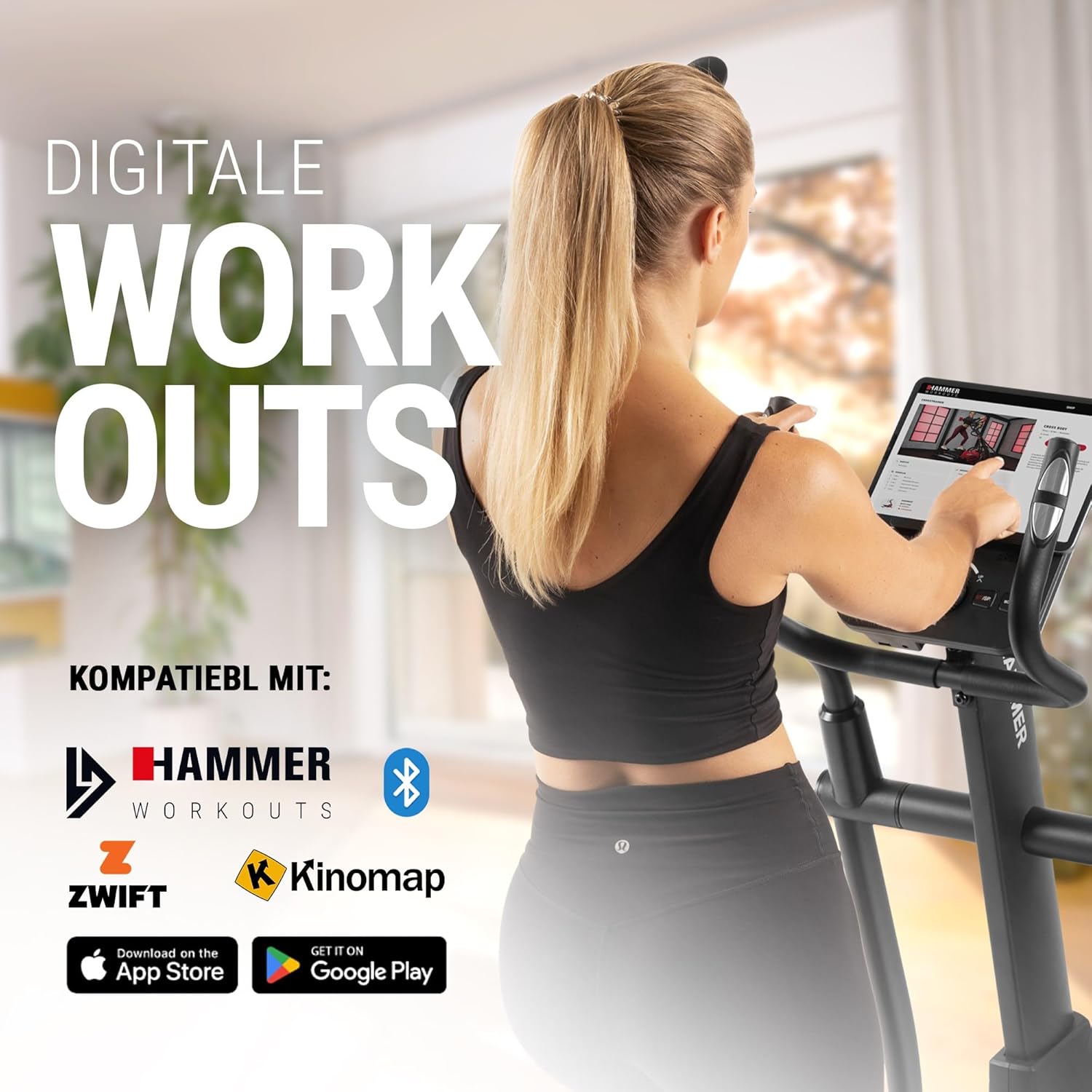
Connect your tablet or smartphone to the elliptical trainer for interactive workouts with Kinomap and Zwift.
The SpeedMotion II is compatible with popular fitness apps like Kinomap and Zwift. Connect your smartphone or tablet via Bluetooth to access virtual training worlds, interactive routes, and track your performance. Download the respective apps from the App Store or Google Play.
Pangropéa
Pangropéa rutin mastikeun umur panjang sareng kinerja optimal tina pelatih elips anjeun.
- beberesih: Lap alat-alat nganggo iklanamp lawon sanggeus unggal pamakéan pikeun miceun kesang jeung lebu. Hindarkeun pembersih abrasive.
- Lubrication: Periodically check moving parts, especially the rollers and tracks, for smooth operation. Lubricate as recommended in the detailed product manual if necessary.
- tightening: Regularly inspect all bolts, nuts, and connections. Tighten any loose components to prevent noise and ensure stability.
- Panyimpenan: Store the elliptical trainer in a dry, temperate environment away from direct sunlight and extreme temperatures.

The SpeedMotion II features a quiet drive system, high-quality rollers for smooth movement, and stability adjustments for a secure workout.
Pamérésan masalah
If you encounter issues with your HAMMER SpeedMotion II, refer to the following common troubleshooting tips:
| Masalah | Mungkin Cukang lantaranana | Solusi |
|---|---|---|
| Squeaking or rattling noises | Loose bolts or connections; lack of lubrication on moving parts. | Check and tighten all visible bolts and nuts. Lubricate joints and rollers as per the main manual. |
| Paparan henteu jalan | Loose cable connection; depleted batteries (if applicable). | Ensure all console cables are securely connected. Check and replace batteries if the unit is battery-powered (AA batteries required, not included). |
| Uneven movement or instability | Uneven floor surface; loose frame components. | Adjust the leveling feet on the stabilizers. Check and tighten all frame connections. |
| Résistansi henteu robih | Issue with the resistance mechanism. | Refer to the detailed manual for specific resistance mechanism troubleshooting or contact customer support. |
If the problem persists after attempting these solutions, please contact HAMMER customer support.
spésifikasi
| Fitur | Spésifikasi |
|---|---|
| Ngaran modél | SpeedMotion II |
| Nomer modél | 11000 |
| Ukuran (L x W x H) | 160 x 60 x 177 cm |
| Item Beurat | 61.9 kg |
| Beurat pamaké maksimum | 130 kg |
| Flywheel Mass | 18 kg (implied from product title, not explicitly in specs table but in product title) |
| Panjang Lengkah | 50 cm |
| Pedal Distance | 14 cm (from feature bullets) |
| Adjustment condong | 3-fold manual adjustment |
| Mékanisme Résistansi | Manual |
| Program | 24 (from product title and feature bullets) |
| Tipe tampilan | Black-backlit LCD, 17.78 cm (7 inches) |
| Konektipitas | Bluetooth, Kinomap & Zwift compatible |
| Jenis Bahan | logam |
| Sumber Daya | Merlukeun batré AA (teu kaasup) |
Garansi sareng Rojongan
Émbaran jaminan
Specific warranty details for the HAMMER SpeedMotion II Elliptical Trainer are typically provided with your purchase documentation. Please refer to the warranty card or the official HAMMER website for comprehensive information regarding coverage and terms.
Rojongan Palanggan
For technical assistance, spare parts, or any questions regarding your HAMMER SpeedMotion II, please contact HAMMER SPORT customer service. Contact details can usually be found on the official HAMMER websitus atanapi dina dokuméntasi produk Anjeun.
Nalika ngahubungi dukungan, punten sayagikeun nomer modél anjeun (11000) sareng bukti pameseran.