
1. Bubuka
The Generac GB2000 Portable Power Station provides clean, emission-free power for various applications. This manual outlines the proper setup, operation, and maintenance procedures to ensure safe and efficient use of your device. Whether for home backup, camping, or outdoor activities, the GB2000 offers reliable energy.
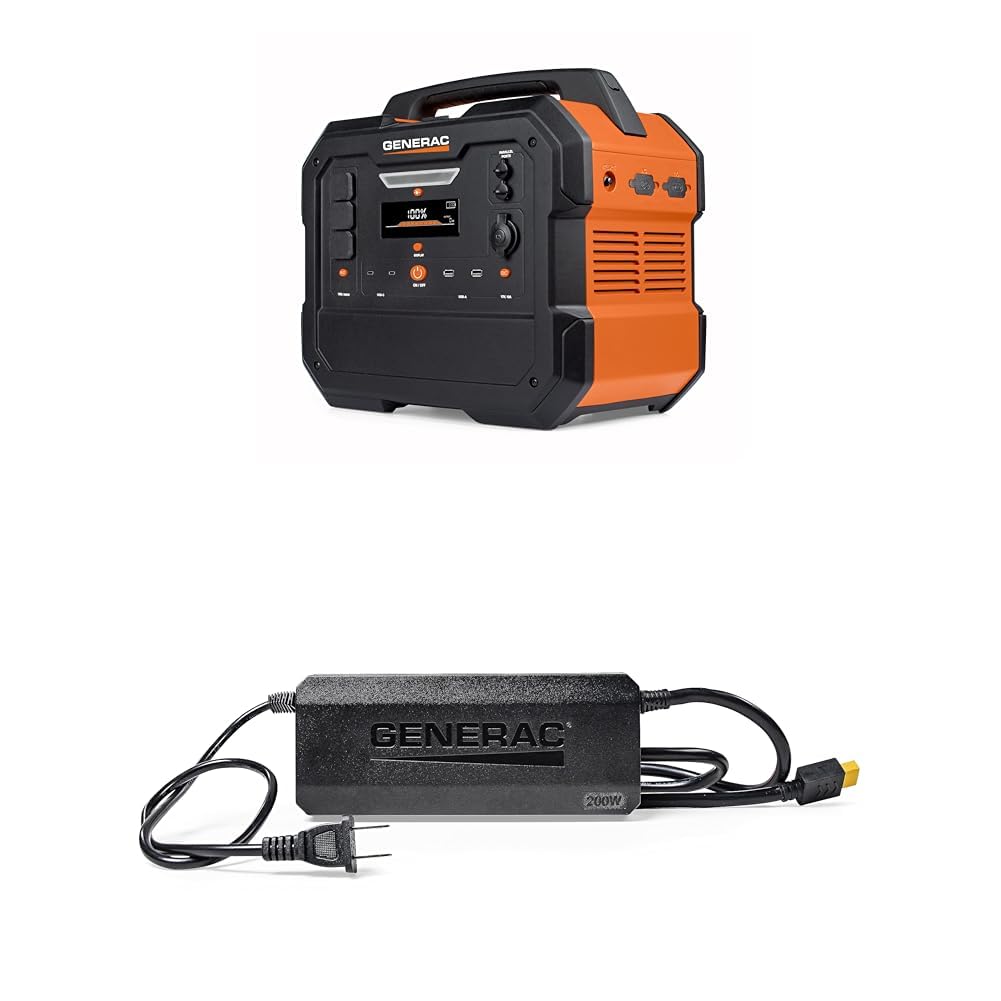
Image 1: Generac GB2000 Portable Power Station, a compact and durable unit with a handle for easy transport.
2. Émbaran Kasalametan
PERHATOSAN: Baca sadaya peringatan sareng parentah kaamanan sateuacan ngoperasikeun produk ieu. Gagalna nuturkeun peringatan sareng petunjuk tiasa nyababkeun shock listrik, seuneu, sareng/atawa tatu anu serius.
- Pamakéan Indoor/Outdoor: This power station is designed for both indoor and outdoor use. Ensure adequate ventilation when operating indoors.
- Hindarkeun Uap: Ulah ngantepkeun pembangkit listrik ka hujan atawa kaayaan baseuh.
- Sambungan anu leres: Ensure all connections are secure and correctly inserted to prevent electrical hazards.
- Perlindungan Overload: Do not exceed the rated output of the power station. Overloading can cause damage to the unit and connected devices.
- Barudak jeung Pets: Keep the power station out of reach of children and pets.
- Panyimpenan: Store the unit in a cool, dry place away from direct sunlight and flammable materials.
3. Eusi Paket
Pastikeun yén sadaya item kalebet dina pakét anjeun:
- Generac GB2000 Portable Power Station
- Generac 8031 Charge Enhancer 200W Charger
- Kabel Ngecas
- Manual pangguna (dokumén ieu)
4. Fitur produk jeung komponén
The Generac GB2000 is equipped with a variety of ports and features for versatile power delivery:
- Multi-Color Display: Provides real-time information on battery status, input/output wattage, sareng sésana runtime.
- AC Receptacles (NEMA 1-15R): Standard household outlets for powering various appliances.
- USB-C Output Receptacles: For fast charging compatible USB-C devices.
- USB-A Output Receptacles: Standard USB ports for charging smaller electronic devices.
- 12V Car Port: For powering 12V DC devices or charging the power station from a vehicle.
- Port Paralel: Allows connection of two GB2000 units for increased power output (Parallel Kit sold separately).
- Pad ngecas nirkabel: Built-in 15W wireless charging for compatible devices.
- LED ON/OFF Button & Diffused LED Light: Nyayogikeun katerangan pikeun rupa-rupa kaayaan.
- AC Output ON/OFF Button: Controls the AC power output.
- Tombol ON/OFF Output DC: Controls the DC power output.
- Tombol Hurung/Pareum Témbongkeun: Toggles the display screen.
- Main ON/OFF Button: Powers the entire unit on or off.

Gambar 2: Detil view of the Generac GB2000 control panel, highlighting various input/output ports and control buttons.
5. Setélan
- Ngabongkar: Carefully remove the Generac GB2000 and all accessories from the packaging.
- Muatan Awal: Before first use, fully charge the power station using the provided charging cable and a standard wall outlet. The display will indicate charging progress.
- Biasakeun diri: Review the control panel and port locations as detailed in Section 4.
6. Parentah Operasi
- Hurungkeun/Pareuman: Pencét jeung tahan tombol Main ON/OFF Button to power the unit on or off. The multi-color display will activate.
- Activate AC Output: Pencét éta Kaluaran AC ON / OFF Tombol to enable the AC receptacles. The indicator light will illuminate.
- Activate DC Output: Pencét éta Kaluaran DC ON / Tombol OFF to enable the DC ports (USB, 12V Car Port). The indicator light will illuminate.
- Sambungkeun Alat: Plug your devices into the appropriate AC or DC ports. Monitor the display for real-time output wattage.
- Ngecas nirkabel: Place your compatible device on the built-in 15W wireless charging pad located on top of the unit.
- Lampu LED: Pencét éta Tombol LED ON / OFF to activate the diffused LED light. Press again to cycle through brightness settings or activate SOS mode.
- Parallel Operation: For increased power, connect two Generac GB2000 units using a Parallel Kit (sold separately) via the Parallel Ports. Refer to the Parallel Kit manual for detailed instructions.
7. Recharging Options
The Generac GB2000 offers flexible recharging methods:
- Outlet témbok: Use the provided charging cable to connect to a standard AC wall outlet.
- Panel panonpoe: Connect compatible solar panels (sold separately) to the designated input ports for eco-friendly recharging.
- Carjer mobil: Use a car charger (sold separately) to recharge the power station from your vehicle's 12V outlet.
- Charge Enhancer: Utilize the Generac 8031 Charge Enhancer 200W Charger to recharge your GB Power Station up to 25% faster.
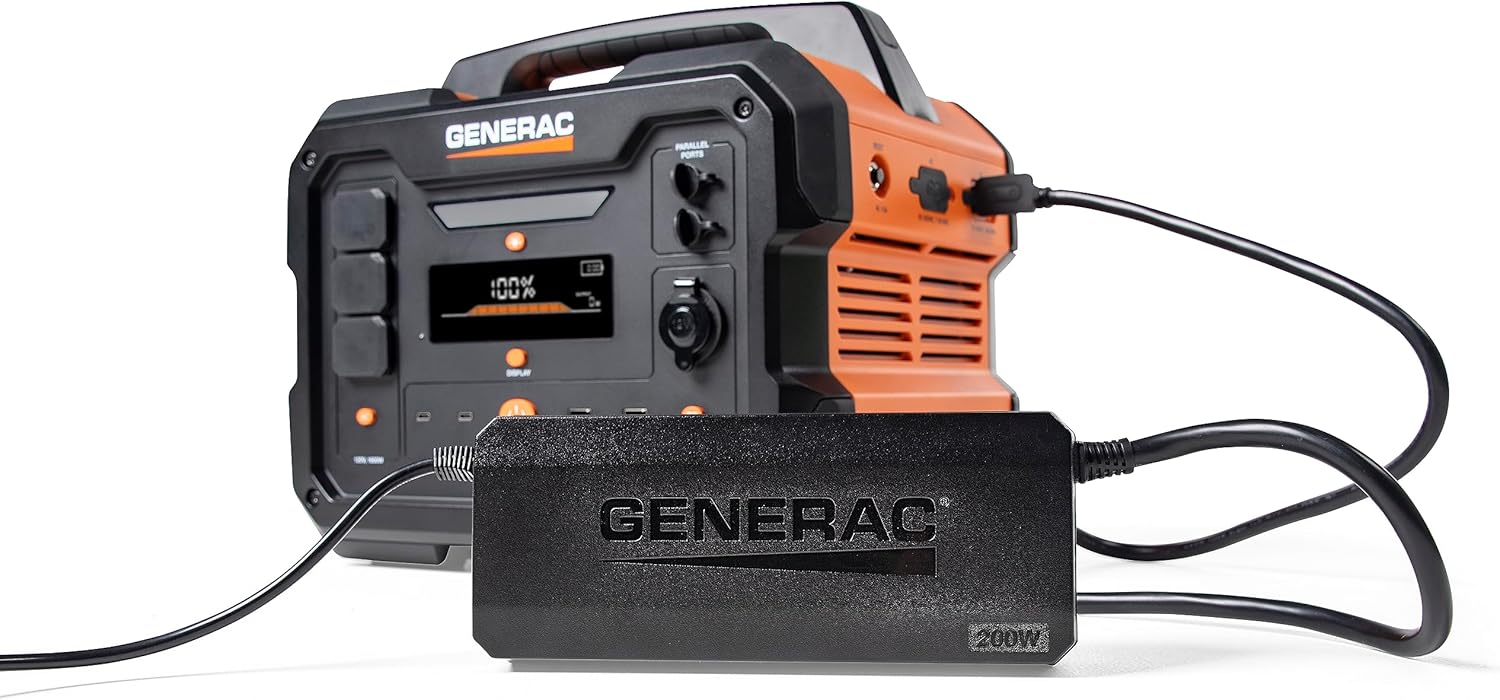
Image 3: Generac GB2000 connected to the Generac 8031 Charge Enhancer for optimized charging speed.

Image 4: Optional accessories for the Generac GB2000, including a Parallel Kit, Charge Enhancer, and Solar Panel.
8. Pangropéa
- beberesih: Wipe the exterior of the power station with a soft, dry cloth. Do not use abrasive cleaners or solvents.
- Panyimpenan: If storing for extended periods, ensure the battery is charged to at least 50% and recharge every 3-6 months to maintain battery health. Store in a cool, dry environment.
- Pamariksaan: Periodically inspect the unit and cables for any signs of damage. Do not operate if damaged.
9. Cara ngungkulan
- Unit teu diaktipkeun: Pastikeun batréna tos dicas. Upami henteu, sambungkeun ka sumber listrik.
- Teu aya Kaluaran ti Palabuhan: Verify that the AC/DC output buttons are pressed and their indicator lights are on. Check device connections.
- Indikasi overload: If the overload alarm activates, disconnect some devices to reduce the load. The unit may automatically reset or require a manual restart.
- Masalah ngecas: Ensure the charging cable is securely connected and the power source is active. Check the display for charging status.
10. Spésifikasi
| Fitur | Spésifikasi |
|---|---|
| merek | Generac |
| Ngaran modél | GB2000 |
| Wattage | 2106 watts (Starting), 2000 watts (Output) |
| Sumber Daya | Solar Powered (compatible) |
| Fitur husus | Lightweight, Portable, Wireless Charging |
| Komponén Kaasup | Charging Cable, Generac 8031 Charge Enhancer 200W Charger |
| Total outlet kakuatan | 6 (AC, USB-A, USB-C, 12V DC) |

Image 5: Estimated runtimes for common devices with the Generac GB2000 Portable Power Station.
11. Garansi jeung Rojongan
For warranty information, technical support, or service inquiries, please refer to the warranty card included in your product packaging or visit the official Generac websitus. Simpen resi pameseran anjeun salaku bukti pameseran.