
1. Produk Langkungview
The DAYBETTER Smart WiFi LED Strip Lights (Model DC50722020W-WAUS0) provide versatile and customizable lighting for indoor spaces. These 100ft LED strips offer 16 million colors, multiple scene modes, and can be controlled via a dedicated smartphone app, voice commands through Alexa or Google Assistant, or an included remote control. Designed for easy installation, they enhance the ambiance of bedrooms, kitchens, stairs, dining rooms, ceilings, and large party areas.
Fitur konci:
- Kontrol APP pinter: Control via WiFi and Bluetooth with the Daybetter APP, offering 16 million colors and various scene modes.
- Kontrol sora: Compatible with Alexa Echo and Google Assistant for hands-free operation.
- Singkronisasi Musik: Activate music mode to synchronize light changes with audio.
- Pangatur Waktu & Jadwal: Program automatic on/off times and countdown timers.
- Pamasangan Gampang: Self-adhesive backing allows for simple mounting on clean, dry surfaces. Cuttable design for custom lengths.
2. Setup jeung Instalasi
Follow these steps for proper installation of your DAYBETTER Smart WiFi LED Strip Lights:
- Ngabongkar komponén: Carefully remove all items from the packaging. Ensure you have the LED strip lights, power adapter, and remote control.
- Nyiapkeun permukaan: Choose a clean, dry, and smooth surface for installation. Wipe down the area to remove any dust or debris.
- Ukur sareng Potong (Opsional): If a shorter length is desired, cut the LED strip along the designated cut marks (usually indicated by a copper line or scissor icon). Do not cut elsewhere, as this may damage the strip.
- Sambungkeun Adaptor Daya: Connect the LED strip to the power adapter. Ensure the connection is secure.
- Apply LED Strip: Peel off the adhesive backing from the LED strip. Carefully press the strip onto the prepared surface, ensuring firm contact along its entire length. For corners, gently bend the strip or use corner connectors (if included and desired for a cleaner look).
- Colokkeun: Colokkeun adaptor kakuatan kana stop kontak listrik standar.
- Tés awal: Use the remote control or the Daybetter app to turn on the lights and test various colors and modes.
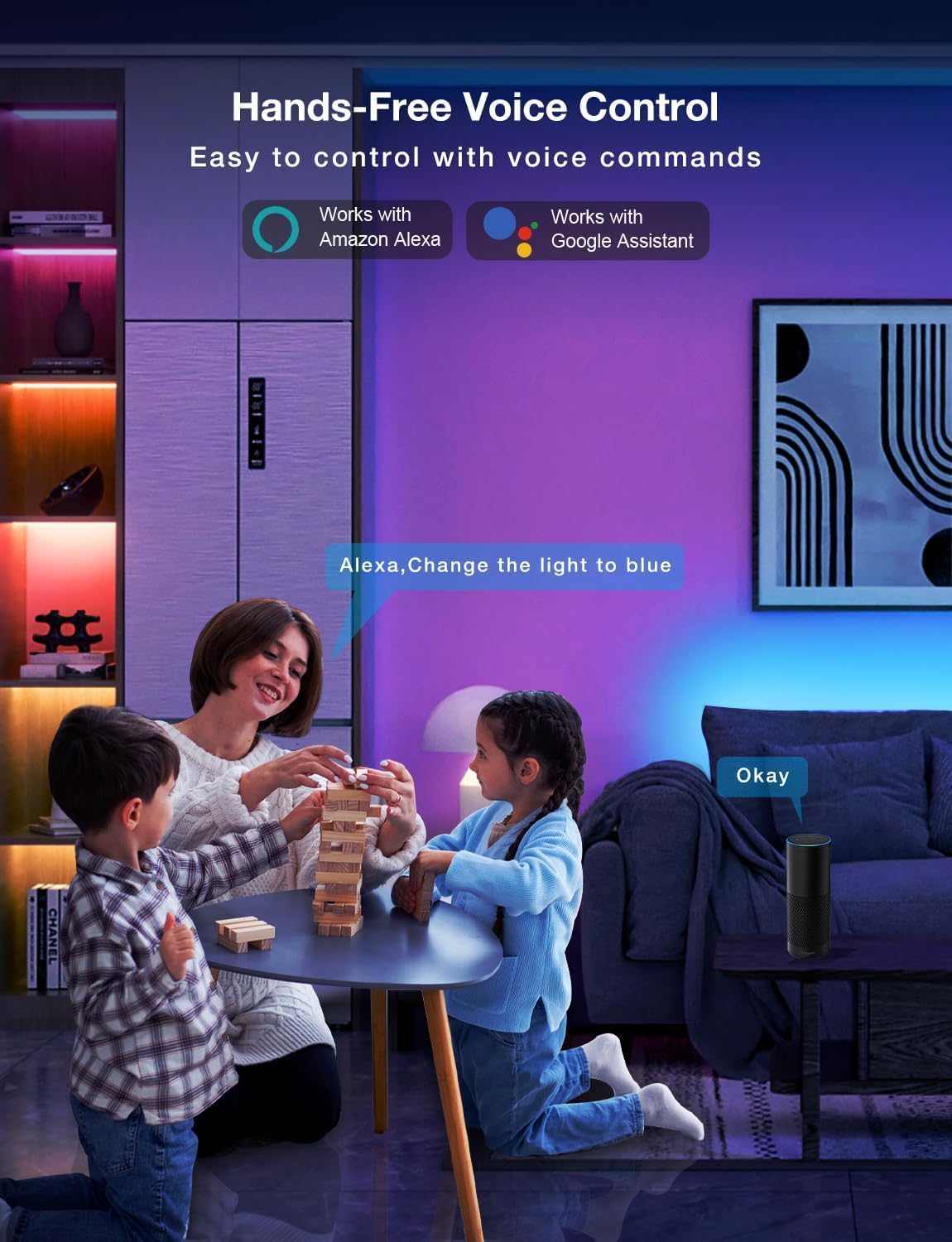
Image: Demonstrating the flexible LED strip and its adhesive backing for easy installation.

Gambar: Leuwihview of the three easy setup methods: Voice Control, Daybetter App Control, and IR Remote Control.
Video: A user demonstrating the installation process and various color changes of the LED strip lights in a home setting.
3. Parentah Operasi
Your DAYBETTER LED Strip Lights offer multiple control options:
3.1. Daybetter App Control (WiFi & Bluetooth)
- Unduh App: Milarian pikeun "Daybetter" in your smartphone's app store (iOS or Android) and install the application.
- Ngadaptar/Log: Jieun akun atanapi log in upami anjeun parantos gaduh.
- Tambahkeun Alat: Follow the in-app instructions to add your LED strip lights. This typically involves ensuring the lights are powered on and your phone's Bluetooth is enabled for initial pairing.
- Fitur kontrol:
- Pilihan Warna: Choose from 16 million colors using the color wheel.
- Penyesuaian Caang: Atur inténsitas cahaya ti 0-100%.
- Modeu Pamandangan: Select from pre-set dynamic lighting effects (e.g., Party, Valentine Day, Halloween, Christmas).
- Singkronisasi Musik: Activate music mode to synchronize light changes with audio.
- Pangatur Waktu & Jadwal: Set specific times for lights to turn on/off or create countdown timers.

Image: The Daybetter app interface showing color selection and brightness control.
3.2. Kontrol Sora (Alexa & Asisten Google)
- Sambungkeun ka Asisten Smart: Ensure your Daybetter app is linked to your Amazon Alexa or Google Assistant account. Follow the instructions provided by your smart assistant app to enable the Daybetter skill/service.
- Paréntah sora: Anggo paréntah sapertos:
- "Alexa/Hey Google, turn on [Light Name]."
- "Alexa/Hey Google, turn off [Light Name]."
- "Alexa/Hey Google, set [Light Name] to blue."
- "Alexa/Hey Google, dim [Light Name] to 50%."

Image: Voice control in action, showing a user interacting with a smart assistant to control the LED lights.
3.3. Kadali jauh
The included IR remote control allows for basic functions:
- Hurungkeun/Pareuman: Dedicated buttons for turning the lights on and off.
- Pilihan Warna: Buttons for common colors (Red, Green, Blue, White, etc.).
- Penyesuaian Caang: Ningkatkeun atawa ngurangan kacaangan.
- Modeu dinamis: Select from various pre-programmed modes like Jump, Fade, etc.
- Modeu Musik: Activate music-reactive modes.

Image: The included IR remote control for direct light adjustments.
4. Pangropéa
To ensure the longevity and optimal performance of your LED strip lights:
- beberesih: Gently wipe the LED strips with a soft, dry cloth to remove dust. Avoid using harsh chemicals or abrasive cleaners.
- Perawatan napel: If the adhesive begins to lose its stickiness, ensure the surface is clean and dry. For re-application, consider using additional adhesive clips or double-sided tape designed for light strips.
- Sasayogian tanaga: Ensure the power adapter is not covered or placed in an area with poor ventilation to prevent overheating.
- Tahan cai: These lights are rated IP20 and are teu waterproof. Avoid exposure to water or high humidity environments.
5. Cara ngungkulan
If you encounter issues with your LED strip lights, refer to the following common solutions:
| Masalah | Mungkin Cukang lantaranana | Solusi |
|---|---|---|
| Lampu teu hurung. | Sambunganna leupas, listrikna kaluartage, faulty adapter. | Check all connections (strip to adapter, adapter to outlet). Ensure the power outlet is functional. Try a different outlet. |
| Kadali jauh teu jalan. | Batré béak, remot teu diarahkeun ka panarima, kahalangan. | Replace remote battery. Ensure direct line of sight to the IR receiver on the controller. Remove any obstructions. |
| Kontrol aplikasi teu jalan. | WiFi/Bluetooth issue, incorrect pairing, app glitch. | Ensure your phone's WiFi/Bluetooth is on and connected. Restart the app. Re-pair the device in the Daybetter app. Check your home WiFi network. |
| Lampuna taram atawa kedip-kedip. | Insufficient power, damaged strip, incorrect brightness setting. | Check power connections. Adjust brightness via app or remote. If only a section is affected, that section may be damaged. |
| Perekatna teu nempel. | Surface not clean/dry, surface texture, old adhesive. | Clean and dry the surface thoroughly. For textured surfaces, use mounting clips or stronger double-sided tape. |
6. Spésifikasi produk
| Fitur | Rincian |
|---|---|
| merek | DAYBETTER |
| Nomer modél | DC50722020W-WAUS0 |
| Item Panjang | 100 Feet (2 Rolls of 50ft) |
| Warna Cahaya | Multiwarna (RGB) |
| Tipe Sumber Cahaya | LED |
| Pamakéan jero rohangan / outdoor | Di jero rohangan wungkul |
| Tingkat Résistansi Cai | Teu Tahan Cai (IP20) |
| Sumber Daya | Kabel Listrik |
| Voltage | 12 volt |
| Wattage | 4.5 watt |
| Métode kontrol | App, Voice, Remote |
| Téhnologi konektipitas | Bluetooth, WiFi |
| Smart Home kasaluyuan | Alexa, Asisten Google |
| Jenis Bahan | palastik |
| Komponén Kaasup | LED Lights, Power Adapter, Remote Control |
7. Jaminan & Dukungan
Garansi Pabrikan: Produk ieu dilengkepan garansi produsén 2 taun.
Kabijakan pamulangan: Eligible for refund/replacement within 30 days of purchase.
For further assistance or technical support, please refer to the contact information provided in your product packaging or visit the official DAYBETTER websitus.